


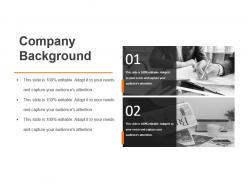
Company background sample of ppt presentation





Try Before you Buy Download Free Sample Product
 Impress Your
 Audience
 100%
100% Editable
 Save Hours
 of Time


Foster amity with our Company Background Sample Of Ppt Presentation. They create a feeling of fellowship.
People who downloaded this PowerPoint presentation also viewed the following :
Company background sample of ppt presentation with all 5 slides:
Create an air of exclusivity with our Company Background Sample Of Ppt Presentation. They generate a feeling of affluence.
FAQs for Company background sample
Oh man, these founders were designers who got super annoyed with the same issue over and over. They'd create gorgeous presentations but then couldn't make them look professional without rebuilding everything from zero. You know how basic PowerPoint templates are kinda trash? But hiring a design agency costs like $5000. There was this weird gap between those options. They figured out how to make really nice templates that don't require you to have gone to art school or whatever. Pretty smart actually - good design shouldn't be something only rich companies can afford.
So basically we've got this whole system where our content team checks everything regularly - they look at what users are saying and track industry stuff that changes. Before any template goes live, subject matter experts have to sign off on it first. The analytics are honestly pretty wild sometimes - templates we think will bomb actually perform great. Every quarter we survey our active users to see what's missing or getting stale. Oh, and if you spot something that seems weird or outdated, just hit that feedback button so we know to fix it.
Honestly, ours are way better because we actually asked presenters what they needed instead of just making things look pretty. The layouts automatically resize when you add stuff, which is clutch. Most companies completely skip accessibility features - not us. Oh and here's something random but super helpful: we test all the colors specifically for projectors so you won't get that nasty surprise where everything looks washed out. Each template comes with presenter notes and timing guides too. Trust me, you'll spend like half the time on formatting and can actually focus on your content instead.
We're going after business people who need presentations fast - consultants, sales teams, marketing people, executives. Most don't have design skills (which is totally fine). Time's always tight for them. So we build clean, professional templates that look expensive but are actually super easy to use. Corporate colors, readable fonts, layouts that work for small meetings or big boardroom presentations. Honestly, the whole point is you just drop your content in and boom - looks like you paid a designer. Sometimes I think we should add more creative options, but our users seem to love the straightforward approach.
So you'd start by figuring out who you're designing for and what they actually need. Then sketch out the basic layout - seriously, some of my favorite designs began on random scraps of paper! After that, create detailed mockups with your colors, fonts, and branding stuff. Don't wait until everything's "perfect" to get feedback though. Test it with real content too, not just those generic placeholder words. What looks amazing with "Lorem ipsum" can fall apart when you add actual text. Keep tweaking as you go - that's honestly where the magic happens.
So they've got this feedback system where you just submit requests through the platform. Design team checks everything monthly looking for patterns. Popular stuff gets bumped up the priority list - honestly pretty cool when you see your idea actually get built. If you're active with feedback, you'll get into beta tests for early access to new stuff. Here's the thing though - be super specific about what you need and why. Like don't just say "more business templates" because that's useless. But "invoice template for freelance photographers"? That catches their attention. Way more helpful for them to actually build something useful.
Honestly, their tech setup is pretty solid. AI design tools handle all the layout stuff automatically - no more spending forever fixing alignment issues. Your team can jump into the same template at once through their cloud platform, which is clutch for avoiding those messy version control situations. The automated brand checks are nice too, plus everything formats correctly on different devices. But here's what really sold me: you can pull live data straight into your slides. Like, actual real-time metrics. Super convenient when you're presenting current numbers. You'll end up focusing way more on your content instead of wrestling with design basics.
Yeah so we're really strong with tech stuff - SaaS companies, consulting, marketing agencies, all that. Healthcare and finance are decent too, just not as many options. Creative agencies and design studios actually get some of our best templates because honestly those people are way more picky about how things look. E-commerce is solid. But if you're in like manufacturing or heavy industrial? The pickings get pretty slim, not gonna lie. I'd definitely filter by your industry first before you get lost scrolling through everything else.
So we do updates every quarter - you'll get emails when new ones drop. The design team honestly goes crazy with choices sometimes, which is kinda nice I guess? Better than using ancient templates. They usually time it with brand updates and seasonal stuff, plus they actually listen to feedback about what people need vs what just looks good. Oh and definitely bookmark that template folder - makes it way easier to spot the new stuff each time they refresh everything.
Honestly? The market's completely flooded now - like, thousands of creators all fighting for attention. Getting noticed feels impossible some days. Users want whatever's trending RIGHT NOW, so you're constantly redesigning stuff or you look outdated fast. Oh and don't get me started on making templates work across every platform... it's a headache. My biggest mistake was trying to appeal to everyone instead of picking a lane. You'll have way better luck if you just focus on one specific niche and own it completely.
Honestly, the whole industry's shifting right now. Clients are obsessed with interactive stuff - like clickable prototypes instead of boring slides. Data storytelling is huge too, with those dynamic charts that actually make sense (way better than those awful bar graphs we used to make). Mobile design isn't optional anymore since everyone's presenting on their phones. Oh, and start practicing this stuff on smaller projects now - you'll thank me later when bigger clients specifically request it. The learning curve isn't terrible if you ease into it.
Dude, customer feedback literally saved our asses. We thought we had this brilliant vision, but users were like "nah, you're thinking way too small." So we pivoted into markets we'd never even considered. Now we build what actually fixes people's problems instead of just cool tech for the sake of it. The whole roadmap process got flipped upside down - in a good way though. Start doing regular feedback sessions if you aren't already. Trust me, it'll stop you from wasting months on features nobody wants. Been there, done that.
Okay so there's actually a bunch of stuff to help you out. Quick-start guides are probably your best bet to begin with - they're downloadable and show you how to customize things properly. The video tutorials are solid too, broken down by template type. But honestly? The knowledge base is where it's at. I'm always digging around in there when I hit a wall, and they have real examples from actual users. Oh, and there are monthly webinars if you want to ask questions live. You can see how other people are tweaking templates for their own projects. I'd just grab the quick-start guide for whatever template you're thinking of using first.
Yeah, we get solid feedback pretty regularly! This one woman Sarah used our proposal template and closed a $50K deal way faster than normal. People are constantly telling us they're saving like 2-3 hours per project - which honestly sounds about right from what I've seen. The project kickoff one is huge too since teams used to waste entire meetings on basic stuff. Most people say they finally have time for actual creative work instead of just... admin nonsense, I guess? You'd probably want to check the testimonials page though - way more detailed stories there.
Honestly, we just stay curious about what's out there. My team follows the usual suspects - Behance, Dribbble, design newsletters. Monthly meetings where everyone dumps their favorite discoveries have been gold though. Sometimes the best stuff comes from those random conversations, you know? We're constantly testing new tools on actual client work too, which separates the genuinely useful from just flashy trends. Oh, and webinars are surprisingly helpful when you can actually attend them. I'd say bookmark a few sites and browse for like 30 minutes weekly. Sounds boring but it really adds up over time.
-
Excellent products for quick understanding.
-
Excellent design and quick turnaround.