

Agenda ppt templates





Try Before you Buy Download Free Sample Product
 Impress Your
 Audience
 100%
100% Editable
 Save Hours
 of Time


Influence the deliberations with our Agenda Ppt Templates. Convince folks to consider a fresh angle.
People who downloaded this PowerPoint presentation also viewed the following :
Content of this Powerpoint Presentation
Description:
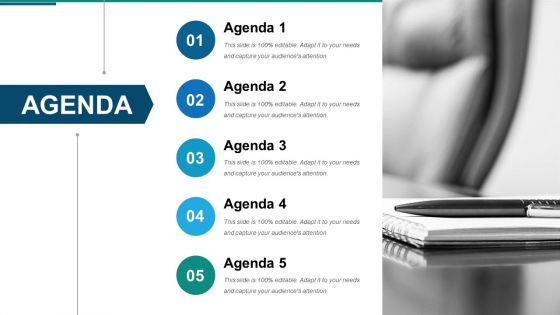
The image is a PowerPoint slide template designed to outline an agenda for a meeting or presentation. It features a clean, professional design with a series of numbered points—five in total—labeled from "Agenda 1" through "Agenda 5." Each point has a corresponding circle with a number inside, signifying the sequence of topics to be discussed. The slide's color scheme is a combination of blue, grey, and white, which gives it a corporate and formal look. The term "This slide is 100% editable. Adapt it to your needs and capture your audience's attention." is repeated across all agenda points, suggesting the template is customizable to fit the specific requirements of a presentation. The backdrop of the slide shows a blurred image of a notebook and a pen, reinforcing the theme of planning and organization.
Use Cases:
PowerPoint slides are versatile tools utilized across various sectors to communicate information effectively. Here are seven industries where the provided agenda slide template could be particularly useful:
1. Consulting
Use: To outline meeting agendas with clients or internal team strategy sessions.
Presenter: Management Consultants.
Audience: Corporate Clients, Team Members.
2. Education
Use: For detailing the agenda of academic conferences, faculty meetings, or curriculum planning sessions.
Presenter: Academic Administrators, Professors.
Audience: Educators, Academics, Students.
3. Healthcare
Use: To set the agenda for medical staff meetings, training sessions, or healthcare symposiums.
Presenter: Healthcare Administrators, Medical Trainers.
Audience: Medical Professionals, Hospital Staff.
4. Technology
Use: To discuss project timelines, product launches, or software development cycles.
Presenter: Project Managers, IT Leads.
Audience: Development Teams, Stakeholders.
5. Finance
Use: For planning financial strategy meetings, investment discussions, or quarterly business reviews.
Presenter: Financial Planners, Bank Managers.
Audience: Investment Teams, Clients.
6. Non-Profit
Use: To organize volunteer coordination, fundraising strategies, or board meetings.
Presenter: Non-Profit Organizers, Board Members.
Audience: Volunteers, Donors, Staff.
7. Government
Use: In planning sessions for community development projects, policy formulation, or inter-departmental collaborations.
Presenter: Policy Makers, Government Officials.
Audience: Inter-agency Representatives, Public Stakeholders.
Agenda ppt templates with all 10 slides:
Our Agenda Ppt Templates have the advantage of flexibility. You will find their adaptability a boon.
-
Agenda Slide
-
Agenda Slide
-
Instructions To Edit This Slide
-
Instructions To Edit This Slide
-
Resize Any Shape And Edit Color
-
Resize Any Shape And Edit Color
-
Use Your Own Icons In Any Slide
-
Use Your Own Icons In Any Slide
-
Select From Thousands Of Editable Icons On Every Topic
-
Select From Thousands Of Editable Icons On Every Topic
FAQs for
Okay so first thing - open with your purpose, then map out your main points in order that makes sense. Put time estimates next to each section (trust me on this one). Always build in buffer time because literally everything takes longer than you think it will. For longer presentations, throw in some breaks or interactive stuff so people don't zone out. Oh and keep your agenda visible the whole time - like on a slide or handout. That way everyone knows where you're at and what's coming next. Honestly the time estimates are clutch for keeping yourself on track too.
Honestly, agenda templates are game-changers for keeping people tuned in. People can see what's coming so they don't just scroll through Instagram the whole time. You can get strategic with it too - tease the good stuff, let people vote on what to cover first, that kind of thing. Short sentences work better than rambling on forever. The pacing gets way smoother when you've got that structure mapped out. I always share mine upfront then circle back to it throughout - keeps everyone on the same page instead of wondering when this thing will finally end.
Consulting, healthcare, and tech are probably your best bets - those people live in meetings. Finance and legal love templates too since their stuff tends to be more formal. Education's another one where you're constantly doing the same meeting types over and over. Look, when you're doing multiple meetings a week, creating agendas from scratch gets annoying real fast. Templates just make sense. I'd honestly start basic and then tweak it for whatever meetings you do most. Way easier than starting fresh every time, plus you won't forget the important stuff.
Dude, agenda templates are a game changer. I used to just wing meetings and they'd go on forever – total nightmare. Now I actually think about timing beforehand, like maybe 15 minutes for updates, then dive into the real stuff. Templates stop those random tangents that kill productivity (you know the ones). Your team can prep better too since they're not going in blind. Honestly, even a super basic template makes a huge difference. Just customize it for whatever your group needs and you're golden.
Honestly, clean fonts and white space are everything - nobody wants to read something that looks cramped. I'd go with 2-3 colors max and actually stick to them (I always want to add more but resist lol). Make your headers obvious and use bullet points so people can scan quickly. Oh, and put the meeting details right at the top where they can't miss them. Visual breaks help too - maybe some lines between sections? Leave space for notes since everyone's gonna scribble something anyway. Simple but polished is the sweet spot. Your agenda basically sets the vibe for the whole thing.
Honestly, the whole point is matching how you actually present. Visual person? Build in demo time and slide blocks. You run discussions better? Weight it toward Q&A and open conversation. I'm more story-driven myself, so I'd structure longer narrative chunks with details underneath. Don't squeeze yourself into some cookie-cutter format that feels weird. Figure out your natural style first, then build the template around that. Way less awkward when you're actually in there running things. It's like... why fight against how you naturally work, you know?
Don't make your agenda too detailed OR too vague - both are terrible. I used to map out every single minute and it was a disaster when things ran over. But you can't just write "project stuff" either, that's useless. Put in realistic time blocks and leave some wiggle room between topics. Always throw in a section for action items at the end - seriously, you'll be lost without it later. Oh and don't forget buffer time! Meetings always go longer than you think they will.
Honestly, templates are game-changers for meetings. Your brain doesn't have to work as hard when there's a predictable structure - like knowing action items come first, discussion points in the middle, whatever. People can actually prep instead of just showing up confused. Plus you're forced to think about what's actually worth discussing beforehand. No more rambling about random stuff that could've been an email. I've been using the same format for like 6 months now and my team definitely comes more prepared. It's weird how such a simple thing makes everything smoother.
Yeah, templates are actually way more important for virtual presentations! Online meetings are brutal - people zone out so easily with all their notifications and tabs open. You need tighter structure with more check-ins to keep everyone engaged. In-person you can just feel the room and adjust naturally, but virtual? You're kinda flying blind without that roadmap. The template becomes your anchor when you can't feed off the room's energy. Honestly, I'd make separate templates for each - what works face-to-face totally bombs online. Those frequent engagement points are clutch for virtual stuff.
Oh this is actually pretty straightforward! Just import your agenda template straight into PowerPoint or Google Slides - most templates are already editable files anyway. Copy the content into whatever presentation you're working on. Here's the smart part though: once you customize it, save it as your own template so you don't have to rebuild everything each time. PowerPoint has that "Save as Template" option, or with Google Slides just make a copy in your Drive. Honestly saves so much time and keeps your team's agendas looking consistent instead of random every meeting.
Yeah, there's literally a template for every type of meeting you can think of. Project kickoffs focus on scope and timelines. Board meetings cover financial stuff and strategy updates. Performance reviews help structure those awkward feedback conversations. I'm probably weird, but I use retrospective templates constantly - they're perfect for "what went right, what sucked" discussions. Crisis management ones prioritize urgent actions, which is clutch when everything's on fire. You can find templates for client presentations, training sessions, even difficult conversations. Way easier than reinventing the wheel each time.
Honestly, start asking for feedback after every presentation - like actually ask, don't just hope people will volunteer it. When multiple people say the same section drags on forever, that's your cue to cut time there. I've noticed the awkward silences usually happen during agenda items that nobody really cares about anyway. Pay attention to what gets people talking vs. what makes everyone check their phones. Keep some kind of simple log (even just notes in your phone works) and tweak your template every few months. Oh, and always build in buffer time - meetings never go exactly as planned.
Just stick them in your shared drive where the whole team can grab them. I organize mine by meeting type - weekly stuff, project kickoffs, whatever. File names should be dead obvious like "Weekly Team Meeting Template" because people are lazy and won't hunt around. Oh, and definitely make copies for actual meetings instead of editing the original template. Trust me on that one - someone will accidentally mess it up otherwise. Set permissions so only a few people can touch the master versions. Toss some quick instructions at the top explaining when to use each template too.
Honestly, agenda templates are lifesavers for keeping presentations focused. You know how meetings always go off the rails? Having that structure lets you pull people back when they start rambling about random stuff. Plus your audience isn't sitting there wondering "okay when are we getting to the good part" - they can see what's coming. I always add time blocks to mine now, saves you from that awkward rush at the end where you're speed-talking through slides. It's like having bumpers at a bowling alley, but for presentations.
Yeah totally doable! Just swap out the boring meeting stuff for classroom things - learning objectives instead of old business, activities where you'd normally have reports. Kids actually eat up that official structure weirdly enough. Throw in discussion time and maybe peer feedback sections if they're doing group work. Brain breaks are clutch too, especially for younger ones. Oh and assessment checkpoints work way better than just winging it at the end. The basic agenda format stays the same, you're just filling it with education stuff that fits your timeline.
-
Great product with effective design. Helped a lot in our corporate presentations. Easy to edit and stunning visuals.
-
Visually stunning presentation, love the content.