Agenda ppt slides inspiration
Try Before you Buy Download Free Sample Product
Audience
Editable
of Time
Our Agenda Ppt Slides Inspiration endow you with extra endurance. They will augment your capacity.
People who downloaded this PowerPoint presentation also viewed the following :
Content of this Powerpoint Presentation
An agenda depicts the meeting plan shared with attendees beforehand. It comprises a list of topics for the discussion, the allocated time for the meeting, and the names of the speakers. It helps to save time by ensuring that meetings should stay productive and up to the point. Moreover, it also helps participants prepare for the meeting in a better way as they get the context ahead. The real piece is that an agenda slide promotes transparency and accountability by highlighting objectives and desired outcomes. It plays a crucial role in creating meaningful communication within companies.
Empower your presentations with our agenda PowerPoint designs. It helps to outline objectives, participants, and timelines for efficient meetings. Click here to download
Agendas are also critical in business expansion because they ensure effective communication, great collaboration, and decision-making. Giving topics for meetings helps provide a clear roadmap. It gives clarity to meeting attendees to brainstorm ideas, recognize challenges, and find solutions. It helps to drive business towards success. Additionally, it provides a framework to track actions and ensure follow-ups. It empowers businesses to stay focused and make adjustments in strategy according to market dynamics, thus ensuring sustained growth and long-term success.
Unlock the power of efficient meetings with our agenda PowerPoint templates. Download here to keep your audience engaged.
Our presentation layouts are indispensable in effectively conveying the agenda's purpose and objective to all attendees. These PPT diagrams help ensure that every participant is well-prepared as they receive a list of topics and timeframes. Moreover, these PowerPoint designs ensure smooth coordination and seamless execution. Our presentation visuals give you the liberty to engage your audience with an innovative approach.
Set the stage for success with our one-week induction training agenda, meticulously crafted to immerse new employees in company culture. Download here.
Template 1:Â Agenda

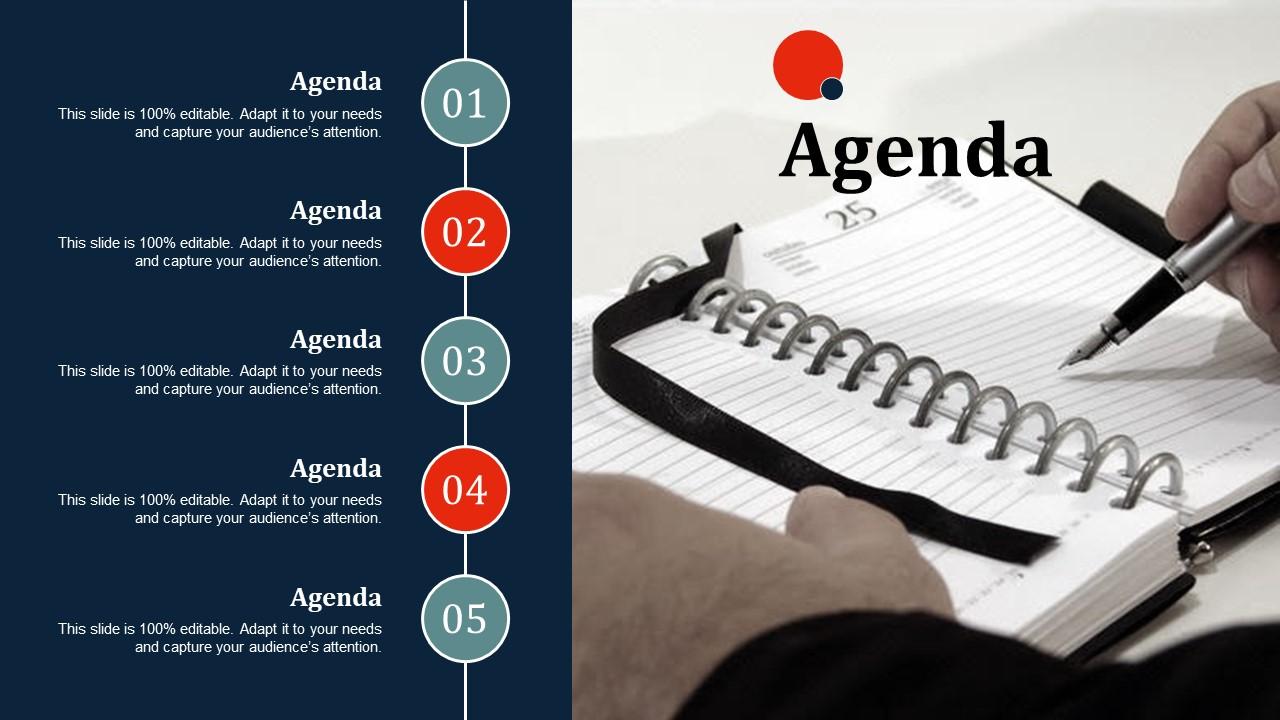
This presentation slide helps you to outline the agendas effectively. The PowerPoint template enables us to highlight business purposes, objectives, and the role of participants. It also empowers them to prepare better for the meeting to save valuable time for attendees. Moreover, the PPT layout helps to drive better results. The presentation visual is ideal for project managers, team leaders, and business executives. The PowerPoint diagram helps them to plan more effective meetings. Download our agenda presentation graphic now!
Turning Vision into Action: Our Agenda
Our PowerPoint layouts play a vital role in showcasing the effectiveness of the agenda. These presentation templates ensure the timely delivery of business communication without creating kiosks. Our PPT slides are a resourceful tool for making your audience understand the critical objective of the agenda in business development. The PowerPoint slides drive collaboration, efficiency, and successful outcomes in business endeavors.
Agenda ppt slides inspiration with all 5 slides:
Gift them fortitude with our Agenda Ppt Slides Inspiration. Encourage them to followa fearless approach.
FAQs for Agenda
So for your agenda template, definitely include the basics - meeting purpose, when/where it's happening, who's coming, and your actual agenda items with time slots. Oh, and add a "decisions needed" section! Honestly changed my life for keeping people on track. Leave space at the bottom for action items and next steps. Send it out like 48 hours early so people can prep (though let's be real, half won't read it anyway). Pro move: create a "parking lot" section for random stuff that comes up during the meeting.
Oh man, you need agenda templates! Seriously, they're a game-changer for stopping those meetings that drag on forever with zero results. Everyone shows up knowing what's happening, so they actually bring the right info instead of just winging it. The structure keeps you focused on what matters – no more random rabbit holes about office coffee or whatever. Time limits for each topic are built right in, which is honestly my favorite part. I started using them last month and now we're finishing meetings early AND people actually follow through on stuff. Your team will thank you, trust me.
Okay so it really depends on what kind of presentation you're doing. Board meetings need the formal stuff - time blocks, who's presenting what, action items. Sales pitches though? Those work way better when you build a story that leads to your offer. Workshop agendas should have breaks and activities built right in, brainstorming can be looser with flexible timing. Honestly most people way overthink this whole thing. Just match how formal your agenda is to what your audience expects. I always start with something basic then tweak it from there - saves so much time.
Honestly, good design makes such a huge difference for agendas. Use contrasting colors so headers and action items pop - makes it way easier to scan quickly. I've seen people actually start reading agendas ahead of time when they look professional instead of like a boring Word doc. White space is your friend too. Nobody wants to stare at a wall of text. Stick to 2-3 colors max and make sure your most important stuff stands out visually. Clean design just hits different, you know?
Oh man, remote meeting agendas are totally different! First thing - stick clickable links directly in there for docs, materials, all that stuff. Time zones are a must or people will definitely show up at the wrong time (I've done this so many times). Buffer time between items is huge since everything takes longer online. Also throw in a tech requirements section - like if someone needs special software or whatever. Screen sharing notes help too. The main thing though? Make sure everyone can edit it live so you're not dealing with ten different versions floating around.
Just look at what your industry actually talks about and build from there. Healthcare meetings? They're always hitting patient outcomes and compliance stuff. Tech teams focus more on sprint updates and feature rollouts. Non-profits though - man, they've got fundraising, volunteer coordination, like everything packed in there. Check your last few meeting notes and see what keeps coming up. Those recurring topics? That's what belongs in your template. Don't overthink it - just match the structure to what you're actually discussing. Way easier than forcing some generic agenda that doesn't fit how your team operates.
Dude, you absolutely need time blocks on your agenda or meetings turn into total chaos. I learned this the hard way when our team spent 45 minutes arguing about coffee suppliers instead of discussing actual project deadlines. Wild stuff. Build in realistic time estimates for each topic, maybe add some buffer minutes too. Short sentences work better than long ones for this. The first agenda item will always try to hijack everything if you don't set boundaries. Trust me, once you start doing this your meetings won't feel like they're dragging on forever.
Honestly, templates are game-changers for keeping people on track. Everyone knows there'll be an action items section with actual names and deadlines - none of that "someone should look into it" garbage. Send the agenda ahead of time so nobody can play dumb about expectations. The structure forces you to write down real decisions instead of just rambling. I'd throw in a progress check section too, makes people review what they committed to last time. It's way harder to flake when everything's documented like that.
Honestly, give people at least 24-48 hours with the template - otherwise they'll just show up unprepared. I always throw the response deadline right in the subject line because people have goldfish memory spans. Make it an editable doc too, not some annoying PDF they can't actually use. You'll want to spell out exactly how to fill it out - like do they need time estimates or supporting docs? The whole point is letting them actually think about what they want to contribute instead of ambushing them last second.
Honestly, agenda templates are lifesavers - they give each topic a set time block so people actually know what you're trying to get done. Like when you write "Budget Review (15 mins)" everyone stays focused instead of going off on random stuff. You know those meetings that somehow become debates about the office coffee? Yeah, this prevents that. Short time slots also create urgency so decisions happen faster. You can redirect people back to the schedule without being rude about it. Oh, and build in some buffer time between topics - trust me, you'll need it when things run long.
Color coding is a game changer for agendas - I started doing it last month and people actually read mine now. Break up text blocks with bullet points or little icons so it doesn't look intimidating. White space is your friend too, nobody wants to stare at a wall of text during meetings. Bold the important stuff since that's where people's eyes go first. Tables work really well for scheduling time blocks. Even one small visual tweak makes everything way easier to scan. Your team will thank you when they can actually find what they're looking for instead of squinting at paragraphs.
Honestly, just send out a quick survey after meetings - like 2-3 questions max while it's still fresh. Ask what worked and what dragged on forever. During wrap-ups, I'd also just straight up ask "how'd that feel?" People are surprisingly honest when you're casual about it. After a few weeks, look for patterns. Maybe you're always running over on certain topics, or transitions feel weird. Then actually change your templates based on what you heard - your team will notice you're listening, which is half the battle.
Honestly, just start with whatever you're already using daily - Word or Google Docs work great since you can duplicate templates super easily. Teams loves their Microsoft Teams meeting templates if you're in that ecosystem, and they sync with your calendar which is nice. Notion's pretty cool if you want to get fancy with databases and automation, but fair warning - there's definitely a learning curve there. Oh, and don't sleep on Trello if you're into the whole card thing. I've seen people make it work surprisingly well for agendas. Really though, pick what your team won't complain about using and upgrade later if needed.
Yeah, cultural stuff totally affects how you should set up meeting agendas. Japanese meetings need way more background context and relationship chat built in, but Americans just want bullet points that cut to the chase. Germans are crazy punctual so your timing better be spot-on, while in Latin America things run more flexible - learned that one the hard way! You also gotta think about hierarchy. Some cultures expect the boss to speak first and make all decisions. honestly your best move is getting someone local to eyeball your agenda before any big cross-cultural meetings.
Honestly, don't just copy-paste those meeting templates without changing anything. The time blocks never work out right, and you'll have agenda items that make zero sense for your actual team. I've sat through so many painful meetings where everyone's clearly going through the motions because the agenda feels totally random. People check out fast when the structure doesn't match what you're actually trying to accomplish. Even tweaking small things - like adjusting time or swapping out topics - makes meetings way more productive. Your team will thank you for it.
-
Excellent ppte
-
used this for my super urgent presentation...Awesome !
-
Hola
-
Innovative and Colorful designs.
-
Great product with highly impressive and engaging designs.
-
this template is so helpful to create ppt