

Audit of business systems with checklist powerpoint presentation with slides





Try Before you Buy Download Free Sample Product
 Impress Your
 Audience
 100%
100% Editable
 Save Hours
 of Time


Are you looking for a pre made business audit PPT sample? No problem! We have come up with an example of great PPT casting spotlight on decisive issues like purpose of audit system, audit objectives, types of audit procedure, types of audit etc. Well for transparent and smooth functioning of a corporate house carrying regular auditing is must. Hence, auditors can download and utilize this PowerPoint slide deck to reveal the importance of a regular inspection process. Furthermore, with help of this PPT slide show audit consultants can discuss outcome of a business system monitoring so as to ensure whether proper rules and regulations are followed correctly or not. Taking this into account in this PPT model we have incorporated exclusive PowerPoint templates of audit system process, key stages of audit, audit notification flow, audit workflow and many more. Additionally, with help of this PPT presentation you can also motivate business houses to embrace regular evaluation process of key business operations to prevent frauds.
People who downloaded this PowerPoint presentation also viewed the following :
Content of this Powerpoint Presentation
Slide 1: This slide introduces Audit System Checklist. State Your Company Name and get started.
Slide 2: This is Our Vision slide. State your company vision here.
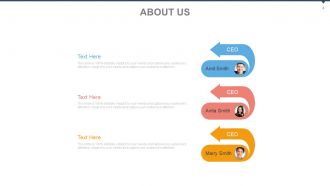
Slide 3: This is Our Team slide with names, deisgnation and imagery to go with.
Slide 4: This is an About Us slide to state company/team specifications.
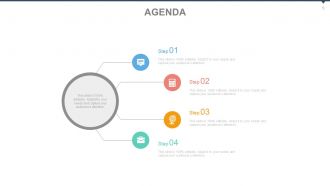
Slide 5: This is an Agenda slide. State your agendas here.
Slide 6: This is Our Goal slide. State goals, etc here.
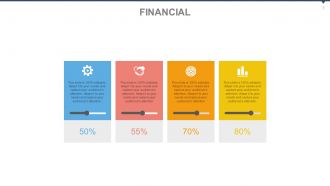
Slide 7: This is a Financial score slide. State financial aspects, etc. here.
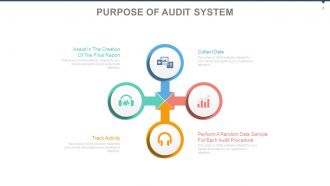
Slide 8: This slide shows Purpose Of Audit System. The points included are- Collect Data, Perform A Random Data Sample For Each Audit Procedure, Track Activity, Assist In The Creation Of The Final Report.
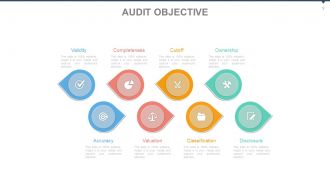
Slide 9: This slide shows the Audit Objective. The points shown are- Validity, Completeness, Cutoff, Ownership, Accuracy, Valuation, Classification, Disclosure.
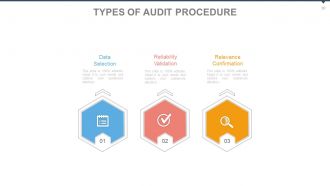
Slide 10: This slide shows the Types Of Audit Procedure. The sub headings are- Data Selection, Reliability Validation, Relevance Confirmation.
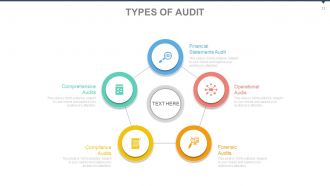
Slide 11: This slide shows the Types Of Audit done or required. The listed ones are- Financial, Statements Audit, Operational Audit, Forensic Audits, Compliance Audits, Comprehensive Audits.
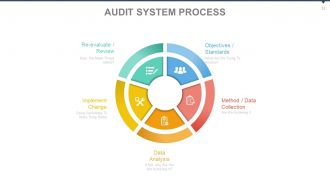
Slide 12: This slide shows Audit System Process. The content shown is- Method / Data Collection, Data Analysis, Implement Change, Objectives / Standards, Re-evaluate / Review.
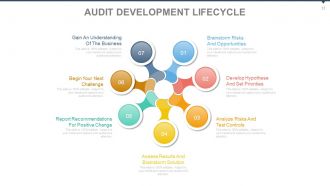
Slide 13: This slide shows an Audit Development Lifecycle. The points included are- Brainstorm RisksAnd Opportunities, Develop Hypothese And Set Prionties, Analyze Risks And Test Controls, Assess Results And Brainstorm Solution, Report Recommendations For Positive Change, Begin Your Next Challenge, Gain An Understanding Of The Business.
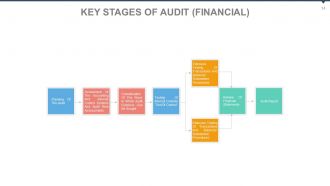
Slide 14: This slide shows Key Stages Of Audit (FINANCIAL) Extensive Testing Of Transactions And Balances’ Substantive Procedures’, Extensive Testing Of Transactions And Balances’ Substantive Procedures’, Review Of Financial Statements, Audit Report, Consideration Of The Ways In Which Audit Evidence Can Be Sought, Testing Of Internal Controls ‘Test Of Control’, Planning Of The Audit, Assessment Of The Accounting And Internal Control Systems And Audit Risk Assessments.
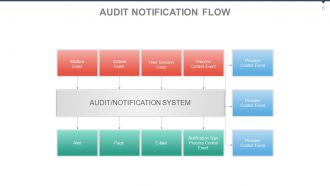
Slide 15: This slide displays an Audit Notification Flow. Alert, Page, E-Mail, Notification Type, Process Control, Event, Mailbox Event, System Event, User Session Event, Process Control Event.
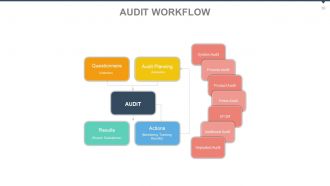
Slide 16: This slide showcases an Audit Workflow. Questionnaire: (Collection) Audit Planning: (Demands) Results: (Report, Evaluations) Actions: (Monitoring, Tracking, Results) System Audit, Process Audit, Product Audit, Fmea Audit, EFQM, Additional Audit, Repeated Audit.
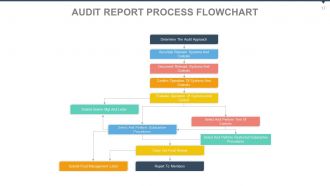
Slide 17: This slid presents an Audit Report Process Flowchart.
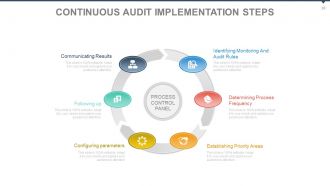
Slide 18: This slide presents Continuous Audit Implementation Steps. The steps are- Following up, Configuring parameters, Establishing Priority Areas, Determining Process Frequency, Identifying Monitoring And Audit Rules, Communicating Results.
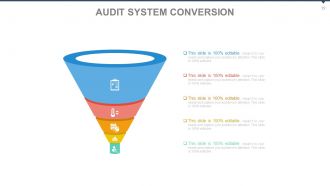
Slide 19: This slide shows an Audit System Conversion. State conversion specifics here.
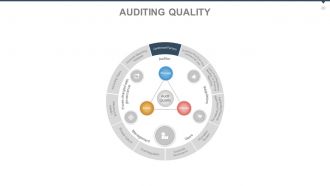
Slide 20: This slide presents Auditing Quality. The points included are- Contextual Factors, Business Practices And Commercial Law, Laws And Regulations Relating To Financial Reporting, Applicable Financial Reporting Framework, Information System, Corporate Governance, Broader Cultural Audit Regulation, Litigation Environment, Attracting Talent, Financial Reporting Timetable, Process, Outputs, Inputs, Audit Quality, Users, Regulators, Management, Those charged with governance.
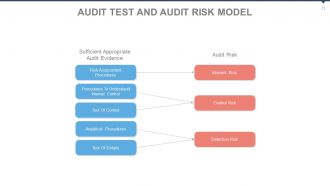
Slide 21: This slide presents Audit Test And Audit Risk Model. Risk Assessment Procedures: Inherent Risk Procedures To Understand Internal Control, Test Of Control: Control Risk Analytical Procedures, Test Of Details: Detection Risk.
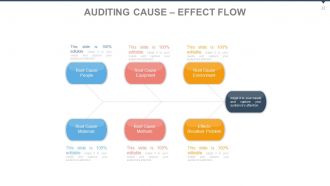
Slide 22: This slide shows Auditing Cause – Effect Flow as a Fishbone diagram.
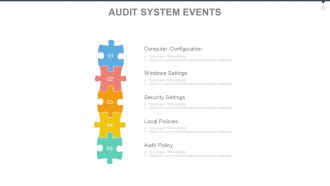
Slide 23: This slide presents Audit System Events. The points listed are- Computer Configuration, Windows Settings, Security Settings, Local Policies, Audit Policy.
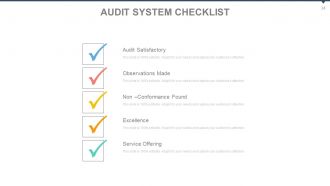
Slide 24: This slide presents an Audit System Checklist. The points are- Audit Satisfactory, Observations Made, Non –Conformance Found, Excellence, Service Offering.
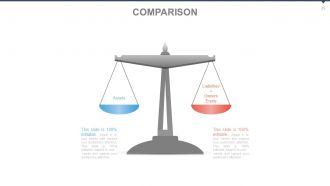
Slide 25: This is a COMPARISON slide to show- Assets and Liabilities+Owners Equity
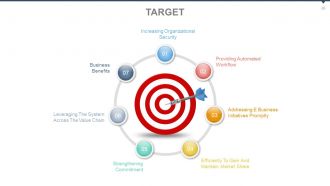
Slide 26: This is a TARGET slide. Some targets given as examples are- Increasing Organizational Security, Providing Automated Workflow, Efficiently To Gain And Maintain Market Share, Addressing E Business Initiatives Promptly, Strengthening Commitment, Leveraging The System Across The Value Chain, Business Benefits.
Slide 27: This is a Dashboard slide showing- Retained, New, Converted, Attrition.
Slide 28: This is a Location slide of a world map to show global growth, presence etc.
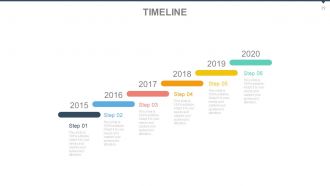
Slide 29: This is a Timeline slide to show milestones, growth highlights etc.
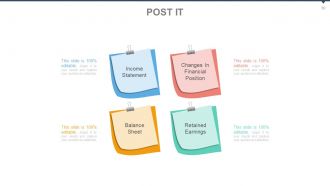
Slide 30: This is a Post It slide to show important information. Some examples are- Income Statement, Changes In Financial Position, Balance Sheet, Retained Earnings.
Slide 31: This is a Newspaper slide to show important informatio, events etc. You can change the slide content as per need.
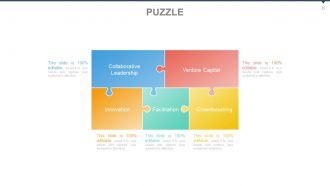
Slide 32: This is a Puzzle image slide to show important information. Some examples are- Collaborative Leadership, Venture Capital, Facilitation, Innovation, Crowdsourcing.
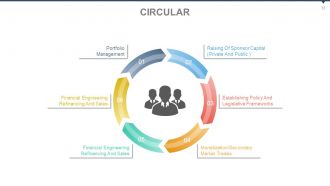
Slide 33: This slide shows a Circular image slide to show important information. Some examples are- Monetization/Secondary, Market Trades, Financial Engineering, Refinancing And Sales, Establishing Policy And Legislative Frameworks, Financial Engineering, Refinancing And Sales, Raising Of Sponsor Capital (Private And Public ), Portfolio Management.
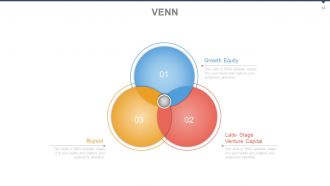
Slide 34: This is a Venn Diagram image slide to show important information. Some examples are- Growth Equity, Late- Stage Venture Capital, Buyout.
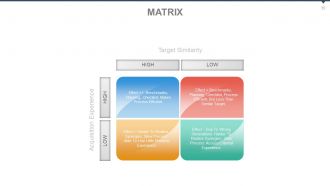
Slide 35: This is Matrix slide to show important information in terms of - Target Similarity, Acquisition Experience, High and Low.
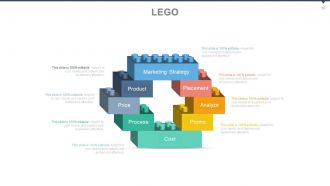
Slide 36: This is a Lego image slide to show important information. Some examples are- Cost, Promo, Process, Price, Product, Analyze, Placement, Marketing Strategy.
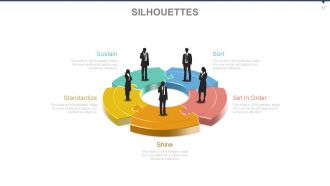
Slide 37: This is a Silhouettes image slide to show important information. Some examples are- Set In Order, Standardize, Shine, Sort, Sustain.
Slide 38: This is a Hierarchy slide to show important information, specifications etc.
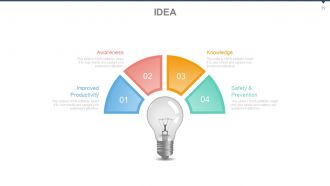
Slide 39: This is an Idea image slide to show important information. Some examples are- Safety & Prevention, Improved Productivity, Knowledge, Awareness.
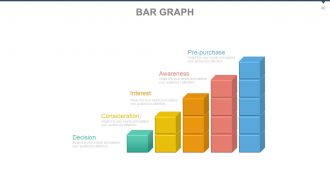
Slide 40: This is a Bar Graph slide to show important information. Some examples are- Consideration, Interest, Awareness, Pre-purchase, Decision.
Slide 41: This is a Mind Map image slide to show important information specifications etc.
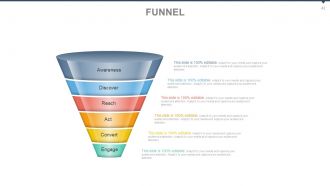
Slide 42: This is a Funnel image slide to show important information. Some examples are- Awareness, Discover, Reach, Act, Convert, Engage.
Slide 43: This is a Quotes slide to convey company beliefs, messages etc.
Slide 44: This is a Thank You slide for acknowledgement.
Audit of business systems with checklist powerpoint presentation with slides with all 44 slides:
Acquire endorsements with our Audit Of Business Systems With Checklist Powerpoint Complete Deck. Approvals will flow in fast.






FAQs for Audit of business systems with checklist powerpoint
So you'll want to hit five main areas: access controls and user permissions, backup/recovery procedures, security protocols, compliance stuff, and documentation of everything. I'd tackle access controls first - that's usually where the sketchy stuff lives. Also throw in performance monitoring, how your systems talk to each other, and incident response plans. Oh and make sure you can actually prove each thing with real evidence, not just tick boxes because it sounds right. Honestly, just start with whatever systems would make everyone panic if they went down, then work through the rest.
Look, regulations are basically your checklist's foundation - you can't ignore them. First figure out which ones apply to you (SOX if you're public, HIPAA for healthcare, PCI DSS for payments). Map each requirement to actual audit procedures. I'd structure your checklist sections around these compliance areas so nothing gets missed. It's pretty overwhelming initially, not gonna lie, but treating them as your starting point instead of some annoying add-on makes the whole process way more manageable. Don't try to retrofit compliance later - build around it from day one.
Focus on the big four areas: financial controls, IT security, operations, and compliance. Check your approval workflows and who has access to what - segregation of duties is key here. IT security honestly keeps me up at night because that's where companies get burned the most. Cover user access, backups, system vulnerabilities. Operations-wise, look at vendor management and business continuity plans. What happens if your key people leave? For compliance, just map your regulatory requirements against actual controls. This covers like 90% of major risks, and you can always dig deeper later.
Honestly, automation is a game changer for audits. Digital checklists are clutch - they auto-populate findings and track everything in real-time. No more hunting through folders for screenshots (thank god). Cloud platforms let everyone work simultaneously instead of emailing Excel files back and forth like cavemen. AI tools can even spot red flags before you do, which is kinda scary but super helpful. Oh, and these systems pull data straight from your existing software automatically. I'd start with your most boring, repetitive checklists first. You'll save hours immediately and wonder why you waited so long.
Honestly, mix up your testing approaches - that's what actually works. Walk through transactions end-to-end first to see if controls are really happening like they're supposed to. Random sampling is your friend for checking compliance rates across different transactions. But here's the thing - sometimes just watching people do their jobs reveals way more than any documentation ever will. Observation beats paperwork half the time. Analytical stuff helps too for spotting weird patterns that might mean controls aren't working. Oh, and definitely keep notes as you go. Future you will thank present you for that simple checklist.
Honestly? Once a year minimum, but that's kinda bare bones. Big system changes or new regs should kick off an immediate review - don't just wait around for your annual thing. Quarterly works better for anything high-risk. Annual's fine for the boring stable stuff. Set those calendar reminders right now or you'll totally space it (I always do). Oh and definitely talk to the people actually using the systems when you update. They spot things you'd never think of sitting at your desk. I've watched so many audits completely whiff because someone was working off checklist from like 6 months ago.
Dude, you absolutely need to train your people properly on this stuff. I've watched so many audits turn into complete box-checking exercises because nobody actually understands what they're looking for or why it matters. Your checklist could be perfect, but if your team doesn't get the bigger picture? They'll miss obvious red flags and ask all the wrong questions. Training helps auditors connect the dots between different systems too. Honestly, I'd rather have a smaller team that really knows their stuff than a bunch of people just going through the motions. Spend the money upfront or you'll get useless results that completely miss the actual risks.
Honestly, start with the basics - are you catching problems before they blow up? That's huge. Also track if the same issues keep coming back (super annoying when that happens). Check how fast people actually fix what you find too. Ask department heads straight up: are these audits useful or just bureaucratic pain? Their feedback matters more than you'd think. Time and costs are worth watching, but don't obsess over them. The real question is whether your systems are getting more reliable over time. Pick maybe 2-3 metrics that actually make sense for your company and stick with tracking those consistently.
Honestly, the worst thing you can do is just grab some random template and call it good. Generic checklists are absolutely useless - they miss the stuff that'll actually bite you. Don't make it a novel either (nobody wants to wade through 50 pages). Be specific with your questions instead of writing vague garbage like "check if controls work." Map out how your business actually runs first, then build around those real processes. Otherwise you're just wasting everyone's time with meaningless checkboxes that don't catch actual problems.
Honestly, data integrity should be your top priority on any audit checklist. Everything else falls apart if your data's messy. Check that info stays accurate and complete as it moves through different systems - backup processes, who has access, validation rules, all that stuff. I've watched entire audits blow up because people figured their data was already clean (spoiler: it wasn't). Test how data flows between systems and review user permissions. Oh, and document anything weird you find. Start with whatever data matters most to the business first.
Track your uptime percentages, response times, and error rates first - those are the big three. Security incidents and compliance stuff obviously matter too. Backup success rates are huge though, seriously can't tell you how many places mess this up. User access reviews and patch timelines are good for the operational side. Recovery objectives and how often you actually test DR plans (not just plan to test them lol). Change management adherence is boring but auditors love it. Honestly, just throw it all on a monthly dashboard so you're not panicking when audit season rolls around.
Honestly, just bake the cybersecurity stuff right into your regular audit process from day one. Check access controls, data encryption, how they handle incidents, software updates - the usual suspects. Employee training records matter too since people mess up way more than systems do. Third-party vendors need scrutiny as well, plus backup systems and network monitoring. Basically treat cyber audits like you would financial ones - routine, not special. Oh, and have your IT folks update the checklist every quarter or so. Threats change fast and your audit needs to keep up.
Start with the scary stuff - anything that could break operations or get you in trouble with compliance. Those can't wait. Medium and low priority issues? Give them realistic deadlines and make sure someone owns each one (seriously, stuff just sits there forever otherwise). Keep a tracker for everything and actually follow up to see if the fixes worked. Oh, and don't forget to update your processes based on what went wrong. The whole point isn't just checking boxes - it's making your systems stronger so you don't end up here again.
Honestly, getting other departments involved makes audits so much better. IT catches tech stuff you'd miss, finance sees process problems, operations knows what actually happens day-to-day. The real win though? When people help with the audit, they don't fight your recommendations later - makes sense since they had input. I'd pull in reps from each team right when you're planning, not halfway through. Oh and definitely do check-ins so nobody goes rogue. Trust me, keeping everyone aligned saves headaches later.
Write everything down as it happens - seriously, don't trust your memory on this stuff. I made that mistake once and couldn't recall half the details later. Get screenshots and real evidence, not just "seems like there's an issue here" notes. Also document who you talked to and when, plus what files you looked at. Group problems by how bad they are and give realistic fix dates. Honestly, the whole point is that another person could read your notes and totally get what went down without having to bug you with follow-up questions.
-
Excellent Designs.
-
Understandable and informative presentation.