


Audit checklist for information systems powerpoint presentation with slides




Try Before you Buy Download Free Sample Product
 Impress Your
 Audience
 100%
100% Editable
 Save Hours
 of Time


Building a audit checklist for information systems PowerPoint show up from scratch is indeed a tricky task. To help you out in this here we are presenting our readymade system audit checklist PowerPoint slide deck. With support of our information system audit checklist presentation deck you can easily cover topics like purpose of audit system, audit objectives, types of audit procedure, types of audit etc. Using presentation templates of this pictorial show you can also brief audience about what is audit checklist and what is information system audit checklist. Furthermore, using our PPT example consultants can discuss outcome of a business system monitoring so as to ensure whether proper rules and regulations are followed correctly or not. Exclusive PowerPoint presentation slides like audit system process, key stages of audit (financial), audit notification flow, auditing quality, audit system events etc. are included for better comprehension of the topic. What are you waiting for? Download our technology audit checklist PPT sample file and let audience see your proactive approach for IT audit process. Develop an adventurous attitude with our Audit Checklist For Information Systems Complete Powerpoint Deck With Slides. You will find fortune favoring you.
People who downloaded this PowerPoint presentation also viewed the following :
Content of this Powerpoint Presentation
Slide 1: This slide introduces Audit Checklist for Information Systems. Use it to state your company name and get started.
Slide 2: This is an Agenda slide. State your company agendas here.
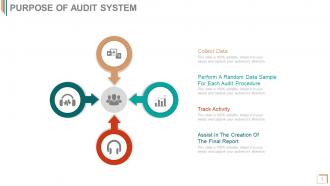
Slide 3: This slide states the Purpose Of Audit System with the following steps- Collect Data, Perform A Random Data Sample For Each Audit Procedure, Track Activity, Assist In The Creation Of The Final Report.
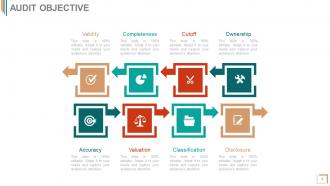
Slide 4: This slide states Audit Objective which are as follows- Accuracy, Valuation, Classification, Disclosure, Validity, Completeness, Cutoff, Ownership.
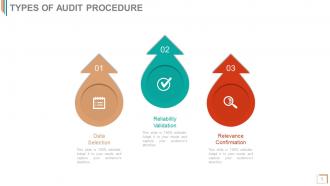
Slide 5: This slide states the Types Of Audit Procedure. These are- Reliability Validation, Relevance Confirmation, Data Selection.
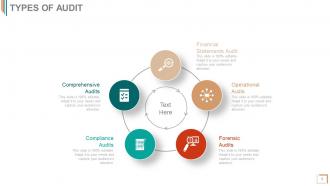
Slide 6: This slide showcases the Types Of Audit in a circular form. These types are- Financial Statements Audit, Operational Audits, Forensic Audits, Compliance Audits, Comprehensive Audits.
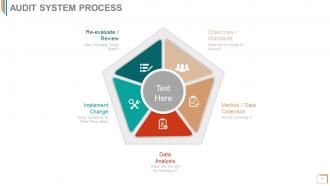
Slide 7: This slide showcases Audit System Process with the following steps- Data Analysis, Method / Data Collection, Implement Change, Objectives / Standards, Re-evaluate / Review.
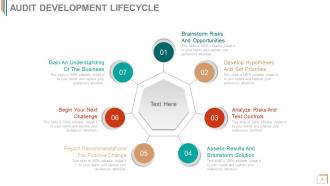
Slide 8: This slide showcases Audit Development Lifecycle. Its steps are- Brainstorm Risks And Opportunities, Develop Hypotheses And Set Priorities, Analyze Risks And Test Controls, Assess Results And Brainstorm Solution, Report Recommendations For Positive Change, Begin Your Next Challenge, Gain An Understanding Of The Business.
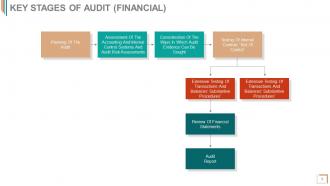
Slide 9: This slide showcases Key Stages Of Audit (FINANCIAL) flowchart. These stages are- Planning Of The Audit Assessment Of The Accounting And Internal Control Systems And Audit Risk Assessments Consideration Of The Ways In Which Audit Evidence Can Be Sought Testing Of Internal Controls ‘Test Of Control’ We have listed few stages just to give you an idea about classification. You can add your own information as per your business requirement.
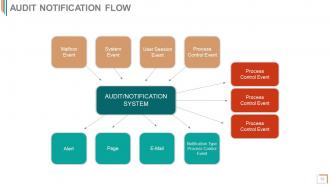
Slide 10: This slide showcases Audit Notification Flow chart with AUDIT/NOTIFICATION SYSTEM.
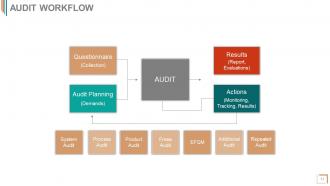
Slide 11: This slide shows Audit Workflow with the following components- Results, Actions, Audit Planning, Questionnaire.
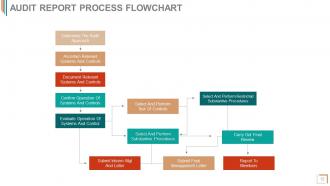
Slide 12: This slide presents Audit Report Process Flowchart. Use it to state various aspects of Audit Report Process in a flow chart form here.
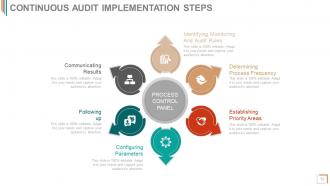
Slide 13: This is Continuous Audit Implementation Steps slide showcasing Process Control Panel in a circular form. The steps are- Communicating Results, Following up, Configuring Parameters, Establishing Priority Areas, Determining Process Frequency, Identifying Monitoring And Audit Rules.
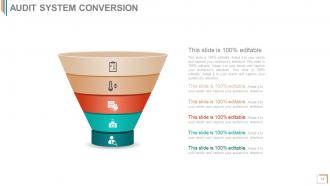
Slide 14: This slide showcases Audit System Conversion in a funnel form. Use as per your need.
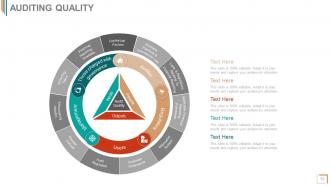
Slide 15: This slide showcases Auditing Quality in a circular form. It includes the following factors- Contextual Factors, Business Practices & Commercial Law, Laws & Regulations Relating To Financial Reporting, Applicable Financial Reporting Framework, Information System, Corporate Governance, Broader Cultural, Audit Regulation, Ligation Environment, Attracting Talent, Financial Reporting Timetable.
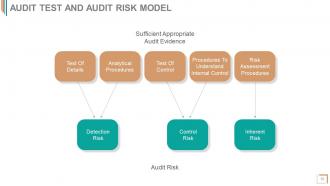
Slide 16: This slide showcases Audit Test And Audit Risk Model with its factors.
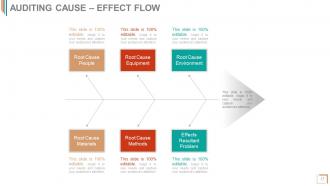
Slide 17: This slide showcases Auditing Cause – Effect Flow in a fish bone diagram form. Use it to present- Root Cause People, Root Cause Environment, Root Cause Equipment, Effects Resultant Problem, Root Cause Methods Root Cause Materials.
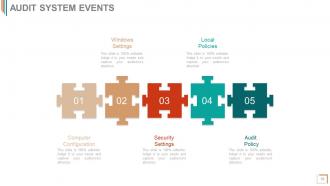
Slide 18: This slide showcases Audit System Events with puzzle pieces imagery. Use it to state the following events- Windows Settings, Local Policies, Computer Configuration, Security Settings, Audit Policy.
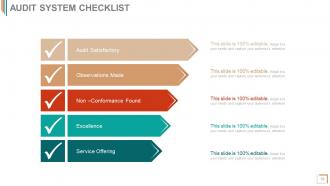
Slide 19: This slide presents Audit System Checklist with the following points- Audit Satisfactory, Observations Made, Non –Conformance Found, Excellence, Service Offering.
Slide 20: This slide is titled Additional slides to proceed forward. You can modify as per your need.
Slide 21: This is Our Vision slide. State vision, mission, goals etc. here.
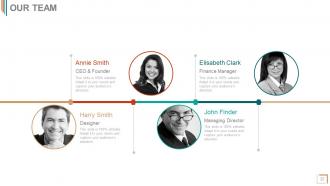
Slide 22: This is Our Team slide. Mention name, designation etc. here.
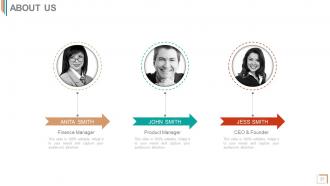
Slide 23: This is an About Us slide. Provide a brief introduction about company/team here.
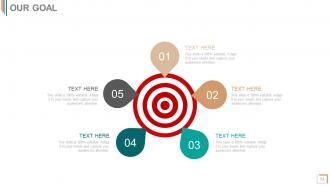
Slide 24: This is Our Goal slide to state company goals, aspirations etc.
Slide 25: This is a Comparison slide to compare two products/ entities etc.
Slide 26: This slide presents Financial scores to display.
Slide 27: This is a Quotes slide to convey message, beliefs etc.
Slide 28: This is a Dashboard slide to state Low, Medium and High aspects, kpis, metrics etc.
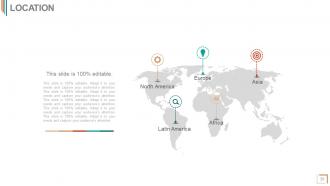
Slide 29: This is a Location slide to show global segregation, presence etc. on a world map and text boxes to make it explicit.
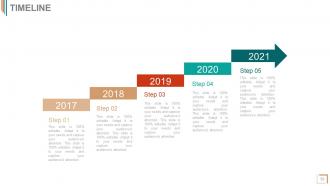
Slide 30: This is a Timeline slide to present important dates, business journey, evolution, milestones etc.
Slide 31: This is a Post It slide to mark events, important information etc.
Slide 32: This slide presents a Newspaper image with text boxes to flash company news, position etc.
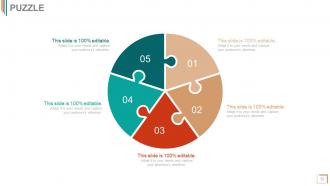
Slide 33: This is a Puzzle image slide to show information, specifications etc.
Slide 34: This is a Target image slide to show targets, goals, information, specifications etc.
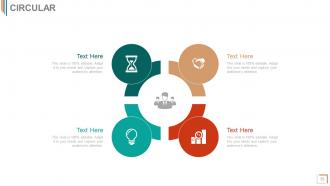
Slide 35: This is a Circular image slide. State information, specifications etc. here.
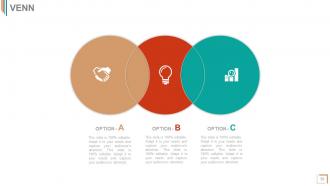
Slide 36: This is a Venn Diagram image slide to show information, specifications etc.
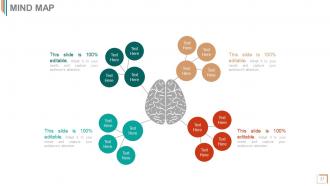
Slide 37: This is a Mind map image slide to show information, segregation, specifications etc.
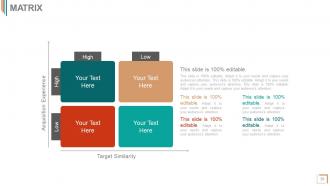
Slide 38: This slide shows a Matrix in terms of High and Low.
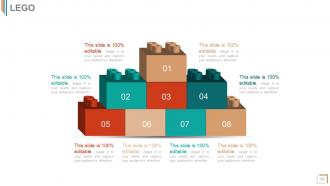
Slide 39: This is a Lego slide with text boxes to show information.
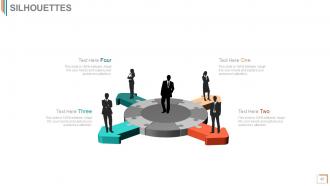
Slide 40: This is a People's silhouettes slide. Use it the way you want to show solutions etc.
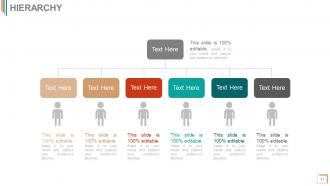
Slide 41: This is a Hierarchy slide to show information, organization structural specifications etc.
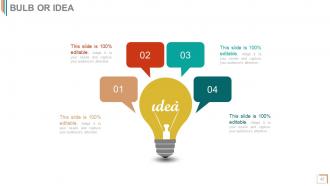
Slide 42: This is a Bulb or Idea image slide to show information, ideas, specifications etc.
Slide 43: This slide shows a Magnifying Glass with imagery and text boxes to go with.
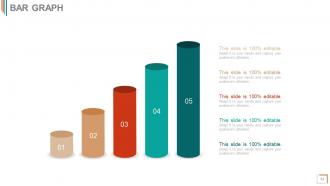
Slide 44: This slide presents a Bar Graph for product growth etc.
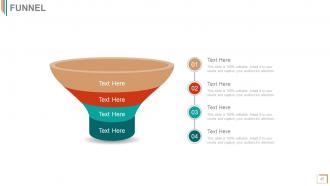
Slide 45: This is a Funnel image slide to show funneling aspects etc.
Slide 46: This is a Thank You image slide with Address, Email and Contact number.
Audit checklist for information systems powerpoint presentation with slides with all 46 slides:
Our Audit Checklist For Information Systems Complete Powerpoint Deck With Slides will get them with it. They will always feel abreast.




FAQs for Audit checklist for information systems powerpoint
So for IS audits, I always hit five big areas: access controls, data security/encryption, system configs and patches, backup procedures, and regulatory compliance stuff. Access controls first - seriously, you wouldn't believe how many places still use "password123" or whatever. Then check network security, incident response plans, and whether they actually document their IT processes (spoiler: half don't). Being systematic beats random checking every time. Oh and create separate checklists for each major system you're auditing - trust me, it'll save your sanity when things get messy.
Start with risk assessment during your planning phase - figure out what could go wrong before diving into testing. Map out the scary stuff like data breaches, unauthorized access, system crashes. Then focus hard on whatever's protecting your most critical assets (I call it the crown jewels approach, probably sounds cheesy but whatever). Score each risk on likelihood vs impact using a simple matrix. High scores get deep testing, low scores get quick checks. Honestly, this beats randomly auditing everything and potentially missing the stuff that'll actually hurt you. Work smart, not hard.
Hash verification and checksums are your best friends for catching data changes. Make read-only snapshots of everything critical first - gives you that clean baseline. Document every access point and keep detailed logs of who did what. Seriously, limit this to essential people only because too many cooks spoil the broth (learned that one the hard way). Automated tools help cut down on human screwups. Always double-check your sample data against the originals. Oh, and test your backup restoration beforehand - you don't want to be figuring that out when everything's on fire.
Compliance stuff totally changes how you audit - like, you can't just wing it anymore. SOX, HIPAA, PCI-DSS all have their own specific IT requirements that become must-dos. I actually don't mind it though because at least the standards are super clear about what you need to test. You'll end up spending way more time on access controls and data protection. Change management becomes huge too. Oh and the documentation requirements are kind of insane. My advice? Figure out which regulations hit your company first, then plan everything around those. It's honestly like following a detailed recipe most of the time.
Look, documentation is your proof that controls actually exist and work. Auditors will want to see system configs, user access reviews, change management stuff, security policies - all current and properly documented. I've watched so many audits go sideways just because docs were outdated or missing entirely. Pretty frustrating honestly. Without good documentation, you're basically asking them to trust you that everything's compliant (spoiler: they won't). Get your hands on policy docs, process flowcharts, and audit logs before they show up. They're definitely going to ask for that stuff first thing.
Start with talking to people about how things actually work day-to-day, then watch them do it. That's where you catch the gaps between what they say and reality. But honestly, the real work is testing transactions yourself - pull samples, check if approvals actually happened, dig into access logs. I've seen too many places where the process looks good on paper but falls apart when you test it. Don't trust documentation alone. Run some penetration tests if you can. Document everything as you go because you'll need that trail later. The observation part is underrated though - people act differently when they know you're watching.
For IS auditing, start with **Nessus** or **OpenVAS** for vulnerability scans - both are solid choices. **Nmap** handles your network discovery stuff pretty well. Log analysis? **Splunk** rocks but watch those data costs, they add up fast. **ELK Stack** works too if you're budget-conscious. Honestly, **COBIT** and **ISO 27001** frameworks keep you organized during audits. **ACL** and **IDEA** are decent for data analytics, though I find ACL a bit clunky sometimes. Here's the thing - figure out what you're actually auditing first. Then grab 2-3 tools that work together instead of collecting every shiny tool out there. You'll thank me later.
Start with your user access stuff - who gets accounts and how they're shut down when people bounce. Password policies matter too. Check if duties are split up properly because there's always that one person with way too many permissions (seriously, why does Bob need admin access?). Multi-factor authentication should be on. Test some accounts to see if what people can actually do matches the paperwork. Regular access reviews help catch the weird stuff. Bottom line: people should only access what they need for their actual job.
Honestly, start with the basics - uptime percentages and response times are huge. Security incidents matter too, obviously. I'd track data backup success rates and user access violations. System capacity stuff is boring but necessary. Error rates tell you everything about system health, so don't skip those. Business continuity metrics like recovery times are clutch when things go sideways. The real trick? Pick metrics that actually help your business instead of just hoarding random data points. Start with maybe 5-7 core ones. You can always add more later, but don't overwhelm yourself right out the gate.
So AI is totally flipping IS audits upside down - it's both something you need to audit AND something that'll help you audit better. Your checklist needs new stuff now: AI governance, data quality checks, algorithm bias, model transparency. The ironic part? AI tools can actually make your job easier by automating the boring routine checks and spotting patterns in huge datasets that you'd never catch manually. Just don't forget that the AI itself needs auditing too (kinda meta, right?). Update your risk framework first, then look into those audit analytics tools - they'll speed things up big time.
Get those NDAs signed first - seriously, don't skip this step. Keep your audit scope tight, only look at what you actually need. All data goes through encrypted channels, obviously, and store everything on locked-down systems. Brief your whole team on confidentiality before they touch anything (learned this the hard way once). Figure out data retention policies upfront too - when exactly are you deleting their sensitive stuff? Their privacy team will know about GDPR, HIPAA, whatever regulations apply. Trust me, this gets ugly real fast if you're sloppy from the start.
Think of an IS audit like a practice run for your disaster recovery - way better to find problems now than when you're actually screwed. It'll show you where your backup systems are weak, whether your recovery steps even work, and if those RTO/RPO targets make sense. You'd be surprised how many single points of failure hide until an audit digs them up. The whole thing also tests if your team actually knows their stuff when chaos hits. Honestly, that's probably the most important part. Schedule these audits regularly - trust me, you want to discover issues during drills, not real emergencies.
Honestly? Most people jump straight into technical stuff without figuring out what the business actually does first. You'll spend forever auditing some random system while completely missing the processes that make them money. Don't trust IT's documentation either - it's probably from 2019. Actually test the controls instead of just ticking boxes. Compliance is fine but operational risks matter way more. Oh, and maybe don't schedule interviews during their maintenance windows (learned that one the hard way). Map out their business model first, then work backwards to find the real risks.
Honestly, just treat those audit findings like your game plan. Start with the scary high-risk stuff first - no point fixing tiny issues while your house is burning down, right? Get someone to own each problem or it'll sit there forever. I'd set up deadlines that aren't totally unrealistic (learned that one the hard way). The cool part is using what you find to actually fix your processes long-term. Don't forget follow-up audits either. Really though, it comes down to making a solid action plan with real deadlines and people responsible, then not letting it collect dust.
COBIT's your best bet for governance stuff, and NIST handles the technical side really well. Most people I work with just mix and match frameworks instead of picking one - honestly makes way more sense. Your industry matters a ton though. Financial services? Different story than retail. ISO 27001 is solid too if you want something comprehensive. I'd start with COBIT to map out what you've got, then drill into NIST for the actual controls. Oh, and don't stress about doing it "perfectly" - even the big consulting firms wing it sometimes.
-
Easily Editable.
-
Great designs, Easily Editable.