

Current State Challenge Powerpoint Ppt Template Bundles




Try Before you Buy Download Free Sample Product
 Impress Your
 Audience
 100%
100% Editable
 Save Hours
 of Time


Our Current State Challenge Powerpoint Ppt Template Bundles are topically designed to provide an attractive backdrop to any subject. Use them to look like a presentation pro.
People who downloaded this PowerPoint presentation also viewed the following :
Current State Challenge Powerpoint Ppt Template Bundles with all 17 slides:
Use our Current State Challenge Powerpoint Ppt Template Bundles to effectively help you save your valuable time. They are readymade to fit into any presentation structure.
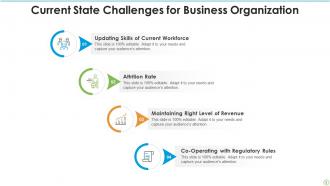
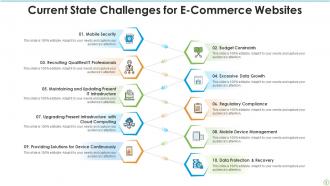
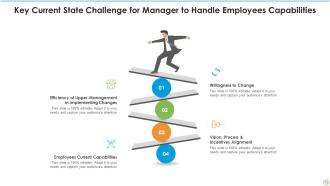
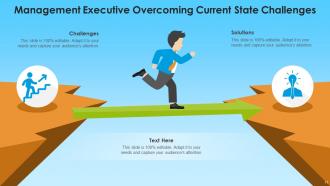





FAQs for Current State Challenge Powerpoint
Honestly, these bundles are pretty decent. Multiple slide layouts for each concept, which is clutch when you're trying to avoid that cookie-cutter look. The icons and charts are all editable, plus the color schemes don't make your eyes bleed like some templates do. They throw in speaker notes too - saves you from staring at a blank slide wondering what the hell to say. Process flows are solid for mapping stuff out. Only thing is, definitely grab whichever bundle matches your industry or you'll be doing extra work later.
So these templates are actually broken down by industry, which is super helpful. Healthcare ones have medical icons and terminology, tech bundles focus on digital stuff, manufacturing gets operational charts - you get the idea. What's cool is they don't just change the visuals. Each bundle has problem statements and frameworks that actually speak to specific audiences. Like instead of boring "business challenge" talk, you'll get templates about retail pain points or financial regulations. Honestly way better than trying to make generic slides work. Just grab whatever matches your sector and tweak from there.
Honestly, templates are a lifesaver when you're dealing with messy, complicated problems. They force you into a logical structure so people can actually follow your thinking. No more staring at blank slides wondering where to start - been there! The formatting keeps everything clean and separates your issues from causes from solutions. Otherwise it just becomes this confusing word soup that nobody wants to sit through. Your audience can focus on what you're saying instead of trying to decode terrible organization. I always grab a template first now when I'm presenting something complex. Keeps me on track and the message way clearer.
Yeah totally! Those bundles have some really solid stuff - interactive comparison slides, before/after visuals, gap analysis charts. Way more engaging than death-by-PowerPoint bullet points we've all suffered through. The contrasting colors thing actually works to show problems vs solutions. Plus there's polling templates and assessment worksheets that get people involved instead of just zoning out. Oh and pro tip - start with those challenge slides to get everyone agreeing with you first, then boom, hit them with your solution. I swear that approach never fails me.
Yeah, those templates are totally customizable! First thing I'd do is swap out the colors and fonts to match your brand - that alone makes a huge difference. The layouts are super flexible, so you can move stuff around or delete sections you don't need. I've actually seen people change these so much they're basically unrecognizable from the original. You can also switch up the icons and graphics to fit your industry better. Oh, and start with updating your brand colors first - it's honestly the fastest way to make any template look like it's actually yours instead of something generic.
Dude, those templates are loaded with everything - bar charts, pie charts, trend lines, you name it. They've got infographics, process flows, comparison matrices, plus those slick before/after slides that make you look like you actually know what you're doing. SWOT analysis layouts are in there too, along with stakeholder maps and timeline stuff for tracking how problems developed. Honestly? It's pretty overwhelming when you first open it up. But everything's already color-coordinated and formatted, so you just dump your data in and call it a day.
The templates use this problem-solution setup that actually works pretty well for presenting challenges. They walk people through the whole "here's what sucks → why it matters → here's what we can do" flow. You get before/after visuals, timelines, impact charts - stuff that makes people *feel* the urgency instead of just hearing numbers. There are sections for stakeholder views and real examples too. Honestly, I'd start with the situation analysis slides first. They help you frame everything from your audience's perspective rather than diving straight into solutions, which is way more effective.
Oh totally, they work well for virtual stuff! Just bump up your font sizes because people on phones will hate you otherwise. The challenge format is actually better online - you can split people into breakout rooms to brainstorm pain points, then everyone comes back to share solutions. Way less awkward than in-person small groups honestly. Test your slides first though, some colors look weird on video calls. I always keep a backup version with bigger text because someone inevitably complains they can't see anything halfway through the presentation.
Honestly? Templates are a lifesaver. You get all the design work done for you - colors, layouts, the whole thing already looks professional. No more sitting there staring at a blank slide like "now what?" The frameworks in these bundles actually walk you through structuring your story too, which is clutch. Way better than trying to figure it out yourself. You just drop your content in and tweak whatever needs tweaking. I used to waste hours on formatting alone - now I can focus on what I'm actually trying to say instead of making things look decent.
Okay so basically these templates force you to organize everything into logical chunks instead of word-vomiting all over one slide (guilty as charged lol). They use frameworks like current state → problems → future state which honestly just makes sense. You get pre-made sections with visual hierarchy that walks people through your story step by step. Plus there's comparison charts, process maps, problem-solution stuff - makes complex ideas way less confusing to follow. I'd start with their outline structure first, then just plug your content into each section. Way less overwhelming than staring at a blank slide wondering where to even begin.
Yeah, people are loving these bundles! The templates help them tell their transformation story way better and get stakeholders on board faster. Those "current state" visuals are huge - they make problems feel real instead of just theoretical. Nobody wants to build presentations from zero anymore (I mean, seriously). Users keep saying their pitches look way more polished and executive-ready now. They work especially well when you're trying to get funding or justify big changes. Honestly, the time savings alone make them worth it. I'd grab them for your next transformation project - you'll probably wonder how you did without them before.
They refresh those templates every quarter, so you'll get new stuff roughly every 3 months. Usually includes updated slide layouts and current business scenarios - honestly, some of the challenge examples are pretty spot-on for what's happening right now. Between quarters they might throw in quick updates if something big happens. Like that whole remote work chaos? They had hybrid workplace templates out super fast. The updates focus on new data visualization styles and whatever trends companies are actually dealing with. I'd just peek at the template library when each quarter starts to snag the newest versions.
Honestly, there aren't any real case studies out there for those specific bundles since they're pretty new. But here's what I'd do - check out the provider's gallery section and read through customer reviews. People post some solid before/after comparisons on LinkedIn sometimes, though those are more casual posts than formal case studies. The provider's website usually has sample presentations you can browse through. Oh, and their support team is actually helpful if you message them directly - they've got internal examples they can show you that aren't public yet. Worth a shot!
Check the PDF guides that come with most bundles - they're usually pretty solid. Video tutorials are hit or miss (some are honestly terrible lol) but worth a quick look. The example slides are where you'll learn the most though. They show you how to structure everything from problem analysis to recommendations. Speaker notes are clutch too if the template has them - gives you talking points for the tricky data stuff. Oh, and don't just copy their examples. Use them as a starting point then tweak for your specific situation. The guides will get you oriented first.
Honestly, templates are a lifesaver for team projects. Everyone can work on different sections without worrying about fonts or layouts looking weird when you put everything together. Way less arguing about design choices too, which... let's be real, nobody has time for that. The current state-future state thing keeps everyone on the same page about what story you're actually telling. Just split up the sections, give people deadlines, and you're good. Your final presentation won't look like five different people made it.
-
Thanks for all your great templates they have saved me lots of time and accelerate my presentations. Great product, keep them up!
-
It saves your time and decrease your efforts in half.