

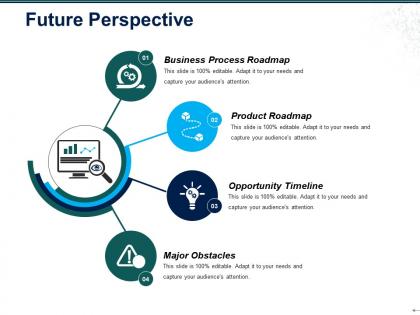
Future perspective ppt icon





Try Before you Buy Download Free Sample Product
 Impress Your
 Audience
 100%
100% Editable
 Save Hours
 of Time


You will find the burden easy to bear due to our Future Perspective Ppt Icon. Don't hesitate to accept.
People who downloaded this PowerPoint presentation also viewed the following :
Future perspective ppt icon with all 5 slides:
Fly into the future with our Future Perspective Ppt Icon. Get off the ground with a big advantage.
FAQs for Future
Dude, AI is literally changing everything about presentations right now. You can whip up entire decks with visuals and speaker notes in like 10 minutes - it's wild. People don't want to just sit there anymore either. They expect interactive stuff - polls, Q&A, clickable elements. Data viz has gotten so much cooler too (thank god, those basic bar charts were painful). Everyone's doing shorter presentations now since attention spans are shot. Honestly, you should mess around with Gamma or Beautiful.AI soon. They'll save you tons of time and you won't feel behind when this becomes the norm.
Honestly, presentations are about to get crazy interactive. AI will let you change your content on the fly based on how people react - which is kind of mind-blowing when you think about it. AR and VR means your audience can literally walk through your data instead of just staring at charts. Voice tech handles Q&A automatically. Biometric sensors? They'll ping you the second people zone out. No more passive audiences just sitting there. My advice is start playing with simple stuff now - live polls, response apps, whatever. That way you won't be scrambling when the really wild tech drops.
VR is gonna flip presentations on their head - instead of boring slides, you can drop your audience right into whatever you're talking about. Picture this: you're pitching an office redesign and everyone actually walks through the space, or people climb inside your 3D data charts. Sounds crazy but it's legit incredible once you try it. People remember stuff way better when they experience it firsthand rather than just staring at a screen. Honestly, I think traditional PowerPoints are gonna feel ancient in like 5 years. You should mess around with VR presentation tools now before everyone catches on.
Honestly, data viz is getting so much cooler lately. Interactive stuff is huge - your audience can actually dig into the data instead of just staring at boring static charts. There's AI tools now that'll suggest what chart works best for your story, which is pretty neat. Real-time dashboards are everywhere too. VR and AR sound super nerdy but they're actually useful for complex datasets - like, you can literally walk around your data. The big thing though? Tell a story. Guide people through your insights step by step rather than just throwing charts at them. Try Observable or Flourish - they make adding interactivity way easier than I expected.
Dude, AI is already changing presentations big time. Tools can literally build slides from just your outline now - saves so much time on the boring formatting stuff. You get to focus more on the actual story and strategy instead. Plus it suggests layouts and helps tweak your message for different crowds. Honestly, some of these tools are getting scary good. Your creativity still matters though - AI can't tell you what'll actually land with your audience. I'd start playing around with some presentation AI tools now, figure out what clicks with how you work.
Start posting about your topic weeks before to build buzz - that's where the real magic happens. Think of social media as part of your actual presentation, not some afterthought. Behind-the-scenes prep stuff works great, plus key quotes or visuals from your talk. Live-tweeting feels super awkward at first but honestly? It gets your message way beyond just the people in the room. Skip the corporate jargon though - people see right through that garbage. Use polls and stories to get actual conversations going. Oh, and definitely engage before AND after the event, not just during.
Dude, presentations are totally different now. You gotta get good at polls, Q&As, all that interactive stuff - the audience expects it. Also brush up on your tech game because you'll definitely be dealing with hybrid events where some people are there and others are on Zoom (which is honestly kind of a nightmare but whatever). Oh, and learn some basic video editing if you can. The biggest thing though? Stop thinking like a lecturer. You're more like a facilitator now, constantly reading the room and switching things up. Seriously, start practicing with small groups first - you need that experience under your belt.
Honestly, remote tools totally changed how I do team presentations. Real-time polls and chat make everything way more interactive - people actually participate instead of zoning out. Screen sharing is obvious but the breakout rooms? Super useful for workshops. Everyone can jump in no matter where they are, plus you can record stuff for whoever's out sick or whatever. The collaborative whiteboards are pretty solid too. People can annotate screens while you're presenting and drop links in chat. Makes the whole thing feel less like a lecture, you know? Try the live Q&A features next time - way better engagement than awkward silence at the end.
Presentations are getting way more interactive now. Instead of just telling one big story, good speakers break it into smaller chunks and actually get the audience involved. They'll use live polls or ask people to share their own experiences - makes everything feel collaborative rather than just sitting there listening to someone drone on. Real-time stuff works better than I expected, honestly. Data gets woven in naturally instead of dumped all at once. The whole "let's build this together" approach beats the old PowerPoint-and-pray method every time. Try asking your audience to contribute stories next time instead of doing all the talking yourself.
Honestly, focus on stuff that actually matters to your story instead of just cramming in random videos everywhere. Interactive polls or quick testimonials work way better than generic stock footage - trust me on this one. Test everything beforehand though, because tech always fails when you need it most. Keep file sizes small so nothing freezes up mid-presentation. I've seen so many people go overboard with flashy graphics that don't even connect to their main points. Always have backup slides ready too. Each video or image should do something specific, not just take up space on your slide.
Honestly, everything's changed since remote work took over - people's attention spans are completely fried from back-to-back video calls. You've gotta make things way more interactive and break stuff into smaller chunks now. Gen Z expects authentic visual storytelling instead of that stiff corporate presentation style we used to do. Plus there's been this huge push for inclusive language and diverse perspectives, which is actually pretty refreshing. Oh, and don't assume everyone's comfortable with the same tech tools - generational gaps are real. My advice? Survey your audience regularly and try different formats. What crushed it in 2019 probably won't land the same way today.
Honestly, just focus on the big three: privacy, bias, and being real with people. Get consent before grabbing anyone's data - that's non-negotiable. Check your AI isn't accidentally being racist or sexist (happens more than you'd think). Don't promise your tech can do magic when it's really just fancy algorithms. This stuff moves so fast I can barely keep up sometimes, but treating people with respect never goes out of style. Oh, and maybe run a quick "am I being sketchy?" check before rolling out anything new. Your audience will thank you for it.
Ditch the printed handouts and go digital—just throw up a QR code for people to grab resources later. Virtual meetings are obviously better for the planet, but if you're doing in-person stuff, find venues that actually care about being green. Dark slide backgrounds use less screen energy (who knew?), and compress your images so files aren't massive. Oh, and design presentations you can reuse instead of starting over every damn time. Honestly, people notice when you make an effort with this stuff. Maybe just pick one wasteful thing to eliminate first—don't overwhelm yourself trying to change everything at once.
Dude, there are tons of quick formats that actually work. PechaKucha's pretty cool - 20 slides, 20 seconds each, so you can't ramble. Lightning talks are usually 5-10 minutes max. Ignite sessions are even tighter at 5 minutes total. You've also got soapbox-style stuff and fishbowl discussions where people jump in whenever. Honestly? These work so much better than regular hour-long presentations. Nobody can focus that long anymore - I sure can't. The time limits force you to cut the fluff and actually tell a story. Try one for your next team thing, the constraints will make you way sharper.
Honestly, I think virtual conferences are here to stay and they're getting way better. Real-time polls and breakout rooms are becoming the norm now. The production quality expectations have gone through the roof too - nobody's putting up with bad lighting and crappy audio anymore, thank god. Most events will probably go hybrid since it gives you that in-person vibe but keeps things accessible for remote folks. Oh, and presentations need to be way more bite-sized now because people's attention spans online are basically nonexistent. You should definitely start playing around with interactive features sooner rather than later.
-
Unique design & color.
-
Really like the color and design of the presentation.