

Machine Intelligence PowerPoint Presentation Slides





Try Before you Buy Download Free Sample Product
 Impress Your
 Audience
 100%
100% Editable
 Save Hours
 of Time


Our Machine Intelligence Powerpoint Presentation Slides are topically designed to provide an attractive backdrop to any subject. Use them to look like a presentation pro.
People who downloaded this PowerPoint presentation also viewed the following :
Content of this Powerpoint Presentation
Slide 1: This slide introduces Machine Intelligence. State Your Company Name and begin.
Slide 2: This is Artificial Intelligence outline slide to show the contents of the presentation.
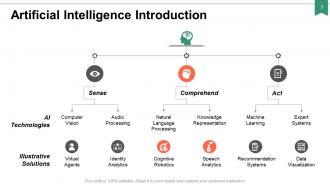
Slide 3: This slide shows Artificial Intelligence Introduction in a hierarchy form describing A.I. technologies and Illustrative solutions.
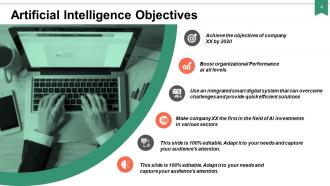
Slide 4: This slide presents Artificial Intelligence Objectives with imagery and text boxes. Show your company's objectives here.
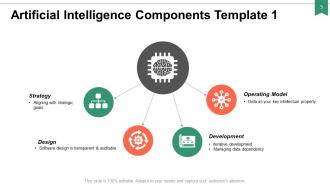
Slide 5: This slide displays Artificial Intelligence Components Template 1 describing- Strategy, Design, Development, Operating Model.
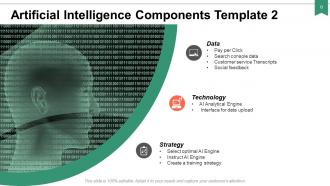
Slide 6: This slide represents Artificial Intelligence Components Template 2 describing- Technology, Data, Strategy.
Slide 7: This slide showcases Artificial Intelligence Key Statistics with related imagery and text.
Slide 8: This slide describes Reasons for Using Artificial Intelligence with the help of donut pie chart.
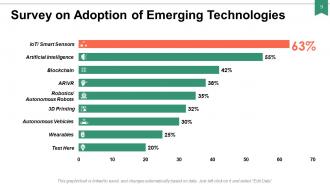
Slide 9: This slide shows Survey on Adoption of Emerging Technologies describing- Artificial Intelligence, Blockchain, AR\VR, Robotics, Autonomous Robots, 3D Printing, Wearables etc.
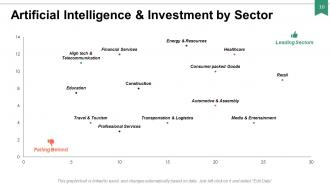
Slide 10: This slide presents Artificial Intelligence & Investment by Sector describing- Leading Sectors and Falling Behind sectors in a graph form.
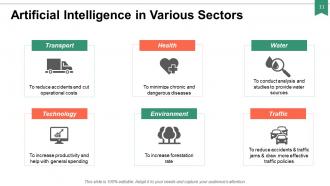
Slide 11: This slide displays Artificial Intelligence in Various Sectors like- Transport, Health, Water, Technology, Environment, Traffic.
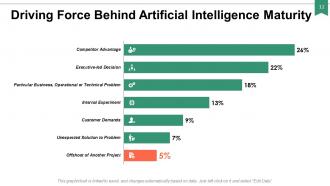
Slide 12: This slide represents Driving Force Behind Artificial Intelligence Maturity with categories as- competitive advantage, Internal experiment, customer demands etc.
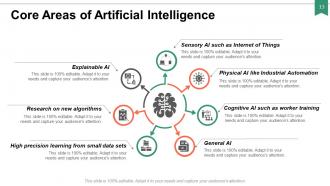
Slide 13: This slide showcases Core Areas of Artificial Intelligence describing- Sensory AI such as Internet of Things, Physical AI like Industrial Automation, Cognitive AI such as worker training, General AI, High precision learning from small data sets, Research on new algorithms, Explainable AI.
Slide 14: This slide shows Artificial Intelligence Value Chain Elements describing- Curation, Labelling & Standardization, Data Capture, Creation of ML model for use case, Testing of model on new data, Cleansing of raw data, Annotation of raw data for ML models, Training of ML model with annotated data with computational resources, Deployment of solution on computational infrastructure.
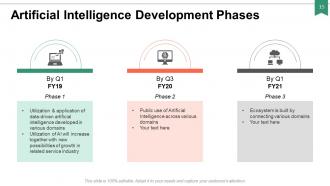
Slide 15: This slide presents Artificial Intelligence Development Phases with icons and related text.
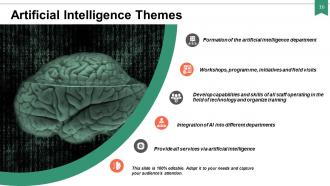
Slide 16: This slide displays Artificial Intelligence Themes describing- Formation of the artificial intelligence department, Workshops, programme, initiatives and field visits, Develop capabilities and skills of all staff operating in the field of technology and organize training, Provide all services via artificial intelligence, Integration of AI into different departments.
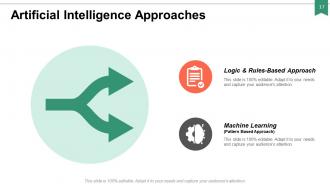
Slide 17: This slide represents Artificial Intelligence Approaches as Logic & Rules-Based Approach and Machine learning.
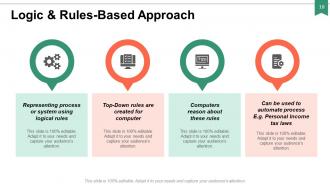
Slide 18: This slide showcases Logic & Rules-Based Approach describing- Representing process or system using logical rules, Top-Down rules are created for computer, Computers reason about these rules, Can be used to automate process.
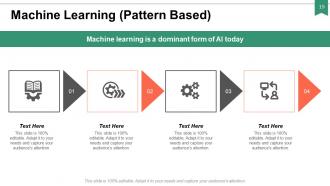
Slide 19: This slide shows Machine Learning with icons and text boxes to show information.
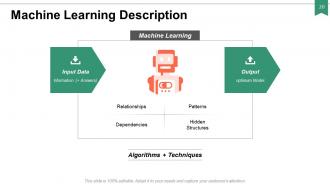
Slide 20: This slide presents Machine Learning Description as- Input Data, Relationships, Patterns, Dependencies, Hidden Structures, Output.
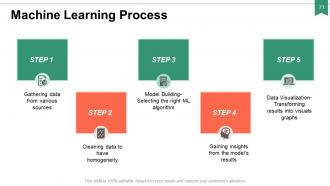
Slide 21: This slide displays Machine Learning Process describing- Cleaning data to have homogeneity, Model Building- Selecting the right ML algorithm, Gaining insights from the model’s results, Data Visualization- Transforming results into visuals graphs, Gathering data from various sources.
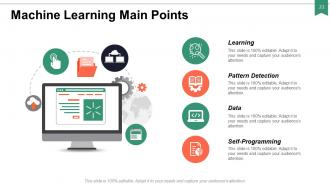
Slide 22: This slide represents Machine Learning Main Points as- Learning, Pattern Detection, Data, Self-Programming.
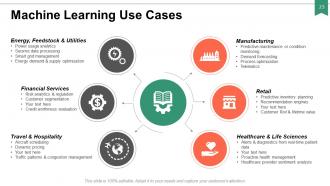
Slide 23: This slide showcases Machine Learning Use Cases describing- Manufacturing, Retail, Healthcare & Life Sciences, Travel & Hospitality, Financial Services, Energy, Feedstock & Utilities.
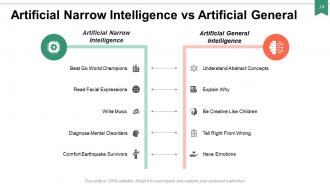
Slide 24: This slide shows Artificial Narrow Intelligence vs Artificial General Intelligence with related text and icons.
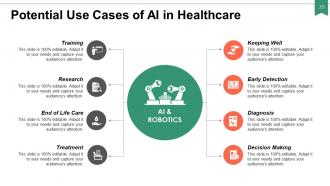
Slide 25: This slide presents Potential Use Cases of AI in Healthcare describing- Training, Research, End of Life Care, Treatment, Keeping Well, Diagnosis, Early Detection, Decision Making.
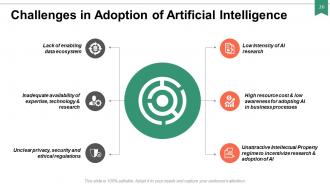
Slide 26: This slide represents Challenges in Adoption of Artificial Intelligence describing- Low Intensity of AI research, Lack of enabling data ecosystem, Inadequate availability of expertise, technology & research, High resource cost & low awareness for adopting AI in business processes, Unclear privacy, security and ethical regulations, Unattractive Intellectual Property regime to incentivize research & adoption of AI.
Slide 27: This slide displays Machine Intelligence Icons.
Slide 28: This slide continues Machine Intelligence Icons.
Slide 29: This slide reminds about 15 minutes Coffee Break.
Slide 30: This slide is titled as Additional slide for moving forward.
Slide 31: This is an Agenda slide. State your agendas here.
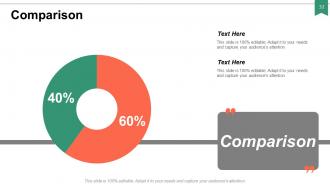
Slide 32: This is a Comparison slide to state comparison between commodities, entities etc.
Slide 33: This is Meet Our Team slide with names and designation.
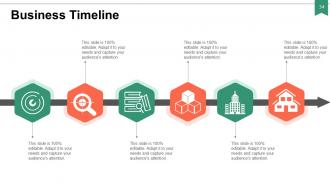
Slide 34: This is a Business Timeline slide. Show information related with time period here.
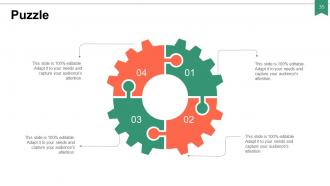
Slide 35: This slide shows Puzzle with text boxes.
Slide 36: This is About us slide to show company specifications etc.
Slide 37: This is Our Target slide. Show your targets here.
Slide 38: This slide is titled as Finance. Show your finance related stuff here.
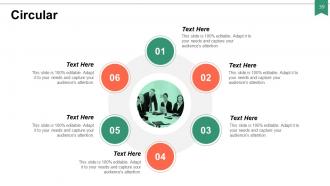
Slide 39: This slide shows Circular diagram with text boxes.
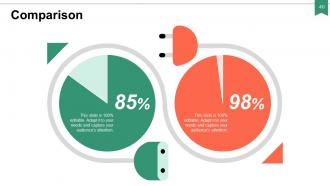
Slide 40: This is a Comparison slide to state comparison between commodities, entities etc.
Slide 41: This is a Quotes slide to highlight or state anything specific.
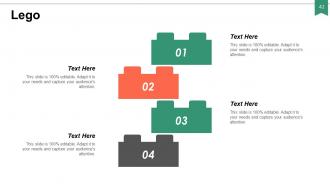
Slide 42: This is a Lego slide with text boxes to show information.
Slide 43: This is a Silhouettes slide to show people specific specific information etc.
Slide 44: This slide displays Magnifying Glass with imagery and text boxes.
Slide 45: This is Bulb or Idea slide to state a new idea or highlight specifications, information etc.
Slide 46: This slide shows Pie Charts with additional text boxes to show information.
Slide 47: This is a Thank You slide with address, contact numbers and email address.
Machine Intelligence PowerPoint Presentation Slides with all 47 slides:
Use our Machine Intelligence Powerpoint Presentation Slides to effectively help you save your valuable time. They are readymade to fit into any presentation structure.














FAQs for Machine Intelligence
Look, machines are crazy good at spotting patterns and crunching through tons of data super fast. But they're basically stuck with whatever they learned during training. You? Way more flexible. You can connect random dots, get subtle jokes, and apply stuff you learned in one area to something completely different. Common sense that feels obvious to you? Machines totally bomb at that. I honestly think people worry too much about AI taking over when it's really just a really powerful calculator for specific jobs. Your creativity and ability to think outside the box isn't going anywhere.
So basically every industry's using machine learning now, just in different ways. Healthcare does medical imaging analysis and drug discovery stuff. Banks catch fraud with it and do credit scoring. The transportation thing is huge - self-driving cars, obviously, but also route planning for delivery trucks. Finance bros love it for algorithmic trading too, which honestly seems slightly terrifying to me. Companies aren't just randomly applying it everywhere though. They focus on spots where predicting patterns actually makes them money. It's spreading crazy fast.
Honestly, there's a bunch of stuff to worry about. Bias is huge - AI just copies whatever garbage was in the training data, so certain groups get screwed over. Privacy's another mess since these things hoover up personal info like crazy. Job displacement keeps people awake at night for obvious reasons. Plus who takes the blame when AI screws up? That one's still being figured out. My advice? Don't treat ethics like an afterthought - actually think about this stuff while you're building, not when lawyers start calling.
So NLP is basically what lets machines actually understand when you talk to them normally. Like, you don't have to memorize weird commands anymore - just speak or type like you would to anyone else. Think about how easy ChatGPT is compared to those old clunky computer programs. Voice assistants, chatbots, sentiment analysis - all that stuff works because of NLP. The best part? Your users won't need any training to use your AI tools. Honestly, once you add voice commands or chat features to whatever you're building, the whole experience just flows better. Way less friction.
Honestly, big data is what makes machine learning actually work. Your algorithms need tons of examples - we're talking millions, not just a few hundred. More quality data = better pattern recognition and predictions. It's kinda like learning to drive by only seeing three parking lots vs every possible road situation, you know? Without diverse datasets, your ML models will totally bomb when they hit real-world scenarios they've never encountered. Oh, and if you're starting any ML project, focus on getting good data early. That's probably the most crucial part.
Honestly, AI is pretty solid for this stuff now. Recommendation engines can suggest products customers actually want, and chatbots don't suck as much since they understand context better. The system gets smarter with each interaction too - kinda neat how that works. Routine support tickets? Automate those. Real-time sentiment analysis catches angry customers before they explode, which saves everyone headaches. Dynamic pricing optimization is cool but maybe overwhelming at first. My advice? Don't try everything at once. Pick your biggest customer complaint and test one AI solution there. See how it goes, then expand.
So the big issues right now? Explainability is huge - these systems are total black boxes and you can't figure out why they decided something. That's obviously terrible for medicine or law. They're also data hogs, needing insane amounts of training info, and honestly they lack basic common sense that like a 3-year-old would have. Don't even get me started on the energy costs - it's nuts. But there's some cool stuff happening with few-shot learning and neuro-symbolic approaches that might help fix this mess.
Dude, machine intelligence is literally the whole brain behind self-driving cars. These systems are processing crazy amounts of sensor data every second - like spotting pedestrians, reading signs, predicting what other drivers might do. Neural networks learn from millions of driving scenarios, so they actually get better at handling weird situations over time instead of just following basic code. The real game-changer is how they adapt to stuff they've never seen before. Pretty insane how much they're crunching in real-time, honestly. If you're building anything in this space, make sure your system can keep learning and improving - that's where the magic happens.
Yeah, AI's totally changing the job game right now. Boring, repetitive stuff like data entry? Gone. Manufacturing jobs too. But there's tons of new roles opening up - AI development, working alongside these systems, creative work. It's wild how fast this is all happening, honestly way faster than people think. Jobs that need emotional smarts, solving messy problems, or being creative are still pretty safe though. My advice? Don't try to beat the machines at their own game. Focus on skills that work WITH them instead.
So basically neural networks mimic how your brain works - neurons firing and connecting to process stuff. Artificial ones take inputs, weight them, then pass outputs to the next layer. Learning happens when those connection weights adjust based on feedback, similar to how your brain strengthens pathways you use a lot. Your brain's got like 86 billion neurons though, while most AI models use way fewer. Pretty crazy stuff honestly! Oh and here's something I learned the hard way - adding more layers doesn't automatically make your model better.
So basically, you've got adversarial attacks where hackers trick your models into screwing up decisions. Data poisoning is another big one - they mess with your training data. Then there's prompt injection where they manipulate what your AI spits out. Privacy's a mess too since models can leak sensitive stuff from training. Oh, and people can steal or reverse engineer your models entirely. It's honestly wild how smart these systems are but also how easily fooled they can be. Just focus on solid input validation, watch for weird behavior, and keep that training data locked down tight.
So basically, supervised learning is like showing a kid thousands of cat pictures and saying "this is a cat" each time. Pretty straightforward - you're giving it the answers upfront. But reinforcement learning? That's more trial-and-error stuff. Like how AlphaGo learned chess by just playing itself over and over, getting better from wins and losses. Your spam filter uses supervised learning - it was trained on emails already marked spam/not spam. RL works better when you can't really label everything beforehand. Think video games or trading - you'll only know if your moves were good after seeing the results.
Dude, you're literally surrounded by it already! Your phone camera auto-focuses, Netflix suggests shows you'll actually want to watch, Google Maps finds faster routes when traffic sucks. That spam filter keeping junk out of your inbox? AI. Voice assistants are honestly getting scary good at understanding us now. Banking apps catch sketchy transactions before you even notice, and Uber matches you with drivers instantly. I swear ride-sharing would be chaos without it. Next time you use any of this stuff, it's kinda crazy how smooth everything works behind the scenes.
Honestly, I'd just pick one annoying task that's eating up time - maybe data entry or those repetitive support tickets. Don't try to automate everything right away, that's where people mess up. Find something that plays nice with whatever software you're already using. Chatbots work great for basic customer stuff, and there's decent AI analytics for CRMs now. Start with like one department doing a pilot thing. Track how much time you actually save (this part's boring but necessary). Once you prove it works, then you can expand. My buddy did this with scheduling and it was a game-changer for them.
Honestly, the stuff happening with AI agents right now is pretty wild - they're handling complex tasks without much hand-holding. Multimodal AI is where things get interesting though, mixing text, images, voice, everything seamlessly. Edge AI's blowing up for real-time stuff so you don't need the cloud constantly. Oh, and the reasoning capabilities are getting actually impressive, plus these smaller models won't destroy your budget. My advice? Pick one workflow that's annoying your team and test it there first. That'll give you a feel for what's actually worth pursuing vs the hype.
-
Understandable and informative presentation.
-
Wonderful templates design to use in business meetings.
-
Design layout is very impressive.
-
excellent work