

HR SOP Powerpoint Ppt Template Bundles




Try Before you Buy Download Free Sample Product
 Impress Your
 Audience
 100%
100% Editable
 Save Hours
 of Time


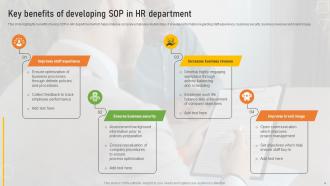
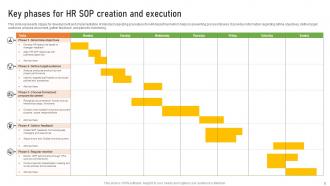
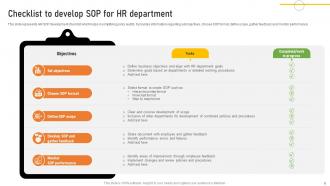
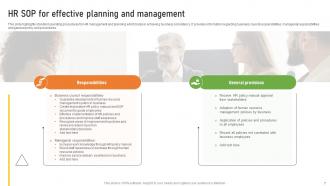
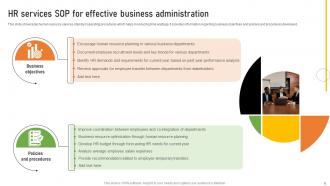
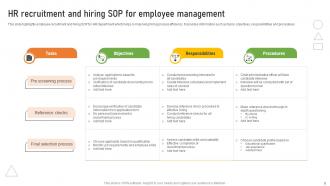
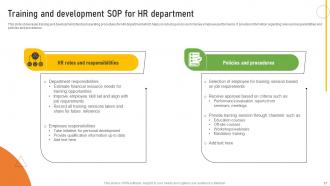
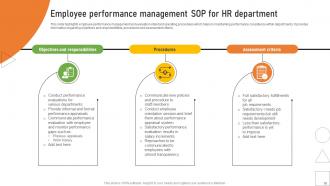
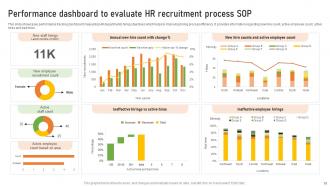
Introducing our HR Standard Operating Procedures SOP PowerPoint PPT presentation, a comprehensive resource to streamline and optimize HR processes within your organization. Explore the HR Management and Planning SOP, providing clear guidelines and protocols for effective HR operations. Discover the Training and Development SOP, ensuring a structured approach to employee skill enhancement and growth. Unveil the HR Recruitment SOP, guiding your team through a well defined and standardized hiring process to attract top talent. With visually engaging slides and expert insights, this PPT empowers your HR team to maintain consistency and efficiency in their operations. Elevate your HR practices, maximize employee potential, and drive organizational success. Get this presentation now and enhance your HR SOPs for a thriving workplace
People who downloaded this PowerPoint presentation also viewed the following :
HR SOP Powerpoint Ppt Template Bundles with all 28 slides:
Use our HR SOP Powerpoint Ppt Template Bundles to effectively help you save your valuable time. They are readymade to fit into any presentation structure.






FAQs for HR SOP Powerpoint
Start with a title slide that has your SOP name and version number. Then add an objective statement - basically why this process even exists. Break down the actual steps with numbers so people can follow along. Include who's responsible for what, because someone always asks. Honestly, a flowchart helps tons if there are decision points involved. Don't forget any forms or documents they'll need. Compliance stuff too if that applies. Oh, and contact info for when people inevitably have questions. Keep one main idea per slide - nobody wants to read a novel on each screen.
Honestly, those HR PowerPoint templates are lifesavers for onboarding. You get this consistent framework that hits all the important stuff - paperwork, intros, training schedules, the whole deal. No more forgetting random steps or scrambling with messy Word docs (been there!). Every new hire gets the same solid experience no matter who's running their first week. Just grab a template, customize it once for your company, then swap in the specific details for each person. Way cleaner process overall.
Honestly, white space is your best friend here - nobody wants to stare at cramped slides all day. I'd go with blues and grays since they look professional without being boring. Stick to basic fonts like Arial or Calibri (trust me on this one). Icons help break things up when you're dealing with heavy policy stuff, but skip the fancy animations - they just annoy people. Bullet points are clutch for readability. Oh, and definitely create templates for different types of content like checklists and process flows. You'll thank yourself later when you don't have to build everything from scratch every single time.
Honestly, visuals are a game-changer for HR stuff. Nobody's reading through pages of boring policy text - I sure wouldn't. But throw in some flowcharts and color-coded steps? Suddenly people get it. Like, vacation requests become this simple visual path instead of confusing paragraphs. Break things into chunks with icons and diagrams. Your team will actually remember the process because they can see how everything connects. I'd start with whatever's causing the most confusion right now - probably that onboarding mess everyone complains about. Turn that into visuals first and watch how much smoother things go.
Focus on inclusive language and skip any region-specific stuff that won't work everywhere. Finding diverse stock photos is honestly such a pain, but you gotta do it. Different cultures have totally different communication styles - some want everything super formal, others are way more collaborative. Colors mean different things across cultures too, which I didn't even think about until someone mentioned it. Oh, and definitely test this with teammates from different backgrounds first. They'll catch things you'd never notice. Trust me on that one.
Honestly, just drop the boring bullet points and tell actual stories instead. Like, create this fictional "Sarah from Marketing" who dealt with whatever HR situation you're covering. Walk through her whole experience - the problem she faced, how she used the SOP, what happened next. I swear people zone out during policy presentations, but they'll actually listen to a story. Structure each section around these little case studies. It sounds kinda silly but it works way better than just reading procedures out loud. Plus your audience will actually get how to use the stuff in real life.
Look, nobody wants to read a novel on each slide - people just tune out. Use flowcharts and bullet points instead of cramming paragraphs everywhere. Also, please don't use tiny fonts! 12pt is basically useless if anyone's sitting more than 3 feet away. Skip those bouncy animations too - they're annoying when you're trying to explain actual processes. Your colors need enough contrast so text doesn't disappear (learned that the hard way). Oh, and test it with real HR stuff first - onboarding materials, compliance training, whatever. You'll want something that works for everything without looking like a mess.
Honestly, multimedia is a game-changer for HR presentations. People actually pay attention instead of zoning out during another boring slideshow. Videos work awesome for walking through processes step-by-step. Break down complicated policies with infographics - way easier to digest. Audio clips are perfect for customer service stuff where tone matters. Interactive flowcharts let people click around and learn at their own speed, which is nice. Oh, and clickable elements just feel more modern somehow. Just don't go overboard with random animations that don't add value. Pick stuff that actually helps explain your content better.
Honestly, those HR SOP templates are a lifesaver for compliance training. Everything stays consistent across your materials, which is huge when you're dealing with policies and mandatory stuff. Templates save you tons of time too - nobody wants to build slides from scratch every single week. You can add interactive bits, track who actually finished the training, and keep versions organized. The best part? New people on your team can jump right in and create decent training without starting over each time. Way less headache overall, trust me.
Honestly, it totally depends on what part of HR you're working on. Recruiting SOPs are all about candidate stages and decision points. Onboarding? That's more checklists and timelines. Performance management gets tricky - way more stakeholders and approval steps to map out. I've watched people try generic templates and it's a disaster. Training SOPs need tons of screenshots and visuals, but policy ones are just wall-to-wall text with compliance boxes to check. My take? Grab a basic template but don't be afraid to gut the sections. Processes, people workflows, compliance stuff - they all have totally different vibes and need their own approach.
Tell stories instead of just listing steps - nobody wants to sit through you reading policy text verbatim. Real workplace examples make everything click better. Keep your slides super visual with minimal text, maybe throw in some flowcharts. Timing is everything though, seriously - I've seen people rush through compliance training and everyone just zones out. Structure it as problem-solution-action so they actually get why this SOP matters, not just what it says. Oh, and wrap up each section with clear next steps or quick understanding checks. Trust me, people retain way more when they're not bored to death.
Just send out quick surveys after presentations or throw up a Slack poll - people are way more honest than you'd expect when you actually ask. Focus groups work too but honestly those feel a bit extra. Look for patterns in what people say, like "slides had too much text" or whatever keeps coming up. Test any changes with a small group first before doing it company-wide. The biggest thing? Actually show people you used their feedback. Makes them way more likely to help out next time. Oh and make giving feedback super easy - nobody's filling out a 20-question form.
PowerPoint's your best bet since everyone expects that format anyway. Canva's actually pretty sweet if you want something that doesn't look like every other corporate presentation - way more stylish templates. Google Slides is fine for team stuff but kinda basic. Oh, and definitely hit up Flaticon for some decent icons to break up all that text. Makes SOPs way less boring to look at. I'd just start with whatever PowerPoint gives you, then mess around with colors and fonts until it doesn't look terrible.
Honestly, I'd start with quick surveys right after - just ask if the SOP made sense and seemed doable. Then comes the real stuff: are people actually doing what you taught them? Track that over a few weeks. Help desk tickets are gold for this - if complaints about that process drop off, you nailed it. Check in with managers too, see how their teams are handling the changes. Behavioral change is what matters, not just people nodding along during your presentation. I always make a simple tracking sheet for about 30 days after. Sounds boring but it works.
You really gotta know who you're talking to when you're putting together HR SOPs. Executives want the big picture stuff - how it impacts strategy, high-level summaries. But managers? They need the actual step-by-step processes they can use tomorrow. I totally bombed this once using the same template for both groups - awkward doesn't even cover it. Think about how comfortable they are with technology too, plus their time limits. What do they actually care about walking away with? That's honestly the make-or-break question right there.
-
I faced no difficulty while searching for the slide I wanted. Honestly, the website’s interface is easy to use and can be navigated easily!
-
“There is so much choice. At first, it seems like there isn't but you have to just keep looking, there are endless amounts to explore.”