

HR Process Flow Chart Powerpoint Ppt Template Bundles




Try Before you Buy Download Free Sample Product
 Impress Your
 Audience
 100%
100% Editable
 Save Hours
 of Time


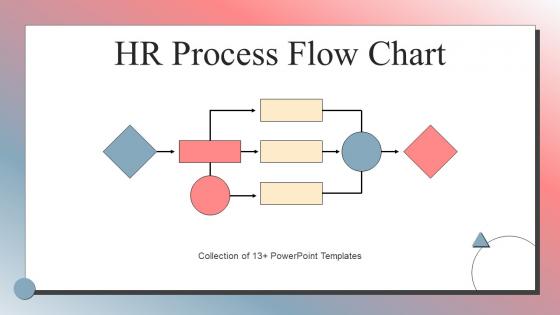
Our HR Process Flow Chart Powerpoint Ppt Template Bundles are topically designed to provide an attractive backdrop to any subject. Use them to look like a presentation pro.
People who downloaded this PowerPoint presentation also viewed the following :
HR Process Flow Chart Powerpoint Ppt Template Bundles with all 20 slides:
Use our HR Process Flow Chart Powerpoint Ppt Template Bundles to effectively help you save your valuable time. They are readymade to fit into any presentation structure.
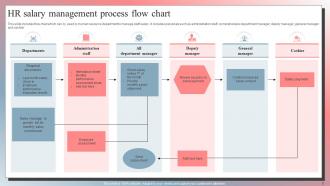
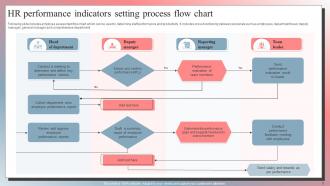
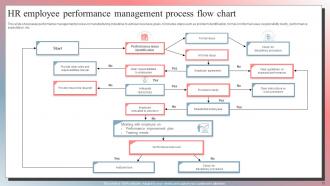
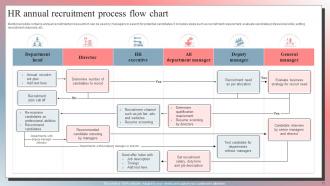





FAQs for HR Process Flow Chart Powerpoint
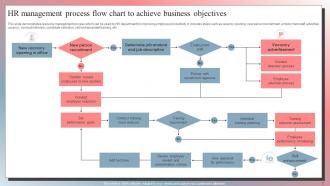
Start with clear beginning and end points, plus those diamond shapes for decisions/approvals. Each step needs to show who's doing what - that's huge. Honestly, most people totally forget about the "what happens when things go sideways" part, which drives me crazy. Map out your exception handling too. Keep the flow logical (left to right or top to bottom) and add timeframes if they matter. Use symbols everyone actually recognizes. I'd tackle your biggest processes first - onboarding, performance reviews, that stuff. Then branch out from there. Clean layout makes all the difference.
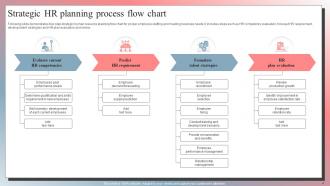
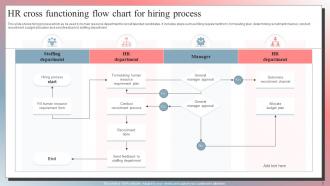
Honestly, making a flow chart for your HR stuff is a game changer. You map out everything from posting the job to getting people started, and suddenly you can see where things are getting stuck. Like if candidates are dropping off because scheduling interviews takes three weeks - which happens more than you'd think. Your whole team stays on the same page too, so nobody's skipping steps or doing weird workarounds. I'd start by just writing down what you're already doing. Then you can see how long each part actually takes and figure out what's slowing you down.
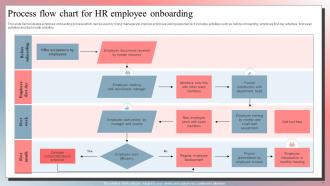
So basically you want to map out every step from when someone accepts your offer to their first day. Shows who's responsible for what and when stuff needs to happen. Trust me, it's a game changer when you're dealing with multiple new hires - I learned that the hard way. Include decision points too, like what if their laptop's delayed or background checks take forever? Different departments can follow the same process, and new managers aren't left guessing. Honestly saves so much chaos and makes everything way more predictable.
Honestly, HR tech is pretty amazing for automating those tedious workflow steps. Your ATS can automatically move candidates through screening stages based on whatever criteria you set up. Same with scheduling interviews and triggering follow-up tasks - no more manual babysitting. HRIS platforms will generate onboarding checklists the second someone gets hired too. Here's what I'd do: map out one simple process first (new hire paperwork is perfect for this). Don't try to automate everything at once - that's overwhelming. Pick that one workflow and see how much time it actually saves you.
Honestly, the biggest mess-ups I see are overcomplicating flowcharts and not getting input from the actual people doing the work. Like, don't try to cram every tiny detail into one chart - it becomes this chaotic thing nobody wants to look at. Get feedback from your team because what seems logical to you might be totally wrong in practice. People also forget to clearly mark decision points and approval steps, which is huge. Keep it simple and test it out first. Oh, and you can always make separate detailed charts for the really complex stuff if you need to later.
Honestly, flow charts are amazing for spotting bottlenecks because everything becomes so visual. You can literally see where stuff gets stuck - like approvals that drag on forever or tasks waiting around for someone's input. The problem areas just pop right out at you. Plus you'll catch things you didn't notice before, like duplicate steps or too many handoffs between people. I used to hate making them but they're actually super useful once you get into it. Once you see where the roadblocks are, fixing those specific spots makes your whole workflow way smoother.
I'd go with Lucidchart or Miro - they've got HR templates built right in which is clutch. Visio works too but honestly it feels a bit corporate-y to me. Draw.io is free and decent, though the interface is kinda meh. All of these let you drag and drop the decision points and approval steps that HR flows need. PowerPoint actually works fine for basic stuff if that's what your team already knows. Oh, and definitely start with a template instead of a blank canvas. Trust me on this one - I spent way too much time once trying to make boxes look perfect from scratch. Total time waster.
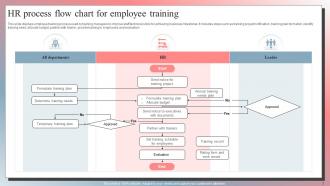
Yeah, each HR function totally changes your flow chart structure. Payroll's the easiest - it runs on those rigid monthly/bi-weekly cycles, so just mark your cut-off dates and approval stages. Recruitment gets messy with all the feedback loops, especially for senior roles (ugh, the back-and-forth never ends). Training's more flexible since it's project-based, but let's be real - it's usually what gets pushed back when deadlines hit. I'd map each one separately first, then figure out where they connect. Way less confusing than trying to do it all at once.
Oh definitely do color-coding! It's seriously a game changer. I usually go with green for done steps, red for problem spots, and blue for manager sign-offs. Different colors for each department works too. Your team won't waste time trying to figure out what's what - they'll just get it instantly. Honestly, I learned this the hard way after making way too many confusing charts. Just don't go crazy with like 8 different colors or whatever. Stick to 3-4 max or it gets messy. You'll spot bottlenecks super fast this way.
Your employees are seriously the best resource for this - they deal with HR stuff every single day. I'd do quick surveys or just chat with people about what's annoying them. Exit interviews are clutch too. They'll tell you about weird workarounds they've invented (which honestly can be genius). The flowchart on paper vs what actually happens? Totally different things half the time. Ask them which processes make them want to bang their head against the wall. You'll be surprised how much they notice that management misses.
Honestly, start with the stuff that's probably already driving you crazy - like how long it takes to hire someone or how many people actually finish onboarding without getting lost. Track your cycle times for each step and see where things are getting stuck. Employee satisfaction scores are huge too, but don't sleep on the simple stuff like how often people are messaging you asking "wait, what comes next?" That tells you everything about whether your chart actually makes sense. I'd pick maybe 2-3 things that align with your biggest headaches right now, then check them monthly. You'll know pretty quick if it's working.
Honestly? I'd do it twice a year if possible, but at minimum once annually. HR moves so damn fast - compliance stuff changes, new software rolls out, policies get updated. Your team restructures and suddenly half your flowchart is useless. Get your team involved since they're actually following these processes daily. They'll spot the dumb inefficiencies way faster than you will. Oh, and try timing your reviews with budget cycles - that way if you need money for improvements, you're already in those conversations. Trust me, outdated processes will bite you eventually.
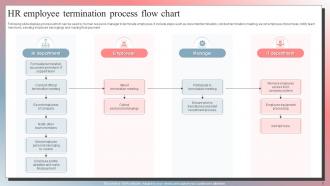
Process flow charts are honestly a lifesaver for compliance stuff. You document every step of hiring, firing, investigations - all that HR chaos - and auditors eat it up. Map out your processes and you'll catch where regulations need to plug in. Nothing gets forgotten that way. If the EEOC comes knocking (which, ugh), you've got proof you followed proper procedures consistently. They're solid for training newbies too. I'd check yours every quarter - regulations change constantly and you don't want to get caught with outdated processes. Trust me, it beats scrambling during an audit.
Honestly, flow charts are like having a cheat sheet for who's supposed to do what. No more awkward "wait, wasn't that your job?" moments. They show exactly how your team connects with everyone else - super helpful when you're trying to figure out where things get stuck. I've seen so many projects fall apart because nobody mapped out which departments needed to talk to each other. The visual thing really works too. Way easier than reading through boring process docs. Next time you're starting something big, sketch out who needs to be involved first. Trust me, it'll save you headaches later.
So high-level HR flowcharts show the basic steps - recruit, hire, onboard, manage, exit. Pretty straightforward stuff. Detailed ones though? They map out every tiny decision and who does what when. It's like the difference between "turn left at Main Street" vs "proceed 0.2 miles, turn left at the Starbucks after the red mailbox." Executives love the simple overview version for meetings, but your actual team needs those nitty-gritty details to not mess things up. I'd start with the high-level one first to get everyone on board, then dive into the detailed version for daily use.
-
Great quality slides in rapid time.
-
“Thank you to the SlideTeam. Your presentations look really skillful and have made my life so much easier.”