


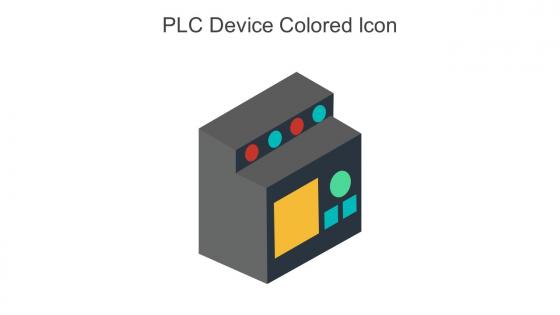
PLC Device Colored Icon In Powerpoint Pptx Png And Editable Eps Format




Try Before you Buy Download Free Sample Product
 Impress Your
 Audience
 100%
100% Editable
 Save Hours
 of Time


Use this Plc device colored icon in powerpoint pptx png and editable eps format and create amazing PowerPoint presentations or graphics with ease. This downloaded file is available in all the editable formats such as EPS, PNG and Powerpoint pptx.
People who downloaded this PowerPoint presentation also viewed the following :
PLC Device Colored Icon In Powerpoint Pptx Png And Editable Eps Format with all 6 slides:
Use our PLC Device Colored Icon In Powerpoint Pptx Png And Editable Eps Format to effectively help you save your valuable time. They are readymade to fit into any presentation structure.





FAQs for PLC Device Colored Icon In Powerpoint Pptx Png And
PLC device icons serve as standardized visual representations that enable quick identification and understanding of programmable logic controllers within industrial automation systems, control panels, and technical documentation. These icons streamline system navigation, enhance troubleshooting efficiency, and facilitate communication between engineers and technicians, with many manufacturing facilities finding that standardized iconography reduces training time and minimizes operational errors.
PLC device icons use standardized visual symbols to represent specific functionalities, including input/output modules, processors, communication interfaces, power supplies, and safety components. These graphical representations enable engineers to quickly identify system components, streamline troubleshooting processes, and enhance operational efficiency, with many manufacturing facilities finding that consistent iconography reduces training time and minimizes configuration errors.
**INPUT**: What are the standard conventions for designing PLC device icons? **OUTPUT**: Standard PLC device icon conventions include consistent geometric shapes, standardized symbols for inputs/outputs, clear color coding for device states, uniform sizing across systems, and intuitive visual representations of physical components. These design principles streamline operator training, enhance system troubleshooting, and minimize configuration errors, with many manufacturing facilities finding that standardized iconography ultimately delivers faster commissioning and improved operational efficiency. [Word count: 58 words]
PLC device icons enhance control system diagram clarity by providing standardized visual representations, intuitive component identification, and simplified troubleshooting pathways. These visual elements streamline communication between engineers, technicians, and operators by creating universally understood symbols, reducing interpretation errors, and accelerating system maintenance, with manufacturing facilities finding that standardized iconography significantly improves operational efficiency and training effectiveness.
Common mistakes when creating PLC device icons include using overly complex designs, inconsistent sizing and styling, poor color contrast, and unclear symbolic representations that confuse operators. These design flaws compromise operational efficiency by slowing recognition speed, increasing training time, and potentially causing costly misinterpretations, with many manufacturing facilities finding that standardized, intuitive iconography significantly enhances system usability and reduces errors.
PLC device icons vary significantly between manufacturers like Siemens, Allen-Bradley, and Schneider Electric through different graphical representations, color schemes, symbolic conventions, and software interfaces. While Siemens uses distinctive blue-themed symbols, Allen-Bradley employs different iconography standards, and Schneider Electric follows unique visual protocols, with many automation engineers finding that standardizing icon libraries across platforms ultimately streamlines system integration and reduces training requirements.
Color schemes in PLC device icons serve as critical visual coding systems that enable rapid status identification, operational state recognition, and safety compliance across industrial systems. These standardized color conventions streamline troubleshooting processes, reduce interpretation errors, and enhance operational efficiency, with many manufacturing facilities finding that consistent color-coded iconography significantly accelerates maintenance workflows and minimizes costly downtime incidents.
Ensuring consistency in PLC device icons requires establishing standardized icon libraries, creating comprehensive style guides with size and color specifications, and implementing version control systems across all project documentation. Through centralized asset management and regular design reviews, engineering teams streamline communication, reduce errors, and enhance project clarity, with many organizations finding that consistent iconography ultimately accelerates troubleshooting and improves overall system maintainability.
PLC device icons can be customized through color coding for operational status, industry-specific symbols reflecting sector requirements, scalable sizing for complex systems, and integration with brand guidelines. Manufacturing facilities, energy plants, and water treatment systems increasingly leverage these customizations to streamline operator training, enhance system navigation, and reduce troubleshooting time, ultimately delivering improved operational efficiency and faster response capabilities.
**INPUT**: What software tools are most effective for designing PLC device icons? **OUTPUT**: Effective PLC device icon design tools include Adobe Illustrator, AutoCAD Electrical, EPLAN Electric P8, Visio, and specialized PLC programming software like TIA Portal. These applications streamline industrial symbol creation by offering comprehensive symbol libraries, vector-based precision, and standardized electrical components, with many automation engineers finding that integrated design environments ultimately enhance project consistency and reduce development time.
PLC device icons aid troubleshooting by providing instant visual status indicators, error codes, operational states, and system health information directly on interface displays. These graphical representations enable technicians to quickly identify malfunctioning components, pinpoint fault locations, and assess system performance, ultimately reducing downtime and streamlining maintenance processes across manufacturing facilities.
PLC device icons enhance training materials by providing visual representations of hardware components, simplifying complex system diagrams, and enabling interactive learning modules. Through standardized symbols in presentations and documentation, engineering programs streamline comprehension of automation systems, with many technical institutions finding that visual aids accelerate skill development and improve retention rates.
**INPUT**: What are the best practices for labeling PLC device icons? **OUTPUT**: Best practices for labeling PLC device icons include using consistent naming conventions, incorporating device functions and locations, maintaining clear hierarchical structures, and following industry standards like IEC 61131-3. These approaches streamline system navigation by enabling faster troubleshooting, reducing operator confusion, and enhancing maintenance efficiency, with many manufacturing facilities finding that standardized labeling ultimately delivers improved operational transparency and reduced downtime costs.
Technology evolution has significantly enhanced PLC device icons through improved graphics capabilities, standardized symbols, and intuitive visual representations that streamline operator understanding and reduce training time. Modern PLCs now feature high-resolution displays, touch interfaces, and color-coded iconography that enables faster troubleshooting, minimizes operational errors, and ultimately delivers enhanced productivity across manufacturing environments.
Emerging trends in PLC device icon design include augmented reality integration, dynamic status visualization, context-aware interfaces, AI-powered predictive indicators, and enhanced mobile compatibility. These innovations streamline automation management by providing real-time system insights, predictive maintenance alerts, and intuitive touchscreen controls, with many manufacturing facilities finding that modernized iconography ultimately reduces operator training time and enhances overall system efficiency.
-
“Thanks to SlideTeam. Now I can make smart presentations in a fraction of time without any hassle.”
-
Kudos to SlideTeam for achieving the high success rate in delivering the top-notch slides.