

Presentation Design Service Proposal Powerpoint Presentation Slides




Try Before you Buy Download Free Sample Product
 Impress Your
 Audience
 100%
100% Editable
 Save Hours
 of Time


Our Presentation Design Service Proposal Powerpoint Presentation Slides are topically designed to provide an attractive backdrop to any subject. Use them to look like a presentation pro.
People who downloaded this PowerPoint presentation also viewed the following :
Content of this Powerpoint Presentation
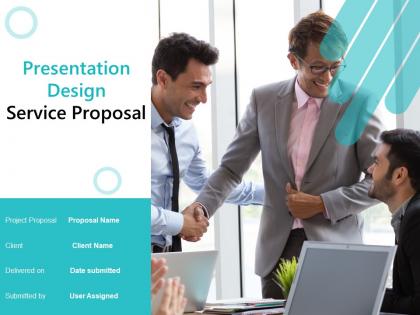
Slide 1: This slide introduces Presentation Design Service Proposal. Mention proposal name, client name, date submitted.
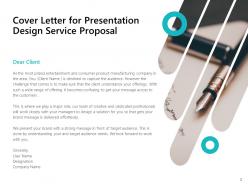
Slide 2: This slide displays Cover Letter for Presentation Design Service Proposal.
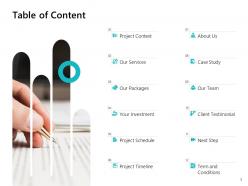
Slide 3: This slide displays the Table of Content Project Context, Our Services, Our Packages, Your Investment, Project Schedule, Project Timeline, Term and Conditions, About Us, Case Study, Our Team, Client Testimonial, Next Step.
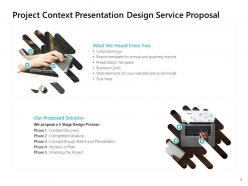
Slide 4: This slide showcases Project Context Presentation Design Service Proposal
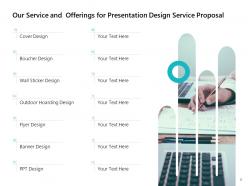
Slide 5: This slide displays Our Service and Offerings for Presentation Design Service Proposal Cover Design, Boucher Design, Wall Sticker Design, Outdoor Hoarding Design, Banner Design, PPT Design, Flyer Design.
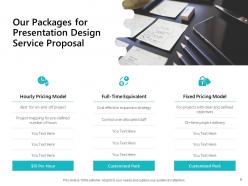
Slide 6: This slide displays Our Packages for Presentation Design Service Proposal.
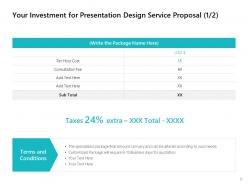
Slide 7: This slide displays Your Investment for Presentation Design Service Proposal with terms and conditions.
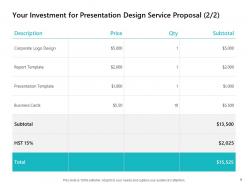
Slide 8: This slide also displays Your Investment for Presentation Design Service Proposal.
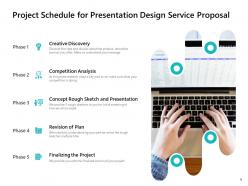
Slide 9: This slide depicts Project Schedule for Presentation Design Service Proposal containing- Creative Discovery, Competition Analysis, Concept Rough Sketch and Presentation, Revision of Plan, Finalizing the Project.
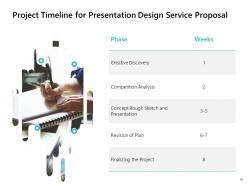
Slide 10: This slide represents Project Timeline for Presentation Design Service Proposal.
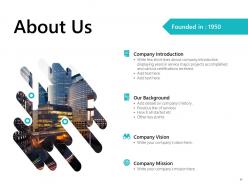
Slide 11: This is About Us slide to showcase company introduction. Write few short lines about company introduction displaying years in service major projects accomplished and various certifications received.
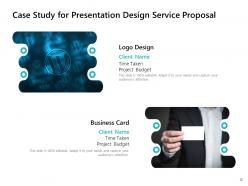
Slide 12: This slide displays Case Study for Presentation Design Service Proposal.
Slide 13: This is Our Team slide with names and designations.
Slide 14: This is Our Team slide with names and designations. Write key credentials and major highlights of the team member.
Slide 15: This slide displays Client Testimonial with names and designations.
Slide 16: This slide showcases Next Step for Presentation Design Service Proposal.
Slide 17: This slide presents Terms and Contract of Payment.
Slide 18: This is Contact Us slide with company name, address, phone number and logo.
Slide 19: This slide is titled as Additional Slides for moving forward.
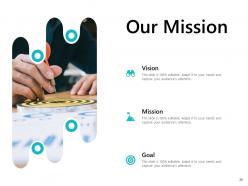
Slide 20: This is Our Mission slide with Goal, Vision and Mission.
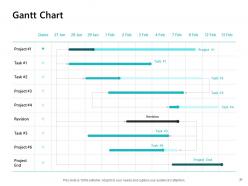
Slide 21: This slide displays Gantt Chart
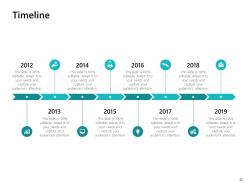
Slide 22: This is eight years Timeline slide.
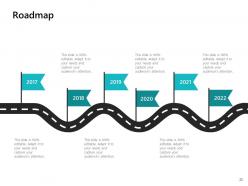
Slide 23: This slide displays Roadmap.
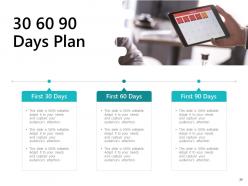
Slide 24: This is 30 60 90 Days Plan slide.
Presentation Design Service Proposal Powerpoint Presentation Slides with all 24 slides:
Use our Presentation Design Service Proposal Powerpoint Presentation Slides to effectively help you save your valuable time. They are readymade to fit into any presentation structure.


FAQs for Presentation Design Service Proposal
Key elements include clear objectives, target audience analysis, content structure, visual design strategy, timeline, budget breakdown, and deliverable specifications. These components work together to demonstrate your understanding of client needs, showcase your design expertise, and establish realistic project parameters, with many businesses finding that well-structured proposals significantly increase client confidence and project success rates.
Customize presentation templates by replacing placeholder colors with your brand palette, incorporating your logo and fonts, adjusting layouts to match your visual style, and modifying graphics to reflect your industry focus. Strategic template customization ensures consistent brand messaging across all presentations, with many organizations finding that cohesive visual identity enhances audience engagement, reinforces brand recognition, and ultimately delivers more professional, memorable presentations.
Engaging presentation strategies include interactive polls, storytelling with real examples, strategic pauses for questions, visual demonstrations, and audience participation exercises. These approaches enhance retention by creating emotional connections, maintaining attention through varied pacing, and encouraging active involvement, with many presenters finding that combining multiple engagement techniques delivers significantly higher audience satisfaction and message recall.
Structure your presentation proposal with a compelling executive summary, clear problem statement, proposed solution with visual approach, timeline and deliverables, team credentials, and detailed pricing breakdown. This framework enables clients to quickly grasp your value proposition while demonstrating strategic thinking, with many agencies finding that including sample slide concepts and ROI projections significantly enhances proposal acceptance rates.
Common presentation design mistakes include cluttered slides, inconsistent formatting, poor font choices, excessive text, weak color schemes, and misaligned elements. These errors undermine professional credibility and audience engagement, with many presenters finding that streamlined layouts, consistent branding, and strategic use of white space ultimately deliver clearer communication and stronger business impact.
Visual storytelling enhances presentation proposals by creating emotional connections, simplifying complex information, improving retention rates, and guiding audience focus through strategic narrative flow. Through compelling infographics, data visualizations, and cohesive design elements, organizations streamline decision-making processes while delivering memorable experiences that differentiate proposals, ultimately increasing approval rates and competitive advantage.
**INPUT**: What color schemes are best suited for different types of presentations? **OUTPUT**: Effective presentation color schemes include professional blues and grays for corporate settings, warm oranges and greens for creative pitches, monochromatic palettes for data-heavy content, and high-contrast combinations for large audiences. These strategic color choices enhance audience engagement, reinforce brand messaging, and improve information retention, with many organizations finding that thoughtful color application significantly strengthens their competitive presentation advantage. [Word count: 60]
Incorporate data visualization by using charts, graphs, infographics, interactive dashboards, and visual hierarchies that transform complex datasets into clear, actionable insights. These design elements streamline information processing by highlighting key trends, comparing metrics, and showcasing relationships between variables, with many organizations finding that strategic visualization enhances stakeholder understanding and accelerates decision-making processes.
Typography serves as the visual foundation of presentation design, influencing readability, hierarchy, brand consistency, and audience engagement through strategic font selection, sizing, and spacing. Choose fonts that align with your content's tone and audience expectations, combining a clear sans-serif for body text with complementary headers, while maintaining consistency and ensuring legibility across different screen sizes and lighting conditions.
Multimedia elements enhance presentations by increasing audience engagement, improving information retention, and creating memorable experiences that support key messages. Videos demonstrate complex concepts visually, audio reinforces emotional connections, and interactive elements maintain attention throughout longer presentations, with many presenters finding that strategic multimedia integration significantly improves audience comprehension and response rates.
Best practices for presentation transitions and animations include using consistent transition styles, keeping animations purposeful rather than decorative, timing effects to match your speaking pace, and choosing subtle over flashy movements. These techniques enhance audience engagement by directing attention strategically, reinforcing key messages, and maintaining professional credibility, with many presenters finding that restrained animation ultimately delivers greater impact than excessive visual effects.
Creating a cohesive theme involves selecting templates with consistent color palettes, typography, and visual elements that align with your brand identity and message. Strategic template usage ensures seamless transitions between sections, maintains professional credibility, and enhances audience engagement, with many organizations finding that cohesive presentation design significantly improves message retention and stakeholder buy-in.
**INPUT**: What considerations should I take into account for accessibility in my presentation design? **OUTPUT**: Accessibility considerations include high contrast color schemes, readable font sizes, alternative text for images, clear navigation structures, and screen reader compatibility. These design elements streamline audience engagement by ensuring universal access, reducing comprehension barriers, and enhancing information retention, with many organizations finding that accessible presentations ultimately deliver broader reach and improved stakeholder experiences across diverse audiences.
Cultural differences significantly impact presentation design through color symbolism, communication styles, visual hierarchy preferences, and audience engagement expectations. Organizations adapting their presentations for global markets find that considering cultural context in design choices, storytelling approaches, and interaction patterns ultimately delivers more effective communication and stronger business relationships across diverse international audiences.
PowerPoint, Canva, Prezi, Google Slides, and Keynote offer robust features for creating compelling presentations efficiently. These platforms streamline design through pre-built templates, drag-and-drop functionality, and collaborative editing capabilities, with many organizations finding that combining multiple tools—such as Canva for graphics and PowerPoint for structure—delivers professional results while significantly reducing design time.
-
Great designs, really helpful.
-
Colors used are bright and distinctive.
-
Excellent design and quick turnaround.