

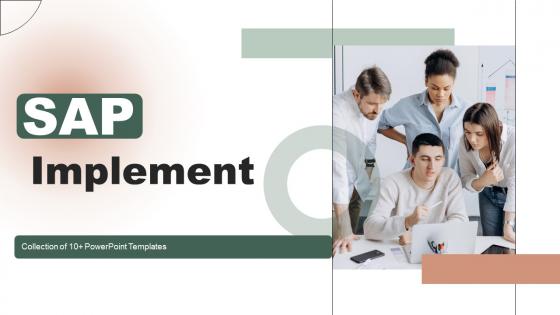
SAP Implementation Powerpoint Ppt Template Bundles




Try Before you Buy Download Free Sample Product
 Impress Your
Audience
 100%
Editable
 Save Hours
of Time


Introducing our comprehensive PowerPoint presentation PPT on SAP Implementation a dynamic and essential tool for businesses seeking to leverage the power of SAP in their operations. This informative PPT delves into the SAP Implementation process, providing step by step guidance on how to seamlessly integrate SAP into your organization. Discover the transformative impact of SAP integration on various business functions, optimizing efficiency and productivity. Whether youre a seasoned professional or new to SAP, this PPT equips you with vital insights and best practices to navigate through your SAP Implementation project successfully. Unravel the intricacies of SAP installation and unleash its potential to streamline processes, improve decision making, and achieve sustainable growth in todays competitive landscape. Boost your businesses performance with this allen compassing SAP Implementation PPT.
People who downloaded this PowerPoint presentation also viewed the following :
SAP Implementation Powerpoint Ppt Template Bundles with all 23 slides:
Use our SAP Implementation Powerpoint Ppt Template Bundles to effectively help you save your valuable time. They are readymade to fit into any presentation structure.





FAQs for SAP Implementation Powerpoint
So there's five main phases: project prep, blueprint, realization, final prep, then go-live/support. First you'll define scope and get your team together. Blueprint is where you map out how SAP fits your actual business processes - honestly this is where I'd spend the most time because screwing up requirements here will bite you later. Realization is the heavy stuff - configuring everything and testing. Final prep covers training users and migrating data (data cleanup always takes longer than you think, just saying). Then you launch and do hypercare support. Oh and don't rush the blueprint phase, trust me on that one.
First thing - figure out what processes are actually broken in your business right now. Finance, sales, procurement, production, HR... those are your main SAP module options. Talk to your department heads about what's driving them crazy daily. I'd bet you'll need way more modules than you're planning for (everyone does). But don't go nuts trying to roll out everything at once - that's how projects crash and burn. Pick 2-3 modules where you're bleeding the most money or time. Get those solid first. The ROI will be obvious pretty quick, then you can expand without wanting to pull your hair out.
Honestly, data migration is going to be your worst nightmare - way messier than anyone tells you upfront. Your team will hate the change because SAP flips their whole workflow upside down. Budget will explode from scope creep, consultants who don't know their stuff, and delays that keep piling up. Integration with your current systems? Total headache. But here's the thing - you can fix technical problems eventually. Getting people to actually use the new system is the real battle. Spend serious money on training and change management right away. Trust me on this one.
Dude, change management will make or break your SAP project - I've watched so many crash and burn because of this. Get your people on board early by explaining the "why" clearly. What's in it for them? Training isn't just about the technical stuff either. You need to show teams how their day-to-day work changes. Pull key stakeholders into the design phase so they actually feel like they own it. And honestly? Get champions in each department who can back up their teammates when things get messy. People will resist if they don't understand what's happening, and that'll tank even the most perfect implementation.
So SAP consultants are basically your lifeline through this whole mess. They dig into how your business actually works, then configure everything to match your processes. Plus they handle the nightmare stuff - data migration, integrations, all that technical garbage you don't want to deal with. Trust me, SAP is way too complicated to figure out yourself. Once everything's running, they'll train your people on it too. The trick is finding someone who actually knows your industry inside and out. Generic SAP knowledge won't cut it - you need someone who gets the specific weirdness of your business.
Honestly, start with cleaning up your data before you even think about SAP - it's a nightmare otherwise. Map out how your old system fields will fit into SAP structures first. Run test migrations multiple times (I know it's boring but trust me). Migrate in chunks, not everything at once. Master data like customers and vendors should go first. Have a rollback plan ready because things go wrong. Get your end users involved in testing the migrated data - they'll catch stuff you miss. Oh, and write down what you're doing as you go. You'll thank yourself later when people start asking questions.
Honestly, get your users involved from the start - don't just dump a new system on them. Train people based on their actual jobs, not some boring one-size-fits-all presentation. Oh, and definitely find a few tech-savvy people in each department to be your cheerleaders. They'll help way more than you think. Configure the system to match how your team actually works (this seems obvious but so many places mess this up). Most importantly though? Tell everyone WHY you're switching and what's in it for them personally. People hate change but they'll get on board if they see the benefit. Listen to their complaints too.
Definitely go with SAP Activate - it's their official thing that mixes agile with waterfall. Most people I know use Microsoft Project or Jira on top of that for tracking tasks, though Jira gets pretty chaotic when you're dealing with big implementations. Oh and SAP Solution Manager is solid for requirements and testing stuff. Change management is huge since SAP basically touches every part of your company. Here's what I learned the hard way: just pick one main approach and stick with it. Don't try mixing a bunch of different methodologies - that's honestly where most projects fall apart.
Start with a solid readiness check - look at your current IT setup, business processes, how your team handles change, and what budget/timeline you're working with. Most places either use some assessment framework or hire consultants for this. The change management part is honestly where things usually go sideways - people think it's just about the tech but forget how much training everyone needs. Oh, and definitely map out your data quality issues early. I know it's tempting to jump in, but don't rush this step. Trust me, spending time here saves you from wanting to pull your hair out later.
Honestly, culture is everything with SAP rollouts. When teams are open to change and actually talk to each other, things go way smoother. Resistance kills these projects fast though - I've watched it tank so many implementations. SAP forces everyone into standardized workflows, so if your company culture fights structure, you're screwed from day one. My advice? Figure out your cultural issues before you touch any software. Get leadership actively involved (not just signing checks) and form those cross-department teams early. Oh, and invest real money in change management - it's not optional.
Testing's gotta happen in phases - unit first, then integration, finally user acceptance. Create test scripts based on your actual business workflows, not just tech stuff. Seriously, this is where projects crash and burn if you cut corners. Get your end users deep into UAT because they'll spot the messy real-world problems that dev teams totally miss. You need solid defect tracking too. Don't even think about going live with critical bugs still hanging around. Oh, and pad your timeline - testing always drags longer than you think it will.
Track the technical stuff first - uptime, how fast things load, whether people are actually using it. Nobody's gonna be happy if the system's down half the time. Then look at business wins: are processes faster, costs lower, data cleaner than before? Honestly, user satisfaction is huge - I've seen great systems fail because everyone hated using them. Oh, and definitely capture baseline numbers before you switch over. Otherwise you'll be scrambling later trying to prove it was worth the money when your boss asks.
Dude, cross-functional teams are seriously a lifesaver for SAP projects. Having finance, IT, and ops people all in the room from the start means you catch those nasty integration problems early. Domain experts will spot issues that tech people miss - like when someone suggests a workflow change that'll completely screw up month-end accounting (been there). The trick is giving each department actual decision-making power, not just letting them comment on stuff. Otherwise you'll hit go-live and suddenly accounting's like "uh, this breaks everything we do." Trust me on this one.
Okay so post-SAP support breaks down into a bunch of key areas. You'll be doing system monitoring and performance stuff to keep everything humming along. User support is massive - people constantly need help or forget their training. Regular updates and security patches are non-negotiable too. Honestly, data backups and disaster recovery planning stress me out the most, but you can't skip it. Future enhancements will come up as business needs change. My take? Get a dedicated support team going ASAP and nail down your escalation process early. Trust me on this one.
Don't treat compliance like something you can just tack on at the end - that's where so many SAP projects completely blow up. Map out your regulations first (SOX, GDPR, whatever you're dealing with) then build those controls right into the config. Work with your team to set up proper audit trails and data governance from the start. Document everything as you go - seriously, everything. Run compliance checks during testing so you're not panicking when auditors show up later. Oh, and automate the monitoring stuff wherever you can. Trust me on this one.
-
The designs are super attractive. Me and my team love using SlideTeam’s presentations.
-
Extremely professional slides with attractive designs. I especially appreciate how easily they can be modified and come in different colors, shapes, and sizes!