

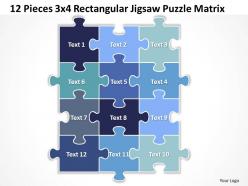
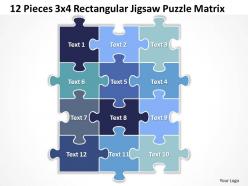
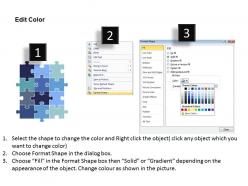
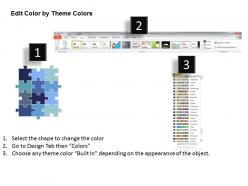
12 pieces 3x4 rectangular jigsaw puzzle matrix powerpoint templates 0812





Try Before you Buy Download Free Sample Product
 Impress Your
 Audience
 100%
100% Editable
 Save Hours
 of Time


Earn kudos with our 12 Pieces 3x4 Rectangular Jigsaw Puzzle Matrix Powerpoint templates ppt presentation slides 0812. They will strenghten the force of your logic.
People who downloaded this PowerPoint presentation also viewed the following :
12 pieces 3x4 rectangular jigsaw puzzle matrix powerpoint templates 0812 with all 7 slides:
You're probably used to bullet points and all that nonsense you see in presentations. Just let our 12 Pieces 3x4 Rectangular Jigsaw Puzzle Matrix Powerpoint templates ppt presentation slides 0812 remove all that clutter.
FAQs for 12 pieces 3x4 rectangular jigsaw puzzle matrix
Dude, jigsaw puzzle templates are actually super useful for this stuff. They're perfect when you need to show how different pieces fit together - like project components or team roles. Way better than boring bullet points, trust me. People get it immediately because the visual just makes sense. I use them all the time for strategy presentations. They're especially good when there are dependencies between things that your audience needs to understand. Honestly, anything where multiple parts come together to hit a goal works well. Give it a shot next time!
Dude, jigsaw puzzles are perfect for this! Your audience literally has to piece things together while you're talking. Start with scattered pieces on screen, then build it up as you hit each main point. People get weirdly competitive trying to guess what the final picture will be - I've seen entire rooms get invested in it. The visual thing really helps too since they can see how all your concepts connect. Natural spots to pause and let people jump in with questions. Only downside is sometimes they get so focused on the puzzle they miss what you're actually saying, but that's rare.
Jigsaw templates are perfect when you're breaking down complex stuff - like project phases or how different teams work together. I've watched people go completely overboard with these though, adding way too many pieces just because they can. Short bursts work better than cramming everything in. They're solid for onboarding new people since everyone can see how their role fits the bigger picture. Product breakdowns are another good use. Honestly, any time you need to show relationships between parts of a system, these templates nail it. Strategic planning sessions especially benefit since collaboration becomes super visual.
Oh yeah, tons of people use these! Training and education folks are probably the biggest users - they're perfect for breaking down complex processes or showing how concepts link together. Healthcare teams use them all the time for treatment protocols and department workflows. Marketing people love them for mapping customer journeys (though honestly, marketers will turn anything into a visual these days). Consulting firms are obsessed with them since clients can actually see how recommendations connect to their bigger strategy. Really, if you need to show how different pieces fit together to make something whole, they're super helpful. Worth trying out!
Oh, jigsaw puzzle templates are actually perfect for this! You give everyone their own "piece" to work on based on what they're good at. Then when you put it all together, boom - you've got the full picture. What I love about them is how they show people exactly how their part connects to everyone else's work. Makes dependencies super obvious. We used them for our last project planning session and honestly? Game changer. Each person owns their section but can still see where they fit in the bigger thing. Try it next time you need multiple people's input to actually make sense together.
Piece count and image complexity are your starting points. More pieces means you need simpler designs - tiny details just disappear in small pieces, trust me on this one! Good contrast is crucial so people can tell pieces apart. Stay away from huge solid color areas or repetitive stuff like brick walls - total nightmare to solve. Oh, and sky sections? Also brutal. Your target audience matters too. Beginners need obvious visual cues and bigger pieces. I'd sketch out your main color blocks first before getting into the nitty-gritty template stuff.
Yeah, so basically you just swap out the photo but keep the same cutting pattern. Holiday pics, family photos, whatever you want - just drop it in there. Most software lets you change how many pieces too, which is clutch for making kid versions versus adult ones. High-res images are key though or it'll look terrible when printed. You can throw in text or logos if it's for like a work thing or party favors. Honestly the hardest part is picking a good photo that won't be impossible to solve - learned that the hard way with an all-sky image once!
Make sure your puzzle pieces match your brand colors and fonts - that's like the baseline you need. Most presentation tools let you group everything together so it all moves as one unit, which honestly saves so much hassle. Oh, and create it on a master slide first! I wasted hours rebuilding the same puzzle over and over before figuring that out. Keep good contrast so people can actually read your text. Start with maybe 4-6 pieces tops - I know it's tempting to go crazy with detail, but simple works better. You can always make it fancier once you've got the hang of it.
Dude, jigsaw puzzle templates are perfect for this stuff. You break down complex info into small pieces instead of overwhelming people with everything at once. Each "piece" gets explained separately, then you show how they connect. Works amazing for processes or systems with lots of moving parts. People love that moment when everything suddenly clicks together - it's like solving an actual puzzle, which is weirdly satisfying? For your project rollout thing, try making visual pieces that literally fit together as you go through each step. Way better than boring bullet points.
Don't cram too much text onto each piece - honestly, I've seen some where you need a magnifying glass to read anything! Also, resist using puzzle templates just because they look fancy. Sometimes a basic list works way better. The worst ones are when the puzzle doesn't even make sense for what they're explaining (like using puzzle pieces for a timeline... why?). Stick to 4-6 pieces max or it'll look messy. Keep text super minimal and make sure the pieces actually connect to each other logically. Run it by someone else first - they'll catch stuff you missed.
Jigsaw puzzles are honestly perfect for mixed classrooms! Visual kids love the colors and seeing how everything connects. Kinesthetic learners get to actually move pieces around - way better than sitting still. My friend's daughter is super logical and always does edges first, but other kids just dive into whatever looks cool. You can even get chatty kids talking about their strategies or what's in the picture. Oh, and definitely switch up the difficulty levels or someone will get bored. Actually works for way more learning styles than I expected.
Honestly, I've seen some pretty clever puzzle presentations lately. McKinsey did this cool thing where each piece was a different customer segment for a retail strategy - showed how everything connected. Salesforce pulled something similar at their big conference, with each piece being a product integration. HR teams are using them for org restructures too, which... okay, still awkward but way less confusing. People just get it when they see the pieces fitting together. Oh, and don't go overboard with tiny pieces - stick to maybe 4-6 big ones so you're not losing people in the details.
Oh this is actually pretty straightforward! I'd use Miro or Mural - they're perfect for this kind of thing. Just make the puzzle pieces as shapes people can drag around during breakouts. PowerPoint works too if you're keeping it simple. Digital versions are honestly way better than physical ones (no more hunting for pieces that fell on the floor lol). For hybrid meetings, throw it up on the main screen while your in-person people use tablets. Keep pieces big enough to read on phones though - learned that one the hard way. Start with maybe 6-8 pieces max for virtual groups.
Color psychology makes or breaks puzzle sales, honestly. Warm reds and oranges are attention-grabbers and feel energizing. Blues and greens? Way more chill and meditative. You'll want to think about your audience first. High contrast between pieces affects difficulty too - something I didn't realize until recently. Here's the tricky part: your colors need to stay engaging even when chopped into tiny fragments. Print small test sections beforehand because what looks amazing as a full image might fall flat once it's all broken up into pieces.
Honestly, audience feedback is everything when you're tweaking those puzzle templates. People will tell you (through their reactions) if pieces are way too complicated or if your big reveal just... doesn't work. I've watched presentations where the whole "aha moment" completely bombed - it's painful but super helpful. Watch their body language during the puzzle parts, then ask them straight up what made sense and what felt weird. Short sentences work better than I thought they would. Take that info and fix the clunky parts, make complex pieces simpler, adjust your timing. Always test with a small group first though - saves you from bigger disasters later.
-
Easily Understandable slides.
-
Nice and innovative design.