

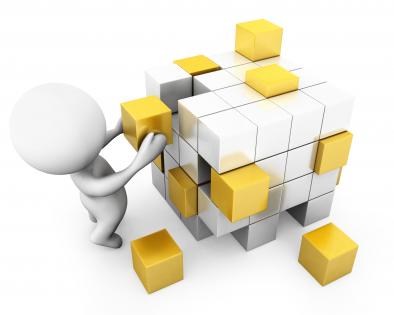
3d man building cube stock photo




Try Before you Buy Download Free Sample Product
 Impress Your
 Audience
 100%
100% Editable
 Save Hours
 of Time


Using our 3D Man Building Cube Stock Photo becomes a habit. They ensure you are consistently at ease.
People who downloaded this PowerPoint presentation also viewed the following :
3d man building cube stock photo with all 1 slides:
The flashy brilliance of our 3D Man Building Cube Stock Photo catches every eye. They glitter like beautiful gems.

FAQs for 3d man building
Honestly, most people mess up the basics - make sure your vertices and edges are actually clean first. Lighting's huge too. Hit at least two faces, usually from above and one side, so it doesn't look flat. Your camera angle should be around 30-45 degrees to really show it's 3D. Materials can make or break it - avoid anything too shiny or completely matte since both read weird in 3D space. Oh, and definitely check it from different angles before you're done. I've seen way too many "perfect" cubes that look wonky from certain viewpoints.
Dude, definitely have your 3D guy interact with the cube - like climbing on it or pointing out different faces. Makes it way more interesting than just a spinning object. I've watched presentations where the little figure walks around highlighting features, and honestly? So much better than static geometry. You could have him build it piece by piece too. The human element makes abstract concepts click better - gives people something to relate to. Just make sure his actions actually support what you're explaining rather than random movement. Oh, and the scale thing works really well for some reason.
Blender's probably your best shot here - it's free and handles both character stuff and basic shapes really well. The cube part is honestly super easy in any program. Maya or 3ds Max work great too if you don't mind paying, and they've got better rigging tools for human figures. Blender's community is huge though, so you'll find tons of tutorials. I'd mess around with Blender first since there's no cost to try it out, then you can always export to whatever renderer you want later. Perfect for beginners but still powerful enough for complex projects.
Oh dude, animation totally changes everything! You get to show the actual *process* instead of just the final result. Like, does your guy get pissed when he messes up, or does he just calmly figure it out? That tells us so much about him. Quick cuts when he's struggling, then slow it down for those "aha!" moments - the pacing controls how we feel. The cube becomes its own character too, which is kinda cool. Camera angles are huge - show his view vs what we see. Definitely storyboard the emotional beats first, then animate around those.
Dude, keep it simple with your color palette. Monochromatic schemes work great - same color family but different saturations. Complementary pairs are solid too, like blue/orange or purple/yellow. I'm telling you, rainbow geometric stuff just looks messy most of the time. You need high contrast between shapes and background to make that 3D effect really pop. Muted tones with maybe one bright accent? *Chef's kiss.* Your shadows and highlights do most of the work anyway. Start with 2-3 colors tops and only add more if there's actually a reason for it.
Honestly, those 3D cube things are perfect for breaking down confusing stuff. Geometry becomes way less scary when people can actually see what's happening. I've watched engineering presentations where someone just manipulates the cube while explaining processes - it totally works. Your audience can finally visualize spatial relationships instead of getting lost in abstract concepts. Team building exercises work great too, where the figure shows different problem-solving approaches. Even construction processes make more sense this way. The hands-on visual just clicks with people somehow. Perfect for when you need to chunk complex ideas into bite-sized pieces that don't make everyone's eyes glaze over.
Oh, I really like that relay idea - having them pass cubes down a chain looks so dynamic! You could also stack them at different heights all building toward the same center. The support angle is gold too - some figures holding steady while others build on top. What about a circle formation where they're all adding pieces at once? That screams teamwork. And honestly, don't underestimate the power of having them point and gesture at the build site like they're actually strategizing together. Their body language is everything here. Maybe sketch out a couple different setups first? See which vibe hits right for what you're going for.
Honestly, lighting makes or breaks 3D work. Your cube will look completely flat without it - like, people literally can't tell which face is which. Two lights minimum: one main light for the surfaces, then a softer fill light so the shadows aren't crazy harsh. I totally bombed my first project because everything looked like paper cutouts lol. Those shadows and highlights? That's what tricks your brain into seeing actual depth instead of just... shapes. Oh, and 45-degree angles work really well for positioning. Trust me on that one.
Honestly, the worst thing you can do is mess up your topology early on. People always forget about edge flow - your quads need to follow muscle structure or you'll hate yourself during rigging. Triangles around joints? Total disaster. Even with something basic like cubes (and yeah, people screw these up too), keep those edges straight and faces even. I've seen so many wonky "cubes" it's not even funny anymore. Reference images are your friend - don't wing it. Plan your geometry before you start modeling, especially if you're gonna subdivide later. Oh, and flip your normals! Check them early.
So first thing - get your vanishing points sorted out, that's like the foundation of everything. Lighting makes such a huge difference too, way more than people realize. You want shadows and highlights that actually make sense. Oh and don't position your camera straight-on, that's boring as hell. Try slightly above or below eye level instead. Having your figure overlap with the cube helps sell the depth. Also throw in some atmospheric perspective - distant stuff should look a bit less saturated. I always mess up the lighting part honestly, but once you nail it the whole thing just clicks.
Dude, texture is what makes your cube look real instead of like a boring digital block. Your brain needs those details - wood grain, metal scratches, fabric patterns - to actually believe it's looking at something physical. Here's the thing though: it's all about how that texture plays with light. Rough concrete catches shadows way differently than smooth glass does. Most people mess this up honestly, they just slap on a flat texture and wonder why it looks fake. Grab some high-res reference photos and really study the imperfections. Those little details sell it.
For the motion graphics, try animating the cube building itself piece by piece while your 3D guy gestures at each part. Blocks can float into position, rotate, or get those glowing edges when he "presents" them. The building animation is honestly the most fun part - people love watching stuff come together like that. Text callouts work great when he points to different faces too. Oh, and particle effects when it finishes are pretty satisfying. I'd start basic with rotations and scaling first, then add the fancy stuff once you've got the timing down. Don't overthink it initially.
Honestly, simpler is better with 3D stuff - high contrast visuals that people in the back can actually see. Stick with the same lighting and camera angles throughout because those jarring perspective jumps will make half your audience nauseous (learned that one the hard way). Save your 3D as high-res images instead of embedding the actual files - PowerPoint throws tantrums with complex objects. Your cube animations should be smooth but not so flashy they steal focus from what you're saying. Oh, and definitely test everything on the real projector first! Colors and depth perception get totally wonky compared to your laptop screen.
A 3D cube works perfectly for showing stability or structure - think "solid as a rock" but visual. Since all sides are equal, it screams balance and reliability. Great for stuff like organizational frameworks or strategy building blocks. I've seen people get super creative with it too - each face becomes a different department or core value. Animation is where it gets fun though. Build it piece by piece, rotate it around, or stack cubes to show growth. The construction process really drives home how everything connects systematically.
Procedural animation and real-time physics are perfect for this - they'll make the cube-building feel super authentic. Motion capture is way cheaper now, so you could actually record hand movements for realistic gestures. Substance Designer's great for procedural texturing too, like showing wear patterns as he handles the materials. Oh, and everyone's going crazy for volumetric lighting lately, which would make those cube surfaces really pop. The big trend is interactive storytelling where viewers can influence how he builds it. Honestly though, I'd just start messing around with Blender's geometry nodes first - they're made for this kind of dynamic creation stuff.
-
Great product with highly impressive and engaging designs.
-
Unique design & color.