

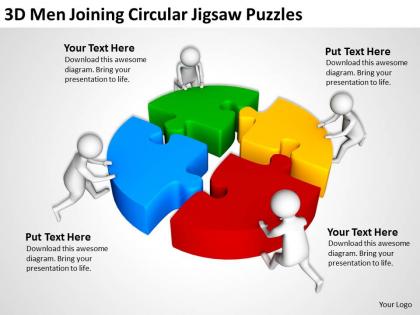
3d men joinning circular jigsaw puzzles ppt graphics icons




Try Before you Buy Download Free Sample Product
 Impress Your
 Audience
 100%
100% Editable
 Save Hours
 of Time


Get a good bargain with our 3D Men Joinning Circular Jigsaw Puzzles Ppt Graphics Icons. We gaurantee more than your moneys worth.
People who downloaded this PowerPoint presentation also viewed the following :
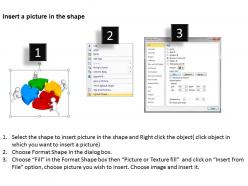
3d men joinning circular jigsaw puzzles ppt graphics icons with all 3 slides:
Looking to boost the profile of your presentations? High quality full color 3D Men Joinning Circular Jigsaw Puzzles Ppt Graphics Icons will help keep your presentation look its best.
FAQs for 3d men joinning circular jigsaw puzzles
Depth and interlocking shapes are everything here. Those classic puzzle cutouts need clear shadows or gradients to really pop in 3D. Color contrast between pieces is huge too - users gotta be able to tell them apart when the icon's tiny. I always make sure the pieces actually look like they fit together, you know? Overlapping edges with subtle lighting sells that dimensional feel way better than flat designs. Oh, and test it at 16px since that's where most icons completely fall apart. Honestly can't stand when puzzle icons look boring and flat!
You know how satisfying it feels when puzzle pieces click together? That's exactly why 3D jigsaw icons work so well in presentations. People instantly get what you're saying about problem-solving or connecting different parts - no explanation needed. Your audience stays focused on the actual content instead of wondering what your graphics mean. The visual depth makes everything pop way more than boring flat images too. I'd definitely use them when showing how departments work together or breaking down complicated processes. Honestly, they're just more engaging than regular icons.
Blender's your best bet for 3D puzzle icons - it's free and honestly way better than it used to be. Cinema 4D or Maya work too if you've got the cash. You can model the interlocking pieces, throw on some glossy materials to get that plastic look. If you want something simpler though, Figma or Sketch handle stylized 2D versions just fine. I'd start with Blender's donut tutorial (everyone does that one lol), then maybe try a basic 4-piece puzzle. The rendering part is where it gets fun - you'll see what I mean once you start playing around with it.
So basically, those 3D puzzle icons work amazing as visual metaphors - like when kids need to "piece together" tricky concepts. I've watched teachers crush it using them for chemistry (think molecular structures) or history timelines. Don't just slap them on randomly though - they've gotta actually connect to what you're teaching. Start simple with maybe 4-6 pieces for younger kids, then get more complex. Oh, and they're perfect as progress bars or those satisfying clickable reveals. Honestly, anything that gets students physically interacting instead of just staring at screens is a win.
Okay so 3D puzzle icons are actually pretty genius for presentations. They hit that problem-solving part of your brain - you know how satisfying it is when pieces click together? Your audience feels that same "aha" moment subconsciously. Perfect for pitches where you're showing solutions or how different parts work together. I'd definitely use them for phased rollouts or integration stuff. Makes complicated ideas seem way more doable. There's something about puzzle pieces that just screams "this will all make sense" to people watching.
Dude, colors totally make or break these icons. You need bright, contrasting colors so the puzzle pieces actually pop off each other - otherwise everything just looks flat and boring. Avoid muddy tones at all costs because they'll kill that 3D effect you're going for. I learned this the hard way when I first started designing. Strategic highlights and shadows with complementary colors are your best friend for depth. Make sure your main piece color contrasts well with the background. Gradients help too, but don't go crazy with them. Test everything on smaller screens early - what looks amazing on your monitor might be totally unreadable on mobile.
Okay so 3D puzzle pieces are actually genius for showing how different parts come together. Each piece can represent a step in your process or strategy. Animation is where it gets really good though - having them click into place as you reveal points gives people that satisfying "aha" feeling. I use them way too much for team collaboration stuff, but honestly they work so well! The 3D look keeps things visually interesting compared to boring flat icons. You can show individual contributions fitting into the bigger picture. Way better than just listing bullet points.
Consulting and project management teams go crazy for 3D puzzle icons - they're perfect for showing how different pieces create the whole solution. Software companies use them all the time for integration stuff. HR loves them for org development presentations too. Honestly, they work way better than boring bullet points because people immediately understand the "fitting together" concept without you having to explain it to death. Training departments are really into them for breaking down complex processes. I mean, like 80% of business presentations could probably benefit from puzzle pieces instead of whatever generic icons they're using now. Give it a shot next time!
Dude, this stuff is trickier than you'd think! Red screams "danger" to Americans but means good luck in China - total opposite vibes. Puzzle piece shapes hit different culturally too. Then you've got reading patterns messing with your progress bars since not everyone goes left-to-right. I learned this the hard way on a project last year, actually. Colors and symbols that seem obvious to us can be completely wrong elsewhere. Your best move? Test with real users in whatever markets you're targeting before you launch anything. Don't just wing it and hope it translates.
Don't overcomplicate them with tons of detail - they'll just look like blurry messes when small. Same colors across all pieces? Bad idea. You lose that whole puzzle metaphor thing. I see people rotating pieces at random angles all the time, but honestly it just confuses users about what they're even looking at. Keep your lighting consistent so everything feels cohesive. Oh, and test them small early on! Can't tell you how many times I've seen gorgeous detailed icons that are completely unreadable once they're actually implemented.
Those 3D puzzle piece icons are actually pretty solid for breaking down complicated stuff. Each piece becomes one part of your idea, and when they click together, people get that lightbulb moment way faster. I've watched this work great with business processes - honestly, way better than boring flowcharts. The 3D thing makes it feel real instead of flat. Different colors help too - like blue for marketing, red for sales, whatever makes sense. Oh, and don't go crazy with too many pieces at once. Start with maybe 3 or 4 max, otherwise it gets messy.
Honestly, minimalist stuff with bold geometric shapes is everywhere right now. Muted pastels are having a moment - way better than those crazy bright rainbow things from before. Isometric perspectives make puzzle pieces look really clean and 3D without being too much. High-contrast monochrome works too if pastels aren't your vibe. Just make sure whatever you do reads well when it's tiny, since that's where most people will actually see it. Oh, and definitely browse Dribbble for inspo - there's some solid work on there lately.
Oh man, scalability will make or break your 3D puzzle icons. Those intricate details that look amazing at 256px? Total disaster at 16px - you can't even tell what the pieces are anymore. Trust me, I found this out the hard way last project! For smaller sizes, simplify everything. Maybe just show 2-3 chunky pieces instead of that complex interlocking design you love. Also, test them at actual size on real devices, not zoomed out in Figma or whatever. Your eyes will thank you later.
Those 3D puzzle icons are honestly a game-changer for presentations. People actually pay attention when pieces animate together - way better than boring static slides. Use them to show how team roles connect or how project phases build on each other. Everyone gets the puzzle metaphor, so complex stuff becomes way more digestible. The animation part is key because it shows the "building" process happening, which sticks in people's heads better. I'd throw them in between your main sections to tie everything together. Plus they just look professional without being stuffy, you know?
Honestly, those 3D puzzle icons can be tricky for accessibility. Make sure you've got strong color contrast and sharp edges - the dimensional stuff makes it way harder for visually impaired users to figure out what it means. Don't just write "puzzle piece" for alt text either, actually describe what the icon does. Even people with perfect vision get confused by overly abstract puzzle icons sometimes. Users with cognitive disabilities might not get the whole "fragmented pieces" concept right away. My advice? Always pair them with text labels when you can. Way safer that route.
-
Great experience, I would definitely use your services further.
-
Designs have enough space to add content.