


3d man education and technology concept free ppt templates graphics icons
You must be logged in to download this presentation.




Try Before you Buy Download Free Sample Product
 Impress Your
 Audience
 100%
100% Editable
 Save Hours
 of Time


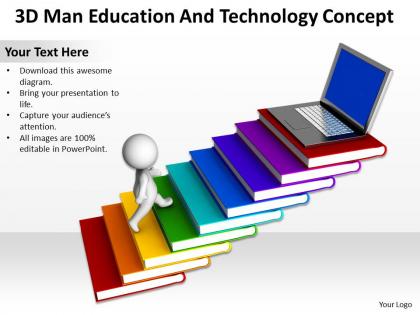
To support you in getting most out of your PowerPoint presentation on 3D Man Education and Technology, here we are introducing a readymade sample of education and technology PowerPoint template. These presentation templates will assist in developing creativity among the youth which is required to understand the technology which is growing by leaps and bounds. In addition, our PowerPoint templates illustrate the concept of achievement, opportunity, technology and success. In short, our PPT slides help professionals to render a lean methodology in idea generation that will lead to success.. Above all you can download these PPT slides and can make excellent education and learning based presentations and marks your presence on the target audience. Our experts are available to help you. Don’t wait now. Just click on the presentation visuals and discover your knowledge. Give a good account of yourself with our 3D Man Education And Technology Concept Ppt Graphics Icons. Receive the heartfelt acclaim of your team.
People who downloaded this PowerPoint presentation also viewed the following :
3d man education and technology concept free ppt templates graphics icons with all 2 slides:
You have a clear understanding of the situation. Demonstrate your mastery with our 3D Man Education And Technology Concept Ppt Graphics Icons.
FAQs for 3d man education and technology concept free ppt
Honestly, the biggest win is just getting kids to actually pay attention - 3D stuff naturally grabs them way more than boring slides. Students retain information better when they can mess around with 3D models and see concepts from different angles. Like, imagine explaining molecular bonding by letting them literally move atoms around instead of drawing circles on a whiteboard. Walking through historical sites virtually? Game changer. I mean, even something as simple as rotating a geometry shape helps with spatial understanding that's totally impossible with flat materials. The engagement boost alone makes it worth trying - maybe just add one 3D element to your next lesson and watch what happens.
Honestly, 3D models are a game changer for those abstract concepts kids usually struggle with. Molecular structures, anatomy, old buildings - stuff that's impossible to really visualize from textbook drawings. Your students can actually spin things around, zoom in on details, explore every angle. It's wild how quickly they pick up on things when they can mess around with the model themselves. Something about that hands-on manipulation just makes it click better than staring at flat diagrams. I'd start with your most brutal topics first - that's where you'll really notice the difference in how engaged they get.
Honestly, STEM classes get the most out of 3D stuff. Chemistry molecules, physics demos, biology anatomy - all way better when students can actually see and rotate things instead of squinting at textbook diagrams. Math geometry clicks so much faster too. History's surprisingly good for this - kids love exploring ancient Rome virtually or whatever. Geography works great for mountains and landforms. Oh, and archaeology sites are pretty cool to walk through digitally. Basically if your subject has complex shapes or spatial stuff that's hard to picture, 3D templates will probably make a huge difference. Worth trying at least.
Honestly, just start with PowerPoint's 3D stuff - it's way better than it used to be. Blender's amazing if you don't mind a learning curve, but it can be overwhelming at first. Canva has some decent 3D templates too. For interactive stuff where kids can actually mess around with the models, check out H5P or Genially. Adobe Dimension's solid if you've got Creative Cloud already (though kinda pricey otherwise). My take? Test what works with PowerPoint first since you probably already have it, then move up to fancier tools once you figure out what your students actually engage with.
3D templates are actually genius because they work for everyone. Your visual kids obviously love seeing stuff in 3D space. Kinesthetic learners can grab and rotate things with their hands or controllers - that's huge. Add some narration and boom, auditory learners are happy too. What's cool is students tackle the same material differently. Some jump right into exploring everything, others want you to walk them through it first. I've noticed kids stay focused way longer when they can learn their way. Oh, and definitely give them both structured lessons AND free exploration time - trust me on this one.
So AR is basically like putting 3D stuff right into your regular classroom - kids can walk around a virtual skeleton or mess with a solar system model sitting on their actual desk. Pretty wild to watch, honestly. You don't need those crazy expensive VR rooms either, which is nice. Works with tablets or headsets you probably already have (or can actually afford). My advice? Try some basic anatomy models first, see how your students react. Chemistry stuff works great too. Don't go overboard initially - test the waters before you commit to anything major.
So 3D templates are perfect for group projects - kids can build molecular models together, design buildings, or recreate historical stuff. Give each student different roles though, like one does structure while another handles textures. Otherwise they'll just step on each other's work lol. They actually have to talk and coordinate when they're all working in the same virtual space. Honestly the problem-solving part is my favorite to watch. Start simple first - maybe just basic collaborative builds. Then you can move to the crazy complex stuff once they've got it down.
Honestly, the cost thing is brutal - you're looking at serious money for hardware, software, plus training everyone. Your teachers are gonna need tons of professional development, and let's be real, they're already drowning in stuff to learn. Maintenance becomes this constant headache too. Not every kid can even use VR headsets without getting sick or having vision issues, which sucks. Technical problems between different systems? Yeah, that's a whole other mess. I'd definitely test it out small first - maybe just one classroom or subject - before you blow the budget on something that might flop.
So for remote learning, you'll want to start simple - test one template with a few students first. Make sure it runs decent on crappy laptops and slow wifi since not everyone's got great tech at home. Interactive hotspots are clutch, plus guided tours students can do solo. Voice narration helps a lot. Honestly, the collaborative stuff is what makes it worth it - shared virtual spaces where kids can annotate and chat about the 3D models together. Oh, and definitely include discussion prompts they can explore at their own speed. Multiple ways to access the same info keeps everyone engaged.
So there's this cool stuff happening in schools right now. Kids are doing virtual museum tours - like walking through ancient Rome or checking out the pyramids. Chemistry simulations are huge too. One teacher I know had her class build 3D medieval castles and honestly it looked amazing. You can also do 3D anatomy where students literally pull apart a heart to see inside (kind of gross but they love it). Geography classes are letting kids "walk" through mountain ranges and ocean floors with terrain mapping. I'd probably start with just one subject first though - see what clicks with your kids before going all out.
Honestly, 3D templates are perfect for this stuff. Kids actually pay attention when they can touch and move things around instead of looking at boring textbooks. They hit visual, hands-on, and thinking skills all at once - which is exactly what curriculum standards want. STEM classes especially love them. You can totally adjust the same template for different grades too, which saves time. The spatial reasoning aspect is huge for math and science requirements. I'd definitely map out your state's benchmarks first, then figure out which 3D activities match up. Way more effective than traditional methods.
Oh man, 3D tech is a game changer for keeping kids engaged! They actually stay focused when they can mess around with 3D models instead of staring at boring flat diagrams. Retention goes way up too - visual and kinesthetic learners finally get it. Honestly, kids just think it's way cooler than regular stuff, which helps get them interested from the start. Instead of just sitting there absorbing info, they're actually exploring things hands-on. I'd say try it first with your most checked-out students - that's where you'll probably see the biggest difference. Works every time in my experience.
Interactive polls work great - just embed them right into your 3D presentations. Real-time quizzes that pop up during key moments are clutch too. Honestly, the annotation features are my favorite though. Students can mark up the actual 3D models to show their thinking, which beats boring worksheets any day. You can even track where they navigated to see what parts they revisited or explored longer. The analytics dashboard shows patterns across your whole class. Start simple with embedded questions in your next 3D lesson - you'll be surprised how much better insight you get into what they actually understand versus just guessing.
So the coolest stuff I'm seeing: AI that creates custom learning paths for each kid, plus these haptic devices where students can actually touch and feel 3D objects (which is wild). Cloud-based VR is huge because schools don't need to buy expensive headsets anymore. WebXR runs 3D experiences straight in your browser - no special gear needed. Honestly, spatial computing is where things get really interesting. It blends digital content right into your actual classroom space. I'd start experimenting with free WebXR tools now so you're not scrambling later when everyone's using it.
Ugh, the access thing is honestly the biggest headache with 3D education tools. Rich schools get VR headsets and fancy computers while others can barely keep their wifi running. Hardware's expensive, internet needs to be solid, and the whole digital divide just makes everything worse. Teachers struggle too - some love tech, others need way more training time. Oh and don't even get me started on trying to scale this fairly across districts. My advice? Check what tech you actually have first, then maybe partner with local organizations to fill the gaps. It's frustrating but doable.
-
good
-
its amazing
-
Great designs, Easily Editable.
-
Content of slide is easy to understand and edit.
-
Most Amazing Platform For Presentation