


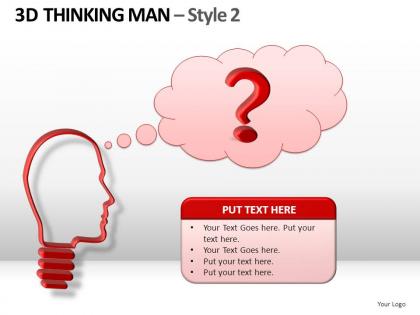
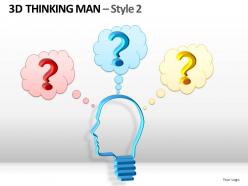
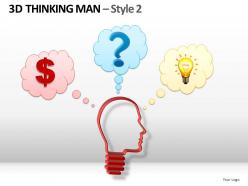
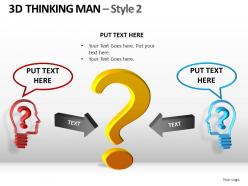
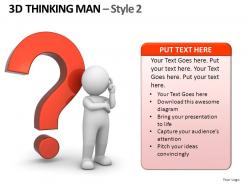
3d thinking man style 2 powerpoint presentation slides




Try Before you Buy Download Free Sample Product
 Impress Your
 Audience
 100%
100% Editable
 Save Hours
 of Time


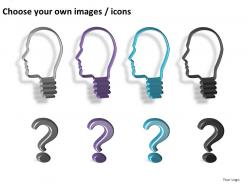
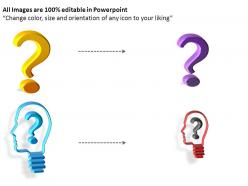
Keep your chin up with our 3d Thinking Man Style 2 Powerpoint Presentation Slides. Face up to whatever comes with your ideas.
People who downloaded this PowerPoint presentation also viewed the following :
3d thinking man style 2 powerpoint presentation slides with all 18 slides:
Your well created work can only be appreciated if it is well presented to those that matter. That is why you need 3d Thinking Man Style 2 Powerpoint Presentation Slides that tell the story well for all your presentation needs.
FAQs for 3d thinking man style 2
Think of it like those old ViewMaster toys but for presentations! You want depth, layers, and visual hierarchy - basically making stuff pop off the screen instead of looking flat. Shadows and lighting effects are your best friends here. Position elements so they feel like they're floating toward your audience. Our brains love spatial stuff, which makes complex info way easier to process and remember. Honestly, even subtle drop shadows on key elements make a huge difference. Then you can get fancier with 3D effects later. It's all about tricking the eye into thinking your content exists in actual space.
Okay so 3D thinking is basically when you stop doing those boring linear presentations and start building stories with actual layers. Instead of just one perspective, you're showing how different people experience the same situation - like your boss vs. the team vs. the customer. It's honestly way more interesting than typical slide decks. Plus you can get ahead of pushback because you've already thought through how everyone might react. Oh and it helps you explain the "why" behind decisions from multiple angles. Next time try mapping out your story from at least three viewpoints first - makes a huge difference.
Honestly, visualization is huge for 3D thinking. You can mentally flip ideas around and test stuff out before diving in. Think of it like a sandbox in your head - way easier to catch mistakes early when you can actually "see" what you're working with. Linear thinking just feels so... flat? When you visualize from different angles, you'll spot solutions that would've totally flown under the radar otherwise. Plus it helps you understand how things actually work in the real world. Next time you're planning something, try picturing it from multiple perspectives first.
Dude, 3D presentations are game-changers. Your audience can actually interact with stuff instead of just staring at slides. Think about it - would you rather hear someone describe a house or actually walk through it? Same concept here. Complex data becomes something people can explore, not just boring flat charts. The memory thing is huge too - experiences stick way better than random facts thrown at you. Oh, and you can literally guide where people look by moving things around in the space. Honestly, just try adding one interactive 3D element to your next presentation. The engagement shift is wild.
Try Prezi first - you can zoom around these cool 3D spaces that look way more professional than they should. PowerPoint actually has decent 3D models built in now too, which honestly surprised me. Your audience can spin objects around and stuff. For fancier interactive content, check out H5P or Genially - they do layered animations pretty well. Oh, and don't go overboard with the flashy stuff. I've seen presentations where the 3D elements totally overshadowed the actual point. Start with just one rotating thing to see how people react.
Blender's your best bet honestly - it's free and way more capable than people think. Cinema 4D is amazing too if you don't mind spending money, makes this stuff pretty straightforward. KeyShot does incredible renders with those shiny professional looks. I've been messing around with Adobe Dimension lately and it works great for PowerPoint integration actually. YouTube has a ridiculous amount of Blender tutorials specifically for business graphics. Start there and you'll be cranking out those thinking man templates in no time.
So spatial relationships are basically the core of how 3D thinking works - you know, mentally rotating stuff, picturing how pieces fit together, seeing things from different angles. Once you get how things relate in space, problems stop looking flat and start feeling like connected systems. Honestly, it's kind of like developing x-ray vision for complicated stuff. Better spatial awareness means you'll naturally tackle challenges from multiple angles and think ahead. Oh, and sketching things in 3D helps a ton - or just use random objects to map out whatever you're working through.
Dude, 3D thinking is game-changing because you can actually show how ideas connect instead of just listing stuff out. It's like... you know when you're trying to explain something complex and you keep saying "oh wait, this relates to what I said earlier"? With 3D you don't have that problem. People see the whole picture right away. Our brains jump around anyway - we don't think in bullet points! You can bounce between concepts, loop back to important stuff, let people's minds wander naturally. Sketch your next presentation like a mind map first. I swear it'll be way more interesting than another boring slide deck.
Ok so 3D thinking is basically like walking around a sculpture instead of just staring at one face of it, you know? You can hit the technical stuff, human side, AND big picture all at once. Makes everything way clearer for whoever you're explaining to. I swear once you start doing this it's kind of addictive lol. People actually get what you're saying instead of glazing over during those painful linear explanations. Next time you're prepping something, try mapping it out from three angles. Trust me - even boring topics become digestible.
Dude, 3D visuals are like cheat codes for presentations. People literally lean forward when they see depth - their brains think it's more "real" somehow. Plus there's something weirdly mesmerizing about rotating models (probably why those satisfying videos blow up on TikTok). The spatial memory thing is huge too. When someone sees a concept from different angles, it just clicks better than flat slides ever could. Oh, and don't go crazy with it - I'd stick to making one main thing 3D per presentation. Otherwise you'll overwhelm them and lose the magic.
Look, color and texture are honestly game-changers for 3D presentations. Use contrasting colors to make your key points pop and show how different ideas connect. Texture? That's where the magic happens - it makes everything feel real. A boring gray cube won't stick with anyone, but a rough, weathered bronze piece representing market challenges? They'll remember that for weeks. Keep your color palette simple though - 2-3 colors tops. Then throw in one textural element that backs up your main point. Trust me, people connect with stuff they can almost *feel* through the screen.
Oh totally, it works everywhere! Healthcare people juggle patient symptoms, treatments, and long-term results all at once. Manufacturing? They're constantly balancing cost vs quality vs speed. Retail does the same thing with customer experience, inventory, and profits. Tech companies - honestly they might be the best at this - developers always weigh functionality against user experience against what's actually possible to build. The trick is figuring out your three biggest factors in whatever you do, then getting in the habit of checking every decision against all three instead of just going with your gut on one thing.
Honestly, the hardest part is that people just aren't wired for this kind of thinking. They want simple, straight lines - not multiple angles and layers. You'll spend so much energy pulling them away from surface-level stuff. Time is brutal too since deep reflection takes way longer than typical presentations. Some people will straight up resist because it feels overwhelming or "too much work" for them. Oh, and don't even get me started on those who think complexity equals confusion. Start with basic 3D frameworks though. Build up their tolerance slowly instead of diving into the deep end right away.
Honestly, feedback is everything for your 3D presentations. Watch people's faces while you're presenting - way better than surveys. When they squint at your models or look confused during transitions, you know what needs fixing. I learned this the hard way after bombing a few times. Notice where questions come up or when people zone out. Those spots need work. Keep track of which visual metaphors actually click with people versus the ones that totally flop. Start a simple spreadsheet after each presentation to spot patterns. Trust me, you'll miss stuff when you're in presentation mode that the audience catches immediately.
Dude, the presentation game is about to get wild. Soon you'll just talk to your slides - like literally say "spin that model around" and boom, it happens. AR glasses will let people walk right up to your 3D stuff and poke at it from different angles. Sounds crazy but it's happening faster than I expected. Voice commands and hand gestures will replace all those clunky clicking through slides. Honestly, you should mess around with some VR presentation apps now - even the basic ones - so you're not scrambling later when everyone's using this stuff.
-
Use of different colors is good. It's simple and attractive.
-
Unique and attractive product design.