

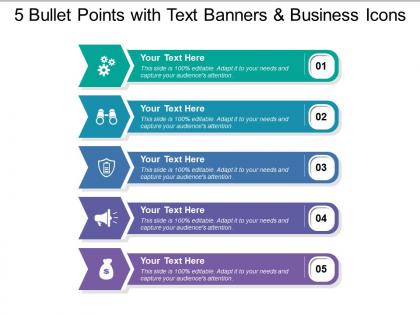
5 bullet points with text banners and business icons




Try Before you Buy Download Free Sample Product
 Impress Your
 Audience
 100%
100% Editable
 Save Hours
 of Time


Applaud acts of generosity with our 5 Bullet Points With Text Banners And Business Icons. Give due credit to any display of compassion.
People who downloaded this PowerPoint presentation also viewed the following :
5 bullet points with text banners and business icons with all 5 slides:
Delve into the background of each design with our 5 Bullet Points With Text Banners And Business Icons. Elaborate on different garments.
FAQs for 5 bullet points with text banners
Okay so three big things - structure, content, and how you actually deliver it. Hook them right away, then tell people what you're gonna cover so they're not lost. Story + data works way better than boring slides (seriously, nobody wants to sit through another terrible PowerPoint). Make sure people in the back can actually read your stuff. Practice out loud beforehand - don't just wing it. Eye contact matters, and please don't just read everything off the screen. Always have a backup plan because tech will fail you at the worst possible moment. End strong with exactly what you want them to do next.
Honestly, visuals are a game-changer because people get bored just listening to you talk. Charts and diagrams make complicated stuff click instantly - way better than explaining everything with words. I mean, nobody wants to stare at a speaker for 20 minutes straight, right? Just don't go overboard with fancy graphics that don't actually help your point. Clean, simple slides beat cluttered ones every time. Oh, and use them to spark discussion rather than reading directly off them. That's when you know you're doing it right. Trust me, your audience will thank you.
Honestly, knowing your audience is everything. C-suite folks want the big picture and ROI numbers, but engineers? They need the nitty-gritty technical stuff. I bombed a presentation once giving executives way too much detail - learned that lesson fast! You've got to switch up your language and examples based on who's sitting there. Quick test: ask yourself what this specific group actually needs to hear. Some audiences love data dumps. Others just want the bottom line. It's like speaking different languages sometimes, but once you nail it, your presentations actually land.
Dude, people remember stories way better than random data points - it's just how our brains work. I bombed a presentation once by drowning everyone in spreadsheets, so trust me on this. Structure it like a story: start with a problem your customers actually deal with, then walk them through how you figured out the solution. Real customer examples work best because specifics make it believable. Honestly, the problem-solution format keeps people awake better than any other approach I've tried. Your presentation won't be another forgettable deck they ignore after lunch.
Dude, body language is seriously everything when you're presenting. I bombed my first client pitch because I was slouched over like a scared turtle - the audience could smell my nerves from a mile away. Stand up straight and actually look at people. Don't just stare at one spot (we've all seen that awkward presenter). Use your hands when you talk, but like, purposefully - not just random flailing. Oh and practice in a mirror first, even though it feels weird. Your body tells a story before you even open your mouth, so make sure it's saying "I know what I'm talking about" instead of "please don't ask questions."
Honestly, just be upfront about timing from the start - like "I've got 10 minutes for questions at the end." Always repeat what people ask because there's literally always someone in the back who whispers their question. Don't know something? Just say you don't and you'll get back to them later. Way better than BS-ing your way through it. Oh, and don't let that one guy ask five follow-ups while everyone else sits there. When you're done, just say "one more question" so people know you're wrapping up. Works every time.
Ugh, the worst thing you can do is cram your slides with text and then just read them word for word. Super awkward. Don't use jargon nobody gets, and stop apologizing constantly - makes you look like you don't know what you're doing. Going over time is brutal too. Practice out loud at least twice or you'll mess up transitions. Keep slides visual, not wordy. Oh, and always have a backup for when tech inevitably fails on you. I learned that one the hard way last year!
Mentimeter and Kahoot are game-changers for live polls - seriously, people get weirdly excited about clicking stuff instead of zoning out. PowerPoint actually has some decent interactive features now too, like clickable hotspots. I've seen people use tablets to draw during their talk and it always grabs attention. Oh, and Google Slides lets you embed videos that don't suck anymore. The trick is picking maybe two interactive things that actually fit your content. Don't just throw in random tech because it looks cool. Start with live polling though - it's basically impossible to mess up and gets everyone involved right away.
Just be honest when stuff goes wrong - people actually respect that more than you think. Tech fails? Have backup slides on your phone or printed copies ready. Can't answer a tough question? Just say "great question, let me get back to you on that" instead of BS-ing your way through it. My laptop literally died during a pitch once, taught me to always prep a shorter version too. Keep water close by and practice your transitions so you can jump around if you need to. Oh, and here's something most people don't realize - your audience is rooting for you, not hoping you'll crash and burn.
Oh man, this is so true! Germans and Nordic folks want you to cut the BS and show them data immediately - no fluff. But try that in Japan or Latin America? Total disaster. They need the relationship stuff first, you know? Americans are all about jumping in with questions during presentations, while other cultures think that's super rude. I bombed so hard in Seoul once because I didn't get this! The audience just sat there looking uncomfortable the whole time. Do yourself a favor and ask someone local what flies before you present. Trust me on this one.
Honestly, less is way more with slides. Don't cram tons of text - maybe 6 words per line tops. High-contrast colors are clutch so people in the back aren't squinting. One idea per slide, and use fonts like Arial that don't make your audience hate you. Good images matter, but skip those weird stock photos where everyone's pointing at computers (why do they always do that?). Give your content room to breathe with white space. There's this 6x6 rule - six bullet points, six words each max. Sounds rigid but it actually works pretty well.
Put your main point right at the start - don't make people hunt for it. I always repeat my key message three times throughout the deck (slightly different each time) because honestly, everyone's attention drifts. Stories beat bullet points every time - our brains just latch onto narratives better. Each slide should either build up to or back up your central message. Oh, and test it first by explaining your whole point to someone in one sentence. If you can't do that, your message isn't clear enough yet. End with a specific call-to-action that ties back to everything you just said.
Start with the mirror thing - seriously, you'll catch so many weird habits you didn't know you had. Record yourself too because we all think we sound better than we actually do lol. Practice with whoever will listen - friends, family, literally anyone for the eye contact practice. Time it a bunch of times so you don't rush through everything. Here's something that really helped me: go through your slides randomly, not in order, so you actually know the material instead of just memorizing. Oh and drill your opening and ending until they're perfect - people only remember the first and last parts anyway.
Grab feedback right after while it's still fresh - that's when you'll get the most honest reactions. Don't just ask "how'd I do?" Ask specific stuff like "was my data clear?" Generic feedback is pretty useless tbh. I kept ignoring people telling me to slow down until like five different colleagues said the same thing! Now I actually write down feedback patterns in a simple spreadsheet. Sounds nerdy but it works. The trick is picking just one or two things to work on next time. Don't try fixing everything at once - you'll just overwhelm yourself and probably make it worse.
Your opening needs to grab people right away - try a shocking stat, provocative question, or quick story that ties to your point. Then spell out what you're covering and why they should give a damn. I swear, half the presentations I sit through completely bomb because they never answer "so what?" Close by hitting your main points again and reinforcing the big takeaway. But here's the thing - you've got to end with a specific call to action. Don't just trail off. Tell them exactly what's next: approve the budget, book that meeting, whatever. Make it crystal clear.
-
Perfect template with attractive color combination.
-
Unique design & color.