





 0 Comment
 Customer Reviews

Every company receives feedback for their product and services, whether it is positive or negative. Companies can accumulate this precious data and refine their products and services to offer better user experience.
For example, Netflix received immense negative feedback for its subscription-based model and the idea of streaming movies online. However, the company gathered all the negative feedback and transitioned it into positive feedback by making variations in its services. Today, we all know the status of Netflix as the most loved streaming service.
Many organizations know that they are receiving thumb-up and down feedback from their audience. However, they lack a sufficient tool to record them.
In this case, SlideTeam is here to help with their powerful PowerPoint Templates that companies of any size can use to make appropriate business decisions based on customer likes and dislikes.
The Power of Visual Communication
You can include professional icons like thumbs-up and down, or directional arrows within your PowerPoint Themes to attract your audience.
Furthermore, your audience can quickly grasp the key points that you would like to discuss through the powerful impact of these presentation slides.
Benefits of Using Our Templates
Our PowerPoint Slides are full of benefits, which are:
- No Errors: These templates help you eliminate various errors and miscommunications so that your team can achieve its goals.
- Save Vital Time: Save time and effort by following a clear roadmap and inputting the important data to show to your teams.
These 100% customizable templates provide you with the desired flexibility to edit presentations. Additionally, the content-ready slides give you the much-needed structure.
Work on forming a robust marketing persona with our PowerPoint Presets.
Let’s begin!
Template 1: Likes And Dislikes Using Tick And Cross Symbols PowerPoint Preset
Our PowerPoint Slide presents preferences with prominent tick and cross symbols. There are green checkmarks and red crosses that offer simple visual indications that quickly differentiate between positive and negative elements.
You can use these to evaluate the stakeholders' choices, preferences, or responses. Download this powerful presentation layout from the link below to discover customer likes and dislikes.

Template 2: Likes And Dislikes Using Boxes and Emoji PowerPoint Framework
Our PowerPoint Slide is a very useful tool for displaying preferences with basic emoji symbols and color-coded boxes. You can display preferences, feedback, or comparisons on a single platform. Download our PowerPoint theme from the link below.

Template 3: Likes And Dislikes Using Two Direction Sign Board PowerPoint Theme
Our PowerPoint Preset features a clear bi-directional signboard design, where you can mention likes and dislikes. You can make a direct comparison of key points or feedback according to business requirements. Download this PowerPoint Slide to display thumb up and down from the customer side.

Template 4: Likes And Dislikes Using Arrows in Opposite Directions PowerPoint Layout
Our PowerPoint Framework provides a distinctive way to display preferences with striking arrows pointing in opposite directions. This presentation slide has a simple design with thumbs-up and down icons to ease your work. Download this PowerPoint Theme from the link below.

Template 5: Likes And Dislikes Having Thumbs Up and Down Symbols PowerPoint Preset
Our PowerPoint Layout comes with thumbs-up and down icons to express your preferences and non-preferences. You can distinguish between two categories and make viable business decisions. Get this PowerPoint Template from the link below.

Template 6: Likes And Dislikes Showing Person Standing in Center PowerPoint Template
Our PowerPoint Preset provides an engaging way to present likes and dislikes to your stakeholders. You can view a central character illustration drawing attention to both sides in this presentation slide.
Furthermore, you can differentiate between the two categories on the basis of yes and no from the feedback you have gathered. Download this PowerPoint Theme from the link below.

Template 7: Likes And Dislikes Thumbs Up and Down On Sides PowerPoint Theme
Our PowerPoint Preset displays an impactful layout with prominent thumbs-up and down icons on each side. You can mention your data in the divided sections and make an easy comparison. Download this PowerPoint Theme from the link below.

Template 8: Customer Likes And Dislikes In Vertical Manner PowerPoint Theme
Our PowerPoint Preset is an excellent tool for displaying customer preferences in a vertical layout. You can mention data in the section with thumbs-up and down icons. Now, you can work on your customer feedback and product analysis with the help of this presentation layout. Download this PowerPoint Layout from the link below.

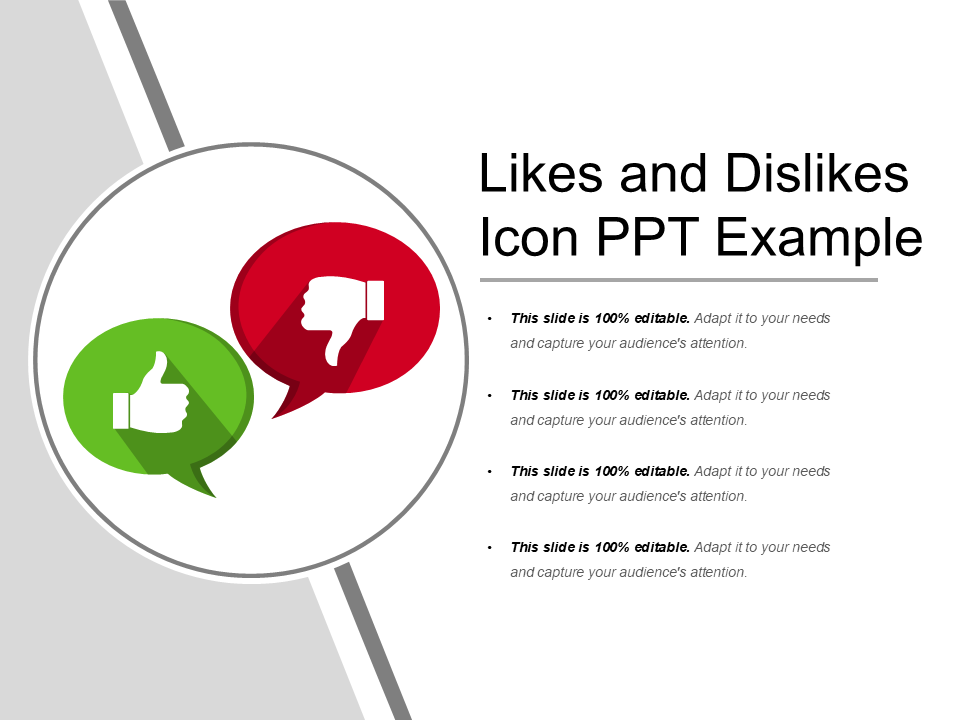
Template 9: Likes And Dislikes Icon PPT Example PowerPoint Template
Our PowerPoint Preset focuses on two parameters: customer likes and customer dislikes, using thumbs-up and down symbols. You can mention your main message and include the relevant data to make decisions. Download this powerful PowerPoint Layout from the link below.
Template 10: Likes And Dislikes Showing Happy and Sad Person PowerPoint Template
Our PowerPoint Preset displays an interactive visual depiction of preferences through happy and sad persons. Furthermore, the divided color scheme distinguishes the two sections so that you can work on different feedback and opinions. Download this robust tool from the link below.

Enhance Presentation Clarity with Our Templates
Working on our PowerPoint Themes will provide a professional method to compare ideas, feedback, and preferences that you have received regarding your products and services.
Furthermore, you can present your data through various designs like thumbs-up and down icons, directional arrows, color-coded sections, and happy and sad persons to your stakeholders.
Moreover, these likes and dislikes templates are easily customizable for professionals in different fields. So, what are you waiting for? Begin utilizing Likes and Dislikes Templates now to upgrade your presentation skills.
PS: Prepare a customer profile for your business to refer to and refine strategies according to using this guide replete with PowerPoint Templates.