


Client onboarding powerpoint presentation slides






Try Before you Buy Download Free Sample Product
 Impress Your
 Audience
 100%
100% Editable
 Save Hours
 of Time


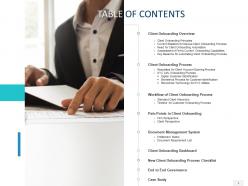
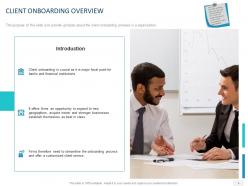
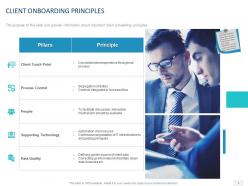
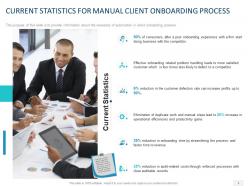
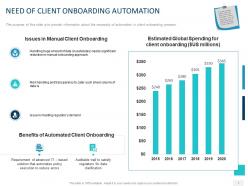
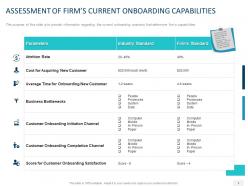
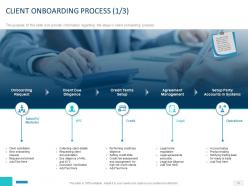
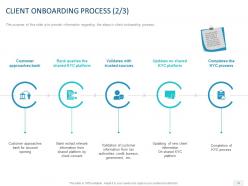
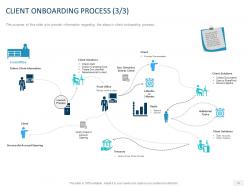
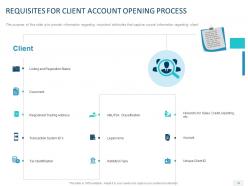
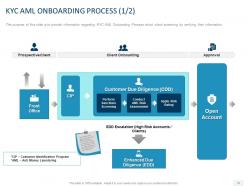
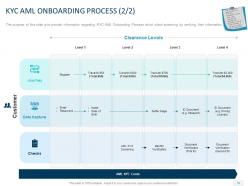
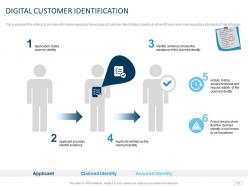
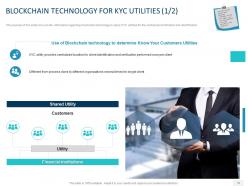
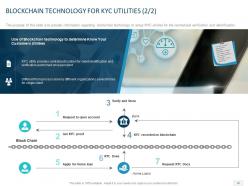
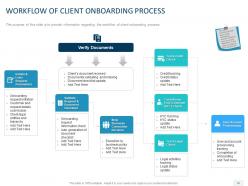
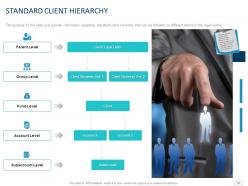
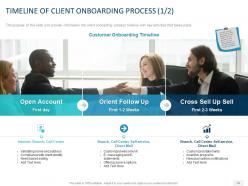
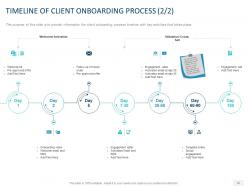
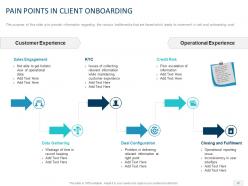
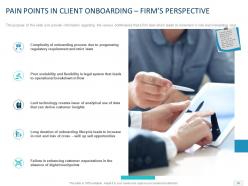
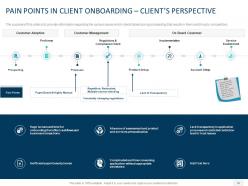
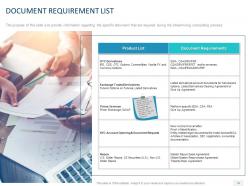
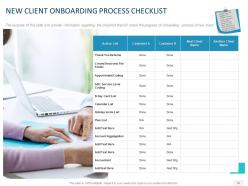
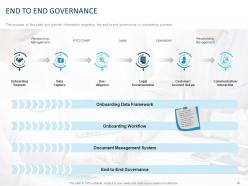
Provide a glimpse of the onboarding process in the firm with the help of our content ready Client Onboarding PowerPoint Presentation Slides. Take advantage of this professionally designed customer onboarding PowerPoint complete deck to assess the company’s current onboarding capabilities. Discuss the steps of the customer orientation process by using the visually appealing PPT slideshow. The customer orientation process PowerPoint presentation contains fifty-five ready to use PPT slides. Talk about the prerequisites of customer account opening process such as listing and regulation status, transaction system ID, tax identification, etc., with the aid of user onboarding process PowerPoint templates. Utilize the user orientation process PPT slides to give information regarding the process of customer identification to drive efficiency and meet regulatory standards of identification. You can also use the consumer orientation PowerPoint templates to demonstrate client hierarchy that can be followed by different teams in the organizations. Thus download this topic-specific client orientation PPT slideshow to showcase the workflow of the customer onboarding process. Our Client Onboarding Powerpoint Presentation Slides are like dietary supplements. They enhance the quality of intake.
People who downloaded this PowerPoint presentation also viewed the following :
Client onboarding powerpoint presentation slides with all 55 slides:
Use our Client Onboarding Powerpoint Presentation Slides to effectively help you save your valuable time. They are readymade to fit into any presentation structure.







FAQs for Client onboarding
Definitely hit the basics first: scope, timeline, who's doing what on your team. Communication stuff is huge - how often you'll check in, when they can bug you, escalation process if things go sideways. Honestly, even if they know your company already, throw in that overview anyway. People eat that up for some reason. Map out all your deliverables and milestones upfront, plus any roadblocks you can see coming. What you need from them to actually start is critical. End with concrete next steps so nobody's confused about what happens Monday.
Templates are honestly a game-changer for client presentations. You're not starting from scratch every single time, which is exhausting. I'd focus on the basics first - company overview, timelines, who does what, next steps. Your clients will look way more polished and professional (which they love). The cool part is when everyone on your team uses them too. No more wondering if Sarah's presentations are totally different from Mike's, you know? Consistency across the board. I always tell people to start small though - maybe 2 or 3 templates for your main client types and build from there.
Honestly, just chop up all that complex stuff into smaller pieces. Videos work way better than those giant PDFs everyone ignores. I always use analogies - compare your process to ordering coffee or something they already get. Don't dump everything at once either. Give them the basics first, then add more details later when they're not overwhelmed. Oh, and actually test this stuff with real clients! Ask where they get lost and fix those specific spots. Flowcharts are surprisingly helpful too if you're explaining step-by-step things.
Oh totally, visuals are a game changer for keeping clients around during onboarding. I bombed with a few clients early on because I was just drowning them in boring text slides - they looked so lost. Now I use clean diagrams and infographics to walk them through our process step by step. Honestly, people need to *see* how things work together, not just hear about it. When they can visualize the whole journey, they feel way more confident about choosing you. Takes extra time upfront but it's so worth it. Trust me on this one.
So you want to track two things - engagement stuff and actual results. Start with attendance rates and how long people stick around during each part. But honestly, the real metrics are what happens after - like how fast they hit their first win and start using key features. I'd also look at support tickets post-presentation. Fewer questions usually means you explained things better. The big one though? Client retention at 30, 60, and 90 days. That's where you'll see if your onboarding actually worked or if people just bounced after the honeymoon phase ended.
Honestly, customized templates are a game changer for onboarding calls. Clients actually pay attention when they see their industry's pain points instead of generic slides. I swear the energy completely shifts - they'll lean forward instead of checking their phones. Throw in their company colors or mention a competitor and suddenly it feels personal. The setup isn't even that hard... just build 3-4 base templates for different industries, then swap in their specific details before each call. Way better than watching people zone out during another cookie-cutter demo.
Dude, storytelling totally changes the game with onboarding presentations. Instead of rattling off features like a robot, you're showing clients what success actually looks like for them. I've sat through way too many boring capability dumps - they're painful and nobody remembers them anyway. But when you share how another client tackled something similar? That clicks. It gives them a framework to picture themselves winning. Plus it builds trust way faster than bullet points ever could. Just start with something they'll relate to, then walk through the whole transformation you can pull off for them.
Honestly, automation saves so much time it's ridiculous. Digital forms and e-signatures alone cut our manual work by like 70%. Workflow triggers handle the boring stuff - welcome emails, scheduling calls, assigning tasks to your team. Client portals are clutch because people can upload their own docs and check progress without bugging you constantly. Though I'll admit the setup was kind of a pain at first. Start by writing down your current process, then figure out what tech can handle vs. what needs actual human interaction. Game changer for sure.
Don't cram everything into one presentation - you'll lose them instantly. Focus on what they need right now, not your entire company history. I've sat through so many that felt like internal training sessions... brutal for everyone involved. Make it about THEIR goals instead. How will you help them win? Ask questions during the presentation too - get them talking. Oh, and actually leave real time for Q&A at the end, not some awkward two-minute rush job where everyone's already packing up.
Client feedback is pure gold for fixing your onboarding presentations. I usually just ask them straight up - "which part felt overwhelming?" instead of some generic "how was it?" Watch their faces during the actual presentation too. Honestly? One confused "wait, what?" has taught me way more than endless internal meetings. Send quick surveys after, or just have real conversations with people. Multiple clients struggling with the same section? That's your answer right there. Oh, and iterate fast once you spot the patterns - don't sit on feedback for weeks.
Honestly, you've gotta switch up your pitch based on who you're talking to. Finance people? Lead with compliance stuff or they'll tune out immediately. Healthcare is all about HIPAA - bore them with that first before showing anything cool. Manufacturing clients couldn't care less about pretty interfaces, trust me. They want to know how it plugs into what they already have running. Oh, and expect things to move way slower in regulated industries because everything needs approval. Do your homework on their specific rules beforehand and prep a few examples that actually relate to their world.
Honestly, just divide up who's doing what first - like who takes timeline, client stuff, different sections. Google Slides is way better than PowerPoint for this btw, everyone can jump in and edit at once. You'll want to do a quick check-in meeting midway through so nobody's going in totally different directions or leaving weird gaps. The key thing though? Pick one person to do the final cleanup pass. Trust me on this - presentations always sound super choppy when everyone just throws their part together. Have that person smooth out the flow and make sure it doesn't read like five different people wrote it.
Dude, flowcharts and interactive demos are your best bet. I always go for step-by-step screenshots too - way better than those boring text walls nobody reads. Clickable walkthroughs are clutch, plus simple timeline infographics work great. Oh, and explainer videos for the tricky stuff, though honestly I think people overuse those sometimes. Dashboard mockups are perfect if it's software-related. The whole point is letting them see it instead of just explaining everything. People remember visuals so much better. Start with one visual per main idea and you'll be golden.
Honestly, your tone makes or breaks the whole thing right from the start. Sound confident but not like you're talking down to them - that's where most people mess up. Match how you speak to who you're dealing with too. Seasoned clients hate being babied, but newbies get lost if you throw around too much industry speak. I always do a quick vibe check midway through to see if they're actually getting it. Practice saying it out loud first though - seriously. You'll catch yourself sounding way more robotic than you think. Stay conversational but don't get too casual.
Know your audience, dude. Tech people want to hear about features and how stuff integrates. But if you're talking to some old-school CEO? Skip the jargon - they just want ROI numbers. I've watched so many pitches crash because someone threw around startup buzzwords with executives who couldn't care less. Pace matters too. Younger crowds dig interactive demos while C-suite wants the summary version. Oh, and swap your case studies for companies they'd actually recognize. Ask about their communication style during discovery calls - saves you from looking like an idiot later.
-
Excellent template with unique design.
-
Great product with effective design. Helped a lot in our corporate presentations. Easy to edit and stunning visuals.
-
Visually stunning presentation, love the content.
-
Excellent work done on template design and graphics.