

Compliance Testing Powerpoint Presentation Slides




Try Before you Buy Download Free Sample Product
 Impress Your
 Audience
 100%
100% Editable
 Save Hours
 of Time


This PowerPoint presentation gives a brief idea about the problems faced by the organization in the software development process and uses conformance testing to improve the software development process. In this Compliance Testing PowerPoint Presentation, we have covered the importance of conformance testing, its need, what to test, its objective, and its advantages. In addition, this Compliance Testing PPT contains the introduction to conformance testing, its features, process, and critical views. Also, the Conformance Testing PPT presentation includes the types of conformance testing such as load testing, stress testing, and volume testing. Along with this, it contains training and a budget for conducting conformance testing. Furthermore, this Compliance Testing template caters to conformance testing for mobile systems, comparison between compliance and conformance testing, and disadvantages of conformance testing. Lastly, this Conformance Testing deck includes the 30-60-90 days plan, a roadmap, a dashboard for conformance testing, and the impact of conducting conformance testing on business. Download our 100 percent editable and customizable template, which is also compatible with Google Slides.
People who downloaded this PowerPoint presentation also viewed the following :
Content of this Powerpoint Presentation
Slide 1: This slide introduces Compliance testing. State your company name and begin.
Slide 2: This slide states Agenda of the presentation.
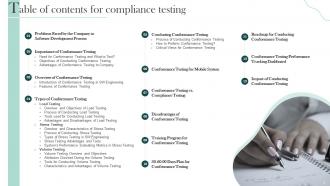
Slide 3: This slide presents Table of Content for the presentation.
Slide 4: This slide highlights title for topics that are to be covered next in the template.
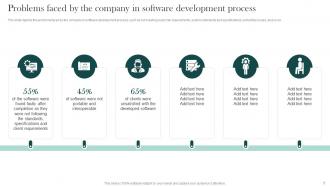
Slide 5: This slide depicts the problems faced by the company in software development process.
Slide 6: This slide highlights title for topics that are to be covered next in the template.
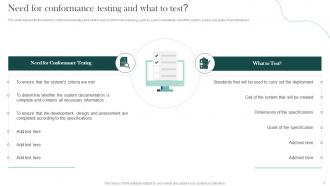
Slide 7: This slide represents the need for conformance testing and what to test in conformance testing.
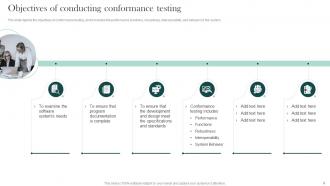
Slide 8: This slide showcases Objectives of Conducting Conformance Testing.
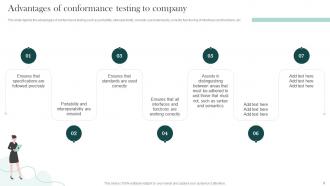
Slide 9: This slide depicts the advantages of conformance testing such as portability, interoperability, etc.
Slide 10: This slide highlights title for topics that are to be covered next in the template.
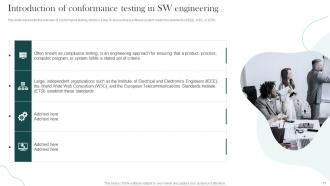
Slide 11: This slide represents the overview of conformance testing.
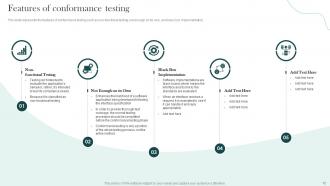
Slide 12: This slide showcases the features of conformance testing.
Slide 13: This slide highlights title for topics that are to be covered next in the template.
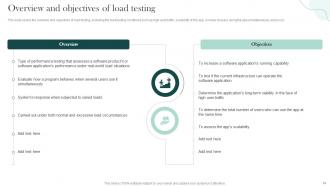
Slide 14: This slide covers the overview and objectives of load testing.
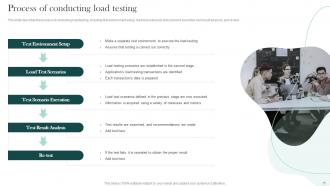
Slide 15: This slide describes the process of conducting load testing.
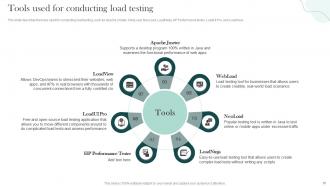
Slide 16: This slide shows tools used for conducting load testing.
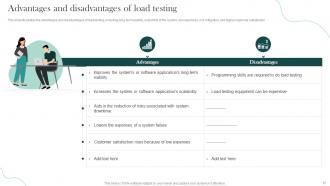
Slide 17: This slide presents Advantages and Disadvantages of Load Testing.
Slide 18: This slide highlights title for topics that are to be covered next in the template.
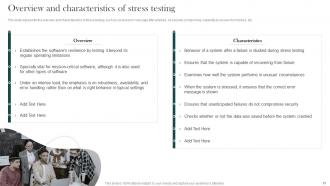
Slide 19: This slide represents the overview and characteristics of stress testing.
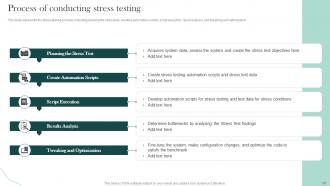
Slide 20: This slide showcases Process of Conducting Stress Testing.
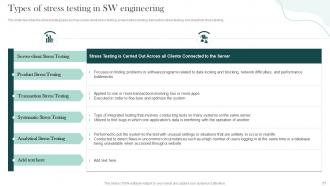
Slide 21: This slide shows Types of Stress Testing in SW Engineering.
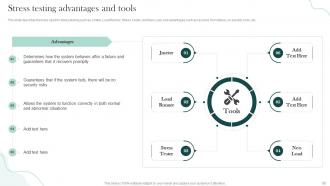
Slide 22: This slide describes the tools used for stress testing such as Jmeter, Load Runner, Stress Tester, etc.
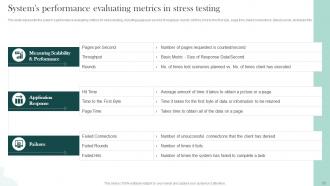
Slide 23: This slide presents System's Performance Evaluating Metrics in Stress Testing.
Slide 24: This slide highlights title for topics that are to be covered next in the template.
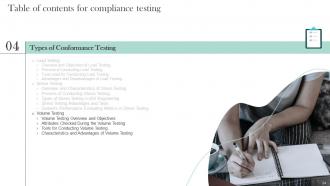
Slide 25: This slide depicts the volume testing overview and objectives.
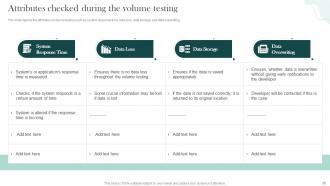
Slide 26: This slide represents Attributes Checked During the Volume Testing.
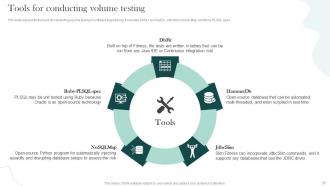
Slide 27: This slide showcases Tools for Conducting Volume Testing.
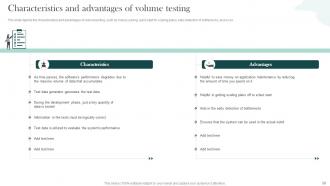
Slide 28: This slide shows Characteristics and Advantages of Volume Testing.
Slide 29: This slide highlights title for topics that are to be covered next in the template.
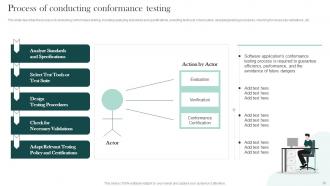
Slide 30: This slide describes the process of conducting conformance testing.
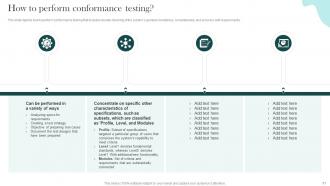
Slide 31: This slide depicts how to perform conformance testing that includes double-checking of the system’s general consistency.
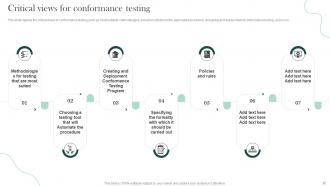
Slide 32: This slide showcases Critical Views for Conformance Testing.
Slide 33: This slide highlights title for topics that are to be covered next in the template.
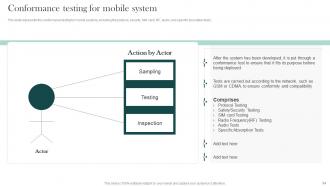
Slide 34: This slide represents the conformance testing for mobile systems.
Slide 35: This slide highlights title for topics that are to be covered next in the template.
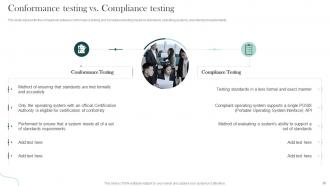
Slide 36: This slide represents the comparison between conformance testing and compliance testing.
Slide 37: This slide highlights title for topics that are to be covered next in the template.
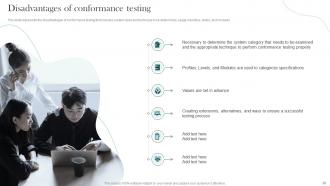
Slide 38: This slide represents the disadvantages of conformance testing.
Slide 39: This slide highlights title for topics that are to be covered next in the template.
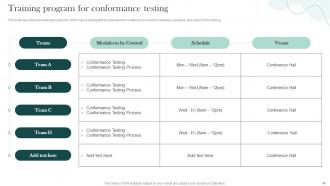
Slide 40: This slide showcases Training Program for Conformance Testing.
Slide 41: This slide highlights title for topics that are to be covered next in the template.
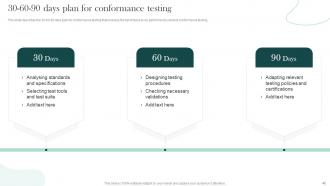
Slide 42: This slide shows 30-60-90 Days Plan for Conformance Testing.
Slide 43: This slide highlights title for topics that are to be covered next in the template.
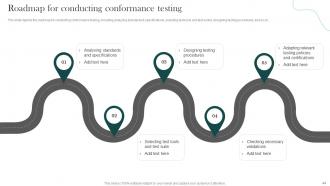
Slide 44: This slide depicts the roadmap for conducting conformance testing.
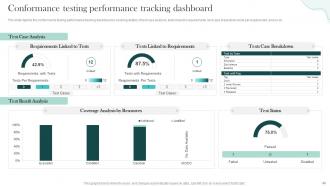
Slide 46: This slide showcases Conformance Testing Performance Tracking Dashboard.
Slide 47: This slide highlights title for topics that are to be covered next in the template.
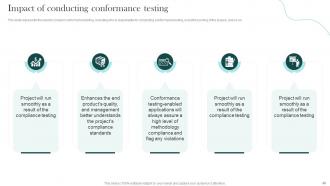
Slide 48: This slide shows Impact of Conducting Conformance Testing.
Slide 49: This slide contains all the icons used in this presentation.
Slide 50: This slide is titled as Additional Slides for moving forward.
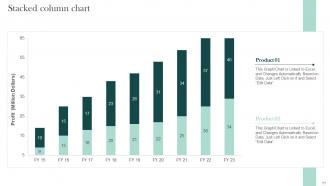
Slide 51: This slide represents Stacked Column chart with two products comparison.
Slide 52: This is Our Mission slide with related imagery and text.
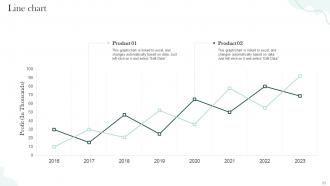
Slide 53: This slide describes Line chart with two products comparison.
Slide 54: This slide depicts Venn diagram with text boxes.
Slide 55: This slide contains Puzzle with related icons and text.
Slide 56: This is a Timeline slide. Show data related to time intervals here.
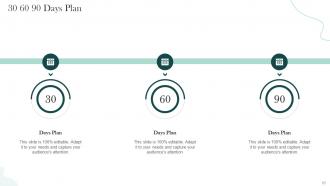
Slide 57: This slide provides 30 60 90 Days Plan with text boxes.
Slide 58: This slide shows Post It Notes. Post your important notes here.
Slide 59: This is a Thank You slide with address, contact numbers and email address.
Compliance Testing Powerpoint Presentation Slides with all 64 slides:
Use our Compliance Testing Powerpoint Presentation Slides to effectively help you save your valuable time. They are readymade to fit into any presentation structure.























FAQs for Compliance Testing
Honestly, you want three big things: good risk assessment, automated testing, and ongoing monitoring. Map out your regulatory stuff first and figure out where you'd be screwed if something went wrong. Automation is your friend here - doing it manually will drive you insane and you'll definitely miss stuff. Don't just do yearly audits either, set up continuous checks because problems pop up whenever they feel like it. Document everything (I know, boring but necessary) and make sure someone owns each piece. Oh, and treat this like an ongoing thing, not just something you check off once and forget about.
First thing - map what you're doing now against whatever regs hit your industry (SOX, HIPAA, GDPR, whatever). Document everything because auditors love their paperwork. Get your legal team involved early instead of scrambling later - trust me on this one. The tricky part? These rules change constantly. Like, I swear they update something every few weeks just to keep us on our toes. Don't wait for yearly audits to check if you're still compliant. Set up quarterly reviews so you catch problems before regulators do.
Technology totally transforms compliance testing. Automated tools run continuous checks and catch stuff you'd miss doing it by hand. Real-time tracking keeps you on top of requirements without drowning in paperwork. You'll get instant alerts when something's wrong, plus audit trails that actually make sense. Trust me, manual compliance is brutal - like doing taxes with a calculator from 1985. Risk platforms map regulations to your processes and spit out reports auditors don't hate. Start with whatever takes you the most time and find tools to automate that first.
Honestly, once a year is what most places do but it's kinda the bare minimum. Finance and healthcare companies usually test way more - like quarterly or monthly because they're dealing with sensitive stuff. Really depends on your industry though. I'd check what your regulators actually require first, then add more testing based on how much risk you're comfortable with. Continuous monitoring is ideal if you can swing it. Oh and definitely test whenever you make big system changes or new rules drop. I've watched companies get hit hard thinking annual testing was enough when their whole setup keeps evolving.
Ugh, regulations change constantly - that's your biggest nightmare right there. Healthcare and finance are brutal with their frameworks shifting every few months. Resource constraints will kill you too, plus good luck getting dev teams to care about compliance over shiny new features. Documentation's always incomplete when you need it most. Oh, and testing environments? They never actually match production. Manufacturing has safety standards breathing down their necks while tech companies are drowning in privacy laws. Honestly just start by figuring out what regulations actually apply to you, then automate whatever testing you can.
Track your defect detection rate first - that's the big one. How many issues are you catching before they go live? Time to fix compliance gaps matters too. External audit results tell the real story though. If you're passing those consistently, you're doing something right. I'd also watch how your violation numbers trend over time. Don't get caught up in metrics that look good on paper but don't actually save you from regulatory nightmares. Been there, done that. Set up monthly tracking and review quarterly with your team - you'll start seeing patterns in where your process breaks down.
So compliance testing is like getting a business health checkup before things go sideways. You're hunting for weak spots that could turn into expensive regulatory headaches later. The results show you exactly where to focus your energy - no point spreading yourself thin across everything, right? Map out your riskiest areas first and test those hard. Short tests work better than marathon sessions, trust me on that one. What you find feeds straight into your risk planning, so you'll know which fires to put out first. It's honestly one of the smarter ways to stay ahead of problems.
Yeah, regulatory changes will definitely mess with your testing setup. Sometimes it's just minor tweaks to test cases, but other times you're basically starting over with new protocols. Really depends on how big the change is and if you built your framework to be flexible in the first place. I've watched teams totally panic when their rigid setup couldn't adapt - honestly kind of painful to see. You'll have to compare new requirements against what you already have, find the gaps, maybe overhaul your whole validation process. Oh, and build things modular from day one if you can. Makes it way easier to swap stuff out when regulations change again... which they always do.
Start with automating the stuff you do over and over - biggest win right there. Continuous monitoring beats scrambling at month-end every time. Write down your processes so teammates aren't lost when you're out (learned this the hard way). Map controls to regulations upfront instead of figuring it out later. Honestly, the whole trick is weaving testing into daily work instead of treating it like some quarterly nightmare. Pick one thing to automate this quarter and go from there.
Dude, training makes such a huge difference for compliance testing. Most people fail at this stuff because they literally don't know what they're supposed to be doing - not because they're trying to mess up on purpose. When your team gets the "why" behind requirements, they'll spot problems they would've totally missed before. Better questions during testing too. Honestly? I'd focus on role-specific training first since that's where you'll see results fastest. Keep doing regular check-ins about regulation changes - that stuff shifts constantly and people forget. Your team will actually care about what they're testing instead of just checking boxes mindlessly.
Data handling screws up most companies - encryption gaps, terrible access controls, messy retention policies. Documentation is where everyone falls flat too. You literally can't prove your security works if you don't track it properly. User access drives me crazy though - I've seen ex-employees with login credentials six months after they quit! Configuration drift happens constantly since systems just... wander from your approved settings over time. Honestly? Get some automated scanning going for the technical fixes first, then tackle your access reviews and documentation. Way easier than doing it backwards.
So external audits basically push your internal testing to get its act together. Auditors dig into your processes and documentation, hunting for weak spots you might've missed. Yeah, it's annoying at first - nobody likes being scrutinized. But you'll start documenting things way better and testing more systematically. The testing cycles usually ramp up too. I always tell people to treat audit findings like a free consulting report. Use those recommendations to patch up your internal controls before they come back next year. Trust me, it beats scrambling last minute.
Honestly, I'd start with Nessus or Qualys for vulnerability scans - they're pretty solid. NIST framework mapping tools help too. If you've got a bigger team, ServiceNow or MetricStream work well for tracking multiple compliance standards, but they're honestly way too much if it's just a few of you. Grab specific tools based on what you actually need: Splunk handles SOX logging stuff, AWS Config covers cloud monitoring. Oh, and don't try to implement everything at once - that's a nightmare. Pick one good platform that plays nice with what you already have, then add more later.
Look, just build the compliance checks right into your CI/CD pipeline instead of treating it like some dreaded separate thing. Automate everything you possibly can - the setup's annoying at first but trust me, it pays off big time. Focus your manual testing on the risky stuff that actually matters and let the automation handle all the boring routine checks. I'd start by figuring out which requirements you can turn into automated tests first. Honestly, most teams wait way too long to do this and just make their lives harder.
Dude, non-compliance absolutely destroys your reputation. Customers bail, partners start side-eyeing you, and suddenly you're the company everyone whispers about as a warning. Social media makes it spread like wildfire too - honestly, sometimes I think bad news travels faster than good news these days. Your brand takes a massive hit, which makes recruiting talent way harder. Regulatory bodies love to publicly shame companies, and that stuff sticks around forever. The worst part? It takes years of perfect behavior to even start rebuilding trust. Just run those compliance checks and fix problems before they explode.
-
“Love it! I was able to grab an exciting proposal because of SlideTeam.”
-
Qualitative and comprehensive slides.