

Eventbrite pitch deck ppt template





Try Before you Buy Download Free Sample Product
 Impress Your
 Audience
 100%
100% Editable
 Save Hours
 of Time


Eventbrite is a website that connects people through live events. With online ticketing tools, you can choose events that match your interests or create your own. Check out our efficiently designed pitch deck, Eventbrite Investor Funding, which provides slides related to services offered by Eventbrite such as publishing, promotion, management, etc. It includes slides to display the benefits of Eventbrite, such as a collection of funds, managing attendees, etc. This Eventbrite pitch deck showcases the publishing details such as customized pages, professional ticketing, online registration, etc. Also, it displays the various promotional tools to raise awareness and increase the number of attendees with Eventbrite. This pitch deck illustrates the usage of charts and graphs to save time and stay organized with Eventbrite. Other main slides include sellout options, a basic introduction, top clients information, and company contact details. One can even showcase details related to their company, target audience, clients values, premium services, financials, past experiences with clients, the roadmap to success, and more. Customize this 100 percent editable pitch deck based on your needs with our research team. Download this insightful pitch deck now.
People who downloaded this PowerPoint presentation also viewed the following :
Content of this Powerpoint Presentation
Slide 1: This slide introduces Eventbrite Pitch Deck. State Your Company Name and begin.
Slide 2: This slide shows Table of Content for the presentation.
Slide 3: This slide presents Eventbrite's services, which include publishing, promotion, management and sell out of products
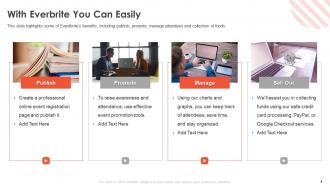
Slide 4: This slide highlights some of Eventbrite's benefits, including publish, promote, manage attendees and collection of funds.
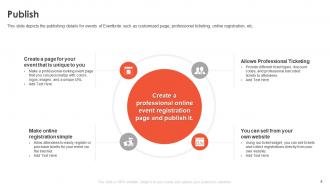
Slide 5: This slide displays the publishing details for events of Eventbrite such as customized page, professional ticketing, online registration, etc.
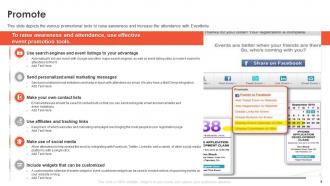
Slide 6: This slide depicts the various promotional tools to raise awareness and increase the attendance with Eventbrite.
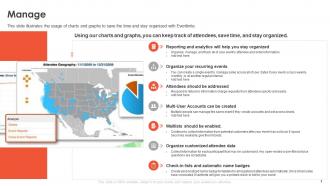
Slide 7: This slide illustrates the usage of charts and graphs to save the time and stay organized with Eventbrite.
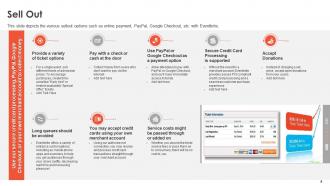
Slide 8: This slide presents the various sellout options such as online payment, PayPal, Google Checkout, etc. with Eventbrite.
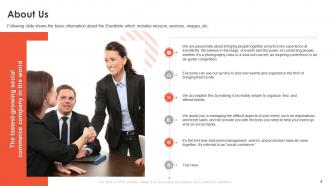
Slide 9: This slide shows the basic information about the Eventbrite which includes mission, services, images, etc.
Slide 10: This slide displays the client’s information of Eventbrite which includes logos of the company.
Slide 11: This slide shows Contact slide with address, contact numbers and email address.
Slide 12: This slide shows Icons for Eventbrite Pitch Deck.
Slide 13: This slide is titled as Additional Slides for moving forward.
Slide 14: This slide presents the top leadership details of Eventbrite such as Co-Founder, Chief Executive Officer, Chief Financial Officer, etc.
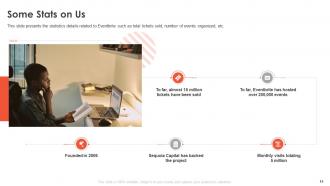
Slide 15: This slide displays the statistics details related to Eventbrite such as total tickets sold, number of events organized, etc.
Slide 16: This is About Us slide to show company specifications etc.
Slide 17: This slide shows Post It Notes. Post your important notes here.
Slide 18: This is Our Mission slide with related imagery and text.
Slide 19: This is Our Target slide. State your targets here.
Slide 20: This is a Financial slide. Show your finance related stuff here.
Slide 21: This slide shows 30 60 90 Days Plan with text boxes.
Slide 22: This slide shows SWOT describing- Strength, Weakness, Opportunity, and Threat.
Slide 23: This slide presents Puzzle with related icons and text.
Slide 24: This slide shows Venn diagram with text boxes.
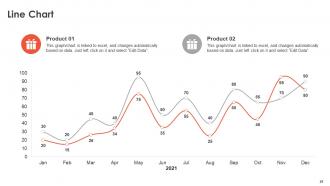
Slide 25: This slide displays Line Chart with two products comparison.
Slide 26: This is a Timeline slide. Show data related to time intervals here.
Slide 27: This is a Thank You slide with address, contact numbers and email address.
Eventbrite pitch deck ppt template with all 27 slides:
Use our Eventbrite Pitch Deck Ppt Template to effectively help you save your valuable time. They are readymade to fit into any presentation structure.


FAQs for Eventbrite pitch
Honestly, Eventbrite's just so damn easy to use - you can get a legit event page up in like 5 minutes without knowing any tech stuff. It's got everything bundled together: ticketing, marketing tools, attendee tracking. The mobile check-in app works great too. But here's the cool part other platforms don't really do - people can actually discover your event through their marketplace organically, which is huge for getting random attendees. Oh and their free version is pretty solid, so definitely test that out first before you pay for anything. I've used it a few times and never had issues.
First thing - set up those early bird discounts and promo codes, they really get the ball rolling. The social media auto-sharing is pretty handy when people register. I'd definitely hit up their email tools for reaching past attendees, works way better than you'd think. Oh and the affiliate thing where partners can sell tickets for commission? Totally worth doing even though nobody talks about it. Their promotion checklist keeps you sane too. Make your event page look good with decent photos and clear info about what people actually get. Start pushing it 6-8 weeks early or you'll be scrambling.
Start with a title that actually tells people what they'll get out of it - not just "Marketing Workshop" but something like "Marketing Workshop: Triple Your Email Opens in 30 Days." Your cover image needs to be decent quality and relevant (seriously, nobody wants another generic handshake photo). Write out what's actually going to happen, who should come, and what they'll walk away with. Throw in an agenda or speaker info if you've got it. Tag it properly so people can find you when they're browsing. Oh, and turn on social sharing - you'll want people spreading the word. Keep updating with little details as you get closer to the date.
Yeah, Eventbrite totally works for virtual and hybrid events! They let you create separate ticket types for online vs in-person attendees, which is clutch for hybrid stuff. All their usual promotion tools still apply - the discovery network, email marketing, social sharing, whatever. The streaming integration with Zoom and YouTube Live exists but... it's kinda clunky if I'm being honest. You'll probably end up doing some manual work there. Just label your tickets super clearly so people don't accidentally buy the wrong type and then message you asking why they can't find the venue address lol.
Honestly, Eventbrite's amazing for anything where people pay to get in - workshops, conferences, classes, that kind of stuff. Super casual things like potlucks? Not so much. But if you're charging admission and need real ticketing, it's perfect. Works best with maybe 50-500 people where you want proper check-ins and payment processing. The analytics are solid too. I've used it for a few networking events and the automated confirmations saved me so much hassle. Really can't go wrong if you need professional ticketing - there's a reason everyone uses it.
Oh yeah, just go to your event dashboard - the analytics section is actually pretty solid. Real-time sales tracking is clutch because you can see registrations rolling in and pivot your marketing if needed. Demographics, traffic sources, conversion rates - it's all there. Check-in rates too, which is weirdly satisfying to watch during the event. One thing I'd def recommend is exporting that data regularly to build your own database. Like, Eventbrite's great but having your own historical data to compare events? That's where the real goldmine is for planning future stuff.
Yeah so Eventbrite basically handles all the payment stuff for you - pretty sweet deal honestly. They take credit cards, PayPal, Apple Pay, all that. No need to mess around with setting up your own merchant account or whatever. Money goes straight to your bank account after they take their cut. Oh and they do payment plans too if you're selling expensive tickets. Works with international payments in different currencies, which is nice I guess. The security and compliance stuff? They've got it covered. Just link your bank account and you're set. Way easier than I thought it'd be when I first looked into it.
Yeah, Eventbrite's pretty solid security-wise. They use SSL encryption and are PCI compliant, so basically the same protection as Amazon or whatever. Smart thing is they don't even store your full card info on their servers. Your registration details are covered by their privacy policy, plus they've got fraud detection stuff running. Only thing to watch out for is the actual event organizer - they'll see your info too, so maybe check their privacy thing if you're paranoid about it. But honestly? I'd feel fine buying tickets through them.
Definitely test the whole registration thing yourself first - Eventbrite's checkout is honestly pretty janky sometimes. Watch your ticket timing and quantities too because once people start buying, you're kinda stuck with what you set. The fees are brutal and they'll hit you harder than you think at payout. Oh and their refund policy is... not great, so read that beforehand or you'll have pissed off people blowing up your inbox. Get your event page totally done before you post it anywhere. Trust me on that one.
Oh totally! Eventbrite connects straight to Facebook, Twitter, LinkedIn and Instagram from your dashboard. Facebook events are clutch because RSVPs sync both directions. The platform makes shareable links and gives you pre-written posts to tweak - honestly such a lifesaver when you're managing multiple events. You can also throw social widgets on your event page to show live buzz, which is pretty cool. One thing though - definitely set up auto-posting when you publish. I wish I'd done that earlier instead of manually sharing everything like an idiot.
Honestly, the app is a game changer - it turns your phone into command central for the whole event. No more standing in those awful check-in lines since you just scan a QR code. Real-time updates hit your phone instantly, plus you can network with other people there. Your tickets work even when the venue's wifi inevitably sucks (and it always does). Push notifications keep everyone in the loop about schedule changes too. I always tell people to promote it hard during registration - like, really push it. Makes everything run way smoother and attendees actually appreciate not dealing with paper tickets and chaos.
So Eventbrite has these partnerships with Facebook, Spotify, and local media that'll automatically push your event out when you publish it. Pretty cool setup honestly. Make sure you turn on all their social sharing options in your settings first though. Your event gets picked up by their partner network without you doing extra work, plus they sometimes feature stuff in their newsletters. The trick is having solid visuals and a good description since that's what partners actually see. Oh and definitely cross-post on social - their integrations make it super easy. I've seen events blow up just from this alone.
Yeah, Eventbrite works really well for charity stuff! You can add donation tiers right next to regular tickets, which is clutch. Their analytics show you exactly how much you're raising, and they handle all the payment processing - honestly such a relief not dealing with that mess yourself. The social sharing tools are solid too. One thing though - definitely try it on a smaller event first to figure out all their features. I learned that the hard way lol. Their nonprofit fees aren't bad, and you can customize everything to look like your brand. Customer support's been helpful when I've needed them. Worth checking out for sure.
Yeah, you can totally set up different ticket types with their own pricing and availability windows. Early bird discounts are clutch - people love feeling like they got a deal. VIP packages, student rates, group pricing, all that stuff works well. Each ticket type can go on sale at different times, and you can limit how many someone buys. Oh, and there's custom questions at checkout which is actually super helpful for gathering info about different groups. I'd say figure out your audience segments first, then build tickets around what they'd actually want and can afford. Makes the whole process way easier.
Yeah Eventbrite's actually pretty decent for beginners. Their Event Planning Guide covers pricing, marketing, all that stuff. Live webinars too if you're into that. I was honestly surprised by how much they give you - way more hand-holding than most platforms. Got stuck setting up payment processing once and their support team helped me out same day. There's also this community forum where other event organizers share random tips and tricks. Oh, and definitely check out their "Create Your First Event" checklist first - saves you from making dumb mistakes.
-
Amazing product with appealing content and design.
-
Content of slide is easy to understand and edit.
-
Great product with highly impressive and engaging designs.