

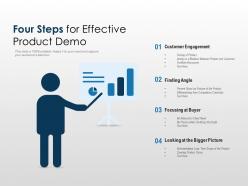
Four steps for effective product demo





Try Before you Buy Download Free Sample Product
 Impress Your
 Audience
 100%
100% Editable
 Save Hours
 of Time


Get involved in interesting banter with our Four Steps For Effective Product Demo. Be able to engage the journalists.
People who downloaded this PowerPoint presentation also viewed the following :
Four steps for effective product demo with all 5 slides:
Impress the journalists with our Four Steps For Effective Product Demo. Introduce a fresh angle for consideration.


FAQs for Four steps for
Start with a problem that actually matters to them, then show your product fixing it. Don't go through every single feature - people zone out. Pick 2-3 things that solve their biggest headaches and focus there. Use real examples they'll recognize, not made-up scenarios. Ask questions while you demo instead of just talking the whole time. Have a backup ready because tech always breaks at the worst moment (learned that one the hard way). End with what they should do next - be specific about it.
Dude, you gotta know who you're talking to first. Executives? Skip the feature tour - they only care about ROI and big picture stuff. End users want to see how it actually helps their daily grind. Tech people though, they'll want integrations and security details. I swear, most people just do the exact same demo for everyone and wonder why it bombs. Before you even open your laptop, figure out what's actually bugging this specific group. Then show them how you fix that problem. Way more effective than some cookie-cutter presentation.
Here's what works for me - tell a story that shows their exact problem, then flip it. Like instead of "we boost productivity," I'll say something like "Remember Jake who used to stay late every Tuesday doing those damn reports? Now he's done by lunch." You want them nodding along thinking "that's literally me." Throw in random details too - "Monday morning coffee spill" or whatever makes it feel real. The key is painting that before/after picture they can actually see themselves in. Then just ask if it sounds familiar to their world.
Pick your 3-4 best features that actually fix their problems - don't show off everything you built. Walk through their workflow, not your menu structure. Keep each demo under 2-3 minutes and explain why it matters before showing how it works. I used to bore people with 20-minute deep-dives nobody wanted (learned that lesson the hard way). Use realistic data they'd recognize. Pause between features for questions - honestly, this part makes a huge difference. You're trying to get them interested, not train them on every button.
Oh dude, visual design can make or break your demo. I've watched perfectly good products tank because the interface looked like garbage - it's painful to see. Clean visuals guide people to what matters most. Messy screens? They'll just confuse everyone and lose attention fast. Use contrast and whitespace smartly so key features actually stand out. Your colors and fonts should match your brand but not scream for attention (nobody likes that). Honestly, spending extra time polishing your demo beforehand is worth it. People judge so quickly, and those first impressions really stick around.
Real case studies beat showing off features every single time. Like instead of "this dashboard tracks performance," you'd say "Company X caught a 15% revenue drop in their northeast region with this exact dashboard and fixed it in two weeks." Way more convincing, right? Stories just hit different - people picture themselves in those situations. I match examples to whatever industry I'm talking to because honestly, nobody cares about solutions that don't feel relevant to them. Keep 2-3 solid examples ready that actually connect to their specific problems.
Honestly, I'd focus on three big things: how engaged they seem during the demo, what questions they're asking, and whether you can get that next meeting booked. Pay attention to body language - are they actually taking notes or just sitting there? Good technical questions usually mean they're seriously considering it. Track your conversion rates too, like how many demos turn into trials or meetings with the actual decision-makers. Sometimes though, you just know when it clicks, you know? The follow-up questions tell you a lot. But really, your main win is scheduling that next step before you hang up.
Get people involved instead of just watching. Ask them to guess what'll happen next, or run quick polls about which features they'd actually use. I'm obsessed with the "what would you click first?" question - makes everyone think like real users. Throw in some Q&A breaks or have someone help you navigate through stuff. Honestly, anything that stops you from just talking at them for 20 straight minutes. Plan maybe 2-3 of these moments beforehand. Your audience will stay way more tuned in, trust me.
Dude, the worst thing you can do is talk the entire time - let them actually speak! Don't just run through your standard spiel either. Ask about their problems first, then only show the 2-3 features that fix those specific issues. I've seen people demo literally everything and lose prospects in minutes. So boring. Use their actual data if possible, not some random test account. Keep asking questions so they stay engaged. Oh, and this should be obvious but... test your setup beforehand? Technical glitches right at the start make you look amateur. Practice enough that you can pivot when needed.
Always start with the problem you're solving, not the feature itself. I do like a 60/40 split - more time on benefits than the technical stuff. Watch their faces during demos. Engineers want to see how it actually works, but sales people just glaze over at code - they want ROI numbers. When you notice people checking out, jump back to outcomes they care about. Honestly, the magic happens when you end each section with "so what this means for you is..." and connect it to their specific situation. Don't just show features - show why they should care about this particular thing solving their particular headache.
Definitely shoot them a recap email within 24 hours - but make it personal, you know? Focus on whatever features they got excited about during the demo. Don't forget to attach any resources they asked for and tackle those concerns that came up. I always ask something like "how'd that sit with your team?" because it feels way more natural than some formal follow-up. Here's the thing though - nail down your next step before you hang up. Whether it's a tech dive or meeting their boss, just get it locked in. Then stick to whatever follow-up schedule you set. Consistency beats being annoying every time.
Don't just toss testimonials at the end - weave them right into your demo. Show a feature, then immediately pull up a customer quote like "Sarah from TechCorp said this workflow saved her team 3 hours daily." Video testimonials are honestly game-changers if you have them. The key? Match each testimonial to what you literally just showed them. That way it hits while the feature's still fresh in their minds. I always keep 3-4 different ones ready so I can pick based on who I'm presenting to. Makes it feel way more relevant than generic praise.
Loom's probably your best bet to start - super easy and you can knock out a demo in like 10 minutes. Camtasia's another solid option if you want more editing control. I've actually seen people do surprisingly well with just Google Slides, though that might be too basic for what you need. Figma works great for mockups and quick visuals. OBS Studio won't cost you anything but it's kind of a pain to set up initially. Oh, and there's Storyline for interactive stuff - really powerful but you'll need time to learn it. Honestly just go with Loom first and see how it feels.
So when people interrupt with questions during your demo, just acknowledge them right away but don't lose your groove. Something like "great question, I'll hit that in a sec" and write it down so they know you're listening. Honestly, objections are where most people totally crash and burn - don't get defensive! Ask follow-up questions instead. Sometimes "this costs too much" really means "I'm not seeing the value yet," you know? Handle quick clarifications immediately, but save the complicated stuff for the end. You want to keep things moving while everyone feels heard.
Screen sharing with annotation tools is honestly a game-changer for remote demos. You can highlight stuff in real-time while they watch. Breakout rooms work well if your platform has them, or just send sandbox accounts ahead of time so they can mess around themselves. Personalized demo videos addressing their specific problems? Way better than those boring generic ones everyone uses. Virtual whiteboards are perfect for planning sessions during demos too. But here's the thing - keep pausing for questions and stay conversational. The chat becomes super useful for keeping people engaged. Oh, and recording everything helps later when they're trying to remember what you showed them.
No Reviews