

Headcount template




Try Before you Buy Download Free Sample Product
 Impress Your
 Audience
 100%
100% Editable
 Save Hours
 of Time


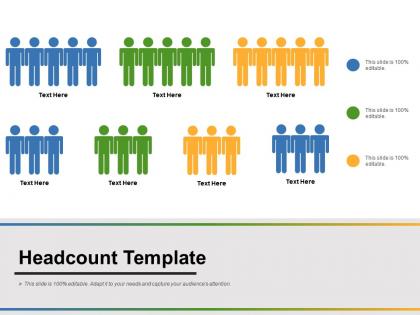
Get folks interested in availing the facilities of the apparatus with our Headcount Template. It helps inaugurate the jig.
People who downloaded this PowerPoint presentation also viewed the following :
Headcount template with all 5 slides:
Encourage inquiry with our Headcount Template. Folks feel confident about asking for information.

FAQs for Headcount template
Definitely include current headcount by department, open roles, and budget stuff. Track hire dates and salary ranges too - honestly, most templates I've seen completely forget about timing, which is huge for planning. Add columns for when people might actually start and any roadblocks that could mess with hiring. The trick is making it detailed enough to be helpful without being so complicated that nobody bothers updating it. Start dates and reporting structures are key. You can always throw in more fields later once you figure out what your team really needs.
So first thing - figure out what makes your industry different from everyone else's. Tech companies need way more engineering roles and technical skills, healthcare focuses on clinical stuff and certifications. Retail's tricky because of those crazy holiday hiring spikes (honestly such a pain to plan for). Start with maybe 5-10 roles that are super specific to your field and work outward from there. Also tweak the approval process since different industries handle hiring decisions totally differently. Seasonal stuff matters more than people think too.
Start with the basics - track headcount by department, role, and employment type (full-time vs part-time vs contractors). Hire and termination dates are crucial for spotting turnover trends. Salary ranges help with budgeting, obviously. Demographics can give you diversity insights, but that's where privacy gets messy. Location data matters if you've got remote folks or multiple offices. Honestly, I'd keep it simple at first - you don't need to boil the ocean right away. Add more complex stuff once you figure out what actually moves the needle for your decisions.
Honestly, tech has made headcount planning way less painful than it used to be. Real-time data integration means your templates actually update automatically instead of breaking every time someone touches them (RIP Excel nightmares). You can pull info straight from your HRIS now, plus there's machine learning that predicts hiring needs based on turnover patterns and seasonal stuff. Interactive dashboards are huge too - finally something that doesn't confuse everyone outside HR. My advice? Start with templates that have automation built in. Trust me, you'll thank yourself later when you're not manually updating spreadsheets at 9 PM.
Honestly, the biggest screw-up I see is people making their role categories way too broad. You'll get garbage data that's useless for planning. Never hardcode salary numbers directly - they change all the time and you'll hate yourself later. Contractors and temp workers? Include them too since they hit your budget. Track effective dates, not just headcount at random moments. Oh and here's what works - start with your current setup and work backwards. Way less painful than trying to guess what next year looks like first.
Honestly, headcount templates are lifesavers for staying compliant. Track your overtime hours, break schedules, and staffing ratios so you don't accidentally break labor laws. Set up alerts when you're hitting max work hours or getting too close to minimum staffing. Way better than digging through random spreadsheets when an inspector randomly shows up (learned that one the hard way). Include employee classifications, hourly vs salary status, plus any union stuff for your industry. Update it regularly and watch for patterns that scream "violation incoming" - trust me, catching issues early beats paying fines later.
Honestly, headcount templates are game-changers for workforce planning. You'll map out current roles vs what you actually need down the road. Gaps become obvious early, so no more panic hiring. Budget planning gets way easier too since you're not guessing at salary costs last minute. The real magic happens when you separate must-haves from those wishful "maybe someday" roles we all love to dream about. Leadership meetings go smoother because everything looks organized and thought-out. Start with your non-negotiable hires for next quarter - I'd probably even go month by month if things are moving fast. Build from there.
Okay so basically a headcount template is just your plan for figuring out hiring costs. You map out who you're bringing on, when they start, their salaries, benefits - all that stuff. Way better than throwing random numbers at the wall when budget time rolls around. Finance teams love getting actual data instead of wild guesses (learned that the hard way). Since payroll is usually your biggest expense, this feeds right into your financial planning. Pro tip - build yours with realistic salary ranges and don't forget benefits multipliers. Seriously, health insurance and 401k matching add up quicker than you'd think. Start now before you're scrambling later.
Dude, charts and graphs will totally transform your headcount spreadsheet. Nobody wants to stare at endless rows of data - visual stuff just hits different. Bar charts showing department sizes are perfect, and line graphs for tracking changes over time work great too. You'll catch trends you'd never notice otherwise, like which teams are exploding in size or weird turnover patterns. Plus executives eat this up because it's way easier than parsing through numbers. I swear, dashboards make you look so much more professional. Even simple visuals will make your stakeholders way happier.
Honestly, both Excel and Google Sheets work great for headcount stuff. I usually go with Google Sheets because the real-time collaboration is insane - you can watch people edit live and never deal with that awful "final_FINAL_v2.xlsx" email chain again. Excel's got better advanced features though, like pivot tables and fancy formulas, plus it won't lag if you're tracking tons of employees. But here's the thing - just use whatever your team's already comfortable with. No point making everyone learn something new if they're already pros at one. Oh, and Google Sheets is free which doesn't hurt either.
Most HR systems will take your headcount template through CSV uploads - that's honestly your best bet. Workday, BambooHR, ADP all handle this pretty smoothly. Just export as CSV and upload it. Some companies get fancy with API connections for real-time syncing, but unless you're constantly shuffling people around, it's way more hassle than it's worth. First thing though - check what file formats your HR software actually accepts. You'll probably need to tweak your column headers to match their field names. Pain in the butt, but it's usually just renaming stuff.
Honestly, cloud templates are so much better for this stuff. Multiple people can jump in and edit at the same time without screwing up each other's work. No more of that nightmare where you're emailing Excel files around and nobody knows which version is current. Everything saves automatically too, which has saved my butt more times than I can count. You can pull it up from anywhere - your phone, home computer, whatever. Security's way better than having files stuck on random laptops. I'd start simple though, don't go crazy with features right away.
For seasonal stuff, I'd set up separate columns for peak vs off-peak times in your headcount template. Quarterly projections are honestly pretty useless for businesses with real seasonal swings. Start with your baseline staffing, then add multipliers - like 150% of base for retail in Q4, or maybe 200% for landscaping during spring/summer. Don't forget to factor in both temps and overtime hours, not just headcount. Otherwise you'll miss the actual labor cost impact. Monthly breakdowns work better than quarterly if you've got the bandwidth for it.
Oh man, you definitely need to set ownership rules from the start - like who edits what sections and when. Color coding saved my life for tracking changes, plus comments help too. I made this mistake once where three of us were updating roles at the same time... what a mess that was! Regular sync meetings work way better than everyone just doing their own thing. Save dated copies before big changes (trust me on this one). And honestly? Pick one "master" version and make sure everyone knows where it lives. Nothing's worse than working off an old template.
You'll need columns for location and whether people work remote/hybrid. Equipment costs and home office stipends should go in there too - plus any regional salary differences since that stuff adds up fast. Honestly, forecasting gets weird because remote people quit at different rates than office workers. Don't forget time zones if you're mixing teams across locations. I'd update quarterly instead of yearly since remote planning changes more often. Oh, and definitely audit what you have now first to see what's missing. Way easier than starting blind.
-
Awesome presentation, really professional and easy to edit.
-
Much better than the original! Thanks for the quick turnaround.