


HRMS Software Implementation Plan Powerpoint Presentation Slides




Try Before you Buy Download Free Sample Product
 Impress Your
 Audience
 100%
100% Editable
 Save Hours
 of Time


The HRMS software improves numerous company processes. Check out our HRMS software implementation plan template. It helps automate the work processes of an HR department, networks company areas, and increases employee satisfaction. Our Human resource management system deck covers the current scenario of a company, including annual revenue and employee growth projections by the department. It also covers the introduction of new employee-friendly policies and HRMS implementation. Our HRM Software PPT covers an HRMS implementation plan along with various HRMS solutions like a Document management system, Applicant tracking and recruiting system, Employee onboarding and administration system, Employee performance appraisal and management design, Employee compensation management system, etc. It highlights the Timeline for HRMS implementation, followed by the Cost and budget plan, HR and Manager responsibilities, and Employee training plan. Lastly, Our HR technology adoption module also covers the Projected Overall Impact of implementing HRMS and the Impact of implementing HRMS on the organizational workforce. Get access now.
People who downloaded this PowerPoint presentation also viewed the following :
Content of this Powerpoint Presentation
Slide 1: This slide introduces HRMS software implementation plan. Commence by stating Your Company Name.
Slide 2: This slide depicts the Agenda of the presentation.
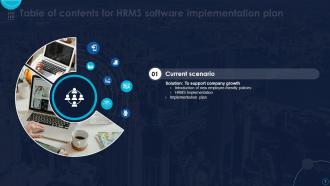
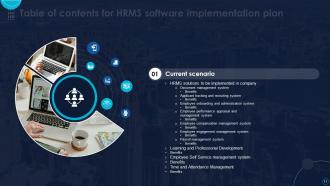
Slide 3: This slide incorporates the Table of contents.
Slide 4: This slide highlights the Title for the Topics to be discussed further.
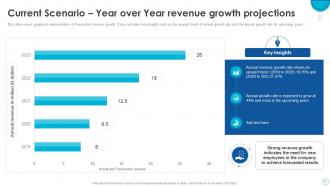
Slide 5: This slide covers graphical representation of forecasted revenue growth.
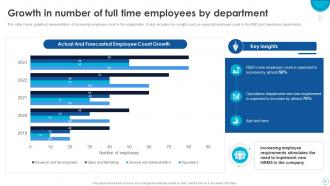
Slide 6: This slide showcases the Growth in number of full time employees by department.
Slide 7: This slide mentions the Heading for the Components to be covered in the following template.
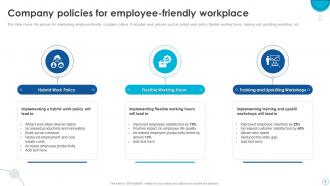
Slide 8: This slide presents the Company policies for employee-friendly workplace.
Slide 9: This slide elucidates the requirement of the new human resource management system.
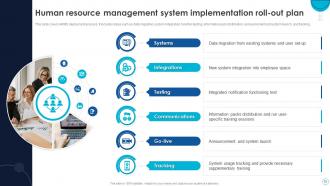
Slide 10: This slide talks about Human resource management system implementation roll-out plan.
Slide 11: This slide reveals the Title for the Ideas to be discussed further.
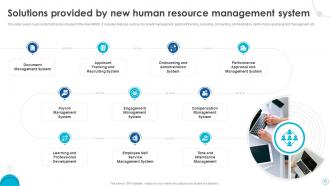
Slide 12: This slide exhibits the Solutions provided by new human resource management system.
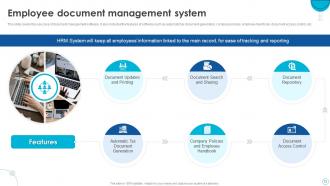
Slide 13: This slide deals with Employee document management system.
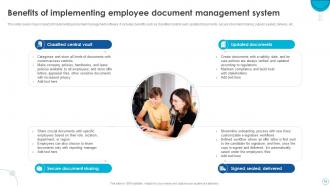
Slide 14: This slide portrays the Benefits of implementing employee document management system.
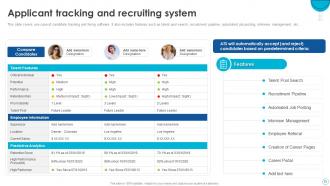
Slide 15: This slide covers use case of candidate tracking and hiring software.
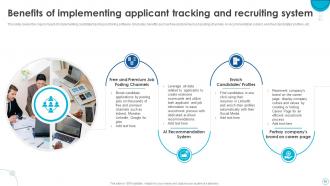
Slide 16: This slide reveals the Benefits of implementing applicant tracking and recruiting system.
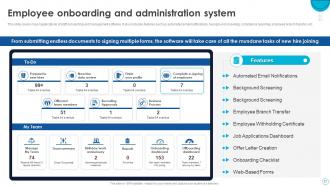
Slide 17: This slide mentions the Employee onboarding and administration system.
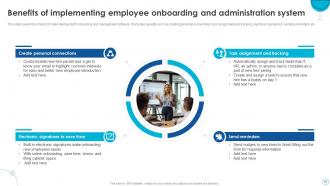
Slide 18: This slide states the Benefits of implementing employee onboarding and administration system.
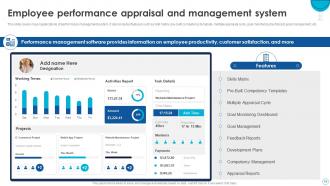
Slide 19: This slide talks about Employee performance appraisal and management system.
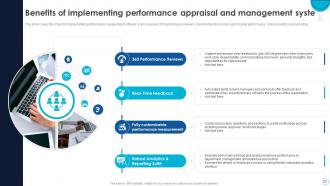
Slide 20: This slide incorporates the Benefits of implementing performance appraisal and management system.
Slide 21: This slide covers major application of staff compensation management software.
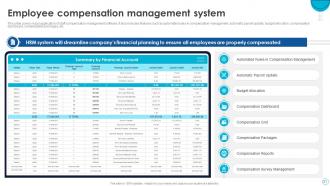
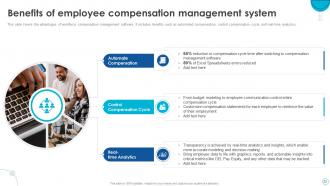
Slide 22: This slide indicates the Benefits of employee compensation management system.
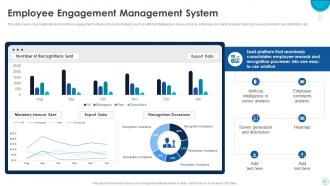
Slide 23: This slide talks about the Employee engagement management system.
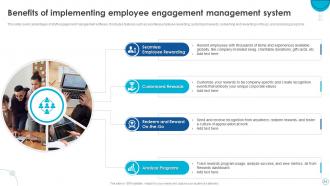
Slide 24: This slide presents the Benefits of implementing employee engagement management system.
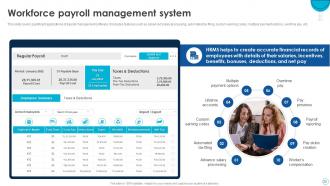
Slide 25: This slide displays the Workforce payroll management system.
Slide 26: This slide exhibits the Benefits of implementing payroll management system.
Slide 27: This slide covers application of workforce self-service management software.
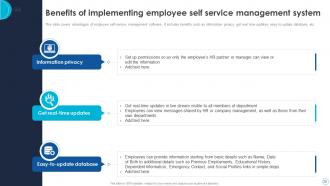
Slide 28: This slide mentions the Benefits of implementing employee self service management system.
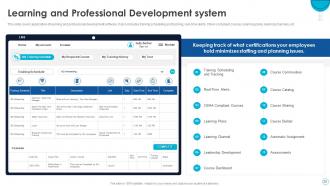
Slide 29: This slide illustrates the application of learning and professional development software.
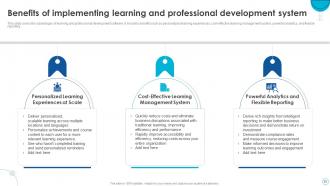
Slide 30: This slide depicts the Benefits of implementing learning and professional development system.
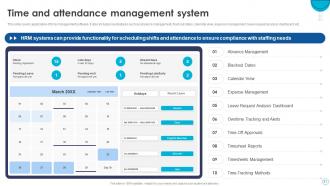
Slide 31: This slide reveals the Time and attendance management system.
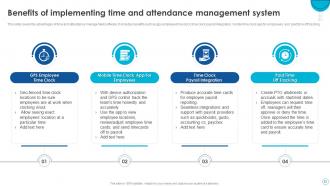
Slide 32: This slide exhibits the Benefits of implementing time and attendance management system.
Slide 33: This slide elucidates the Heading for the Ideas to be discussed in the upcoming template.
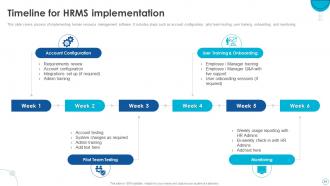
Slide 34: This slide reveals the Timeline for HRMS implementation.
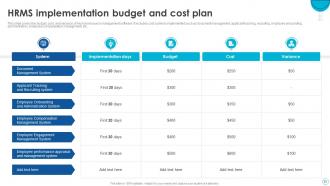
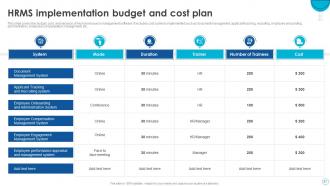
Slide 35: This slide covers the budget, cost, and variance of Human resource management software.
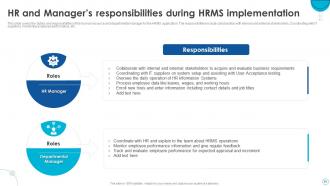
Slide 36: This slide states the HR and manager’s responsibilities during HRMS implementation.
Slide 37: This slide showcases the HRMS implementation employee training plan.
Slide 38: This slide indicates the Title for the Components to be covered further.
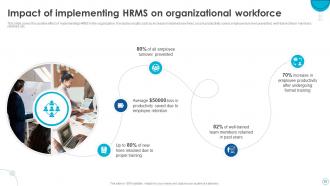
Slide 39: This slide portrays the Impact of implementing HRMS on organizational workforce.
Slide 40: This slide reveals the Overall impact of implementing HRMS in organization.
Slide 41: This slide includes the Heading for the Topics to be discussed next.
Slide 42: This slide illustrates the Dashboard for tracking employee information through HRMS.
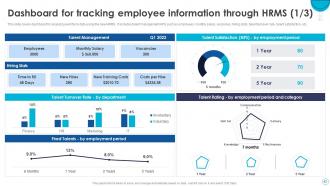
Slide 43: This slide continues the Dashboard for tracking employee information through HRMS.
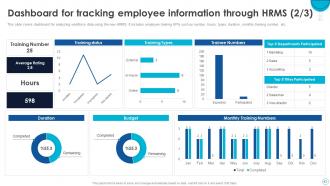
Slide 44: This is yet another slide continuing the Dashboard for tracking employee information through HRMS.
Slide 45: This slide is used for depicting some Additional information.
Slide 46: This slide elucidates the Title for the Topics to be covered in the forth-coming template.
Slide 47: This is the Puzzle slide with related imagery.
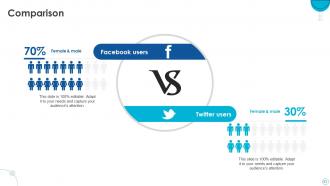
Slide 48: This slide is used for the purpose of Comparison.
Slide 49: This slide shows the Funnel filter icon with arrow.
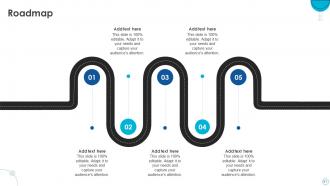
Slide 50: This slide presents the firm's Roadmap.
Slide 51: This is the Venn diagram slide.
Slide 52: This slide exhibits the company Timeline.
Slide 53: This is the 30 60 90 days plan slide for effective planning.
Slide 54: This is Meet our team slide. State your team-related information here.
Slide 55: This slide presents the Bar chart.
Slide 56: This slide showcases the Column chart.
Slide 57: This slide elucidates information related to the Financial topic.
Slide 58: This slide contains the Post it notes for reminders and deadlines.
Slide 59: This slide presents the company Roadmap.
Slide 60: This slide displays the Hiring funnel with related imagery.
Slide 61: This slide reveals the Pir chart.
Slide 62: This slide showcases the Area chart.
Slide 63: This is the About us slide. State your company-related information here.
Slide 64: This slide includes the organization's mission, vision, and values.
Slide 65: This is the Thank You slide for acknowledgement.
HRMS Software Implementation Plan Powerpoint Presentation Slides with all 62 slides:
Use our HRMS Software Implementation Plan Powerpoint Presentation Slides to effectively help you save your valuable time. They are readymade to fit into any presentation structure.















FAQs for HRMS Software Implementation Plan
Okay so first things first - nail down what you actually need and get everyone on board. Seriously, if stakeholders aren't aligned from day one, you're screwed. Pick the right vendor, then obsess over your data migration plan. Testing is huge, don't rush it. And here's where most people mess up - they skimp on training. Your team won't magically know how to use this thing. Get users involved early though. They'll spot problems you'd never think of, plus they won't hate the new system as much. Oh, and have actual support ready when you launch!
Map out everything first - recruiting, onboarding, payroll, all of it. Time each process and spot the pain points. Coffee chats with different departments are honestly gold here because they'll tell you what's really broken, not what the executives think is broken. Check your current tech stack for duplicate stuff or anything that's just clunky to use. Be brutally honest about what actually works versus what doesn't. I'd throw it all in a simple spreadsheet and rank your biggest headaches - boom, that's your requirements list right there.
Start with the basics - payroll, employee data, and time tracking. That's where you'll live day-to-day. Self-service portals are a lifesaver too because nobody wants to answer "how do I request PTO" fifty times a week. Good reporting matters, and make sure it plays nice with whatever systems you're already using. Sales demos love showing off fancy features that look cool but... do you actually need them? Write down your biggest headaches first. Then pick something that fixes those specific problems instead of getting sucked into all the shiny extras.
Honestly? You'll probably see both happen. Productivity dips at first because everyone's confused and annoyed with the new system - like, why can't I just ask Sarah about my vacation days anymore? But give it 2-3 months and things turn around. People love being able to handle their own stuff without waiting for HR to get back to them. The self-service features are actually pretty sweet once you get the hang of it. Just don't cheap out on training or you'll regret it. I'd budget extra time for people to complain and ask a million questions those first few weeks.
Honestly, data integration is make-or-break for your HRMS. Without it, you're basically paying for expensive digital filing cabinets. Connect everything - payroll, benefits, time tracking, recruiting tools - so info flows automatically between systems. Manual data entry across multiple platforms? Hard pass. That's how mistakes happen and people lose their minds. Plus integrated systems give you accurate reporting and one reliable data source for decisions. Oh, and map out your current tech stack first - figure out what needs to talk to what before you dive in.
Get your people involved from the start instead of just dropping changes on them. Explain why you're doing this HRMS thing and what they actually get out of it - easier vacation requests, self-service stuff, whatever. Companies always skip this part then act shocked when everyone's annoyed. Have key employees help pick the system, do real training sessions, find some champions who can help others adjust. Oh, and actually listen when they complain about stuff and fix what you can. People will get on board once they feel heard and see it's not just making their lives harder. Trust me on this one.
Honestly, the biggest pain points are always data migration, getting people to actually use the thing, and scope creep. Your data's going to be way messier than expected - trust me on this one. Budget extra time for cleanup. Get your key people involved upfront in picking the system so they buy in instead of fighting you later. Scope creep will destroy your timeline, so be brutal about must-haves vs nice-to-haves. Oh, and definitely get a solid project charter that everyone agrees to. Don't feel bad about saying no when people try adding features halfway through.
Oh man, training is HUGE for HRMS stuff. I've watched great systems totally bomb because nobody knew what they were doing. People get annoyed and just go back to their old spreadsheets or whatever. You really need to cover the why, not just button-clicking. One training session? Forget it - that never works. Set up ongoing help and find some super-users in each team who can be your go-to people. Honestly, those champion users are worth their weight in gold. Start picking them early and give them extra prep time so they're actually ready to help.
Track login rates and how often people actually use different features - that's your adoption baseline. Time how long tasks take now vs before, like submitting time off or updating info. Honestly, employee satisfaction surveys matter way more than most people think. Process efficiency is key too - payroll speed, report generation, all that stuff. Don't forget the business metrics: cost savings, compliance results, data accuracy improvements. Oh and definitely set up monthly dashboard monitoring. Sounds like overkill but you'll catch problems early and actually prove ROI to leadership.
Yeah, most HRMS systems are pretty flexible actually. You can tweak workflows, data fields, approval stuff - basically mold it to fit how you guys work. Performance reviews, leave policies, reporting dashboards - no coding needed for most of it. Here's the thing though: don't go crazy with customizations right away. Feature creep will bite you in the ass, trust me. Start by mapping what you're doing now, then see what bends to fit your processes. Oh, and they'll connect to your payroll and login systems too. Way easier than starting from scratch.
So HRMS usually takes 3-6 months, but honestly it drags on forever when you're dealing with it daily. Company size matters a lot. Complex processes and messy data migrations will slow you down too. Got tons of integrations or old data to clean up? Tack on another month or two easily. The real killers are always stakeholder alignment (ugh, getting everyone to agree) and data prep work. That stuff is such a time suck and nobody budgets enough time for it. My advice? Start the data cleanup way earlier than you think you need to. Future you will be so grateful.
Honestly? Go cloud if you can. We're talking weeks vs months of headaches with on-premise stuff. The cloud route skips all that server setup nonsense and your IT team will thank you. Plus the vendor deals with updates and security patches automatically - one less thing to worry about, you know? On-premise does give you more control for customizations, but most companies really don't need all that extra complexity. I mean, unless you've got some crazy compliance thing going on that requires everything in-house. But for most situations? Cloud's the way to go. Way less painful.
Dude, compliance is huge with HRMS - seriously can't stress this enough. Map out what you need first: tax stuff, labor laws, data privacy, whatever applies to your industry. Then see which vendors actually handle that automatically. Don't try to customize your way out of compliance issues later - learned that the hard way at my last company and it was such a headache. Get your legal and finance people involved early. They'll catch things you missed. Way better to pick something that works right out of the gate than scramble to fix gaps after you've already launched.
Honestly, small businesses crush it with HRMS way more than big corporations. Think about it - you're probably drowning in spreadsheets and paper right now, so ANY system feels like magic. Big companies? They see maybe 10% improvement. You get to skip straight from the dark ages to actually having your shit together. ROI comes fast since you're cutting out tons of manual work. Don't overthink it though - just nail the basics first. Payroll, time tracking, employee files. Save the fancy stuff for later when you're not pulling your hair out every month.
First things first - encrypt everything during data transfers and make sure your vendor has SOC 2 or ISO 27001 certs. Role-based access is huge too, so people can't see stuff they shouldn't. MFA for admin accounts is non-negotiable. The backup/recovery planning though? That's honestly where I've seen teams crash and burn the most. Get that sorted before you touch anything else. Run security audits as you go, not just when you're done. Oh, and definitely train everyone on the new protocols beforehand - you don't want someone accidentally opening up holes right after launch.
-
Well-designed and informative templates. Absolutely brilliant!
-
Much better than the original! Thanks for the quick turnaround.