


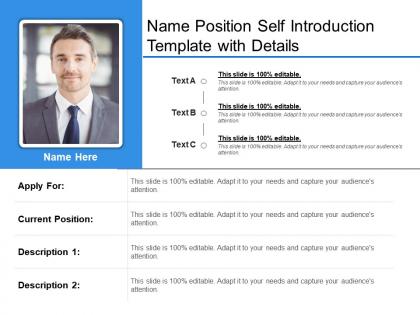
Name position self introduction template with details




Try Before you Buy Download Free Sample Product
 Impress Your
 Audience
 100%
100% Editable
 Save Hours
 of Time


Our Name Position Self Introduction Template With Details ensure you land with your feet on the ground. They enable you to dive headlong into the fray.
People who downloaded this PowerPoint presentation also viewed the following :
Name position self introduction template with details with all 6 slides:
Make good headway with our Name Position Self Introduction Template With Details. Get across all the hurdles that emerge.
FAQs for Name position self introduction
Okay so cover your name and what you do now, then pick like one or two relevant experiences - not your entire resume lol. The part I always mess up is explaining what you want from the situation, but apparently that's super important. Throw in something personal if it fits the vibe, maybe a hobby or whatever. Practice saying it out loud because otherwise you'll stumble through it like I did at that networking thing last month. Keep it under a minute though - people's attention spans are terrible. Short sentences work. Then mix in some longer ones so you don't sound robotic. The whole point is being memorable without accidentally oversharing about your weird collections or something.
Honestly, visuals are a game-changer for intros. People zone out so fast during presentations - I do it too. But throw in a photo or simple graphic? Suddenly they're actually paying attention. You could use images of your background, maybe an infographic for skills, or timeline stuff for your career path. Just don't go overboard with flashy things that compete with your words. I'd say stick to 2-3 visuals that actually support what you're saying. Use them to get conversations started, not just to fill space. Trust me, you'll see how much more engaged everyone gets.
Ugh, don't cram everything onto one slide - it's like visual torture. People zone out instantly when they see a wall of text or your entire work history (seriously, nobody needs to know about that summer camp job from 2015). Pick maybe 2-3 things that actually matter to whoever's listening. Skip the tiny fonts too. I've sat through way too many presentations where I'm squinting like I need glasses. And don't try to be the office comedian unless you're actually funny - awkward silence hits different when you're presenting. Keep it simple and just talk to them normally. Read it out loud first though - anything over a minute needs editing.
Yeah, this stuff really matters! Some cultures want you to talk up your team wins and downplay your own achievements. Others expect you to sell yourself hard. Research your audience first - like, are they big on hierarchy? Then mention your education or family background. More egalitarian places just care about your skills. Oh and the physical stuff varies too - eye contact, posture, all that. I learned this the hard way once when I was way too casual in a formal setting. Don't assume what works at home works everywhere, you know?
Okay so here's the thing - stories stick way better than just rattling off your resume. Like, nobody's gonna remember "5 years in marketing" but they'll definitely remember "I once sent a typo-filled email to 10,000 customers and had to learn crisis management the hard way." It shows your personality and creates this actual connection with people. Plus it makes you way more relatable than just listing credentials. Just keep it super short though, maybe 30 seconds tops, and make sure it actually ties back to whatever you're there for. Trust me, it works.
Dude, totally tailor your intro to whoever you're talking to. At networking things, jump straight into your job and what problems you fix. Academic crowd? Hit them with your research background first. I used to bomb this constantly - same boring intro everywhere and couldn't figure out why people's eyes glazed over! Now I read the room first. Tech startups want to hear about cool projects you've worked on, but stuffy corporate places? They care way more about your track record and proven processes. Keep like 2-3 different versions in your back pocket so you're not standing there going "uhhh..."
Honestly, just go with something basic like Arial or Calibri - nothing that looks like it's from a MySpace page. Dark text on white backgrounds is your safest bet. Maybe throw in one accent color for headers if you want, but please don't pick anything neon. I learned that lesson the hard way once. Keep everything consistent with one main font throughout. Comic Sans is obviously a no-go unless you're designing for kindergarteners. Test how it looks on your phone too since people check emails everywhere now. You want them reading your stuff, not getting distracted by weird formatting choices.
Honestly? Self-deprecating stuff works way better than trying to be a stand-up comedian. Like, joke about being completely helpless without your morning coffee or how you still get lost even with GPS - we've all been there. Keep it light and actually true to yourself though. Don't touch anything controversial or weird that'll make people cringe. Oh, and definitely test it on a friend first! If it feels awkward when you practice saying it out loud, just ditch the joke entirely. Better to just smile genuinely than bomb with some forced one-liner.
Honestly, stick to 2-3 minutes max. That's like 250-400 words if you're writing it down first. Any shorter and you look unprepared. But go over 4 minutes? People's eyes glaze over - trust me on this one. You need enough time to hit your background, biggest wins, and what makes you valuable. Just don't ramble. Oh, and practice out loud because nerves make you talk faster than you think. Hit that 2-3 minute sweet spot and you're golden.
Don't just rattle off what you did - explain the story behind it. Like instead of "I increased sales by 40%," say something like "I worked with the team to fix our messy onboarding process, and that ended up boosting sales 40% last quarter." Way better, right? Numbers are your friend here because they don't sound braggy like throwing around words like "amazing." I'd frame stuff as problems you actually solved rather than just wins you collected. Makes you sound way more thoughtful and less like you're showing off.
Definitely start with JavaScript for the basic stuff - animated text, hover effects, clickable sections that expand. CSS animations are honestly way easier than they look and give you smooth transitions. From there you could embed videos or use Timeline.js for interactive timelines (that library's pretty solid). Contact forms with instant messaging are cool if you're feeling fancy. Oh, and simple chatbot widgets aren't too hard to add either. But seriously, don't go crazy at first. Pick one thing, get it working, then add more. Otherwise you'll just frustrate yourself trying to do everything at once.
Look, body language is huge for introductions - it can totally save you or completely tank what you're saying. Like, if you're talking about leading projects but you're slouched over avoiding eye contact? Nobody's gonna believe you. Good posture makes you look confident, eye contact shows you're engaged, and using your hands helps emphasize points. I've literally watched people with solid intros bomb because they seemed fidgety or distracted. Oh, and practice in front of a mirror first - sounds cheesy but you'll catch things you didn't realize you were doing.
Your headshot's gotta be solid - that's what people remember you by. After that, maybe throw in 2-3 other pics that actually mean something. Project photos, your team, hell even a hobby shot if it makes sense for what you're talking about. Stock photos are the worst honestly, they scream "I didn't try" and nobody connects with them. Short version: pick stuff that backs up your story instead of just random filler. You want people to get a real feel for who you are work-wise, not just see pretty pictures that could be anyone's.
Oh man, virtual intros are tricky! People are literally scrolling Instagram while you talk, so grab attention fast. I'd share your screen with some cool visual or prop that ties to your story. Keep it super short - like 30-45 seconds tops because everyone's brain is fried from Zoom fatigue. Talk slower than normal too since audio always cuts out at the worst moments (learned that one the hard way). Honestly, I think the key is connecting your intro directly to whatever you're presenting so it doesn't feel like two separate things.
Honestly, ditch the boring slides and try something visual - maybe a timeline in Canva or a simple infographic of your career path. Videos are huge right now and people actually remember them. I've seen some cool "failure resumes" where people talk about what went wrong and what they learned (kinda refreshing tbh). You could do a storytelling thing with challenge-solution-impact, or even a "day in the life" format. Some people make mood boards showing their values. Really depends on your audience though. Pick whatever doesn't make you cringe when you're presenting it.
-
Awesome use of colors and designs in product templates.
-
I discovered this website through a google search, the services matched my needs perfectly and the pricing was very reasonable. I was thrilled with the product and the customer service. I will definitely use their slides again for my presentations and recommend them to other colleagues.