

Optimizing Social Media Community Engagement Powerpoint Presentation Slides




Try Before you Buy Download Free Sample Product
 Impress Your
 Audience
 100%
100% Editable
 Save Hours
 of Time


Social media engagement measures how the public interacts with your social media handles and associated content. Check out our efficiently designed presentation on Optimizing Social Media Community Engagement to nurture the relationship of a company or brand with its customers. The PPT slides provide a global outlook of platforms, namely Facebook, Instagram, and Twitter, along with social media engagement benefits, gap analysis, and comparative assessment vs. major competitors. It also provides a timeline for implementing social media strategies for improving engagement. This PowerPoint presentation offers key strategies for enhancing community engagement, organic reach, social media activities, and lead generation. It also offers a detailed engagement campaign plan with goals, purpose, and KPIs. Furthermore, the PPT includes an org chart, roles, responsibilities, and workflow of the social media team. The complete deck also contains a budget allocation plan and comparative software assessment for handling social media profiles. Lastly, it provides KPI dashboards, quarterly performance reports, and impact analysis for measuring the effectiveness of social media strategies. Download our 100 percent editable and customizable deck to know more in detail.
People who downloaded this PowerPoint presentation also viewed the following :
Content of this Powerpoint Presentation
Slide 1: This slide introduces Optimizing Social Media Community Engagement. State your company name and begin.
Slide 2: This slide states Agenda of the presentation.
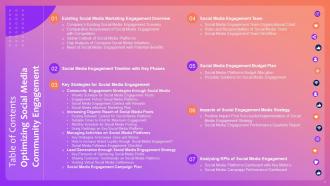
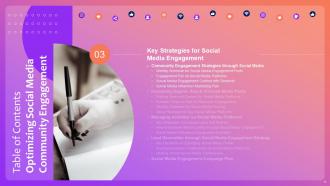
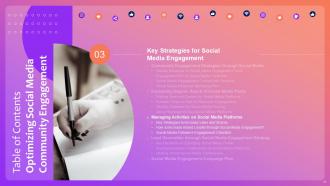
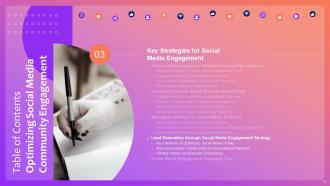
Slide 3: This slide shows Table of Content for the presentation.
Slide 4: This slide highlights title for topics that are to be covered next in the template.
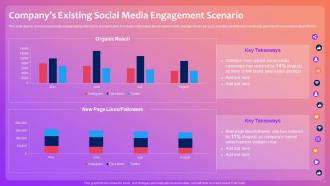
Slide 5: This slide shows Company’s Existing Social Media Engagement Scenario.
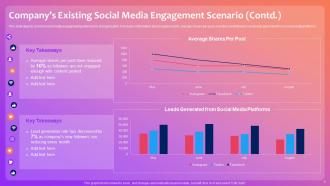
Slide 6: This is another slide continuing Company’s Existing Social Media Engagement Scenario.
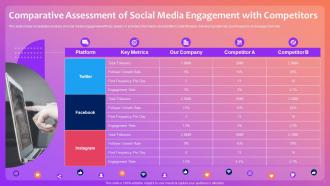
Slide 7: This slide presents Comparative Assessment of Social Media Engagement with Competitors.
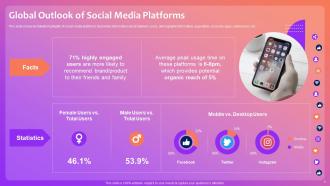
Slide 8: This slide shows worldwide highlights of social media platforms.
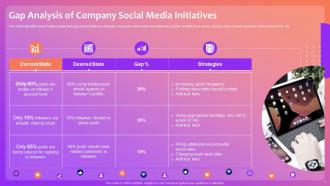
Slide 9: This slide presents Gap Analysis of Company Social Media Initiatives.
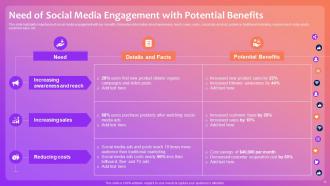
Slide 10: This slide displays Need of Social Media Engagement with Potential Benefits.
Slide 11: This slide highlights title for topics that are to be covered next in the template.
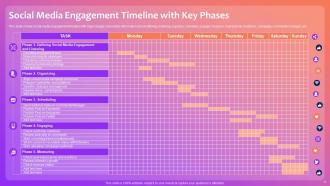
Slide 12: This slide represents Social Media Engagement Timeline with Key Phases.
Slide 13: This slide highlights title for topics that are to be covered next in the template.
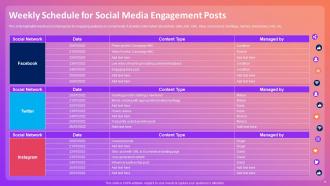
Slide 14: This slide showcases Weekly Schedule for Social Media Engagement Posts.
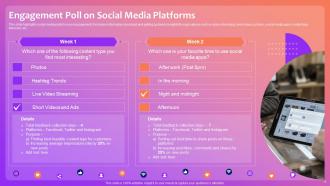
Slide 15: This slide shows Engagement Poll on Social Media Platforms.
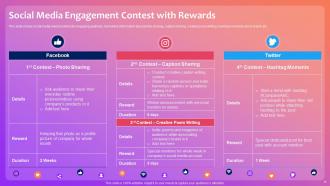
Slide 16: This slide presents Social Media Engagement Contest with Rewards.
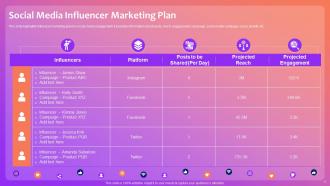
Slide 17: This slide highlights influencer marketing plan for social media engagement.
Slide 18: This slide highlights title for topics that are to be covered next in the template.
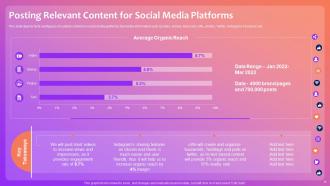
Slide 19: This slide displays Posting Relevant Content for Social Media Platforms.
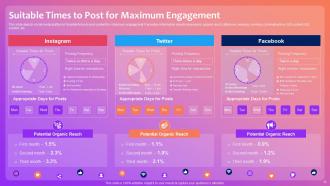
Slide 20: This slide represents Suitable Times to Post for Maximum Engagement.
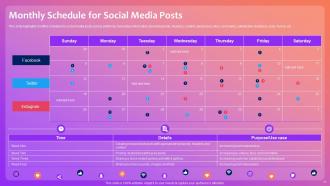
Slide 21: This slide showcases Monthly Schedule for Social Media Posts.
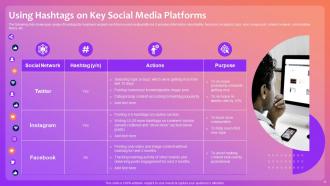
Slide 22: The following slide showcases usage of hashtags for maximum organic reach from social media platforms.
Slide 23: This slide highlights title for topics that are to be covered next in the template.
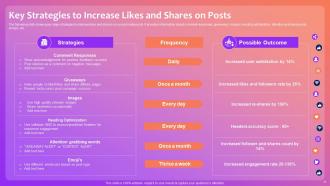
Slide 24: This slide shows Key Strategies to Increase Likes and Shares on Posts.
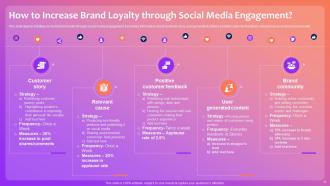
Slide 25: This slide depicts initiatives to build brand loyalty through social media engagement.
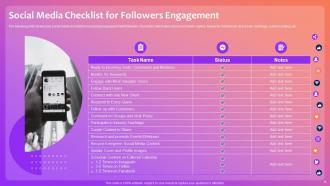
Slide 26: This slide displays Social Media Checklist for Followers Engagement.
Slide 27: This slide highlights title for topics that are to be covered next in the template.
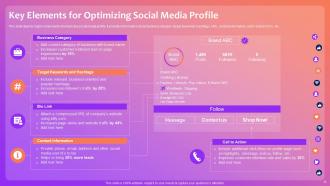
Slide 28: This slide represents Key Elements for Optimizing Social Media Profile.
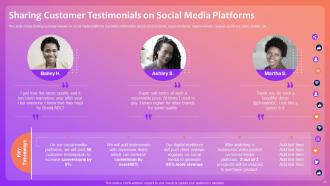
Slide 29: This slide showcases Sharing Customer Testimonials on Social Media Platforms.
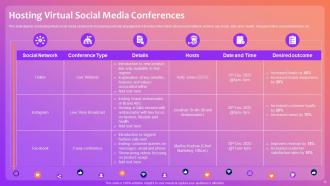
Slide 30: This slide shows Hosting Virtual Social Media Conferences.
Slide 31: This slide highlights title for topics that are to be covered next in the template.
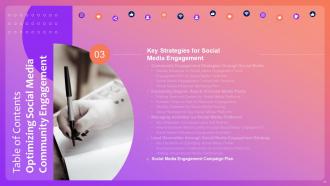
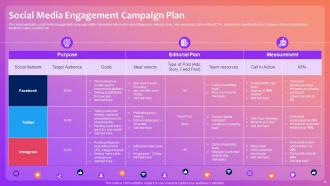
Slide 32: This slide presents Social Media Engagement Campaign Plan.
Slide 33: This slide highlights title for topics that are to be covered next in the template.
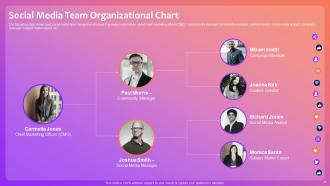
Slide 34: This slide displays Social Media Team Organizational Chart.
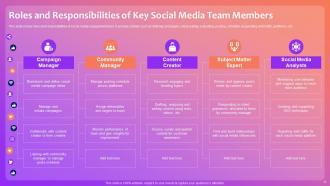
Slide 35: This slide represents Roles and Responsibilities of Key Social Media Team Members.
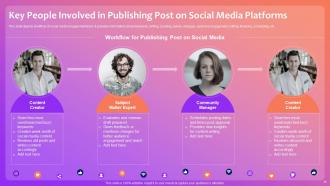
Slide 36: This slide showcases Key People Involved in Publishing Post on Social Media Platforms.
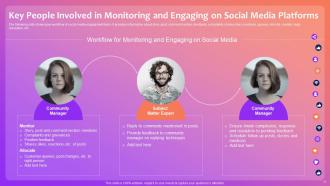
Slide 37: This slide shows Workflow for Monitoring and Engaging on Social Media.
Slide 38: This slide highlights title for topics that are to be covered next in the template.
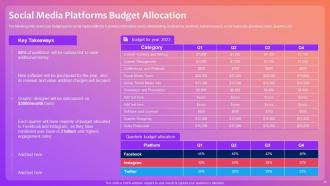
Slide 39: The following slide showcases budget plan for social media platforms.
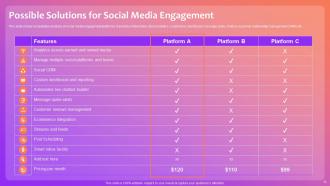
Slide 40: This slide presents Possible Solutions for Social Media Engagement.
Slide 41: This slide highlights title for topics that are to be covered next in the template.
Slide 42: This slide shows major impact post implementing social media strategy for improved engagement.
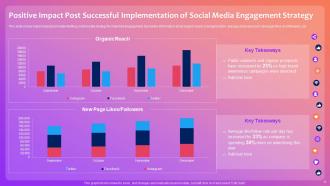
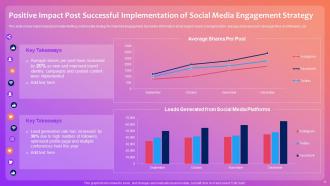
Slide 43: This slide displays Positive Impact Post Successful Implementation of Social Media Engagement Strategy.
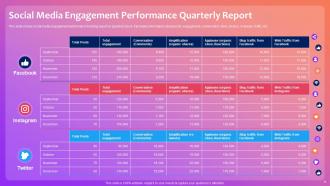
Slide 44: This slide represents Social Media Engagement Performance Quarterly Report.
Slide 45: This slide highlights title for topics that are to be covered next in the template.
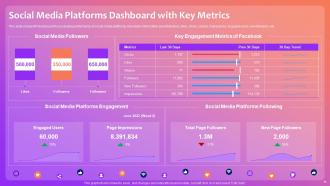
Slide 46: This slide showcases Social Media Platforms Dashboard with Key Metrics.
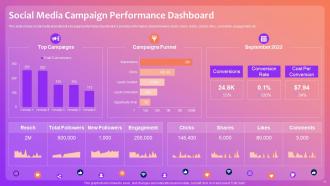
Slide 47: This slide shows Social Media Campaign Performance Dashboard.
Slide 48: This slide contains all the icons used in this presentation.
Slide 49: This slide is titled as Additional Slides for moving forward.
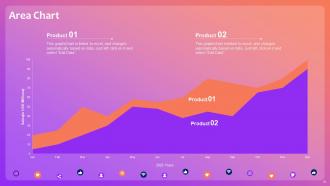
Slide 50: This slide depicts Area chart with two products comparison.
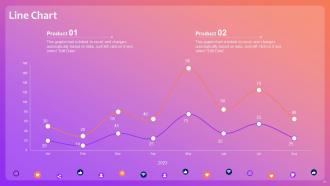
Slide 51: This slide describes Line chart with two products comparison.
Slide 52: This is Our Goal slide. State your firm's goals here.
Slide 53: This slide shows Post It Notes. Post your important notes here.
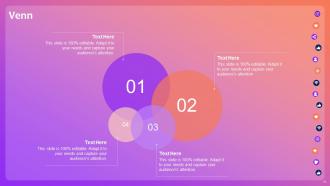
Slide 54: This slide depicts Venn diagram with text boxes.
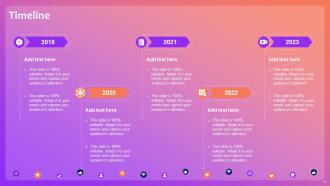
Slide 55: This is a Timeline slide. Show data related to time intervals here.
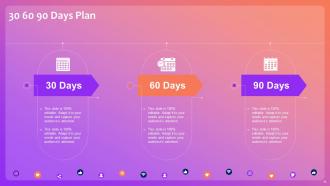
Slide 56: This slide provides 30 60 90 Days Plan with text boxes.
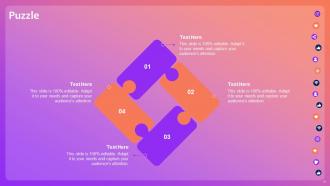
Slide 57: This slide contains Puzzle with related icons and text.
Slide 58: This is a Thank You slide with address, contact numbers and email address.
Optimizing Social Media Community Engagement Powerpoint Presentation Slides with all 63 slides:
Use our Optimizing Social Media Community Engagement Powerpoint Presentation Slides to effectively help you save your valuable time. They are readymade to fit into any presentation structure.





FAQs for Optimizing Social Media Community Engagement
Focus on engagement rate first - that's likes, comments, shares divided by your follower count. Reach and click-through rates matter too. Comments are way more valuable than likes btw, since people actually have to think before typing something. Don't get obsessed with follower numbers though, they're honestly overrated if nobody's engaging. Saves and shares are pure gold - means people want to show your stuff to others. Oh and pick like 3-4 metrics max that match what you're trying to do. I made the mistake of tracking everything once and it was overwhelming.
Each platform has its own vibe, so you can't just copy-paste everywhere. LinkedIn wants that polished professional stuff - industry insights, career wins, thought leadership content. Instagram is visual-heavy with Stories being huge. TikTok? Go authentic and jump on trends, but make it feel natural, not forced. Twitter/X is perfect for quick hot takes and jumping into conversations. The worst thing you can do is post identical content across all platforms - it's so obvious and just doesn't hit right. Spend time scrolling each platform first to get the feel, then tweak your voice to match. Oh, and don't overthink it too much at first.
Dude, visuals are everything on social media! Your brain processes images 60,000 times faster than text, so people literally can't help but stop scrolling. I posted boring text-only stuff for months and got maybe 3 likes - it was embarrassing. Videos do especially well since the algorithms love them. Even basic behind-the-scenes photos or simple graphics will crush plain text posts. You'll see interaction rates jump by like 650% compared to text-only content. Quality matters though - blurry phone pics won't cut it. But honestly, anything visual beats a wall of text these days.
Definitely start showcasing what your customers are already posting about you! Set up a hashtag campaign and repost their photos/videos - people get genuinely excited when brands feature them. It's honestly such a simple way to build loyalty. Make sure you credit everyone though, that part's crucial. Also respond to their posts when you can. I'd probably start small with just one hashtag this week and see how it goes. Oh, and put customer reviews front and center on your website too. Makes participation feel worth it when people see you'll actually use their content.
Honestly, timing is huge - check when your people are actually scrolling and post then. Eye-catching visuals obviously help, but don't overthink it. Ask questions that get people talking, not just liking. Behind-the-scenes stuff performs way better than you'd expect because it feels real. Actually reply to comments fast and with something meaningful (not just emojis lol). Try mixing it up with polls or carousels - I've seen those work really well lately. Oh, and user-generated content is gold if you can get it going. Pick like two of these and test them for a week, see what sticks.
Stories work so well because they just feel real, you know? Use polls and question stickers to get people actually responding to you. Behind-the-scenes stuff is huge too - everyone wants to see what's really going on. I swear, anything with faces in it gets way more engagement than just text or product shots. Don't ask generic stuff like "thoughts?" Ask something specific that makes people want to answer. Oh, and test different formats for like a week - you'll quickly see what gets your audience talking back.
Honestly, speed matters a lot - try to reply within a few hours if you can. Use their actual name when possible and respond to what they actually said. Those generic "thanks for the comment!" responses are so cringe, I see them everywhere and they feel so fake. Ask follow-up questions to keep things going. Share some behind-the-scenes stuff too - people love that. Don't be scared to show personality! Emoji help add warmth. The whole point is making people feel heard, not just brushed off with a quick acknowledgment. I'd set aside maybe 15-20 minutes daily just for real engagement.
Dude, I used to post whenever I felt like it and wonder why nothing worked. Game changer was actually looking at my analytics - sounds boring but it's not! Check which posts got people commenting and sharing. Your insights will show when your followers are scrolling (mine are apparently night owls). Behind-the-scenes stuff might crush it while your carefully crafted quotes flop. Short videos vs. photos, questions vs. random thoughts - the patterns become obvious once you start paying attention. I peek at my numbers every week now and honestly? It takes like 5 minutes but my engagement is way better.
Honestly, the worst thing you can do is jump in posting without lurking first - like showing up to a party and immediately talking about yourself. Don't spam your products constantly either. Pick maybe two platforms max where your people actually are instead of trying to be everywhere. Oh, and never ignore negative comments thinking they'll just go away (they multiply like gremlins). Also? Skip trending topics unless you actually get what's happening - I've seen brands crash and burn so hard from this. Focus on real conversations, not just shouting into the void. Always reply within 24 hours though.
Honestly, contests work so well because people actually have a reason to engage instead of just scrolling by. Everyone loves free stuff - that's just human nature. The smart move is making your entry requirements work for you. Need more followers? Make them follow and tag friends. Want user content? Ask them to post with your hashtag. Just don't pick some random expensive prize that attracts prize hunters who'll never buy from you anyway (learned that one the hard way). You want prizes your actual audience would want. Makes the whole thing feel less spammy too.
Stop trying to sell all the time - just be helpful. Share random behind-the-scenes stuff and actually talk to people in your comments like they're real humans. Ask questions you genuinely want answers to, not generic "what's your fave emoji" nonsense. I swear, showing your screwups makes people connect with you way more than pretending you're perfect. User-generated content is gold because everyone loves seeing themselves on your page. Pay attention to what people are actually asking in your DMs - that's free content ideas right there. Track which posts spark real conversations, not just double-taps.
Honestly, forget chasing follower counts - you want someone whose audience actually gives a shit about what you're selling. Micro-influencers are where it's at anyway. Like 10K-100K followers usually beats those massive accounts for engagement, plus you won't blow your budget on one post. I'd start small - maybe 3-5 people in your space who feel authentic. Don't make them do weird scripted ads either. Let them talk about your stuff however feels natural to them. Think long-term partnerships, not just one-and-done posts. Way better ROI when you build actual relationships.
Honestly, AI content is everywhere now so you'll need to stand out from that noise. Short videos are still crushing it - even boring LinkedIn jumped on the bandwagon. People trust real employee posts way more than those super polished brand things these days. Social commerce is wild though - customers just buy straight from Instagram without ever hitting your actual site. Instead of chasing follower counts, build tight communities around specific niches. That's where the magic happens. Try working with smaller influencers and focus on real conversations rather than just shouting into the void.
Honestly, just talk to people like they're actual people, not some target demographic. Drop the corporate BS and acknowledge when you screw up - I swear it works better than any fancy PR strategy. People can smell fake from miles away, but they'll stick around when you're genuine. Show them behind-the-scenes stuff, admit mistakes openly, respond to comments like you're chatting with friends. My cousin's small business blew up just by being real in their posts. Trust builds when you ditch the robot voice. Try it next time - comment responses that sound human instead of copy-pasted will change everything.
Yeah, timing makes a huge difference! I've seen engagement jump 20-50% just from posting when people are actually scrolling. Most folks are active during lunch (11am-1pm) and evenings around 7-9pm, but honestly your audience might be totally different. Like, maybe they're all insomniacs or something lol. Don't trust those generic "best times" posts - check your own analytics instead. Consistency helps too. If you always post Tuesday afternoons, people start expecting it. I'd test different times for a few weeks and see what clicks for your specific followers.
-
A big thanks to SlideTeam! An incredible and diverse library of templates helped me with my business project presentation.
-
My team has been relying on SlideTeam’s professional PPT designs for a while now. It has greatly sped up quality work at my organization. So thanks!