

Parallel Computing Powerpoint Presentation Slides




Try Before you Buy Download Free Sample Product
 Impress Your
 Audience
 100%
100% Editable
 Save Hours
 of Time


Parallel Processing gives a brief idea about parallel processing, its importance, how it is different from serial processing, its architecture, and various types. In this Parallel Computing PowerPoint, we have discussed the overview of parallel processing, fundamentals of parallel computer architecture, the importance of parallel processing, and business benefits. In addition, this Parallel Processing PPT contains a section architecture of parallel processing. Furthermore, this Parallel Processing Overview template includes the different types of parallel processing. Moreover, this deck caters to the hardware supporting parallel processing. Lastly, this Parallel Processing deck comprises parallel processing applications in different sectors such as agriculture, science, research, etc. It also includes a timeline, a roadmap, and a dashboard. Download our 100 percent editable and customizable template, which is also compatible with Google Slides.
People who downloaded this PowerPoint presentation also viewed the following :
Content of this Powerpoint Presentation
Slide 1: This slide introduces Parallel Computing. Begin by Stating Your Company Name.
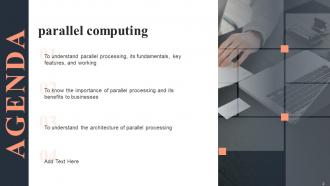
Slide 2: This slide depicts the Agenda of the presentation.
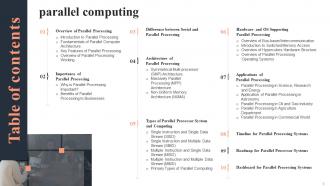
Slide 3: This slide includes the Table Of Contents.
Slide 4: This slide reveals the Title for the Topics to be covered in the next template.
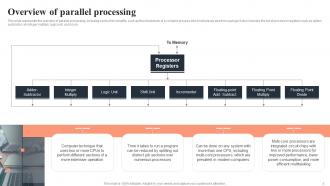
Slide 5: This slide presents the Overview of parallel processing.
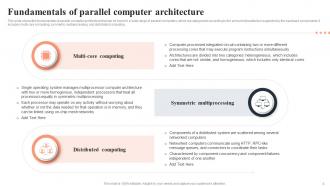
Slide 6: This slide showcases the Fundamentals of parallel computer architecture.
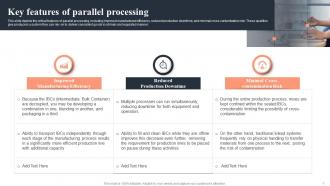
Slide 7: This slide lists the Key features of parallel processing.
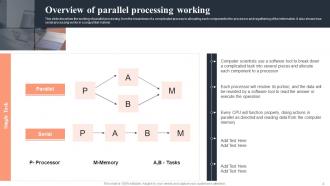
Slide 8: This slide displays the Overview of parallel processing working.
Slide 9: This slide includes the Headings for the Topics to be covered further.
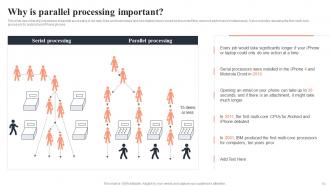
Slide 10: This slide deals with the significance of the Parallel processing.
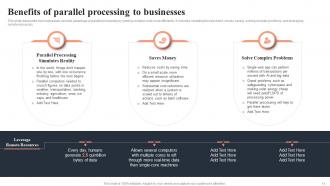
Slide 11: This slide showcases the Benefits of parallel processing to businesses.
Slide 12: This slide incorporates the Headings for the Ideas to be discussed in the following template.
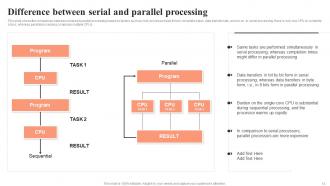
Slide 13: This slide presents the Difference between serial and parallel processing.
Slide 14: This slide deals with the Title for the Contents to be discussed in the forth-coming slide.
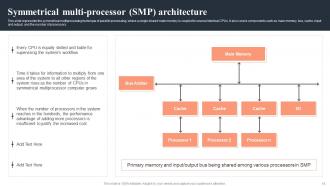
Slide 15: This slide focuses on the Symmetrical multi-processor (SMP) architecture.
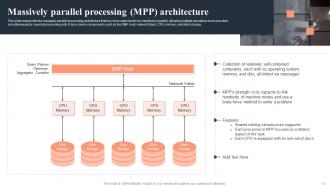
Slide 16: This slide potrays the Massively parallel processing (MPP) architecture
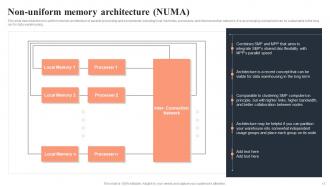
Slide 17: This slide describes the Non-uniform memory architecture(NUMA).
Slide 18: This slide depicts the Heading for the Contents to be covered in th next slide.
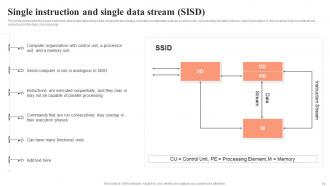
Slide 19: This slide reveals the Single instruction and single data stream (SISD).
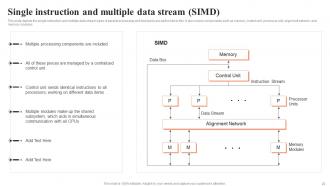
Slide 20: Single instruction and multiple data stream (SIMD).
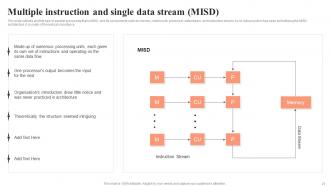
Slide 21: This slide includes the Multiple instruction and single data stream (MISD).
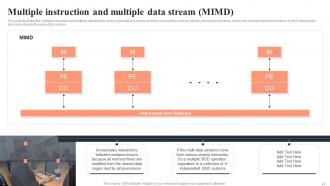
Slide 22: This slide shows the Multiple instruction and multiple data stream (MIMD).
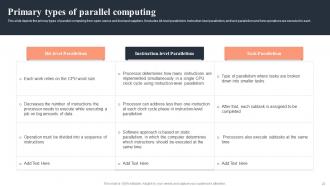
Slide 23: This slide potrays the Primary types of parallel computing.
Slide 24: This slide mentions the Title for the Topics to be covered in the following template.
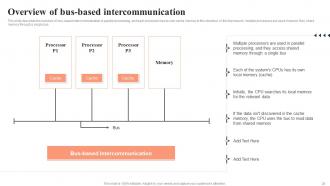
Slide 25: This slide presents the Overview of bus-based intercommunication.
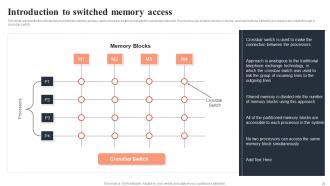
Slide 26: This slide covers the topic of Introduction to switched memory access.
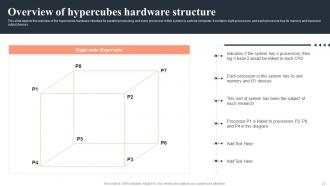
Slide 27: This slide presents the Overview of hypercubes hardware structure.
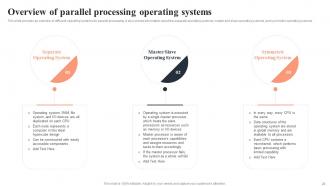
Slide 28: This slide displays the Overview of parallel processing operating systems.
Slide 29: This slide contains the Heading for the Contents to be discussed further.
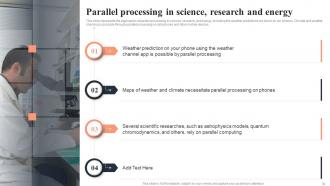
Slide 30: This slide mentions the Parallel processing in science, research and energy.
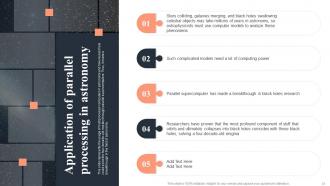
Slide 31: This slide focuses on Application of parallel processing in astronomy.
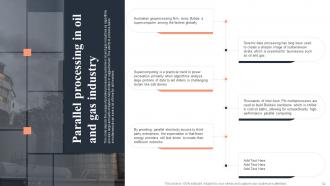
Slide 32: This slide emphasizes on the Parallel processing in oil and gas industry.
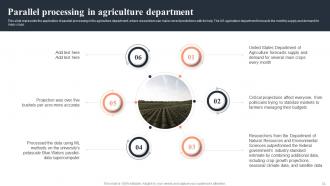
Slide 33: This slide reveals the Parallel processing in agriculture department.
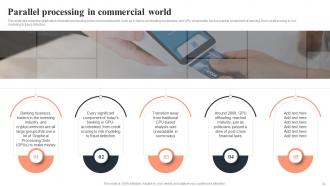
Slide 34: This slide represents the Parallel processing in commercial world.
Slide 35: This slide contains the Heading for the Topics to be covered in the upcoming slide.
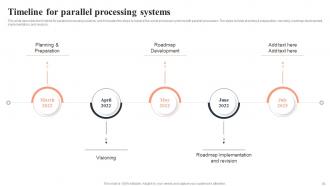
Slide 36: This slide focuses on the Timeline for parallel processing systems.
Slide 37: This slide lists the Heading for the Contents to be discussed in the forth-coming slide.
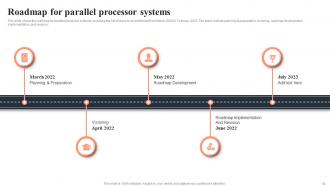
Slide 38: This sldie depicts the Roadmap for parallel processor systems.
Slide 39: This slide exhibits the Title for the Ideas to be discussed further.
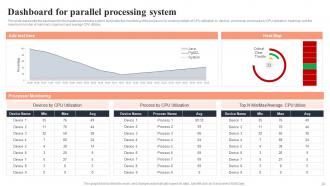
Slide 40: This slide contains the Dashboard for parallel processing system.
Slide 41: This is the Icons slide for parallel processing containing all the Icons used in the plan.
Slide 42: This slide is titled as the Additional slides for providing some additional information.
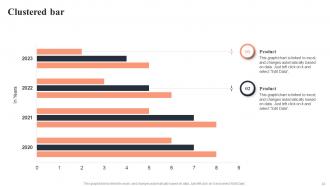
Slide 43: This slide includes the Clustered bar showcasing horizontal Bar-Graphs for comparison.
Slide 44: This is the Puzzle slide with related imagery.
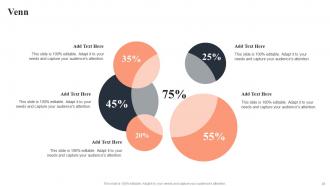
Slide 45: This slide incorporates the Venn Diagram for vital information.
Slide 46: This slide contains the Post it notes for reminders and deadlines.
Slide 47: This is Our target slide. List your Organization's target here.
Slide 48: This is the Puzzle slide with related imagery.
Slide 49: This slide contains a Magnifying glass for revealing some detailed information.
Slide 50: This is the Thank you slide for acknowledgement.
Parallel Computing Powerpoint Presentation Slides with all 55 slides:
Use our Parallel Computing Powerpoint Presentation Slides to effectively help you save your valuable time. They are readymade to fit into any presentation structure.








FAQs for Parallel Computing
So basically, regular computing does everything step by step - like washing dishes one at a time. Parallel computing splits the work up so multiple processors handle different pieces at once. Way more efficient, obviously. Your typical program just follows one path, but parallel programs coordinate multiple threads working together. You can solve crazy complex stuff way faster this way. The tricky part is redesigning your code to handle all the coordination without threads stepping on each other. First thing I'd do is figure out which parts of your process can actually run independently - that's where you'll see the biggest gains.
So basically you're splitting up your work across multiple processors instead of doing everything one step at a time. It's like having 10 people go through a huge stack of papers vs just one person - way more efficient, right? Different chunks of your data get processed simultaneously, which cuts down your runtime big time. Works great for stuff like machine learning or image processing where tasks don't depend on each other. I'd honestly start by figuring out what parts of your current process could actually run in parallel - that's usually the tricky part.
So research labs are crushing it with parallel computing - weather prediction, drug discovery, that whole scene. Wall Street's obsessed with it too for trading algorithms and risk stuff. Honestly the finance guys probably have the craziest hardware setups. Entertainment's huge too - all that CGI rendering takes forever without it. Gaming companies obviously. Oh and energy firms use it for analyzing seismic data when they're looking for oil deposits. AI/machine learning is everywhere now too. If you're dealing with massive datasets or complex simulations, definitely worth checking out how it could speed things up.
So there's basically three main types you'll run into. Shared memory lets processors access the same RAM directly - like how cores in your laptop work together. Distributed memory gives each processor its own separate memory, and they talk through message passing (computer clusters do this). Most supercomputers today actually use hybrid systems that mix both approaches. There's also pipeline and array processors but those are pretty specialized. Honestly, the key is figuring out if your problem needs processors working super tightly together or if they can be more independent.
So parallel algorithms basically split your work into smaller pieces that can run at the same time on different cores. Think of it like having multiple people working on a project instead of just one person doing everything step by step. Most programs today don't even use half the power your computer actually has - it's kinda crazy when you think about it. You'll get way better performance if you can figure out which parts of your process can be broken up and run simultaneously. Just make sure the coordination overhead doesn't kill your speed gains. Oh, and not everything can be parallelized well, so start by looking for the obvious candidates first.
Honestly, cloud computing is a game changer for parallel stuff. Instead of dropping crazy money on hardware upfront, you just spin up whatever you need on AWS or Google Cloud. I've been messing around with AWS Batch lately - it's pretty solid for testing things out. The cool part? Your jobs can run across multiple data centers at once, so you get insane processing power. Azure's got similar options too. Start with something basic on Compute Engine first though. Don't go nuts right away - test your algorithms small then scale up when you know they work.
Ugh, debugging parallel code is the worst. Race conditions and deadlocks are your main enemies - plus all those weird timing bugs that vanish the second you try to reproduce them. Your code will run fine 99 times, then randomly explode on run 100 because threads decided to be jerks that day. Regular debuggers? Useless, since stepping through changes how everything executes. Unit testing gets messy with shared state everywhere. Oh, and bottlenecks hide in weird places. Honestly just start with solid logging from day one. Tools like Intel Inspector or Helgrind will save your sanity though.
Honestly, the language choice matters way more than people think. C++ and Rust let you get super granular with threads and memory - fast but kinda painful. Python's GIL is annoying for real parallelism (multiprocessing saves you though). Go and Erlang? They're literally designed for this stuff, makes everything smoother. Java's actually not bad - decent threading without the headaches. But here's the thing - I've watched teams argue about this for weeks when they could've just started coding. Use what you know best with solid libraries. You can always swap later if needed.
Yeah, parallel computing can actually save you energy! Here's the thing - you'll use more power upfront since multiple cores are running, but you finish way faster than serial processing. Think of it like sprinting vs jogging to the same spot. Sure, you burn more energy per second, but you get there quicker and can chill sooner. For big workloads you run regularly, those savings really pile up. Honestly, I'd profile your current serial jobs first - see if parallelizing would cut your overall compute time and energy use. Worth checking out.
Honestly, you can't do modern ML without parallel computing anymore. GPUs are what make it possible to run thousands of matrix operations at once - that's literally how neural networks train and make predictions. Instead of updating weights one by one (which would take forever), you're doing millions simultaneously across cores. The big models like ChatGPT? They need entire GPU clusters and TPUs to even function. If you're doing anything beyond toy projects, learn CUDA or pick up some cloud platform for parallel computing. Trust me, your training times will thank you.
So it really depends what you're trying to do. OpenMP is pretty sweet for shared-memory stuff - you literally just add pragmas to code you already have. MPI's the classic choice for distributed computing but honestly the learning curve kinda sucks. For GPU work, CUDA and OpenCL are your main options, though CUDA wins by a mile in terms of popularity. Python people usually go with multiprocessing or joblib for simple tasks. Apache Spark handles big data really well too. I'd probably just start with whatever fits your current language and see how it goes.
Look, scaling directly impacts your hardware decisions and deployment size. Linear scaling? Great - you can add nodes and actually get the performance boost you paid for. But here's the thing: most systems hit walls way sooner than expected. I've seen too many teams blow budgets on massive clusters that barely beat smaller setups. Before you commit to anything big, run benchmarks at different scales with your actual workload. Start small and measure everything first. Trust me, it'll save you from that awkward conversation with finance about why your fancy new cluster isn't delivering.
So basically, parallel computing is what saves your sanity when you're dealing with huge datasets. Instead of waiting around for hours (or honestly, sometimes days), you split the work across multiple processors or machines at once. MapReduce and Spark are good examples of this in action. The tricky part? You'll need to rethink how your algorithms work since not everything translates well to parallel processing. I'd start by looking at your data preprocessing and model training - those usually benefit the most from this approach. Fair warning though: restructuring existing code can be a bit of a headache initially.
Ugh yeah, sync overhead is such a pain - it'll absolutely wreck your performance if you're not watching for it. I've debugged so many apps where the parallel version was actually *slower* than single-threaded because of too much coordination between tasks. Try to design things so your threads don't need to talk to each other constantly. Lock-free data structures help when you can swing them. Oh and batch your communications instead of doing tiny frequent updates - that alone can save you tons of latency. Honestly, profile this stuff early or you'll hate yourself later.
So there's three big things happening with parallel computing right now. Quantum-classical hybrid systems are becoming real - they can solve stuff regular computers just choke on. Then there's neuromorphic computing, which is basically chips designed like brains (sounds sci-fi but it's actually happening). Edge computing is the third one - instead of sending everything to some data center miles away, the processing happens right where your data lives. Honestly, I think this distributed approach makes way more sense. You should probably start designing for these mixed systems now before you're scrambling later.
-
The customer care of SlideTeam is very responsive. I was having a payment issue and they fixed it for me in no time.
-
Incredibly beautiful designs that will help you get noticed! These eye-catching templates are perfect for corporate presentations that can be altered to fit any occasion or taste.