

Grid Computing IT Powerpoint Presentation Slides




Try Before you Buy Download Free Sample Product
 Impress Your
 Audience
 100%
100% Editable
 Save Hours
 of Time


Organizations use grid computing to perform large tasks or solve complex problems challenging on a single computer. Grab our effectively designed Grid Computing IT template. It gives a brief idea about grid computing by covering its overview, characteristics, benefits, types of machines, and resources. Our Grid Computing Services deck incorporates the critical components of grid computing, like user interface, security, scheduler, data management, and workload and resource management. It also includes grid computing architecture by covering standards and methods for grid computing environments, security models, and its working. Additionally, our Grid Computing Architecture PPT contains various types of grid computing, including computational, data, collaborative, manuscript, and modular. Further, it exhibits the grid user roles from an administrative and user perspective and reveals the applications of grid computing in various fields like life science, engineering-oriented applications, data-oriented applications, scientific research collaboration, etc. Furthermore, our Grid Computing Components template caters to the difference between cloud computing, cluster computing, utility computing, and grid computing. Moreover, it comprises requirements to develop grid computing systems, a timeline to create a grid environment, and a roadmap for a grid computing network Get access now.
People who downloaded this PowerPoint presentation also viewed the following :
Content of this Powerpoint Presentation
Slide 1: This slide introduces Grid Computing (IT). Commence by stating Your Company Name.
Slide 2: This slide depicts the Agenda of the presentation.
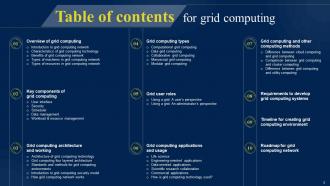
Slide 3: This slide incorporates the Table of contents.
Slide 4: This slide highlights the Title for the Topics to be discussed next.
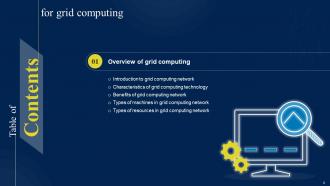
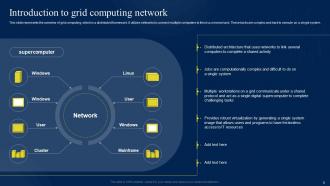
Slide 5: This slide represents the overview of grid computing, which is a distributed framework.
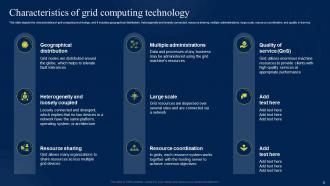
Slide 6: This slide depicts the characteristics of grid computing technology.
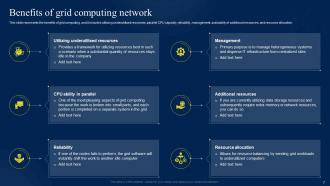
Slide 7: This slide exhibits the Benefits of grid computing network.
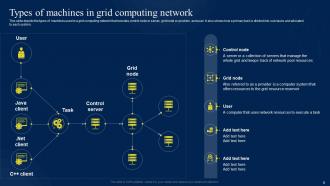
Slide 8: This slide displays the types of machines used in a grid computing network.
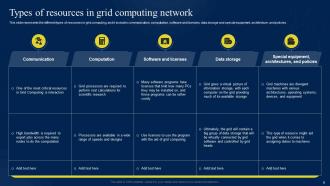
Slide 9: This slide states the Types of resources in grid computing network.
Slide 10: This slide portrays the Heading for the Components to be covered in the following template.
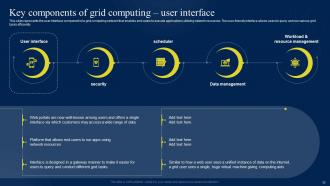
Slide 11: This slide represents the user interface component of a grid computing network that enables end-users to execute applications utilizing network resources.
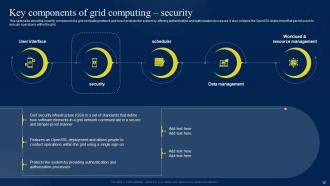
Slide 12: This slide talks about the security component of a grid computing network.
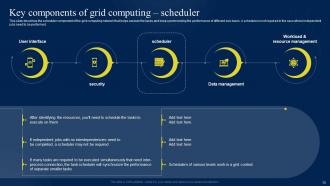
Slide 13: This slide describes the scheduler component of the grid computing network that helps execute the tasks.
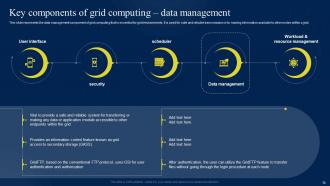
Slide 14: This slide highlights the Key components of grid computing data management.
Slide 15: This slide describes the 5th component of grid computing, which is workload and resource management.
Slide 16: This slide incorporates the Title for the Ideas to be discussed further.
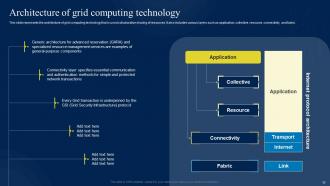
Slide 17: This slide represents the architecture of grid computing technology,used collaborative sharing of resources.
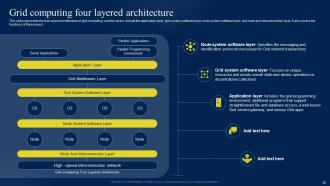
Slide 18: This slide illustrates the Grid comuting four-layered architecture.
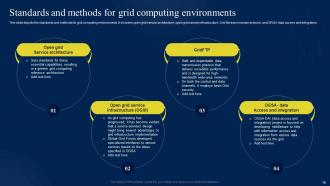
Slide 19: This slide depicts the standards and methods for grid computing environments.
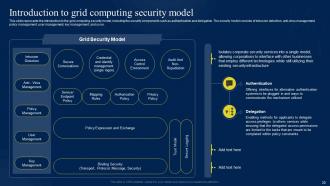
Slide 20: This slide reveals the Introduction to grid computing security model.
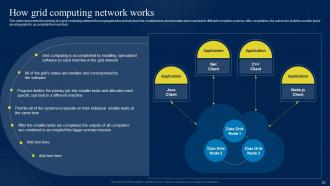
Slide 21: This slide presents the working of a grid computing network.
Slide 22: This slide elucidates the Heading for the Ideas to be covered in the forth-coming template.
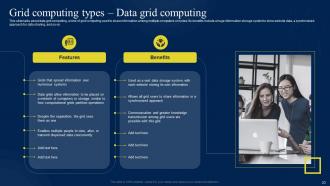
Slide 23: This slide talks about data grid computing, used to share information among multiple computers or nodes.
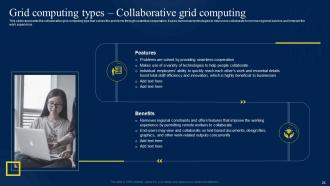
Slide 24: This slide shows the collaborative grid computing type that solves the problems through seamless cooperation.
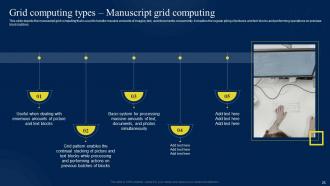
Slide 25: This slide depicts the manuscript grid computing.
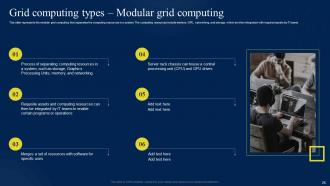
Slide 26: This slide reveals the modular grid computing that separates the computing resources in a system.
Slide 27: This slide exhibits the Title for the Components to be discussed next.
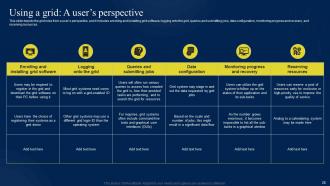
Slide 28: This slide displays the grid roles from a user’s perspective.
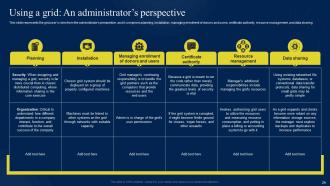
Slide 29: This slide represents the grid user’s roles from the administrator’s perspective.
Slide 30: This slide includes the Heading for the Topics to be covered further.
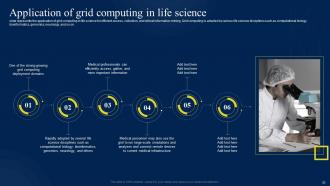
Slide 31: This slide talks about the Application of grid computing in life science.
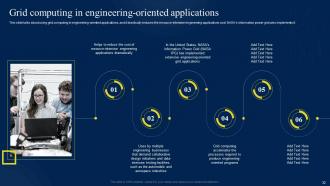
Slide 32: This slide deals with the Grid computing in engineering-oriented applications.
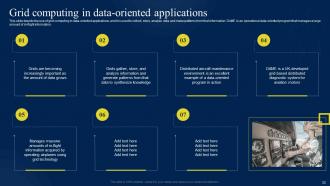
Slide 33: This slide depicts the use of grid computing in data-oriented applications.
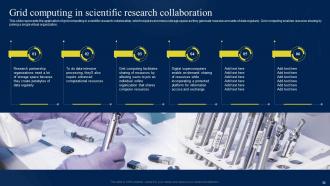
Slide 34: This slide presents the application of grid computing in scientific research collaboration.
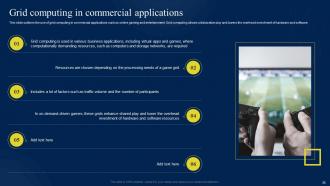
Slide 35: This slide outlines the use of grid computing in commercial applications.
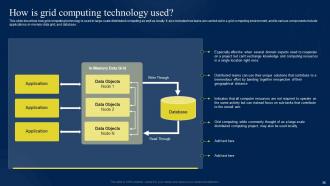
Slide 36: This slide describes how grid computing technology is used in large-scale distributed computing as well as locally.
Slide 37: This slide mentions the Title for the Topics to be covered next.
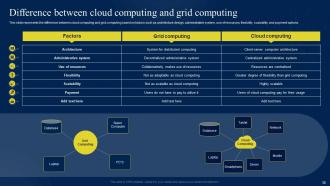
Slide 38: This slide elucidates the Difference between cloud computing and grid computing.
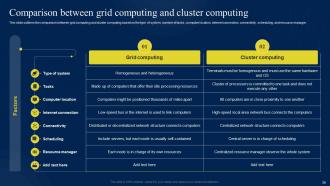
Slide 39: This slide outlines the comparison between grid computing and cluster computing.
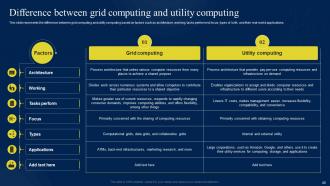
Slide 40: This slide represents the difference between grid computing and utility computing.
Slide 41: This slide includes the Hedaing for the Contents to be discussed in the following template.
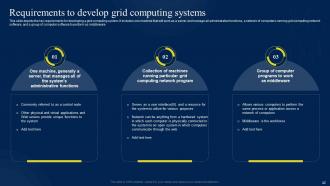
Slide 42: This slide depicts the key requirements for developing a grid computing system.
Slide 43: This slide mentions the Title for the Ideas to be covered further.
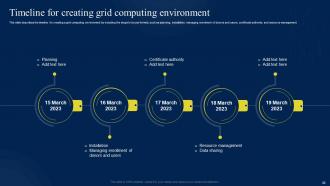
Slide 44: This slide describes the timeline for creating a grid computing environment.
Slide 45: This slide portrays the Heading for the Ideas to be discussed next.
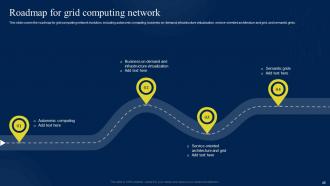
Slide 46: This slide covers the roadmap for grid computing network evolution.
Slide 47: This is the Icons slide containing all the Icons used in the plan.
Slide 48: This slide is used for showcasing some Additional information.
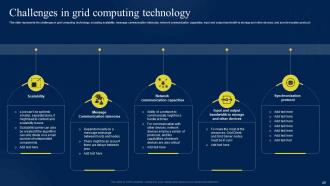
Slide 49: This slide exhibits the Challenges in grid computing technology.
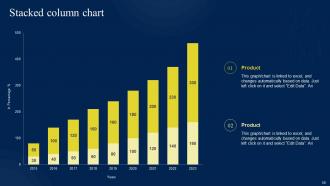
Slide 50: This slide shows the Stacked column chart.
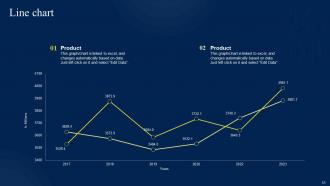
Slide 51: This slide presents the Line chart.
Slide 52: This is the Puzzle slide with related imagery.
Slide 53: This is Our team slide. State your team-related information here.
Slide 54: This slide contains the Post it notes for reminders and deadlines.
Slide 55: This is the About us slide. State your company-related information here.
Slide 56: This is the 30 60 90 days plan slide for efficient planning.
Slide 57: This slide reveals the Circular process.
Slide 58: This is the Thank You slide for acknowledgement.
Grid Computing IT Powerpoint Presentation Slides with all 63 slides:
Use our Grid Computing IT Powerpoint Presentation Slides to effectively help you save your valuable time. They are readymade to fit into any presentation structure.










FAQs for Grid Computing IT
So basically you've got four main layers in grid computing. At the bottom there's the fabric layer - that's your foundation managing individual resources. Then you've got the resource layer with all your computing nodes, storage, and networks. The application layer sits on top where your programs actually run. But honestly? The middleware layer is where things get messy - it handles job scheduling, security, data stuff, making everything communicate properly. My advice is nail down that middleware architecture first because that's what'll make or break your whole setup. Everything else kinda falls into place after that.
So basically supercomputers are these crazy expensive machines with all their processors crammed together in one spot. Grid computing? Totally different approach - you're linking up regular computers that could be anywhere, even different countries. The grid thing is way cheaper since you just use whatever hardware's already sitting around. Performance-wise though, supercomputers crush it for tasks that need everything working super tightly together. Grids work better when you can split your problem into separate pieces that don't need to talk to each other much. Honestly depends what you're trying to solve.
So grid computing is perfect when you need serious computational muscle. Scientific research uses it constantly - climate models, drug discovery, physics stuff. Wall Street firms run risk analysis and trading algorithms on it because speed matters big time there. Entertainment companies render all their CGI with it (imagine how long Pixar movies would take otherwise, yikes). Medical imaging and genomics rely on it too. Honestly, if you've got tasks that can be split up and run parallel, it'll slash your processing time like crazy. Works best for anything computationally heavy that you can break into chunks.
So grid computing is basically like pooling everyone's computer stuff together to make one massive virtual supercomputer. Different organizations connect their resources - you know, processing power, storage, all that. It's honestly pretty clever. Instead of each company buying expensive hardware they can't fully use, they just share what they've got. Your idle servers help someone else's project while you tap into their resources for your big computations. The middleware handles the technical coordination between systems (thank god, because that sounds like a nightmare). Find the right partner organizations and boom - you've got way more computing power without spending a fortune on new equipment.
Honestly, grid computing security is a nightmare. You're dealing with authentication headaches across different organizations - each with their own weird policies. Data protection gets tricky when stuff's flying between systems constantly. Access control? Good luck managing that when resources are scattered everywhere. Plus people can hijack your computing power for sketchy stuff, which is always fun. The usual problems apply too - unauthorized access, data breaches, all that. My advice? Get your encryption sorted first, then figure out trust relationships between organizations. Oh, and maybe grab some coffee because this won't be quick.
So grid computing lets you split up huge data jobs across tons of machines at once instead of making one poor computer handle everything. Way faster - like getting 20 friends to help fold laundry vs doing it solo. You can use idle machines from other departments too, which is pretty smart resource-wise. The cool part? If one machine crashes, everything else keeps chugging along. For your project, just figure out if you can break the work into separate chunks that don't depend on each other. That's honestly the trickiest part sometimes.
So middleware is basically what keeps your grid computing setup from falling apart - it handles all the annoying coordination stuff between different machines. Without it you'd be writing custom code for everything (trust me, been there). It automates job scheduling, resource discovery, data management, security... all that tedious backend work. Frameworks like Globus or gLite are pretty solid choices. Honestly, pick one early and stick with it rather than trying to reinvent the wheel. Let it deal with communication protocols and fault tolerance while you actually build your apps. Way less headache that way.
So grid networks are pretty smart about this - they copy your jobs across multiple nodes. One fails? The others just keep going. The middleware watches everything and moves work around automatically when it spots problems. You can set up checkpointing too, which saves you from losing hours of progress when stuff crashes (learned that the hard way). The trick is making your apps stateless and breaking them into smaller pieces. That way the grid can shuffle things around without breaking a sweat. Honestly works better than you'd expect.
Yeah, grid computing is way better for the environment than regular setups. Instead of everyone running their own servers, you're sharing resources across multiple systems. Idle computing power actually gets used instead of just sitting there wasting energy. There's some network overhead from all the coordination - kinda annoying but whatever. The resource pooling usually makes up for it though. You'll probably cut your carbon footprint while getting better performance, which is pretty sweet. I'd check what systems you're barely using and see if grid computing could replace them.
Oh dude, grid computing is actually sick - you basically connect to this huge network of computers from universities and labs all over the world. Your crappy laptop suddenly has access to massive processing power for running simulations or crunching data. Researchers collaborate across continents without anyone stressing about hardware specs (which honestly used to be such a headache). Look for existing grid networks in your research area first. If that doesn't pan out, try partnering with institutions already in these consortiums. Way easier than buying your own supercomputer.
Start with monitoring - seriously can't stress this enough because you're flying blind otherwise. Resource tracking and performance metrics are your best friends here. Load balancing comes next, but do it smart - check actual capacity, not just which nodes are online. Jobs will need proper scheduling with priorities too. Redundancy isn't optional since things break constantly (learned this the hard way). Oh, and data locality makes a huge difference - keep computation close to your data instead of shuffling everything across the network. That bandwidth adds up fast. Build these pieces gradually rather than trying to tackle everything at once.
Honestly, cloud isn't really killing grid computing - it's just pushing it into more niche areas. Grid still works great for huge scientific projects like particle physics or climate stuff where you need to connect research institutions across the globe. Each place keeps control of their own resources but shares computing power, which is pretty cool actually. For most business cases though? Cloud's way simpler to deal with. If your org needs that distributed approach where different institutions work together, grid makes total sense. Maybe look into mixing both approaches - could give you the best of everything.
Honestly, you'll want to focus on throughput first - how many jobs you're actually completing per hour. Response time's critical too, plus keeping an eye on how your resources are being used across all nodes. Scalability is probably the biggest thing though - can your system handle more work without crashing? Load balancing efficiency matters since you're spreading tasks around, and network latency between nodes can really bite you. Cost-effectiveness is key if this is going into production. Oh, and definitely establish baselines before you start messing with your setup - learned that one the hard way.
So basically grid computing splits your data processing across tons of machines at once, which makes everything way faster. Picture having like 10 people working on different parts of the same project instead of just one person doing it all. Works really well for streaming data because you're not stuck waiting on one slow server to handle everything. Oh and definitely keep your network latency low between the nodes - learned that one the hard way on a project last year. Otherwise you'll totally kill the real-time benefits you're trying to get.
So grid computing's getting pretty crazy upgrades lately. Containerization is making everything way smoother for distributing workloads. Machine learning's the real game-changer though - these systems can actually predict when you'll need more resources, which honestly blows my mind sometimes. Edge computing's pushing processing closer to where your data lives, and cloud-native stuff is making grids way more resilient. Oh, and scalable too - almost forgot that part. If you're still stuck with old-school grid setups, might be worth checking out how these could fix those annoying bottlenecks that are probably costing you.
-
Exclusive and extensive collection of templates. Really helped me create a professional presentation in just no time.
-
Attractive design and informative presentation.