

Cloud Computing Security Powerpoint Presentation Slides




Try Before you Buy Download Free Sample Product
 Impress Your
 Audience
 100%
100% Editable
 Save Hours
 of Time


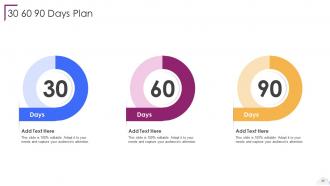
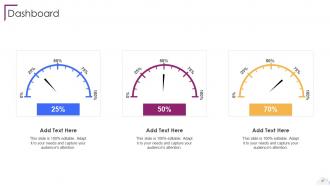
Cloud Security, also known as cloud computing security, comprises various approaches, controls, strategies, and technologies that work together to safeguard cloud based frameworks, information, and infrastructure. These security measures are designed to protect cloud information, support administrative consistency, secure clients privacy, and set validation rules for individual clients and devices. Also, it highlights the security measures taken in cloud security and details on risks or threats that can impact the security of a cloud. Furthermore, this PPT covers the segmentation of cloud security responsibilities and topics that fall under the umbrella of cloud security, namely data center security, access control, threat prevention, threat detection, threat mitigation, redundancy, and legal compliance. Moreover, the cloud data protection PPT covers the list of the industries that can benefit from cloud security. It also provides information on the zero trust policy along with its benefit. At last, this cloud computing security presentation captures the 30 60 90 days plan to implement cloud security in the organization, a roadmap to measure the implementation process, and a dashboard to observe the performance after implementing cloud security in the business. Get access to our powerful cloud computing ppt templates now.
People who downloaded this PowerPoint presentation also viewed the following :
Content of this Powerpoint Presentation
Slide 1: This slide introduces Cloud Computing Security. State Your Company Name and begin.
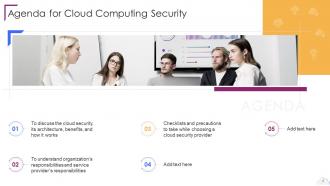
Slide 2: This slide states Agenda of the presentation.
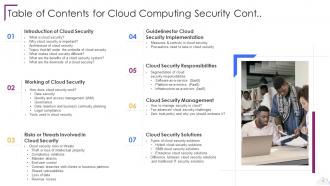
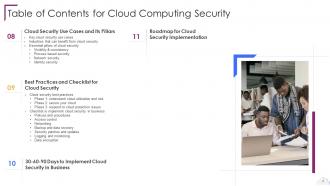
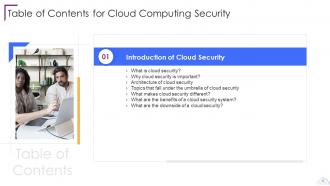
Slide 3: This slide presents Table of Content for the presentation.
Slide 4: This is another slide continuing Table of Content for the presentation.
Slide 5: This slide highlights title for topics that are to be covered next in the template.
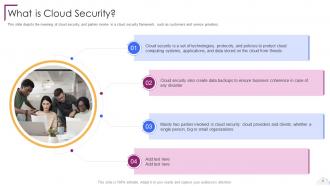
Slide 6: This slide depicts the meaning of cloud security, and parties involve in a cloud security framework.
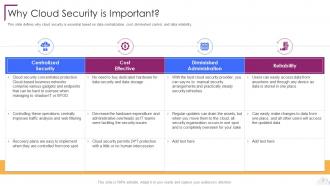
Slide 7: This slide defines why cloud security is essential based on data centralization, cost, diminished control, etc.
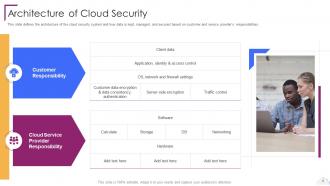
Slide 8: This slide represents the architecture of the cloud security system.
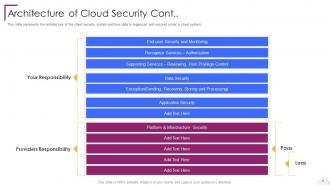
Slide 9: This is another slide continuing architecture of the cloud security system.
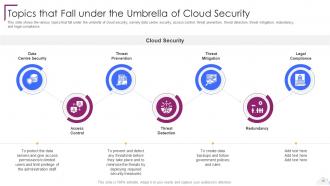
Slide 10: This slide shows Topics that Fall under the Umbrella of Cloud Security.
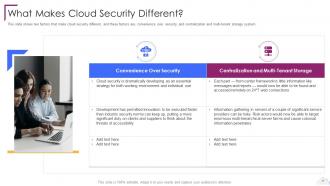
Slide 11: This slide shows factors that make cloud security different.
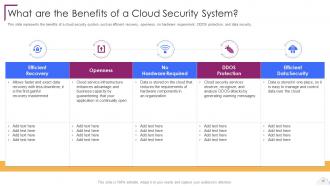
Slide 12: This slide represents the benefits of a cloud security system.
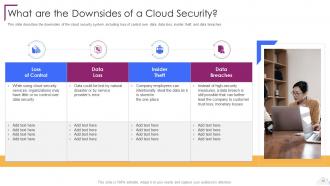
Slide 13: This slide describes the downsides of the cloud security system.
Slide 14: This slide highlights title for topics that are to be covered next in the template.
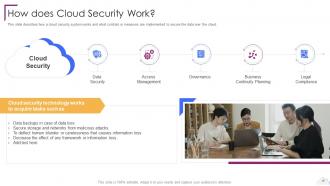
Slide 15: This slide describes how a cloud security system works.
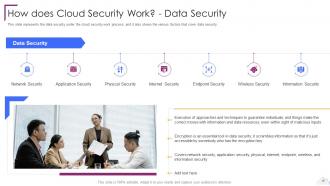
Slide 16: This slide represents the data security under the cloud security work process.
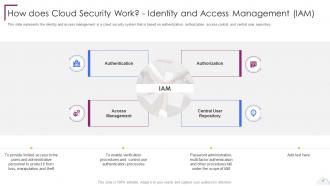
Slide 17: This slide represents the identity and access management in a cloud security system.
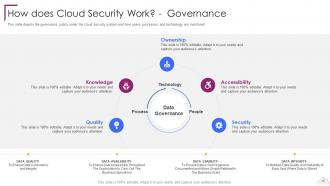
Slide 18: This slide depicts the governance policy under the cloud security system.
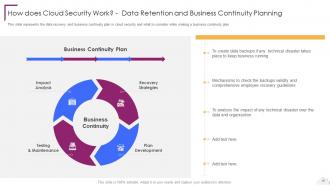
Slide 19: This slide represents the data recovery and business continuity plan in cloud security.
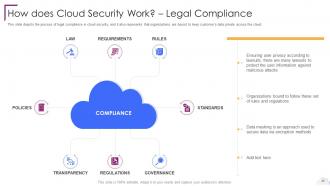
Slide 20: This slide depicts the process of legal compliance in cloud security.
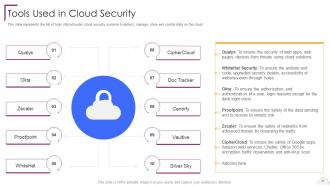
Slide 21: This slide represents the list of tools utilized under cloud security systems.
Slide 22: This slide highlights title for topics that are to be covered next in the template.
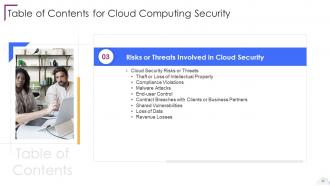
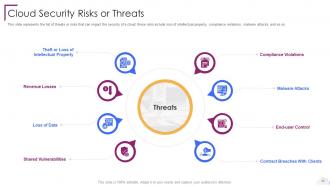
Slide 23: This slide represents the list of threats or risks that can impact the security of a cloud.
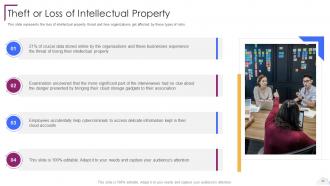
Slide 24: This slide showcases Theft or Loss of Intellectual Property.
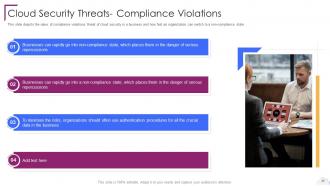
Slide 25: This slide depicts the value of compliance violations threat of cloud security.
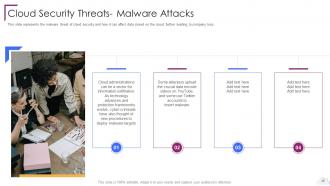
Slide 26: This slide represents the malware threat of cloud security and how it can affect data stored on the cloud.
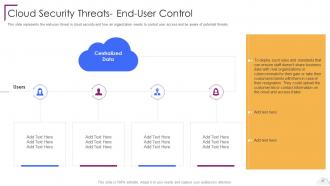
Slide 27: This slide presents the end-user threat in cloud security.
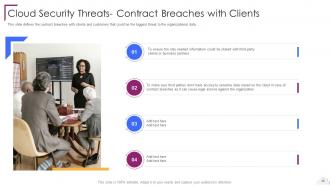
Slide 28: This slide defines the contract breaches with clients and customers.
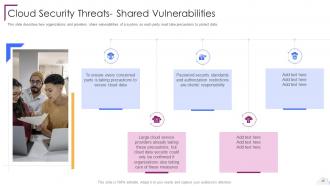
Slide 29: This slide describes how organizations and providers share vulnerabilities of a system.
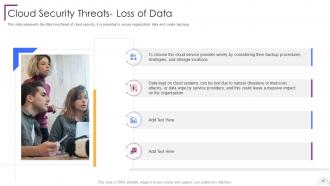
Slide 30: This slide represents the data loss threat of cloud security.
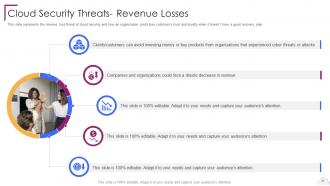
Slide 31: This slide represents the revenue loss threat of cloud security.
Slide 32: This slide highlights title for topics that are to be covered next in the template.
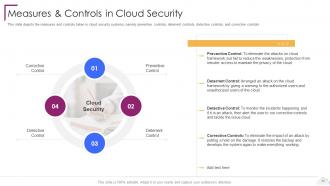
Slide 33: This slide depicts the measures and controls taken in cloud security systems.
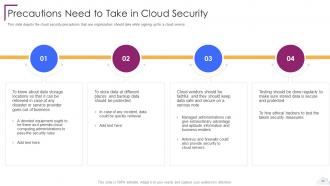
Slide 34: This slide shows Precautions Need to Take in Cloud Security.
Slide 35: This slide highlights title for topics that are to be covered next in the template.
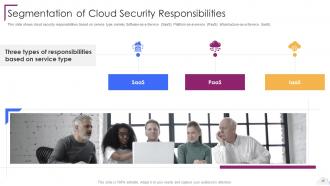
Slide 36: This slide presents Segmentation of Cloud Security Responsibilities.
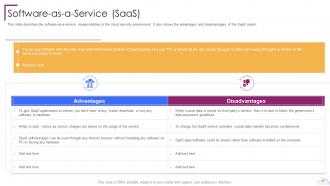
Slide 37: This slide describes the software-as-a-service responsibilities in the cloud security environment.
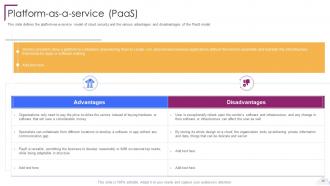
Slide 38: This slide defines the platform-as-a-service model of cloud security.
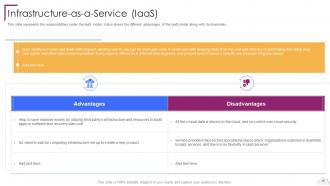
Slide 39: This slide represents the responsibilities under the IaaS model.
Slide 40: This slide highlights title for topics that are to be covered next in the template.
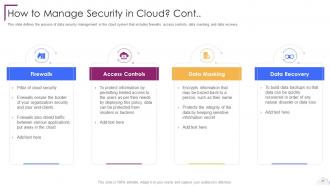
Slide 41: This slide defines the process of data security management in the cloud system.
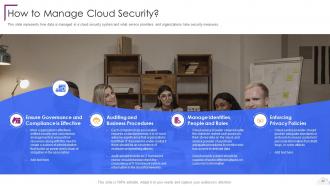
Slide 42: This slide represents how data is managed in a cloud security system.
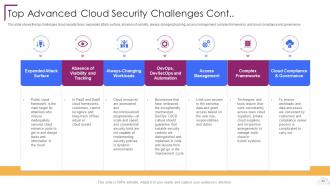
Slide 43: This slide shows the top challenges cloud security faces.
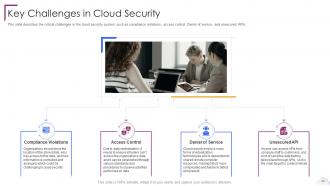
Slide 44: This slide describes the critical challenges in the cloud security system.
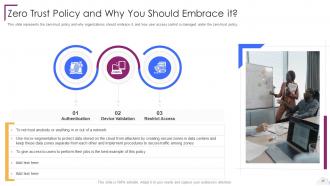
Slide 45: This slide represents the zero-trust policy and why organizations should embrace it.
Slide 46: This slide highlights title for topics that are to be covered next in the template.
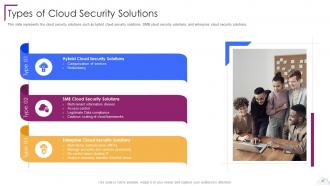
Slide 47: This slide represents the cloud security solutions.
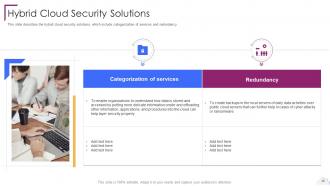
Slide 48: This slide describes the hybrid cloud security solutions.
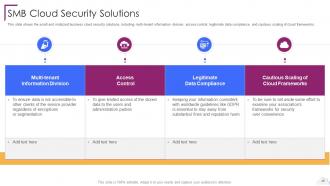
Slide 49: This slide shows the small and midsized business cloud security solutions.
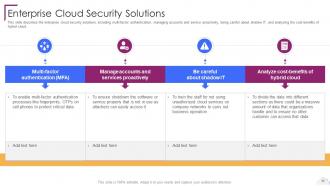
Slide 50: This slide describes the enterprise cloud security solutions.
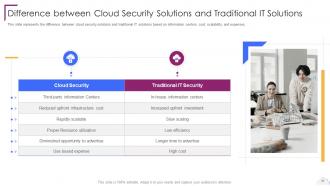
Slide 51: This slide presents Difference between Cloud Security Solutions and Traditional IT Solutions.
Slide 52: This slide highlights title for topics that are to be covered next in the template.
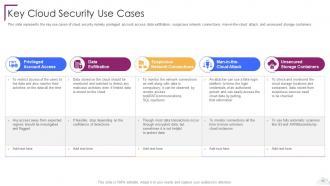
Slide 53: This slide represents the key use cases of cloud security.
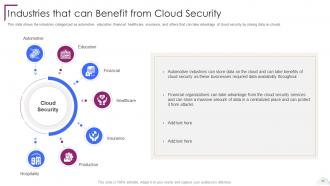
Slide 54: This slide showcases Industries that can Benefit from Cloud Security.
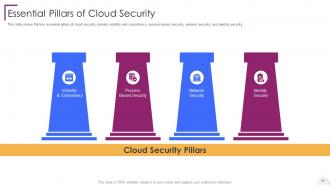
Slide 55: This slide shows the four essential pillars of cloud security, namely visibility and consistency.
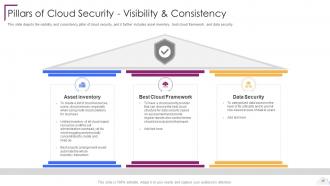
Slide 56: This slide depicts the visibility and consistency pillar of cloud security.
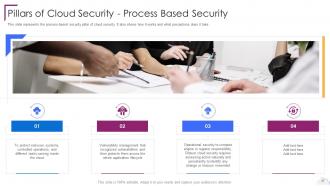
Slide 57: This slide represents the process-based security pillar of cloud security.
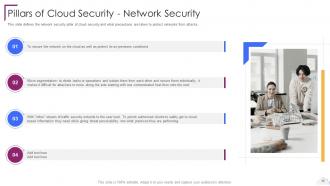
Slide 58: This slide defines the network security pillar of cloud security.
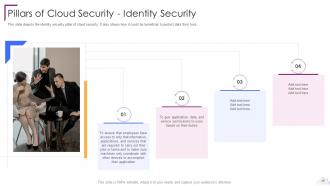
Slide 59: This slide depicts the identity security pillar of cloud security.
Slide 60: This slide highlights title for topics that are to be covered next in the template.
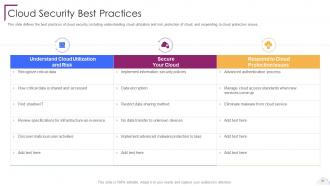
Slide 61: This slide defines the best practices of cloud security.
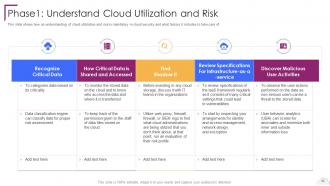
Slide 62: This slide shows how an understanding of cloud utilization and risk is mandatory in cloud security.
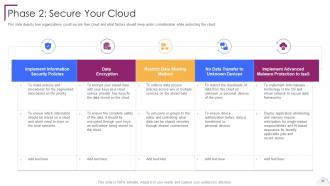
Slide 63: This slide depicts how organizations could secure their cloud.
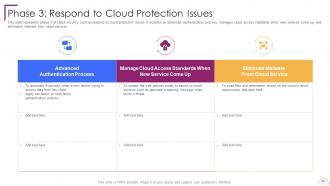
Slide 64: This slide represents phase 3 of cloud security, such as respond to cloud protection issues.
Slide 65: This slide highlights title for topics that are to be covered next in the template.
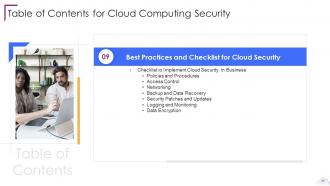
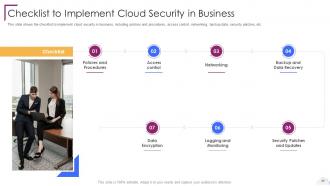
Slide 66: This slide shows Checklist to Implement Cloud Security in Business.
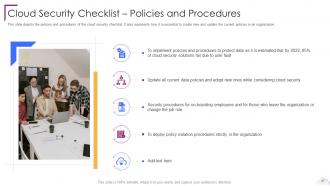
Slide 67: This slide depicts the policies and procedures of the cloud security checklist.
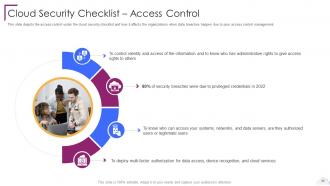
Slide 68: This slide depicts the access control under the cloud security checklist.
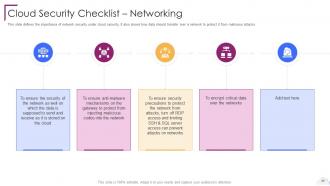
Slide 69: This slide defines the importance of network security under cloud security.
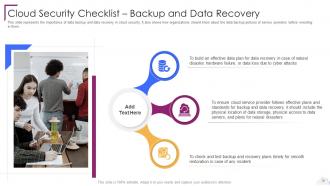
Slide 70: This slide represents the importance of data backup and data recovery in cloud security.
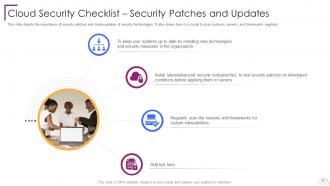
Slide 71: This slide depicts the importance of security patches and timely updates of security technologies.
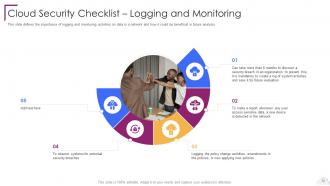
Slide 72: This slide defines the importance of logging and monitoring activities on data in a network.
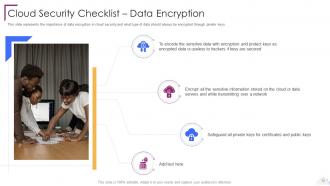
Slide 73: This slide represents the importance of data encryption in cloud security.
Slide 74: This slide highlights title for topics that are to be covered next in the template.
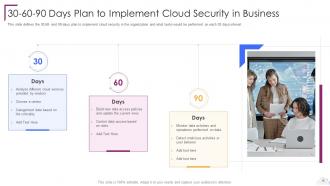
Slide 75: This slide showcases 30-60-90 Days Plan to Implement Cloud Security in Business.
Slide 76: This slide highlights title for topics that are to be covered next in the template.
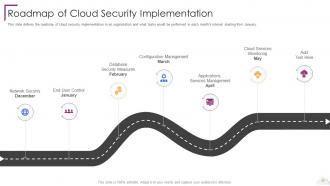
Slide 77: This slide shows Roadmap of Cloud Security Implementation.
Slide 78: This slide displays Icons for Cloud Computing Security.
Slide 79: This slide is titled as Additional Slides for moving forward.
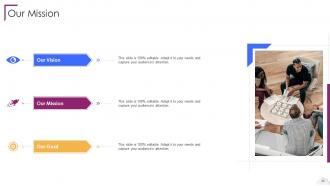
Slide 80: This is Our Mission slide with related imagery and text.
Slide 81: This is About Us slide to show company specifications etc.
Slide 82: This is Our Team slide with names and designation.
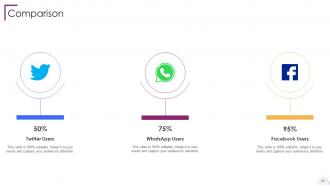
Slide 83: This is a Comparison slide to state comparison between commodities, entities etc.
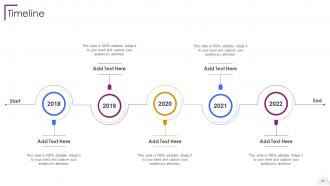
Slide 84: This is a Timeline slide. Show data related to time intervals here.
Slide 85: This slide depicts Venn diagram with text boxes.
Slide 86: This slide provides 30 60 90 Days Plan with text boxes.
Slide 87: This slide represents Dashboard with additional text boxes to show information.
Slide 88: This is a Thank You slide with address, contact numbers and email address.
Cloud Computing Security Powerpoint Presentation Slides with all 93 slides:
Use our Cloud Computing Security Powerpoint Presentation Slides to effectively help you save your valuable time. They are readymade to fit into any presentation structure.







FAQs for Cloud Computing Security
Okay so you'll want to nail down four big things: data encryption (keeps your stuff safe when stored and moving around), identity management for controlling who gets access to what, network security with firewalls and intrusion detection, and compliance monitoring. Backup and disaster recovery plans are huge too - learned that one the hard way. Regular security audits help catch problems early. Network security honestly feels like the most technical part to me, but it's worth figuring out. Start by looking at what you have now and pick the messiest area first.
So encryption basically takes your files and scrambles them into complete gibberish before they hit the cloud. If hackers break in or intercept stuff, they just see nonsense without the decryption key. It's like throwing your data in a locked vault - still there, but useless to everyone else. Cloud companies usually encrypt data both while it's sitting on their servers and when it's moving around. The key thing (no pun intended lol) is making sure YOU control the encryption keys, not them. That's where real security happens.
Dude, most cloud breaches happen because someone screwed up the storage bucket settings or left APIs wide open. Weak identity management is huge too. Account hijacking's always a risk, plus you've got insider threats and teams who think AWS handles ALL the security (spoiler: they don't). Oh, and good luck keeping track of what's actually running in your infrastructure - that visibility just vanishes sometimes. Honestly though? Start with decent access controls and actually read the security docs instead of just hitting accept on everything. I know it's boring but it'll save your ass later.
First thing - figure out what regs actually hit your industry. GDPR if you're dealing with EU folks, HIPAA for health stuff, SOC 2 for most SaaS companies. Once you know that, pick your cloud provider based on their certs. AWS, Google, Azure all have the basics covered but honestly that's where most people stop thinking. Big mistake though - the shared responsibility thing means you're still on the hook for access controls, encryption, audit trails, all that fun stuff. They handle infrastructure security, you handle everything else. Set up some automated monitoring so you catch problems early instead of during an audit. Trust me on that one.
So IAM is like your cloud's security system - decides who gets into what and when. You create user accounts, set their permissions, and make policies so random people can't mess with your important stuff. Multi-factor authentication is built in, plus it watches for sketchy login attempts. When someone quits, it cuts off their access automatically. Honestly, most companies give people way too many permissions they don't actually need. I'd start by checking what everyone currently has access to - you'll be shocked how much unnecessary stuff you find sitting there.
So MFA is like having multiple locks on your house - even if hackers steal your password, they still can't get in without your phone or fingerprint too. Honestly, it's probably the single best thing you can do for cloud security and takes like 5 minutes to set up. Start with your admin accounts first since those are the juiciest targets. Most cloud providers have it built right into their security settings now. I learned this the hard way after almost getting locked out of my own AWS account last year, but that's another story. Just turn it on for everything important - you'll thank me later.
Okay so first thing - don't panic and start randomly clicking stuff to "fix" it. That always makes things worse. Cut off the affected systems right away and save any evidence you can find. Document literally everything as you go. Your incident response plan should cover detection, containment, assessment, and recovery - if you don't have one, well, now you know for next time. Call your stakeholders using whatever communication plan you've got set up. Also reach out to your cloud provider's security team since they deal with this stuff all the time and actually know what they're doing. After it's all over, do a proper review to figure out what broke and fix your security setup. Practice this beforehand though - trust me on that one.
So with shared responsibility models, the cloud provider handles all the underlying infrastructure security stuff. You're stuck with securing your data, apps, and who gets access to what. It's like renting - they secure the building, you lock your door. The tricky part? Figuring out exactly where their job ends and yours starts. Those gaps are where hackers love to hang out honestly. Don't assume they've got everything covered because they definitely don't. Look up your provider's specific docs and make a list of what security controls you'll actually need to set up yourself.
Honestly, security audits are like getting your car checked - except way more important if things go sideways. They catch vulnerabilities you might've missed and make sure your security setup actually does what it's supposed to. Cloud stuff changes so fast with new deployments and threats popping up constantly, so you need regular reality checks. Plus they keep you compliant with all those regulations (ugh, paperwork). I'd do them quarterly minimum, but definitely after any big changes or if you get hit with something. Trust me, it's better than scrambling after a breach.
Start with an inventory of your current APIs - you'll probably find some scary stuff you forgot about. Three big things to nail down: authentication, encryption, and monitoring. Strong API keys or OAuth tokens are a must, plus rate limiting because getting hammered by bots absolutely sucks. HTTPS/TLS for everything in transit, encrypt sensitive stuff at rest too. Set up logging so you know who's poking around your APIs and when. Oh, and validate all inputs to block injection attacks. Honestly, most breaches happen because someone skipped the basics. Regular permission audits help catch drift over time.
Honestly, your cloud provider choice is huge - it's basically your security foundation. Each one has different certifications, compliance stuff, and data center locations. Some are just way better at security than others, real talk. When they mess up, you're affected too. Their vulnerabilities become yours, and so do their strengths. You inherit their encryption standards and monitoring tools. I'd definitely check out their security audits first and see what compliance certs they actually have. Also make sure you understand that shared responsibility thing - there's still security tasks you'll need to handle yourself.
Insider threats are the worst because these people already have legit access. Zero-trust is your friend here - don't trust anyone, even the guy who's been there 10 years. Role-based permissions work great, only give people what they actually need. SIEM tools will catch weird behavior patterns like massive downloads at 3am (seriously, who does that?). You'll want data loss prevention running too. Oh, and audit everything - I can't stress this enough. Regular access reviews help since people switch roles but somehow keep all their old permissions forever.
Start with least privilege - only give access to what's actually needed. MFA everywhere, trust me on this one. Infrastructure as code keeps your configs version-controlled and repeatable. Automate compliance scanning to catch drift early. Quarterly permission audits are a must - check those access logs religiously. Document everything because future you will thank present you when you're staring at some weird config at 2am wondering what the hell you were thinking. Oh, and set up alerts for any config changes so nothing sneaks by.
Think of threat intelligence like getting a heads up about what hackers are cooking up before they come for your stuff. You get feeds showing new attack methods, sketchy IP addresses, and fresh vulnerabilities targeting cloud setups specifically. Way better than scrambling after you've already been hit, honestly. Then you can patch things early, update your security rules, and tune your monitoring to catch those exact warning signs. Oh and definitely plug those threat feeds into your SIEM first - that's where you'll see the most immediate value. Auto-blocking known bad actors is pretty satisfying too.
Honestly, AI and machine learning are completely changing the game with threat detection - way faster than any human team could handle. Zero trust is another big one, where you basically don't trust anything by default until it proves itself (sounds harsh but makes total sense). Quantum-resistant encryption is getting ready for when quantum computers eventually break our current stuff. There's also this thing called confidential computing that keeps data encrypted even while you're actually using it, which is pretty wild. SASE bundles network security with cloud access too. For your setup though, I'd definitely start with zero trust - it's the most practical right now.
-
I can say with full confidence that all your business, academic, or professional work requirements will be sufficed with SlideTeam. Their gallery is as rich as 2Million+!!
-
Graphics are very appealing to eyes.