

Cloud Information Security Powerpoint Presentation Slides




Try Before you Buy Download Free Sample Product
 Impress Your
 Audience
 100%
100% Editable
 Save Hours
 of Time


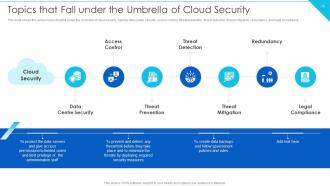
Cloud Security, also known as Cloud Information Security, comprises various approaches, controls, strategies, and technologies that work together to safeguard cloud-based frameworks, information, and infrastructure. These security measures are designed to protect cloud information, support administrative consistency, secure clients privacy, and set validation rules for individual clients and devices. Also, it highlights the security measures taken in cloud security and details on risks or threats that can impact the security of a cloud. Furthermore, this PPT covers the segmentation of cloud security responsibilities and topics that fall under the umbrella of cloud security, namely data center security, access control, threat prevention, threat detection, threat mitigation, redundancy, and legal compliance. Moreover, the cloud data protection PPT covers the list of the industries that can benefit from cloud security. It also provides information on the zero-trust policy along with its benefit. At last, this cloud computing security presentation captures the 30-60-90 days plan to implement cloud security in the organization, a roadmap to measure the implementation process, and a dashboard to observe the performance after implementing cloud security in the business. Get access to this powerful template now.
People who downloaded this PowerPoint presentation also viewed the following :
Content of this Powerpoint Presentation
Slide 1: This slide introduces Cloud Information Security. State Your Company Name and begin.
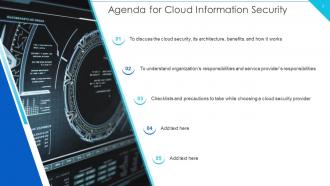
Slide 2: This slide states Agenda of the presentation.
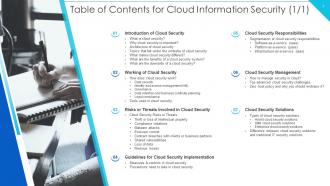
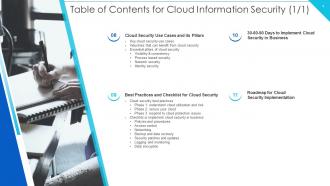
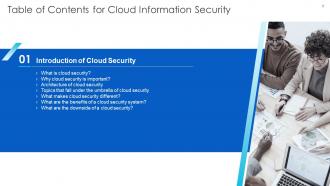
Slide 3: This slide presents Table of Content for the presentation.
Slide 4: This is another slide continuing Table of Content for the presentation.
Slide 5: This slide highlights title for topics that are to be covered next in the template.
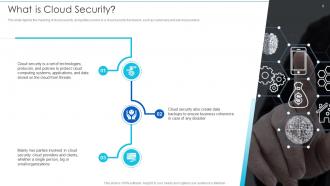
Slide 6: This slide depicts the meaning of cloud security, and parties involve in a cloud security framework.
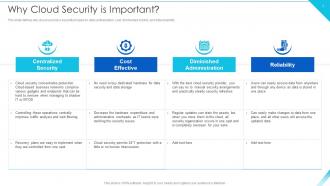
Slide 7: This slide defines why cloud security is essential based on data centralization, cost, diminished control, etc.
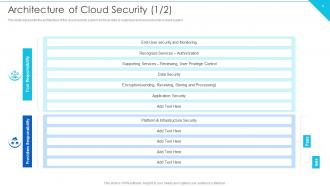
Slide 8: This slide represents the architecture of the cloud security system.
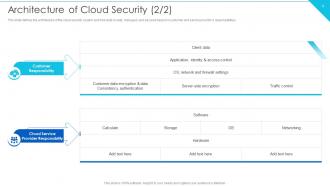
Slide 9: This is another slide continuing architecture of the cloud security system.
Slide 10: This slide shows Topics that Fall under the Umbrella of Cloud Security.
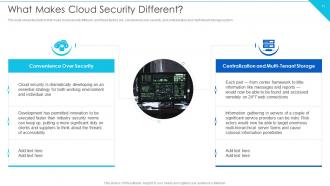
Slide 11: This slide shows factors that make cloud security different.
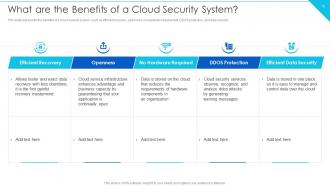
Slide 12: This slide represents the benefits of a cloud security system.
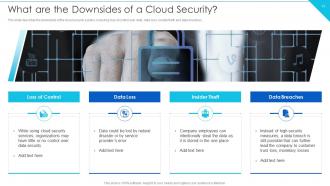
Slide 13: This slide describes the downsides of the cloud security system.
Slide 14: This slide highlights title for topics that are to be covered next in the template.
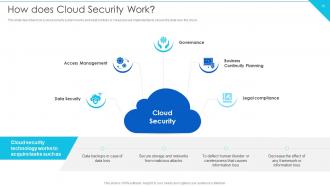
Slide 15: This slide describes how a cloud security system works.
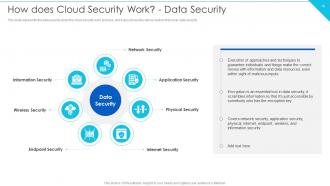
Slide 16: This slide represents the data security under the cloud security work process.
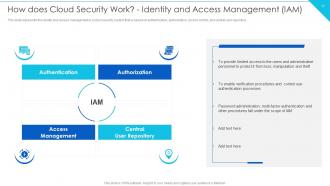
Slide 17: This slide represents the identity and access management in a cloud security system.
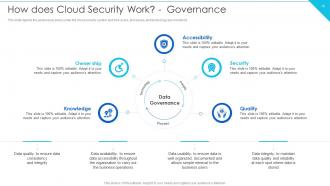
Slide 18: This slide depicts the governance policy under the cloud security system.
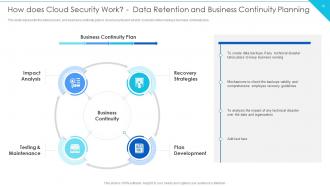
Slide 19: This slide represents the data recovery and business continuity plan in cloud security.
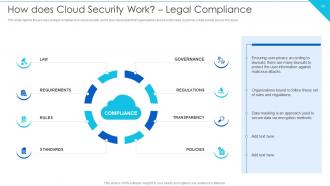
Slide 20: This slide depicts the process of legal compliance in cloud security.
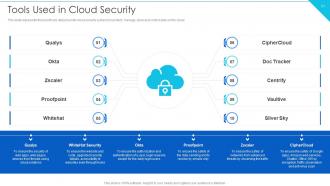
Slide 21: This slide represents the list of tools utilized under cloud security systems.
Slide 22: This slide highlights title for topics that are to be covered next in the template.
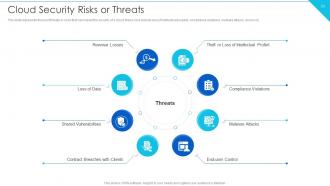
Slide 23: This slide represents the list of threats or risks that can impact the security of a cloud.
Slide 24: This slide showcases Theft or Loss of Intellectual Property.
Slide 25: This slide depicts the value of compliance violations threat of cloud security.
Slide 26: This slide represents the malware threat of cloud security and how it can affect data stored on the cloud.
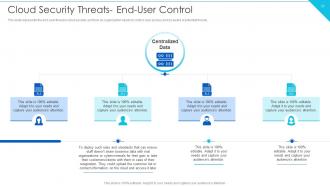
Slide 27: This slide presents the end-user threat in cloud security.
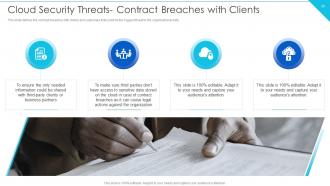
Slide 28: This slide defines the contract breaches with clients and customers.
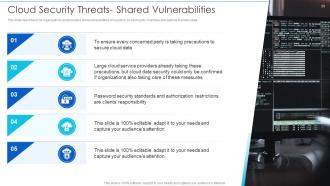
Slide 29: This slide describes how organizations and providers share vulnerabilities of a system.
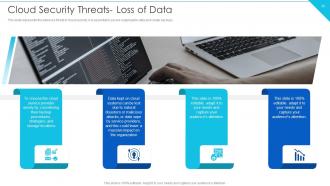
Slide 30: This slide represents the data loss threat of cloud security.
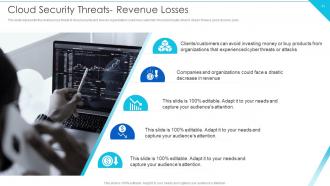
Slide 31: This slide represents the revenue loss threat of cloud security.
Slide 32: This slide highlights title for topics that are to be covered next in the template.
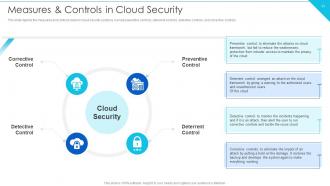
Slide 33: This slide depicts the measures and controls taken in cloud security systems.
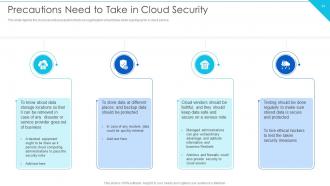
Slide 34: This slide shows Precautions Need to Take in Cloud Security.
Slide 35: This slide highlights title for topics that are to be covered next in the template.
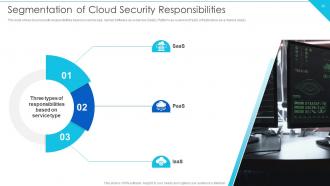
Slide 36: This slide presents Segmentation of Cloud Security Responsibilities.
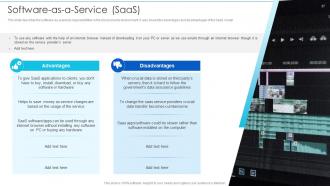
Slide 37: This slide describes the software-as-a-service responsibilities in the cloud security environment.
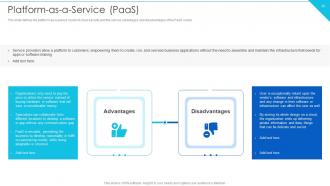
Slide 38: This slide defines the platform-as-a-service model of cloud security.
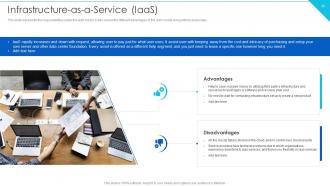
Slide 39: This slide represents the responsibilities under the IaaS model.
Slide 40: This slide highlights title for topics that are to be covered next in the template.
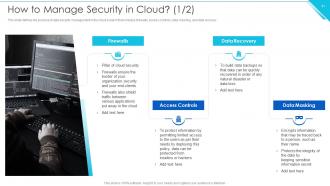
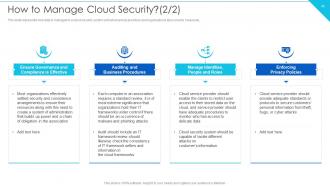
Slide 41: This slide defines the process of data security management in the cloud system.
Slide 42: This slide represents how data is managed in a cloud security system.
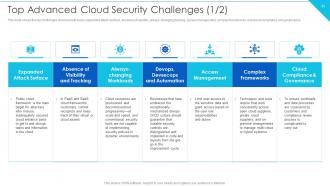
Slide 43: This slide shows the top challenges cloud security faces.
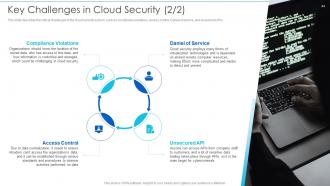
Slide 44: This slide describes the critical challenges in the cloud security system.
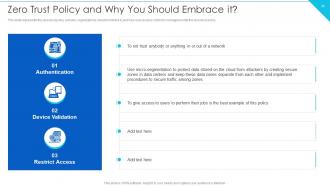
Slide 45: This slide represents the zero-trust policy and why organizations should embrace it.
Slide 46: This slide highlights title for topics that are to be covered next in the template.
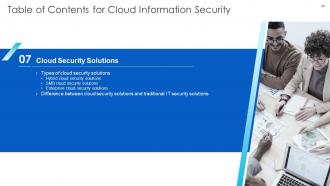
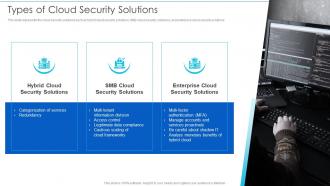
Slide 47: This slide represents the cloud security solutions.
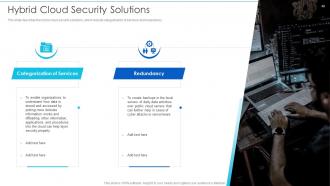
Slide 48: This slide describes the hybrid cloud security solutions.
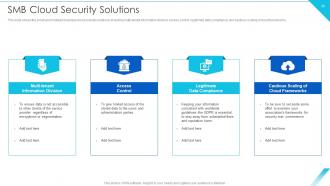
Slide 49: This slide shows the small and midsized business cloud security solutions.
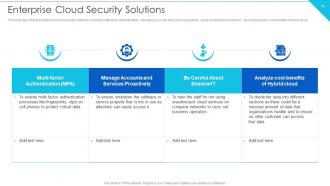
Slide 50: This slide describes the enterprise cloud security solutions.
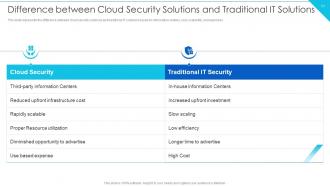
Slide 51: This slide presents Difference between Cloud Security Solutions and Traditional IT Solutions.
Slide 52: This slide highlights title for topics that are to be covered next in the template.
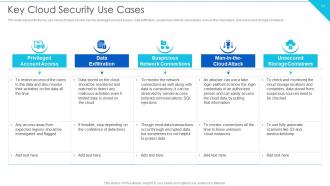
Slide 53: This slide represents the key use cases of cloud security.
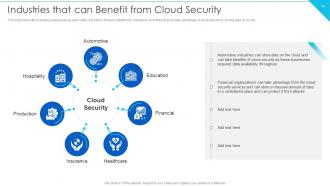
Slide 54: This slide showcases Industries that can Benefit from Cloud Security.
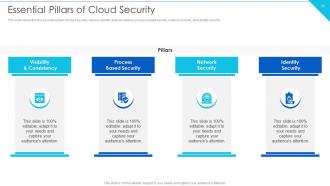
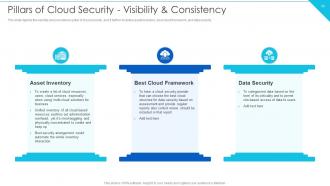
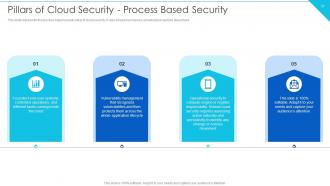
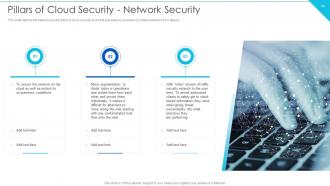
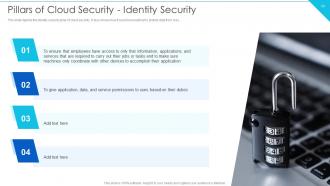
Slide 55: This slide shows the four essential pillars of cloud security, namely visibility and consistency.
Slide 56: This slide depicts the visibility and consistency pillar of cloud security.
Slide 57: This slide represents the process-based security pillar of cloud security.
Slide 58: This slide defines the network security pillar of cloud security.
Slide 59: This slide depicts the identity security pillar of cloud security.
Slide 60: This slide highlights title for topics that are to be covered next in the template.
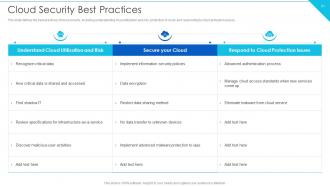
Slide 61: This slide defines the best practices of cloud security.
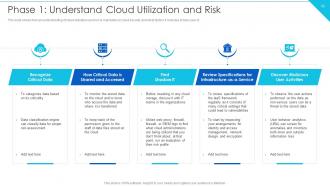
Slide 62: This slide shows how an understanding of cloud utilization and risk is mandatory in cloud security.
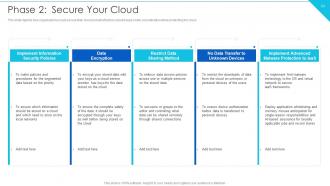
Slide 63: This slide depicts how organizations could secure their cloud.
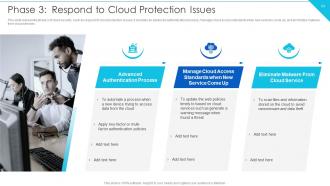
Slide 64: This slide represents phase 3 of cloud security, such as respond to cloud protection issues.
Slide 65: This slide highlights title for topics that are to be covered next in the template.
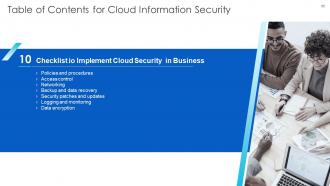
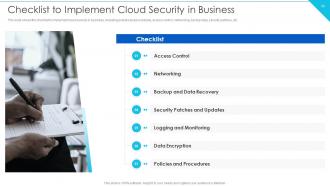
Slide 66: This slide shows Checklist to Implement Cloud Security in Business.
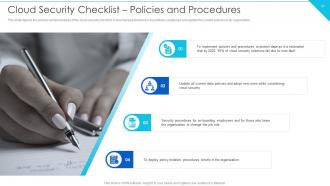
Slide 67: This slide depicts the policies and procedures of the cloud security checklist.
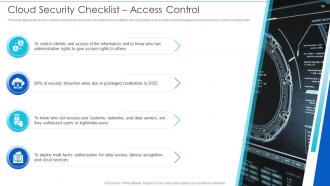
Slide 68: This slide depicts the access control under the cloud security checklist.
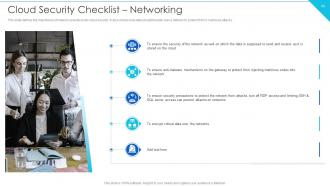
Slide 69: This slide defines the importance of network security under cloud security.
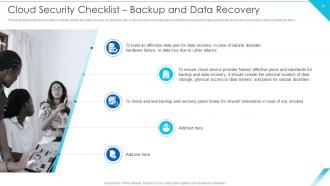
Slide 70: This slide represents the importance of data backup and data recovery in cloud security.
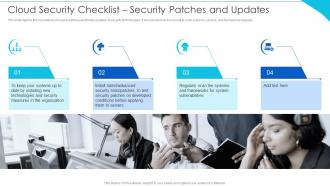
Slide 71: This slide depicts the importance of security patches and timely updates of security technologies.
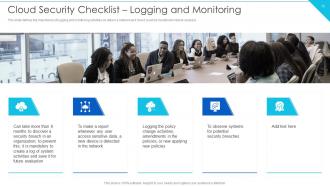
Slide 72: This slide defines the importance of logging and monitoring activities on data in a network.
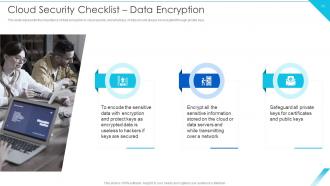
Slide 73: This slide represents the importance of data encryption in cloud security.
Slide 74: This slide highlights title for topics that are to be covered next in the template.
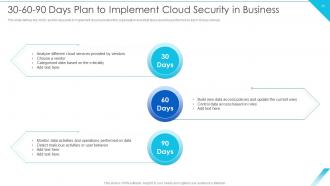
Slide 75: This slide showcases 30-60-90 Days Plan to Implement Cloud Security in Business.
Slide 76: This slide highlights title for topics that are to be covered next in the template.
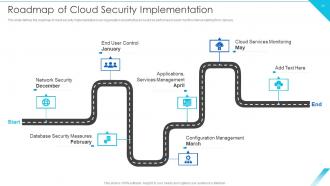
Slide 77: This slide shows Roadmap of Cloud Security Implementation.
Slide 78: This slide displays Icons for Cloud Information Security.
Slide 79: This slide is titled as Additional Slides for moving forward.
Slide 80: This is Our Team slide with names and designation.
Slide 81: This is an Idea Generation slide to state a new idea or highlight information, specifications etc.
Slide 82: This is Our Goal slide. State your firm's goals here.
Slide 83: This slide depicts Venn diagram with text boxes.
Slide 84: This slide contains Puzzle with related icons and text.
Slide 85: This slide shows Post It Notes. Post your important notes here.
Slide 86: This slide presents Roadmap with additional textboxes.
Slide 87: This is a Timeline slide. Show data related to time intervals here.
Slide 88: This is a Thank You slide with address, contact numbers and email address.
Cloud Information Security Powerpoint Presentation Slides with all 93 slides:
Use our Cloud Information Security Powerpoint Presentation Slides to effectively help you save your valuable time. They are readymade to fit into any presentation structure.






FAQs for Cloud Information Security
Data breaches and misconfigured storage are the big killers - those plus weak access controls cause most incidents. Bob from accounting will accidentally share stuff, but insider threats can be way worse when they're intentional. Account hijacking's another nasty one, along with insecure APIs and denial attacks that'll knock you offline. Most teams mess up because they think the cloud provider handles security for everything (spoiler: they don't). Honestly, just audit your permissions first and turn on multi-factor auth everywhere. That simple step blocks like 80% of attacks right there.
Honestly, it's not that cloud is more dangerous than on-premises or vice versa. AWS and Azure have way better security teams than most companies can afford - like, ridiculously good resources. But here's where it gets messy: most breaches happen because someone screwed up the configuration. Left a storage bucket wide open, terrible password policies, you know the drill. On-premises means you control everything, which sounds nice until you realize you're handling physical security AND keeping up with patches. Either way, just don't be lazy about access controls and actually audit your stuff regularly.
Okay so first things first - turn on multi-factor auth everywhere and get your identity/access management locked down. Encrypt everything (data at rest and in transit). I've seen so many companies get wrecked because they missed some random misconfiguration, so definitely do regular security audits. Zero-trust architecture is your friend here. Keep patching systems and monitor for weird activity constantly. Here's the thing though - cloud providers handle the infrastructure stuff, but you're still on the hook for application and data security. I'd honestly start by looking at your access controls first since that's where most of the sketchy vulnerabilities are lurking.
So IAM is like being the bouncer for your cloud stuff - controls who gets in and what they can touch. You're basically handing out digital keys to your team and apps. It does two things: proves people are who they claim to be, then decides what they're allowed to mess with once they're inside. Honestly, skipping proper IAM setup is asking for trouble. Your cloud becomes a free-for-all. Start with multi-factor auth (seriously, just do it) and check who has access to what every few months. Trust me on this one.
So basically you and your cloud provider divide up security tasks - they handle the physical stuff like servers and networks, you cover your data and apps. Most teams screw this up because nobody knows where one responsibility ends and the other starts. Your provider's got the infrastructure locked down, but you're still on the hook for OS updates, firewalls, encryption, user permissions - all that fun stuff. Honestly, I'd map out exactly who owns what in your setup first. Don't just assume they've got something covered when it might actually be your job.
So you definitely need encryption for both stored data and anything moving around - that's the baseline. AWS and Azure have built-in tools but honestly? Their dashboards are kind of a mess when you're starting out. The tricky part is key management - you can either let them handle your keys or control them yourself (which I'd recommend for really sensitive stuff). I'd say just start with encrypting your most critical databases first. Don't try to do everything at once or you'll drive yourself crazy. Once you get the hang of it, you can expand from there.
Honestly, you gotta nail down your compliance framework right from the start. Figure out what regulations hit your industry - GDPR, HIPAA, SOC 2, whatever applies. Then build your cloud setup around those rules. Strong encryption and access controls are non-negotiable, plus you need solid audit logging everywhere. Documentation sucks but you can't skip it - track your security policies, how you handle incidents, regular audits, all that stuff. The good news? Most cloud providers have compliance tools that'll save you headaches. I'd start with an assessment to see where you're falling short, then make a timeline to fix the gaps.
Dude, seriously vet these providers hard before you sign anything. Check their security certs, compliance stuff, incident history - the works. I've watched companies totally skip this and get burned. Your contracts need clear security requirements and breach notification timelines spelled out. Also set up regular assessments of your cloud environments. Don't fall for their glossy marketing - demand actual security docs and references from clients like you. Oh, and treat them like part of your security team, not some mystery box you never think about again.
Think of continuous monitoring as your security guard that never sleeps - catches weird stuff happening in your cloud before it becomes a nightmare. You'll get 24/7 visibility into everything (because hackers definitely don't work normal hours). It spots things like sketchy logins, config changes someone shouldn't have made, or data moving where it shouldn't. The big win? You can jump on problems immediately instead of finding out about a breach three weeks later. Honestly, just set up automated alerts for the critical stuff so your team knows right when something's fishy.
Focus on the big three: password habits, spotting phishing, and data sharing. Role-based training works great - show your sales team what happens when they accidentally make a customer spreadsheet public. We've all done something like that, right? Cover MFA setup and how to recognize sketchy login attempts. Also teach the difference between personal vs company cloud storage. Monthly security tips are better than those boring quarterly workshops, honestly. The trick is connecting it to what they actually do every day, not random security stuff they'll forget.
Honestly, AI and machine learning are total game-changers for cloud security right now. They catch threats way faster than any human could and actually learn from new attack patterns as they happen. What's crazy is how good they've gotten at spotting weird stuff in network traffic and user behavior that you'd never notice otherwise. The downside? Hackers are using the exact same tech to make their attacks way more sophisticated. I'd definitely jump on AI-powered security tools sooner rather than later - traditional security just can't keep up anymore. The whole landscape changes too quickly these days.
Honestly, you really need to overhaul your incident response for cloud stuff - the old playbooks just don't cut it anymore. Cloud resources disappear and reappear constantly, so you can't rely on traditional approaches. Update everything to include CloudTrail logs, API gateway data, container events - all that cloud-specific telemetry. Your team needs pre-configured access to cloud consoles and APIs since there's no physical server to check (though this actually speeds things up once you get the hang of it). Map out what your provider handles vs what's your responsibility - that shared model trips people up constantly. Practice your runbooks religiously because cloud services change every other week, I swear. Start by matching current incident types to cloud scenarios and watch for new attack vectors.
So zero-trust is basically "don't trust anything, verify everything" - you're checking users and devices constantly instead of assuming stuff inside your network is safe. Game-changer for cloud setups where your data's all over the place. Way better visibility into who's doing what, plus breaches can't spread as easily since moving around becomes harder. The real win? You're not stuck relying on old-school network boundaries anymore. Honestly, I'd start by figuring out your most critical stuff first and adding identity checks there - trying to do everything at once is just gonna drive you crazy.
First thing - do a full audit of your current setup. Check access controls, encryption, network security, all that stuff. AWS has Security Hub, Azure's got Security Center, but honestly those barely scratch the surface. Run some third-party vulnerability scans too. Really dig into your IAM policies and see who can actually access what data - you'd be surprised how messy that gets. Oh, and don't make this a one-time deal. Set up automated monitoring and do quarterly reviews. Trust me, catching problems early beats dealing with a breach later.
Honestly, zero-trust is where everything's going - you should start looking into that now. AI threat detection keeps getting better, and automated responses are becoming standard. The multi-cloud thing is a nightmare though, like who has time to juggle five different security dashboards? Passwordless auth is finally picking up steam too. What's cool is this whole "security by design" approach - instead of slapping protection on later, they're baking it right into cloud services from day one. Makes way more sense if you ask me.
-
A perfect platform for all your presentation needs. Unlimited products at an affordable price.
-
“I've always gotten excellent slides from them and the customer service is up to the mark.”