

Computer system security powerpoint presentation slides




Try Before you Buy Download Free Sample Product
 Impress Your
 Audience
 100%
100% Editable
 Save Hours
 of Time


Computer Security is the process of protecting electronic devices such as servers, mobile gadgets, data, electronic systems, and networks from cyber-attacks. Check out our competently designed template on Computer Security that illustrates important details about cybersecurity. Incorporating it, you can present and share details on the common threats against data and information systems and the process to identify the information that needs to be protected. This network security proposal will be helpful to throw light on the current scenario of the organization, the requirement of cybersecurity in different sectors, and its working. In addition, the computer security template contains the critical elements of cybersecurity, cyber risk identification and assessment, steps to mitigate those risks, and benefits of cybersecurity, along with automations role in cybersecurity. Further, this data security deck comes with a checklist to implement cybersecurity, a 30-60-90-day plan to manage cybersecurity, and the budget. The template also showcases a roadmap to monitor cybersecurity and a timeline to implement cybersecurity in the organization. Lastly, the computer security proposal shows the effects of cybersecurity implementation on the organization and dashboard for threat tracking in cybersecurity. Get access to the proposal and download it now.
People who downloaded this PowerPoint presentation also viewed the following :
Content of this Powerpoint Presentation
Slide 1: This slide displays title i.e. 'Computer Security' and your Company Name.
Slide 2: This slide presents agenda.
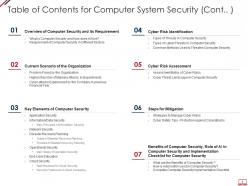
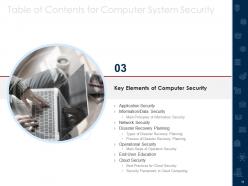
Slide 3: This slide exhibits table of contents.
Slide 4: This slide shows continued table of contents.
Slide 5: This slide illustrates title for 'Overview of computer security & its requirement'.
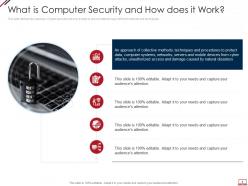
Slide 6: This slide defines the meaning of cyber security and how it helps to prevent data through different methods and techniques.
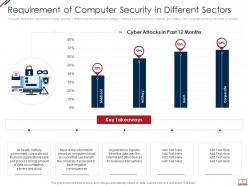
Slide 7: This slide depicts the requirement of cyber security in different sectors and the percentage of attacks experienced.
Slide 8: This slide highlights title for 'Current scenario of the organization'.
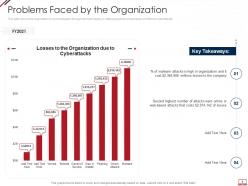
Slide 9: This slide shows the organization's current situation through the total losses (in millions)experienced because of different cyberattacks.
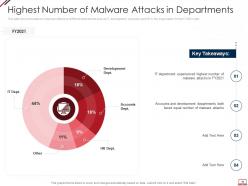
Slide 10: This slide shows the status of malware attacks on different departments such as IT, development, etc.
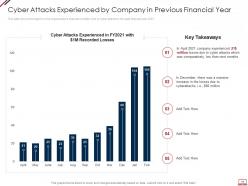
Slide 11: This slide shows the impact on the organization's financial condition due to cyber attacks in the past financial year 2021.
Slide 12: This slide presents title for 'key elements of computer security'.
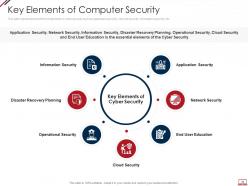
Slide 13: This slide represents the different elements of cyber security such as application security, network security, etc.
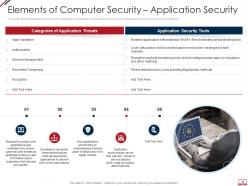
Slide 14: This slide defines application security and categories of application threats and tools.
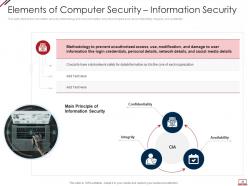
Slide 15: This slide depicts the information security methodology and core information security principles.
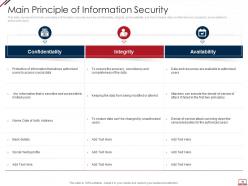
Slide 16: This slide represents the main principles of information security such as confidentiality, integrity, etc.
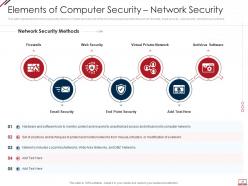
Slide 17: This slide represents the network security element of cyber security and different network security methods.
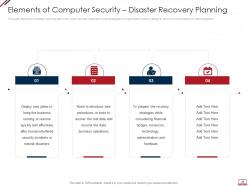
Slide 18: This slide depicts the disaster recovery plan in the cyber security model and what strategies an organization needs to adopt.
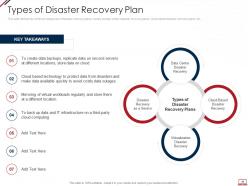
Slide 19: This slide defines the different categories of disaster recovery plans, namely as data center disaster recovery plans, etc.
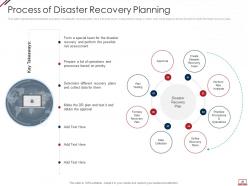
Slide 20: This slide represents the detailed process of a disaster recovery plan, how it should work, etc.
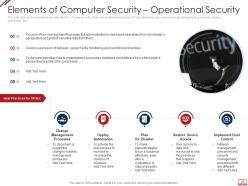
Slide 21: This slide defines the operational security element of cyber security.
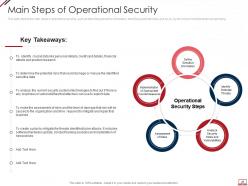
Slide 22: This slide depicts the main steps of operational security, such as describing sensitive information, etc.
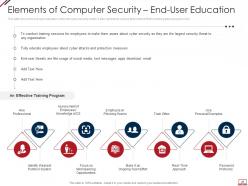
Slide 23: This slide shows the end-user education within the cyber security model.
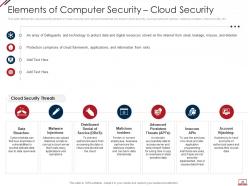
Slide 24: This slide defines the cloud security element of cyber security and various threats that can breach cloud security.
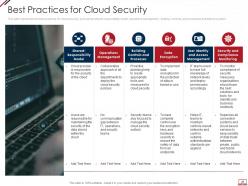
Slide 25: This slide represents the best practices for cloud security, such as the shared responsibility model, etc.
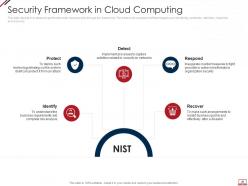
Slide 26: This slide depicts how tasks are performed under cloud security through the framework.
Slide 27: This slide displays title for 'Cyber risk identification'.
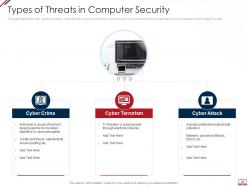
Slide 28: This slide depicts the main types of threats in cyber security, such as cybercrime, cyber terrorism, etc.
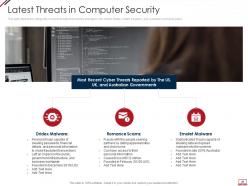
Slide 29: This slide depicts the categories of recent threats that recently emerged in the United States, United Kingdom, etc.
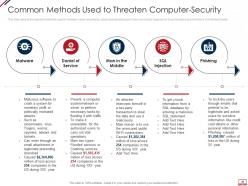
Slide 30: This slide depicts the standard methods used to threaten cyber-security by cybercriminals/attackers.
Slide 31: This slide presents title for 'Cyber risk assessment'.
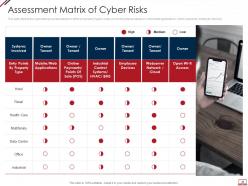
Slide 32: This slide depicts the cyberattacks surface based on different property types.
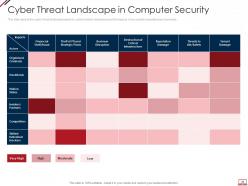
Slide 33: This slide depicts the cyber threat landscape based on cybercriminal roles/actors and the impacts of successful cyberattacks on business.
Slide 34: This slide exhibits title for 'Steps for mitigation'.
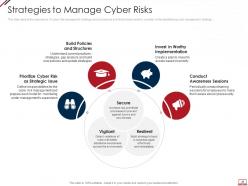
Slide 35: This slide depicts the importance of cyber risk management strategy and procedures and factors that needs to be considered.
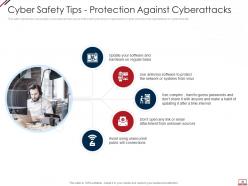
Slide 36: This slide represents various tips or procedures that can be followed to prevent an organization's cyber security from cyberattacks or cybercriminals.
Slide 37: This slide depicts title for 'Benefits, role, & implementation for computer security'.
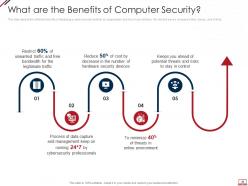
Slide 38: This slide depicts the different benefits of deploying a cyber security model in an organization.
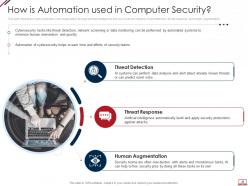
Slide 39: This slide depicts the cyber protection of an organization through artificial intelligence.
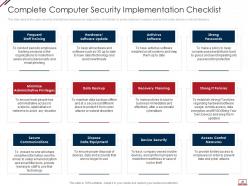
Slide 40: This slide depicts the cyber security checklist and measures an organization should take to protect data.
Slide 41: This slide highlights title for 'Computer security implementation'.
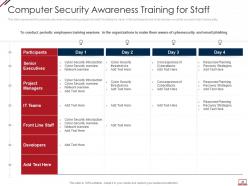
Slide 42: This slide represents the cybersecurity awareness training program for staff.
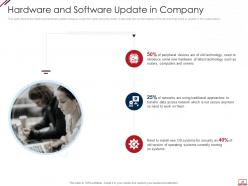
Slide 43: This slide depicts the hardware/software update measure under the cyber security model.
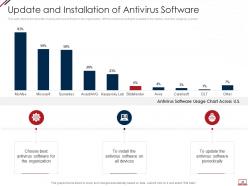
Slide 44: This slide depicts the benefits of using antivirus software in the organization.
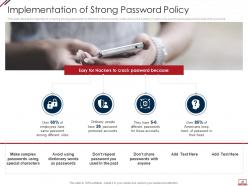
Slide 45: This slide depicts the importance of having strong passwords for different online accounts.
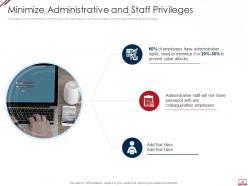
Slide 46: This slide shows the importance of minimizing the administrative and staff privilege by showing its benefits for the company.
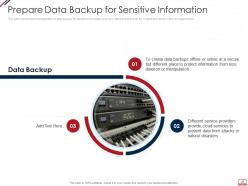
Slide 47: This slide represents the preparation of data backup for sensitive information and how data backup should be created and stored within an organization.
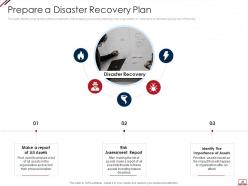
Slide 48: This slide depicts what factors will be considered while preparing a recovery planning of an organization to come back to business quickly and effectively.
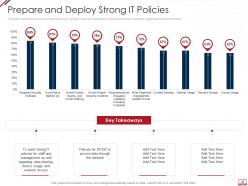
Slide 49: This slide represents the value of having strong IT policies within an organization regarding software, hardware, passwords, and data transfer.
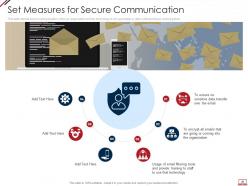
Slide 50: This slide depicts secure communication within an organization and the technology to encrypt emails or data while sending or receiving them.
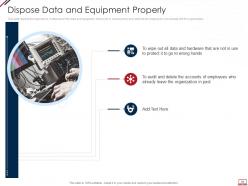
Slide 51: This slide depicts the importance of disposal of the data and equipment that is not in use anymore.
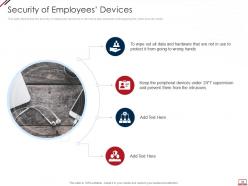
Slide 52: This slide depicts that the security of employees’ hardware or devices is also essential while applying the cyber security model.
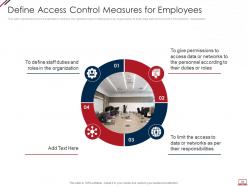
Slide 53: This slide represents how it is essential to minimize the rights/access of employees in an organization.
Slide 54: This slide displays title for 'Managing computer security'.
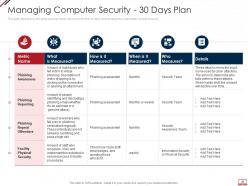
Slide 55: This slide depicts how the cyber security model will work in the first 30 days and the tasks the organization should focus on.
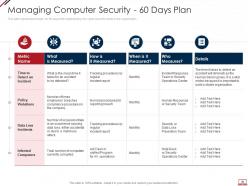
Slide 56: This slide represents the plan for 60 days after implementing the cyber security model in the organization.
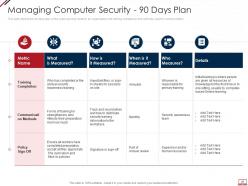
Slide 57: This slide depicts the 90 days plan of the cyber security model in an organization and training compliance and methods used for communication.
Slide 58: This slide presents title for 'Computer security budget'.
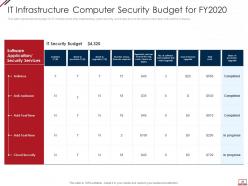
Slide 59: This slide represents the budget for IT infrastructure after implementing cyber security.
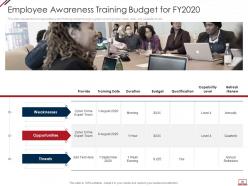
Slide 60: This slide represents the organization's staff training budget through a graph covering trainer name, date, and capability levels.
Slide 61: This slide exhibits title for 'Computer security roadmap/timeline.
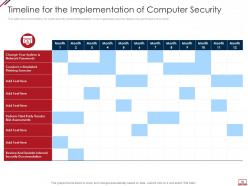
Slide 62: This slide shows the timeline for cyber security model implementation in an organization and the tasks to be performed every month.
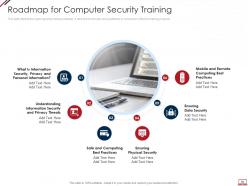
Slide 63: This slide depicts the cyber security training roadmap. It also shows the plan and guidelines to conduct an effective training program.
Slide 64: This slide depicts title for 'Effect of implementing computer security in business'.
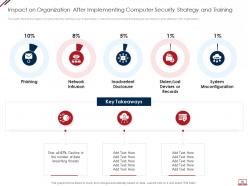
Slide 65: This slide depicts the impact of cyber security training on an organization.
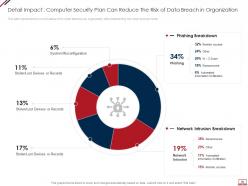
Slide 66: This slide represents the current status of the cyber attacks in an organization after implementing the cyber security model.
Slide 67: This slide highlights title for 'KPIs/Dashboard for computer security tracking.
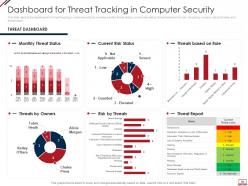
Slide 68: This slide depicts the dashboard for threat tracking in cyber security by covering monthly threat status, current risk status, etc.
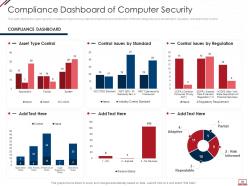
Slide 69: This slide depicts the cyber security compliance report on how data and hardware are monitored in different categories.
Slide 70: This is the icons slide.
Slide 71: This slide presents title for additional slides.
Slide 72: This slide shows about your company, target audience and its client's values.
Slide 73: This slide shows details of team members like name, designation, etc.
Slide 74: This slide presents your company's vision, mission and goals.
Slide 75: This slide depicts posts for past experiences of clients.
Slide 76: This slide displays Venn.
Slide 77: This slide displays puzzle.
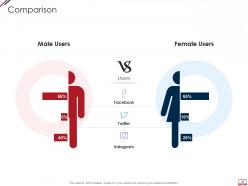
Slide 78: This slide highlights comparison of products based on selects.
Slide 79: This slide exhibits yearly timeline.
Slide 80: This slide shows roadmap.
Slide 81: This slide displays targets.
Slide 82: This is thank you slide & contains contact details of company like office address, phone no., etc.
Computer system security powerpoint presentation slides with all 82 slides:
Use our Computer System Security Powerpoint Presentation Slides to effectively help you save your valuable time. They are readymade to fit into any presentation structure.
FAQs for Computer system security
Honestly, you're gonna deal with three main nightmares: ransomware, phishing, and malware. Ransomware locks up all your files until you pay up - it's brutal. Phishing tricks your employees into handing over passwords or clicking sketchy links. Malware just wreaks havoc, stealing data or sneaking backdoors into everything. Oh, and social engineering attacks are probably worse than all of these because people will literally just give away company secrets if someone sounds convincing enough on the phone. Get your team trained on this stuff and back up everything religiously.
Get a good firewall and intrusion detection set up first - that's your foundation. Then add endpoint protection on every device you've got. Multi-factor authentication is absolutely crucial, no getting around it anymore. But honestly? Your employees need training because they'll click on anything if you're not careful. I'd also run security audits regularly to catch problems early. Oh, and make sure all these layers actually work together instead of just piling stuff on top of each other. Maybe start with an assessment to figure out what's broken right now.
Dude, training your employees is seriously a game changer for security. Most hackers aren't doing crazy movie stuff - they're just banking on someone clicking a sketchy email or having "password123" as their login. Train people to spot phishing attempts and use proper passwords, and you've basically shut down their easiest ways in. I actually think phishing simulations are pretty entertaining, weirdly enough. Your team goes from being the weak spot to actively protecting you. Keep doing refreshers though - these scumbags are always trying new tricks.
Make your passwords at least 12 characters with uppercase, lowercase, numbers, and symbols mixed in. But honestly? Don't even try memorizing them all - I use Bitwarden and it's been a lifesaver. It creates crazy strong passwords and remembers everything for me. Turn on two-factor authentication, especially for banking and email stuff. Oh, and never use the same password twice because hackers love testing breached passwords on other sites. I learned that the hard way lol. Just focus on your most important accounts first and work from there.
First thing - encrypt everything, both when it's moving around and just sitting there. Look for cloud providers with solid certifications like SOC 2 or ISO 27001. Turn on multi-factor authentication for admin accounts (seriously, I can't believe how many people still don't do this). Only give access to people who actually need it, then check regularly who's got what permissions. You'll also want data loss prevention tools and decent backups. Oh, and here's the thing - your cloud data should actually be MORE secure than stuff in your physical office, not less.
Look, GDPR isn't messing around - you have to bake security into everything right from the start. Those fines can hit 4% of your entire global revenue, which honestly could kill most companies. Privacy by design means protecting personal data through its whole lifecycle, not just throwing up a firewall and calling it good. Oh, and you've got 72 hours to report breaches or you're screwed. Start by actually auditing what personal data you're collecting - I guarantee you'll find way more than you think. Most people discover they're sitting on data they forgot they even had.
So encryption is basically like scrambling your data into gibberish that only the right people can unscramble. Picture it as a locked box - you and whoever you're sending stuff to have the keys, but nobody else does. It protects your info when it's traveling between computers AND when it's just sitting on servers or your phone. Honestly, it's pretty genius how it works. Even if hackers break into storage or intercept your messages, they can't read anything without the key. My advice? Turn on encryption for anything sensitive - whether it's moving around or just chilling in storage.
IoT devices are basically sitting ducks with their garbage default passwords and zero encryption. Seriously, half these things still ship with "password123" or whatever. First thing - change those default logins immediately. Get WPA3 running on your network if you can. Keep firmware updated too, though good luck remembering to check every random smart bulb you bought. Oh, and segment your network so your smart fridge isn't on the same connection as your work laptop. Start by just figuring out what IoT crap you actually have connected - you'd be surprised how much random stuff accumulates.
Get yourself some solid monitoring tools - SIEM systems, network monitoring, endpoint detection stuff. Configure alerts for sketchy activity like massive data transfers, failed logins, or someone logging in from like... Mongolia at 3am. Most companies don't catch breaches for months which is honestly terrifying. When you do spot something, you'll want that incident response plan locked and loaded: isolate systems, figure out how bad it is, loop in stakeholders and legal if needed. Document everything. But here's the thing - practice that response plan with tabletop exercises. You don't want your team panicking when shit actually hits the fan.
So antivirus just looks for known bad stuff and deletes it. Pretty basic. Endpoint protection is the whole package though - you get antivirus plus firewall, web filtering, device controls, all that. The cool part is it actually watches how programs behave instead of just checking against a list of known threats. Way smarter approach if you ask me. Most endpoint solutions let IT manage everything from one spot too, which is clutch for businesses. Honestly, if you're picking between the two, endpoint protection is a no-brainer. It's what companies actually use now.
Figure out what regulations hit your industry first - GDPR, HIPAA, PCI DSS, whatever applies. Map your current security stuff against those rules to find gaps. Risk assessments are a pain but way better than dealing with breaches later (trust me on this). Set up solid data governance policies and train your team properly. Document absolutely everything - auditors eat that stuff up. Third-party assessors can give you fresh eyes on things. Oh, and don't treat compliance like a yearly fire drill. Make it ongoing or you'll hate yourself later.
Dude, AI attacks are getting scary good now. Zero-trust is finally catching on everywhere, and you'll want to start prepping for quantum-resistant encryption. Supply chain hits are nuts - feels like there's a new breach every few days. Cloud security's going full automation for threat detection. Identity management is basically replacing the old firewall approach, which makes sense honestly. Privacy laws keep getting tougher globally, so compliance is turning into a real headache. You should probably audit your security stack soon and figure out where AI fits your defense game, because the bad guys are already using it against you.
Ugh, social engineering is basically when hackers skip all the fancy tech stuff and just trick people instead. They'll send fake emails to steal passwords or convince someone to click sketchy links. Super effective unfortunately! Train your people to spot these tricks - like verifying weird requests before acting on them. Multi-factor authentication helps too. Oh and tell everyone to chill with oversharing on social media (attackers love that stuff). Create an environment where questioning suspicious messages is totally normal. Your team can be your weakest link or your best protection, honestly depends on how prepared they are.
Honestly, remote work totally flips your security setup on its head. Your office network used to be the safe zone, but now people are logging in from sketchy coffee shop WiFi and home routers that haven't been updated since 2019. Multi-factor authentication becomes a lifesaver here. You'll need solid endpoint protection too since laptops are everywhere now. VPNs aren't just nice-to-have anymore - they're essential. Cloud security gets way more complicated when everyone's scattered. I'd start by figuring out what remote folks actually need access to, then restrict everything else.
First thing - figure out your incident types and who's handling what. Document the procedures but don't make them crazy complicated. When people are stressed, they blank on basic stuff. Run tabletop exercises where your team walks through fake scenarios together. Those are honestly way less awkward than jumping straight into simulations. Do the full attack simulations after that. I'd say quarterly drills work well, but always debrief right after. You'll find weird gaps you never thought of. The stuff that actually breaks during testing? That's what matters, not whatever looked perfect in your head.
-
The Designed Graphic are very professional and classic.
-
Excellent design and quick turnaround.
-
Editable templates with innovative design and color combination.
-
Great quality slides in rapid time.
-
Topic best represented with attractive design.