

Cyber security it powerpoint presentation slides




Try Before you Buy Download Free Sample Product
 Impress Your
 Audience
 100%
100% Editable
 Save Hours
 of Time


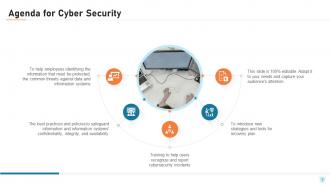
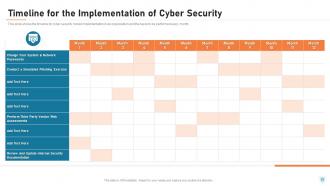
Cyber Security is the process of protecting electronic devices such as computers, servers, mobile gadgets, data, electronic systems, and networks from cyber-attacks. This PowerPoint presentation illustrates significant details about cybersecurity. Incorporating this PPT, you can present and share details on the common threats against data and information systems and the process to identify the information that needs to be protected. This network security PowerPoint presentation will be helpful to throw light on the current scenario of the organization, the requirement of cybersecurity in different sectors, and it's working. In addition, computer security PPT contains the critical elements of cybersecurity, cyber risk identification and assessment, steps to mitigate those risks, and benefits of cybersecurity, along with automation's role in cybersecurity. Further, this data security presentation comes with a checklist to implement cybersecurity in the organization, a 30-60-90-day plan to manage cybersecurity, and the budget to implement the same. The Information Security deck also showcases a roadmap to monitor cybersecurity and a timeline to implement cybersecurity in the organization. Lastly, this electronic information security PPT shows the effects of cybersecurity implementation on the organization and dashboard for threat tracking in cybersecurity. Talk to our expert and get access to our cybersecurity ppt template for generating a security framework for yourself. Download it now.
People who downloaded this PowerPoint presentation also viewed the following :
Content of this Powerpoint Presentation
Today, we witness an increasing reliance on digital technologies in all aspects of life. This is why cybersecurity has become a critical concern for individuals, organizations, and governments across the world. According to a recent statistic that Forbes has published, 2,365 cyberattacks were reported in 2023 and these targeted 343 million victims. Additionally, 35% of malware was delivered via email, and more than 94% of organizations reported email security incidents. The effect of cyberattacks can be overwhelming for a business. This includes financial disruption, severe damage to reputation, and legal issues.
To gain insights on cybersecurity, refer to these well-crafted slides.
It is high time that businesses realize the need to learn and spread knowledge about cybersecurity, ways to minimize the risk of cyberattacks, and strategies to respond appropriately to cyber threats. Providing awareness of cybersecurity fosters a culture of security within society. As a result, we shall begin to prioritize cybersecurity practices that help to protect digital assets from theft, loss, or unauthorized access.
You may check out the best PowerPoint presentation slides for providing training on cybersecurity awareness. Click here!
Organizations need to know about their level of readiness to defend themselves and their digital assets, which is Cybersecurity Maturity. To check out the best templates on cybersecurity maturity. Click here!
For a better understanding of cybersecurity, SlideTech Systems offer a wide variety of PPT Slide templates. These are created by the professional experts and involve world-class aesthetics, and actionable pointers to ensure users can act on the information. Each slide is 100% editable and customizable so you can tailor each presentation as per your needs and preferences.
Let’s explore each of these templates!
Template 1 – What is Cyber Security and How it Works?
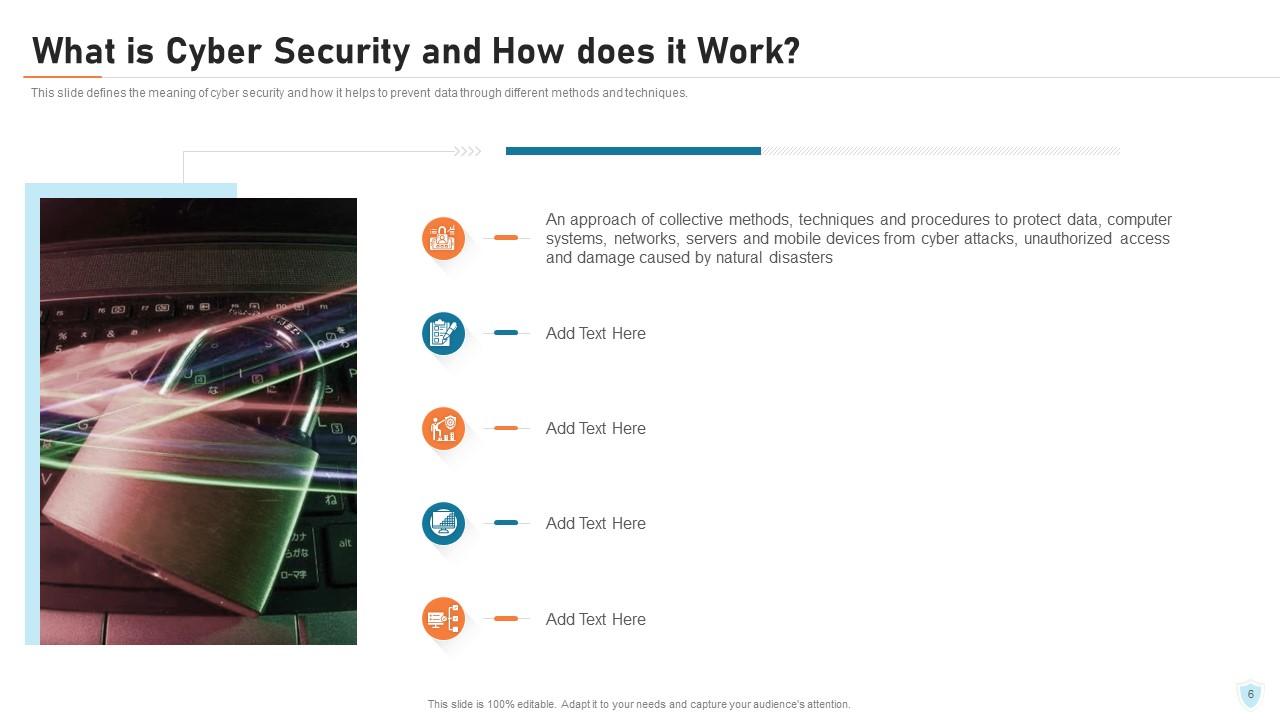
The beginning of your presentation sets the impression. Remember that Well Begun is Half Done. Cybersecurity awareness can only be explained when people understand its concept. Here is the first PPT Slide in which you can describe and define Cybersecurity and also explain how it works. Put all the ideas in pointers in a clear and concise way leaving no room for doubt. Now, you are good to go ahead!
Template 2 – Requirement of Cyber Security in Different Sectors
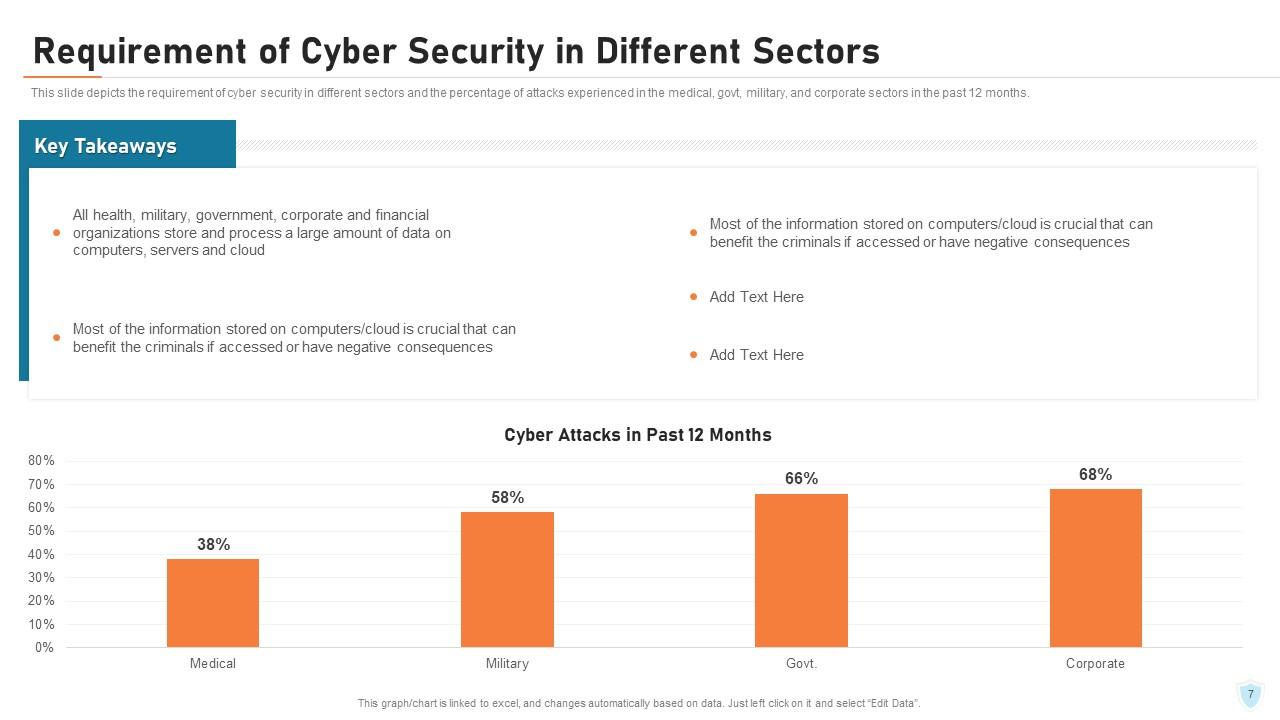
This PPT Template depicts the need for cybersecurity across sectors You can see the percentage of attacks on the military, government and corporate sectors in the past 12 months. Using this slide, you can mention how fast and to what extent cyber attacks have affected our society. Facts are the best way to convince people regarding the seriousness of an issue. Raise an alarm to minimize cyber crimes!
Template 3 – Problems Faced by the Organization
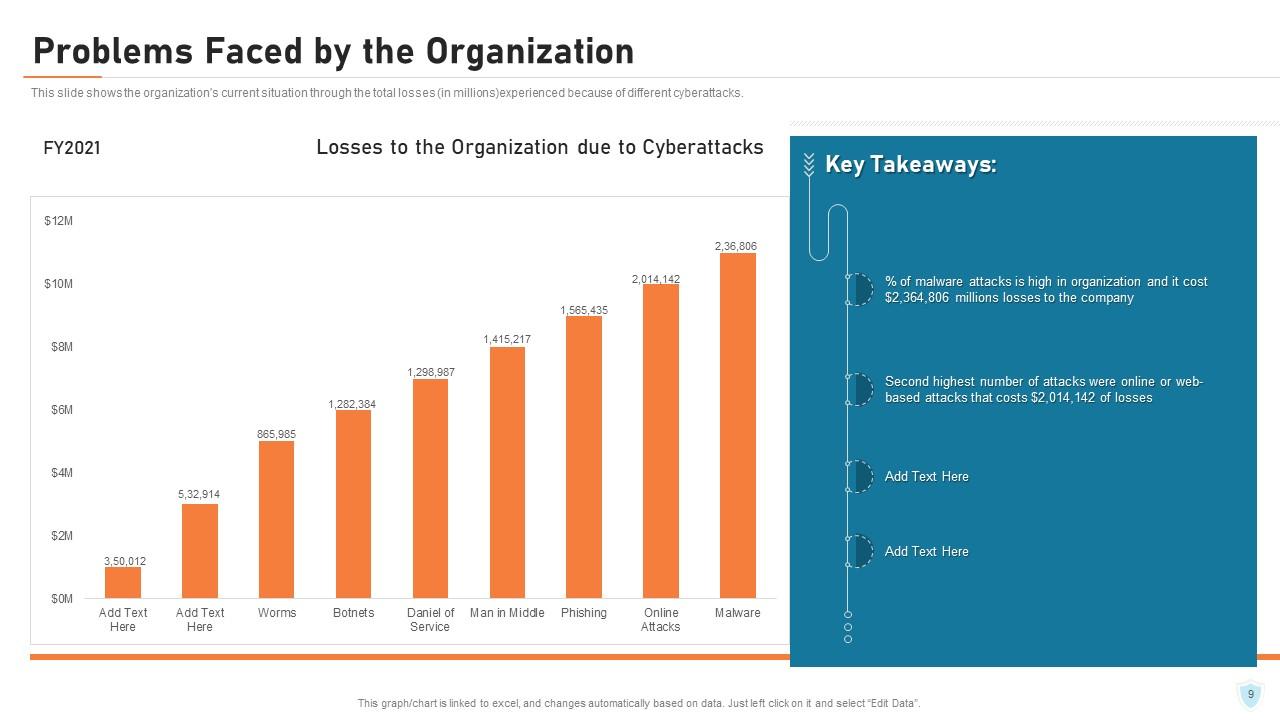
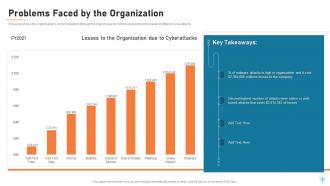
Organizations have been deeply affected due to Cyberattacks. These attacks led to financial losses and disruption of operations, etc. This PPT Slide displays the situation of the organization as a result of cyberattacks. Users will find this template helpful to know about the severity of the damage caused by negligence of cybersecurity.
Template 4 - Highest Number of Malware Attacks in Departments
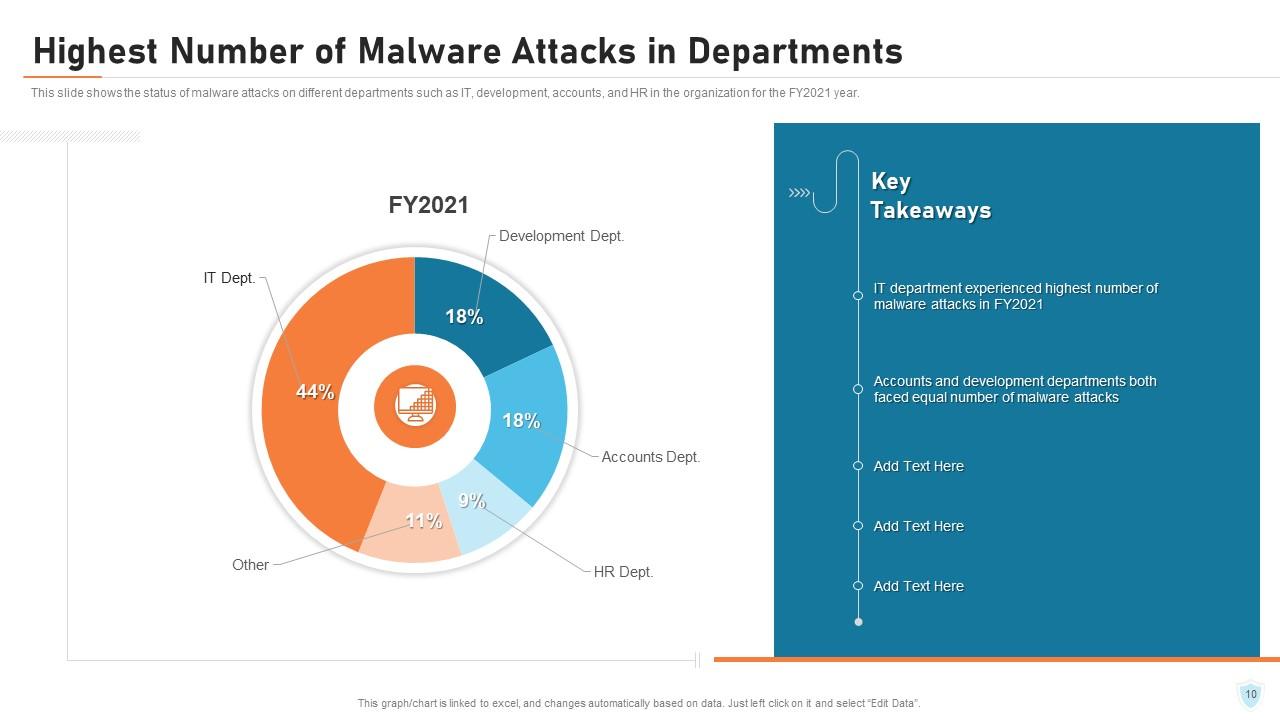
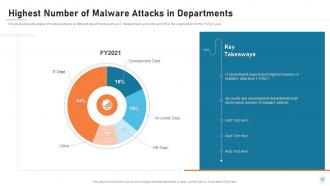
Having an understanding of which departments are most vulnerable to malware attacks is critical for risk management. This PPT Slide illustrates the status of malware attacks on departments such as IT, Development, Accounts,HR and others. Writing statistical information presents the authenticity of data. It also grabs more attention than other details. You must collect accurate data on the cyberattacks and use this template for an appealing cybersecurity powerpoint presentation.
Template 5 - Cyber Attacks Experienced by Company in Previous Financial Year

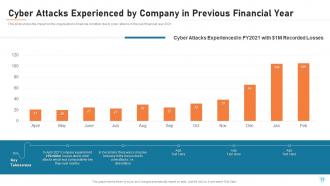
Cyber attacks can occur at any point of time and it can deplete the financial condition of an organization causing losses due to theft of funds, extortion demands, or disruption of financial transactions. Fraudulent transactions may drain accounts. This PPT Template depicts the impact of cyberattacks on a company’s financial condition in a particular year which will be helpful to keep an account of the losses incurred in that year.
Template 6 - Key Elements of Cyber Security
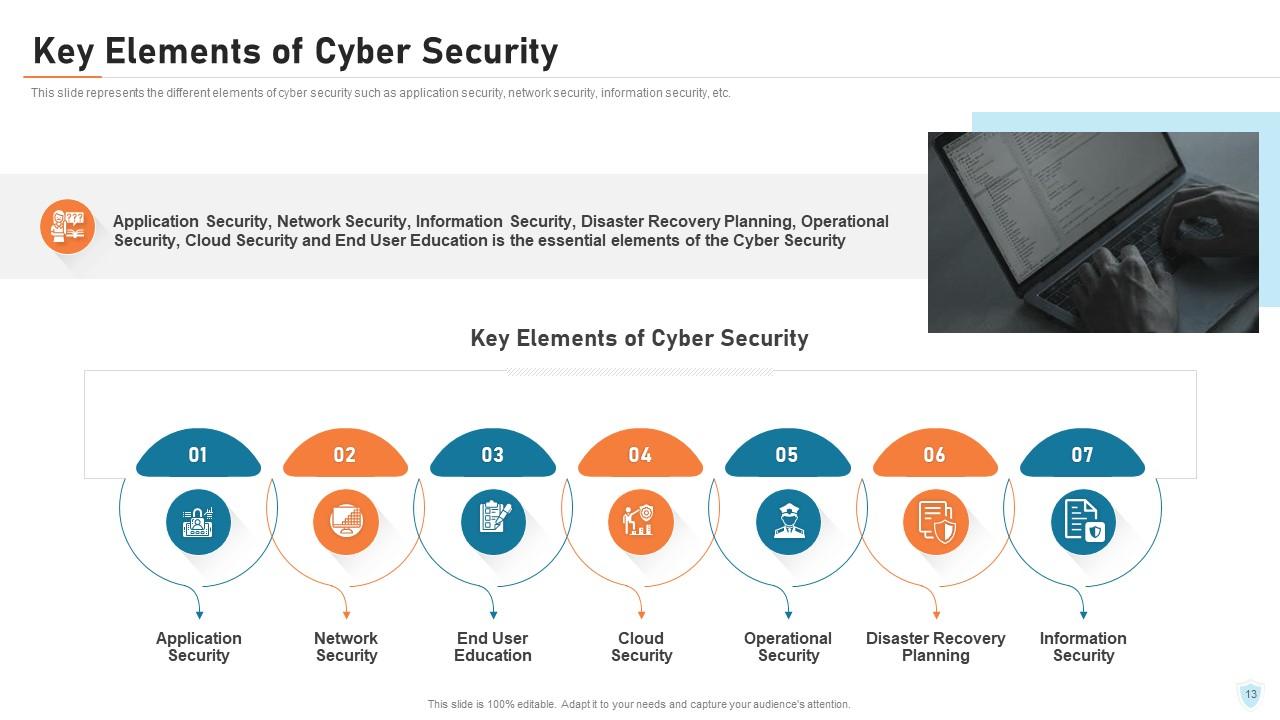
There are key elements of cybersecurity that organizations must enhance their ability to protect against cyber threats and safeguard their assets and information by incorporating these important elements. In the slide above, you can see some of them, for example, Application Security, Network Security, End User Education, Cloud Security, Operational Security, Disaster Recovery Planning and Information Security. Each of these elements play a vital role in protection against cyber threats.
Template 7 - Elements of Cyber Security - Application Security
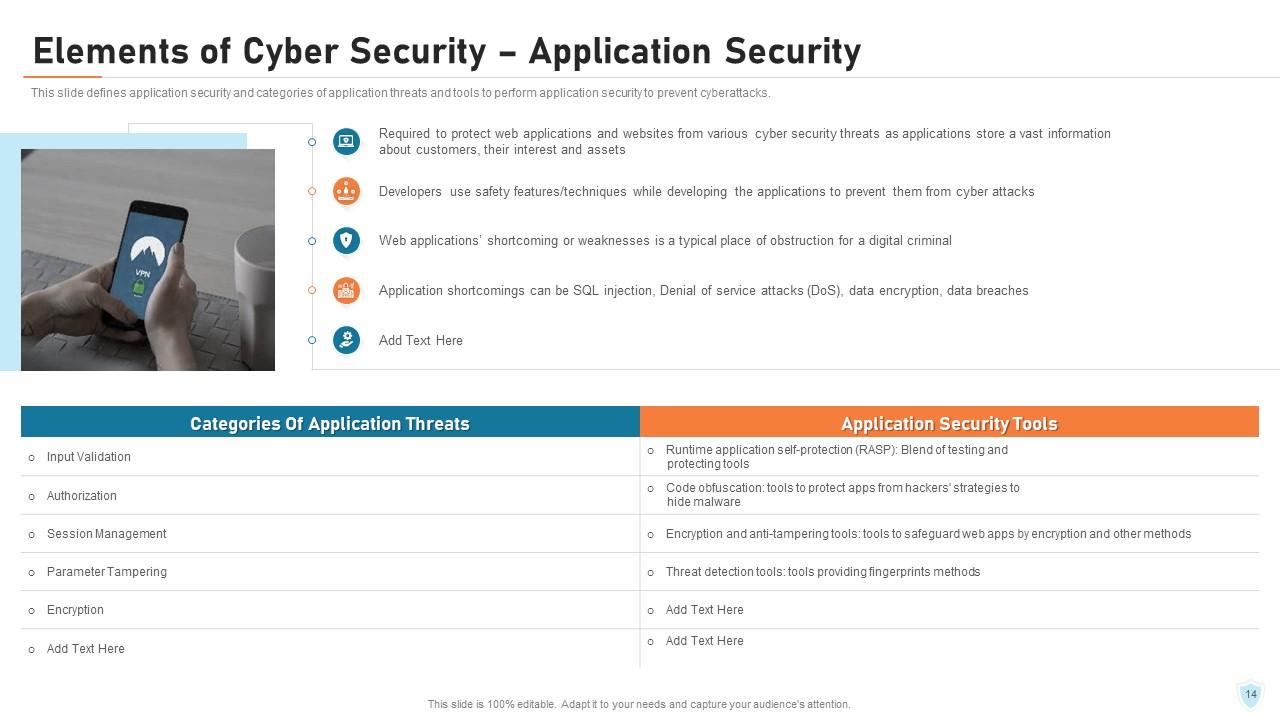
Applications are easily available over various networks and connected to the cloud, which increases vulnerabilities to security threats and breaches. You can protect software applications from cyber attacks using Application Security. It will help to ensure the confidentiality, integrity, and availability of data and functionality. This PPT Slide defines application security. Here you will find categories of application threats, for example, Input Validation, Authorozation, Session Management etc. and application security tools.
Template 8 – Elements of Cybersecurity: Information Security
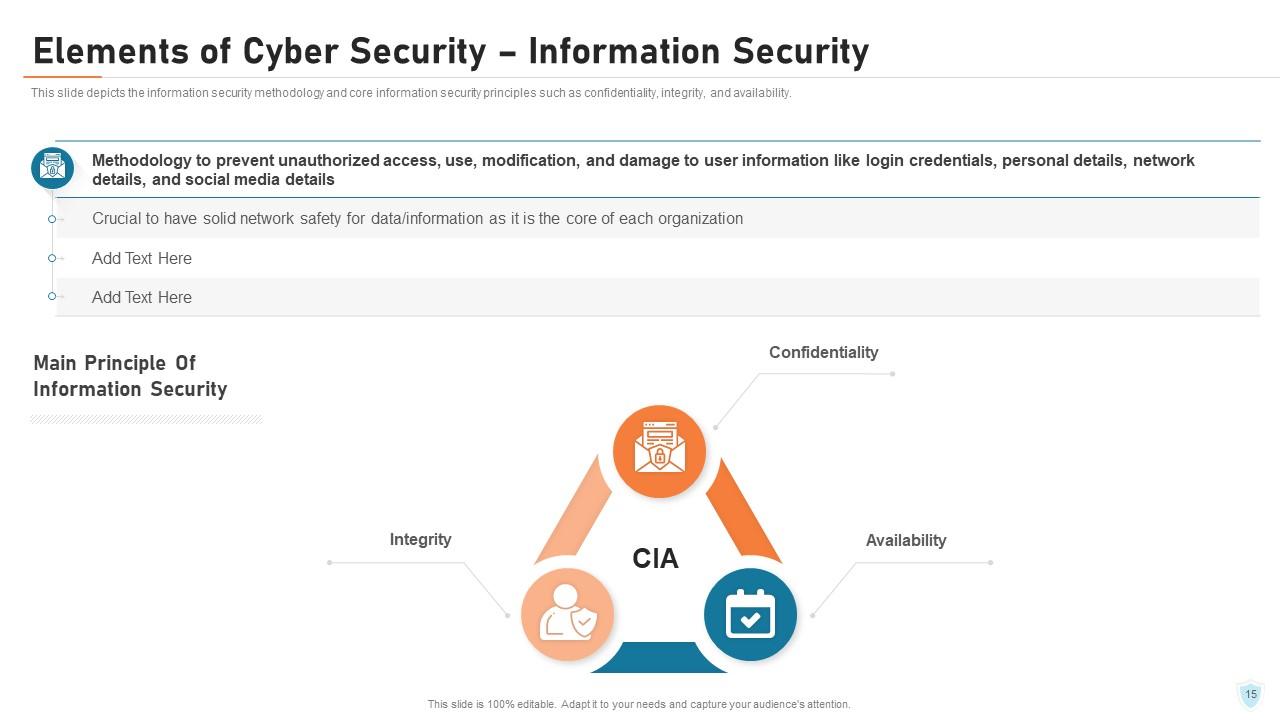
Information security is another aspect of an organization. It encompasses a range of practices and technologies required for protecting data and information systems from cyberattacks such as malware, phishing, ransomware, and hacking. Using this PPT Template, you can discuss about the information security methologies and core information security principles, namely Confidentiality, Integrity and Availability(CIA).
Template 9 – Main Principle of Information Security

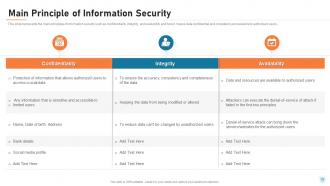
This PPT Template shows the description of the main principles of Information Security which is commonly known as CIA.i. e Confidentiality, Integrity and Availability. Confidentiality ensures that sensitive information is only accessible to limited users. Certain measures such as encryption, access controls, are implemented to prevent unauthorized access to confidential data.Integrity assures data is accurate, consistent and complete. Availability ensures data and resources are available only to the authorized users.
Template 10 - Elements of Cyber Security - Network Security
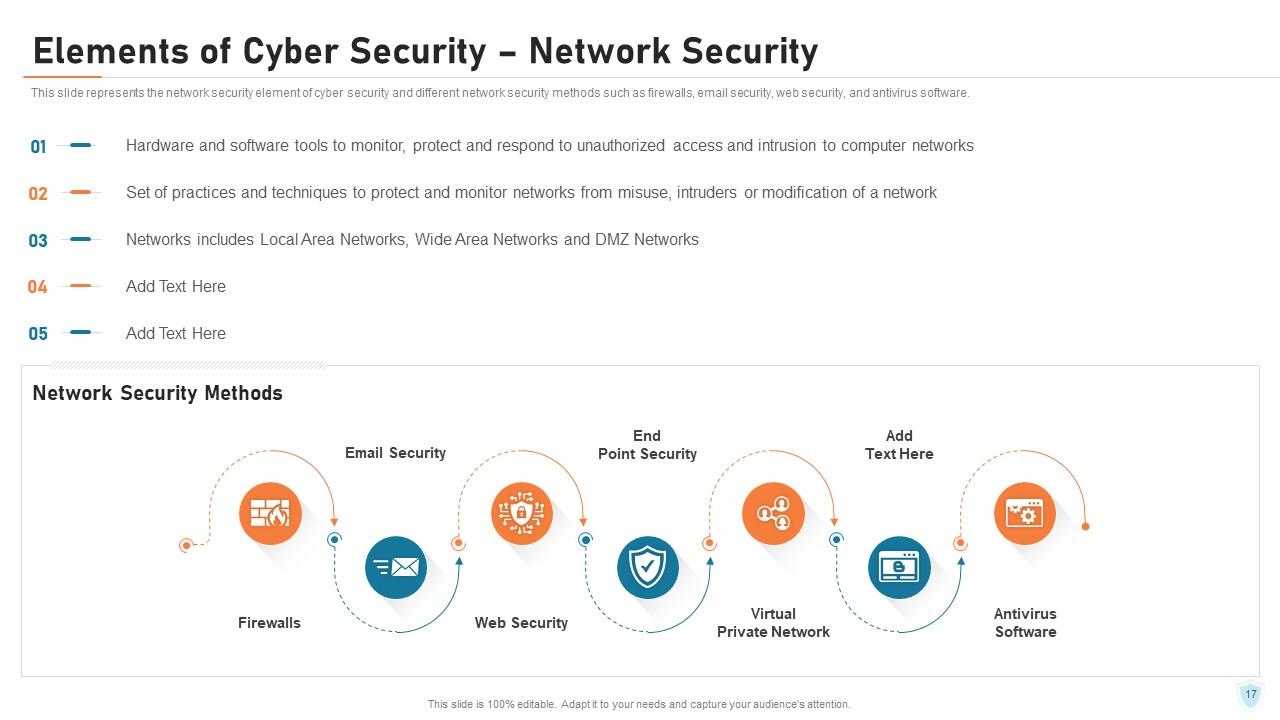
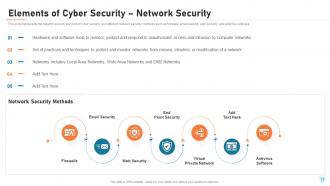
The prevention of cyberattack also requires ensuring Network Security. It refers to the measures implemented to protect the computer network and its data from unlawful access and misuse. In the slide above, you can find out the definition of Network Security explained in points. Additionally, it demonstrates network security methods such as Firewalls, Email Security, Web Security, End Point Security, Virtual Private Network, Antivirus Software etc.
*****
PROTECT YOUR CYBERWORLD TO SECURE YOUR BUSINESS
This blog helps us comprehend cybersecurity and outlines its importance especially for businesses. The PPT Slide templates shown above will help you to make people aware about the impact of cyberattack, instruct tips and tactics to prevent them and so much more.
P S Begin your cybersecurity awareness journey with well-structured and perfectly designed templates. Click here!
Cyber security it powerpoint presentation slides with all 81 slides:
Use our Cyber Security It Powerpoint Presentation Slides to effectively help you save your valuable time. They are readymade to fit into any presentation structure.
-
Cyber Security
-
Agenda for Cyber Security
-
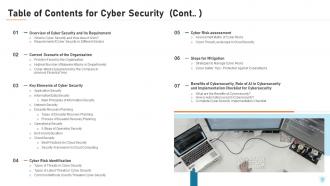
Table of Contents for Cyber Security Cont
-
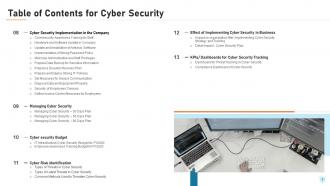
Table of Contents for Cyber Security
-
Table of Contents for Cyber Security
-
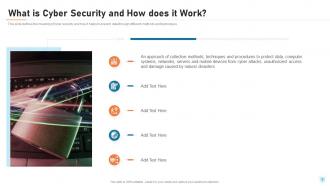
What is Cyber Security and How does it Work
-
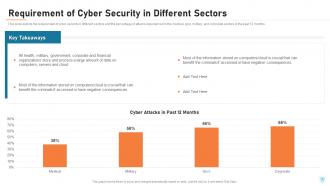
Requirement of Cyber Security in Different Sectors
-
Table of Contents for Cyber Security
-
Problems Faced by the Organization
-
Highest Number of Malware Attacks in Departments
-
Cyber Attacks Experienced by Company in Previous Financial Year
-
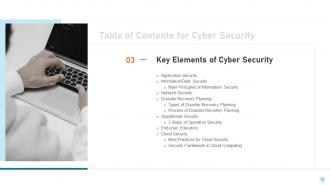
Table of Contents for Cyber Security
-
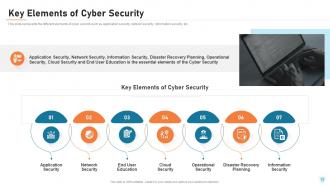
Key Elements of Cyber Security
-
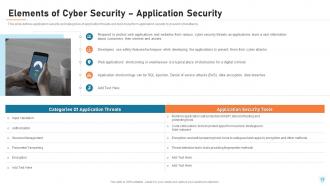
Elements of Cyber Security Application Security
-
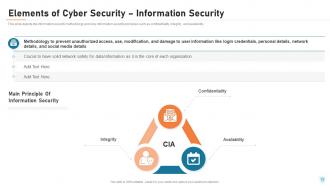
Elements of Cyber Security Information Security
-
Main Principle of Information Security
-
Elements of Cyber Security Network Security
-
Elements of Cyber Security Disaster Recovery Planning
-
Types Of Disaster Recovery Plan
-
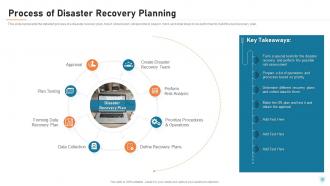
Process of Disaster Recovery Planning
-
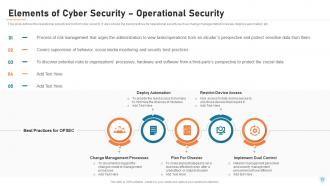
Elements of Cyber Security Operational Security
-
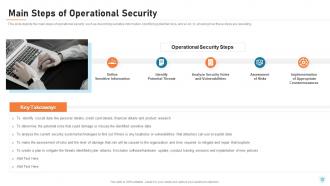
Main Steps of Operational Security
-
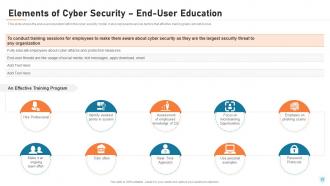
Elements of Cyber Security End User Education
-
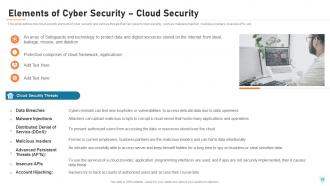
Elements of Cyber Security Cloud Security
-
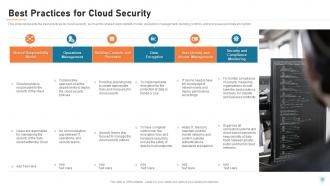
Best Practices for Cloud Security
-
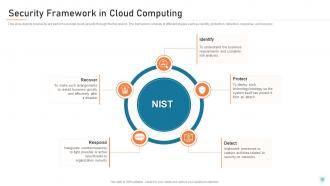
Security Framework in Cloud Computing
-
Cyber Security IT
-

Types of Threats in Cyber Security
-
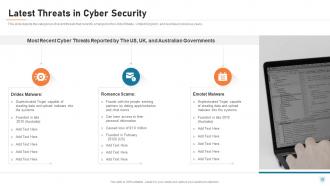
Latest Threats in Cyber Security
-
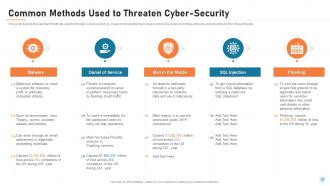
Common Methods Used to Threaten Cyber Security
-
Table of Contents for Cyber Security
-
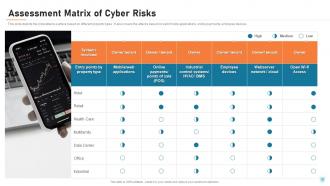
Assessment Matrix of Cyber Risks
-

Cyber Threat Landscape in Cyber Security
-
Table of Contents for Cyber Security
-
Strategies to Manage Cyber Risks
-

Cyber Safety Tips Protection Against Cyberattacks
-
Table of Contents for Cyber Security
-
What are the Benefits of Cybersecurity
-
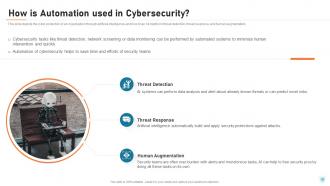
How is Automation used in Cybersecurity
-
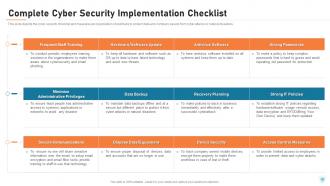
Complete Cyber Security Implementation Checklist
-
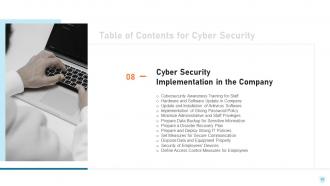
Cyber Security IT
-
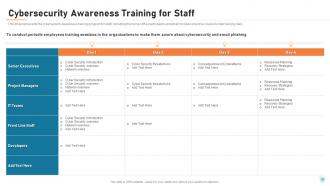
Cybersecurity Awareness Training for Staff
-
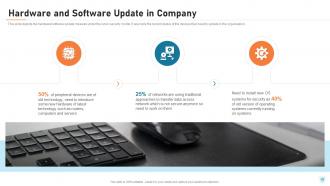
Hardware and Software Update in Company
-

Update and Installation of Antivirus Software
-
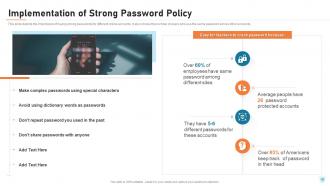
Implementation of Strong Password Policy
-
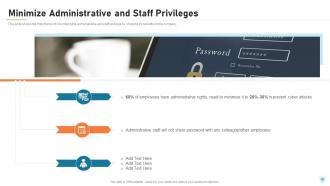
Minimize Administrative and Staff Privileges
-
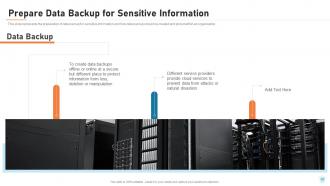
Prepare Data Backup for Sensitive Information
-
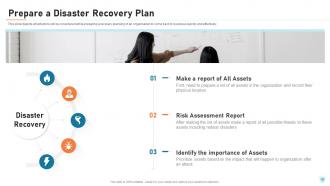
Prepare a Disaster Recovery Plan
-
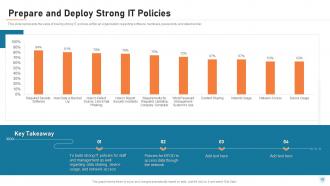
Prepare and Deploy Strong IT Policies
-
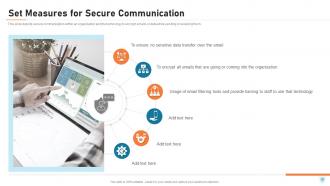
Set Measures for Secure Communication
-
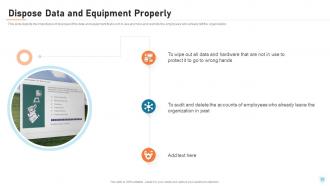
Dispose Data and Equipment Properly
-
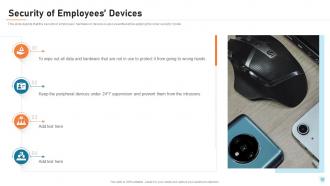
Security of Employees Devices
-
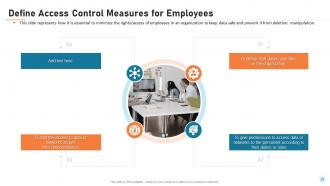
Define Access Control Measures for Employees
-
Table of Contents for Cyber Security
-
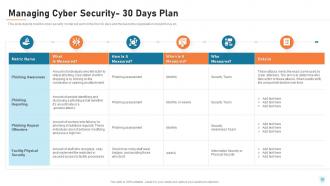
Managing Cyber Security 30 Days Plan
-
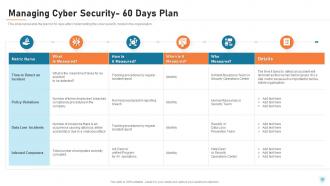
Managing Cyber Security 60 Days Plan
-

Managing Cyber Security 90 Days Plan
-
Table of Contents for Cyber Security
-
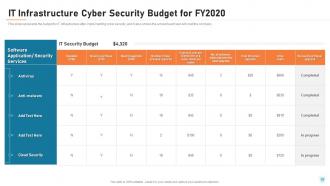
IT Infrastructure Cyber Security Budget for FY2020
-
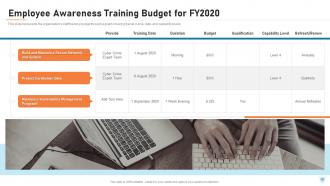
Employee Awareness Training Budget for FY2020
-
Cyber Security IT
-
Timeline for the Implementation of Cyber Security
-
Roadmap for Cyber Security Training
-
Table of Contents for Cyber Security
-
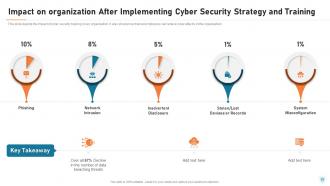
Impact on organization After Implementing Cyber Security Strategy and Training
-
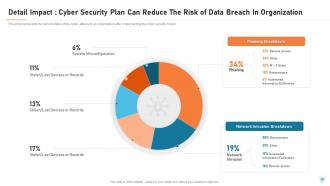
Detail Impact Cyber Security Plan Can Reduce The Risk of Data Breach In Organization
-
Table of Contents for Cyber Security
-
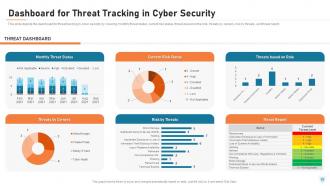
Dashboard for Threat Tracking in Cyber Security
-

Compliance Dashboard of Cyber Security
-
Cyber Security Icons Slide
-

Additional Slides
-
About Us
-
Our Team
-
Our Mission
-
Post It Notes
-

Roadmap
-
Cyber Security IT
-
Circular Diagram
-
Our Goal
-
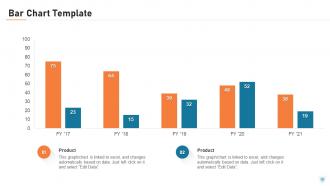
Bar Chart Template
-
Thank You
FAQs for Cyber security it
Honestly, phishing emails are still the worst - people click on sketchy links way too often. Ransomware's terrifying because it can lock down everything until you pay (which you shouldn't, but whatever). Malware gets in through downloads and sketchy websites. Supply chain attacks are getting nastier too - hackers go after your vendors first, then work their way to you. Don't forget about insider threats either. Employees with access can cause serious damage, intentionally or not. Basic stuff helps a ton though. Train your team to spot weird emails and actually update your software. Boring advice, but it blocks most attacks.
Honestly, you've gotta do actual phishing simulations - like send fake emails to your team and see who bites. Way better than those snooze-fest training videos nobody pays attention to. When someone clicks, don't make them feel stupid about it. Just grab them for a quick chat and walk through what they should've caught. The trick is keeping it regular, maybe monthly? Start with super obvious fake emails first. Once they get good at catching those, ramp up the difficulty. It's kinda like training for anything else - practice makes perfect.
So encryption is like having a secret code for your data - it scrambles everything into gibberish that only you and whoever you're sending it to can read. Hackers might grab your info, but they'll just see random nonsense instead of your actual passwords or credit card numbers. You know those "https" sites? That's encryption working. I always use encrypted messaging apps for anything important (honestly should probably use them more than I do). The stronger stuff like AES-256 is way better protection. It's basically your digital bodyguard scrambling everything up.
Honestly, the free stuff gets you pretty far. Turn on two-factor authentication everywhere - I know it's annoying but just do it. Set everything to auto-update because most hackers aren't some genius in a hoodie, they're just exploiting old software. Your team needs phishing training since that's literally how 90% of breaches start. Password managers are cheap and worth it. Basic antivirus too. Oh, and use whatever security features are already built into your current tools - you're probably paying for stuff you don't even know about. Start there, add more later.
So GDPR makes you build security right into how you handle personal data from day one. Get explicit consent first. Encrypt everything. Report breaches in 72 hours or you're screwed. The whole "privacy by design" thing means no more slapping security on later - honestly, companies hate this part but it's way overdue. Users can also force you to delete their stuff completely, which messes with backup plans. Oh, and do a data audit first to figure out what personal info you've got floating around.
Honestly, I'd start with some automated vulnerability scans - they're pretty quick and give you a decent baseline. Get a third-party firm to do penetration testing if you can swing it, or use your internal team. Social engineering tests are kinda brutal but super revealing about your actual weak spots. Make sure you're checking if all your software is current (boring but necessary), and definitely review your incident response plans. Oh, and don't skip the human side - test how security-aware your employees actually are. Risk assessments on critical assets matter too. Being systematic beats just crossing your fingers and hoping nothing bad happens.
Think of zero-trust like being paranoid about everyone - it checks every user and device before letting them in. The cool part? If someone does break in, they can't just roam around your whole network freely. You get way better visibility too, seeing exactly who's touching what. Yeah, setting it up is kind of a nightmare at first, but stolen passwords won't tank your entire system anymore. I'd honestly start small - figure out your most critical stuff and put verification around that first. Your attack surface gets tiny since people only access what they absolutely need.
So AI and ML are honestly pretty amazing for cybersecurity. They can crunch through tons of data instantly and catch weird stuff that normal security tools totally miss. Like if your login behavior suddenly changes or network traffic gets funky - they'll flag it. The systems actually get better after each attack too, which is wild. What's really cool is they can block threats automatically before you even realize something's wrong. Oh, and my buddy at work swears by AI-powered endpoint detection tools - probably your best starting point since they're not too complicated to set up.
Honestly, you gotta get your shit together before disaster strikes. Start with an incident response plan - who's doing what, contact info, the whole nine yards. Run practice drills so nobody's panicking when it actually happens (spoiler: it will). During the real deal, document absolutely everything for later. Get monitoring tools set up that catch problems early, and have backup communication channels ready. Oh, and seriously test your backups now - I can't stress this enough. Don't forget to pick someone who can actually talk to customers and press without making things worse.
Honestly, start with multi-factor authentication everywhere - you can get that rolling this week and it's your best protection. VPNs are non-negotiable for work stuff. I know updates are a pain but keep everything current, and get some decent endpoint protection on all devices. Your people need training on phishing scams since remote workers get hit hard with those. Oh, and set clear rules about home networks and personal devices - that's where things get messy. Three big buckets: secure connections, device management, and training your team to spot sketchy stuff. MFA first though, seriously.
So you need access controls and user authentication first - that's your foundation. Data protection guidelines are huge too, plus incident response procedures (most companies totally bomb this part because they think it won't happen to them). Don't forget security training for everyone, network protocols, and backup plans. Remote work policies are pretty critical these days. Oh and device usage rules - people get weird about their phones. Regular policy reviews matter since hackers get smarter constantly. Start with this stuff and expand later when you figure out what else you need.
Scammers are getting crazy good with AI now - they're making fake voices and super targeted emails using stuff from your Facebook and Instagram. Remote work made it worse too since everyone's working from random places. Train your people to catch weird requests, especially when someone's pushing them to skip normal steps. Those fake phishing tests actually help a lot. But honestly? The biggest thing is making sure your team feels okay reporting sketchy messages without getting blamed. I've seen too many places where people stay quiet because they're scared of looking dumb. That's how you get breached.
Dude, IoT devices are basically security holes everywhere. Most companies don't even know what smart devices they have connected - that's step one, figure out what you're dealing with. These things ship with terrible default passwords and never get updated. Your old security setup where you just protect the perimeter? Yeah, that's dead now. You've got cameras and sensors scattered around creating blind spots. I'd honestly segment your network first, then look into zero-trust stuff. Device discovery tools help too, but man, it's such a mess sometimes. Traditional security just wasn't built for thousands of connected toasters and thermostats.
First thing - figure out which regs actually hit your industry. HIPAA if you're in healthcare, PCI DSS for payment stuff, SOX if you're public. Audit where you stand now against those requirements. Fair warning: auditors are obsessed with documentation, so write everything down. Train your team on the procedures once you've got controls in place. Set up monitoring so you catch problems early instead of scrambling later. Oh, and don't treat this like a one-and-done thing - compliance never stops. I'd do quarterly check-ins to stay on top of any changes.
Definitely use DBAN or something similar to completely wipe those drives - just hitting delete won't cut it. Physical destruction works even better for the really sensitive stuff. Pull out all storage devices first, then find certified e-waste recyclers who'll give you destruction certificates. Mobile devices and printers store data too, which people forget about constantly. Honestly, there's something weirdly therapeutic about watching hard drives get shredded. Make sure you get all the paperwork because auditors will definitely ask for it later.
-
It is very good for those who wants to learn cyber security
-
I discovered this website through a google search, the services matched my needs perfectly and the pricing was very reasonable. I was thrilled with the product and the customer service. I will definitely use their slides again for my presentations and recommend them to other colleagues.