

Google Cloud IT Powerpoint Presentation Slides




Try Before you Buy Download Free Sample Product
 Impress Your
 Audience
 100%
100% Editable
 Save Hours
 of Time


Get this Google cloud IT PowerPoint template to keep your data, applications, and infrastructure in a safer place. This PowerPoint presentation gives a brief idea about Google Cloud, its architecture, services, and model. Google Cloud comprises many physical resources such as computers, hard disk drives, and virtual assets, like virtual machines VMs, contained in Googles information centers throughout the planet. Every data center is located in a region. The regions exist in Asia, Australia, Europe, North America, and South America. This PowerPoint Presentation will help readers understand Google Cloud, its need, storage classes, models, platform, and services. Furthermore, this Google Cloud presentation showcases various ways to implement the Google Cloud services, its resources, and uptime availability of the Google Cloud. This Google Cloud platform slides also show the difference between three cloud service providers: Google Cloud Platform, Microsoft Azure, and Amazon AWS on factors such as period, availability, networking, and compute services. In addition to that, Google Cloud PPT throws light on cloud computing vs. traditional computing. This presentation also represents the available zones and regions on Google cloud with information about how users can store the information or use the services from any zone or region as they want. Further, this deck showcases the application of Google Cloud in the healthcare departments, banking services, and IT sector. It also includes an employee training program, checklist, 30-60-90 days plan, timeline to integrate Google Cloud in the organization, and dashboard to track Google Cloud monitoring. Lastly, this Google Cloud solution PPT depicts the organizations architecture after migrating to Google cloud. Download this editable PowerPoint deck now and keep your data protected in one place.
People who downloaded this PowerPoint presentation also viewed the following :
Google Cloud IT Powerpoint Presentation Slides with all 82 slides:
Use our Google Cloud IT Powerpoint Presentation Slides to effectively help you save your valuable time. They are readymade to fit into any presentation structure.
-
Google Cloud IT
-
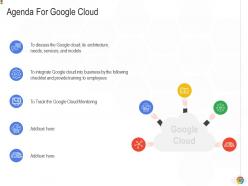
Agenda For Google Cloud
-
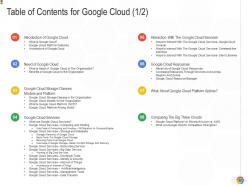
Table of Contents for Google Cloud 1 2
-
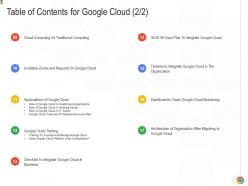
Table of Contents for Google Cloud 2 2
-

Table of Contents for Google Cloud
-
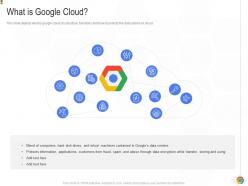
What is Google Cloud
-
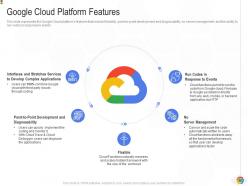
Google Cloud Platform Features
-

Architecture of Google Cloud
-
Table of Contents for Google Cloud
-
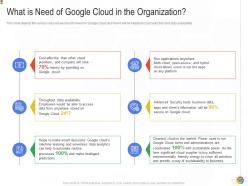
What is Need of Google Cloud in the Organization
-
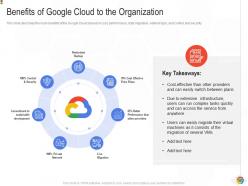
Benefits of Google Cloud to the Organization
-
Table of Contents for Google Cloud
-
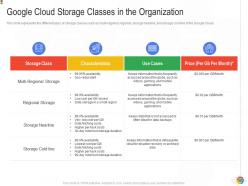
Google Cloud Storage Classes in the Organization
-
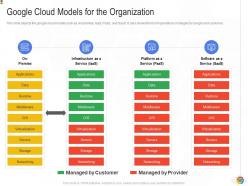
Google Cloud Models for the Organization
-
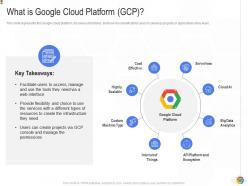
What is Google Cloud Platform GCP
-
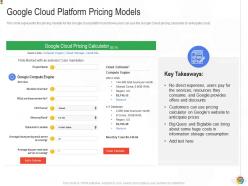
Google Cloud Platform Pricing Models
-
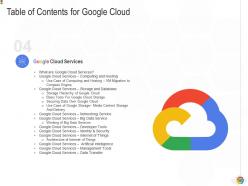
Table of Contents for Google Cloud
-
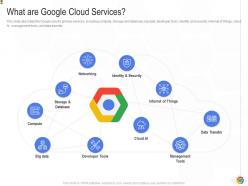
What are Google Cloud Services
-
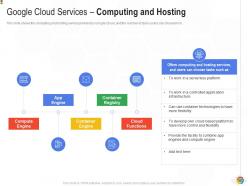
Google Cloud Services Computing and Hosting
-
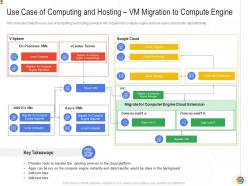
Use Case of Computing and Hosting VM Migration to Compute Engine
-

Google Cloud Services Storage and Database
-
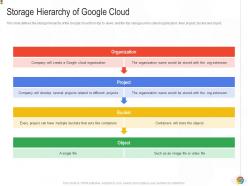
Storage Hierarchy of Google Cloud
-
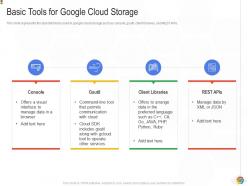
Basic Tools for Google Cloud Storage
-
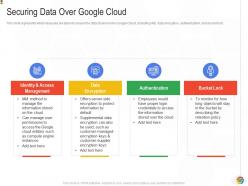
Securing Data Over Google Cloud
-
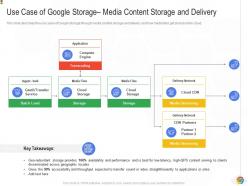
Use Case of Google Storage Media Content Storage and Delivery
-
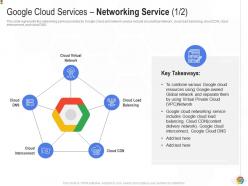
Google Cloud Services Networking Service 1 2
-
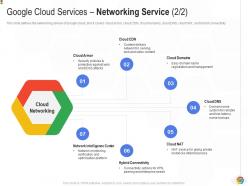
Google Cloud Services Networking Service 2 2
-
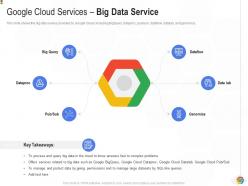
Google Cloud Services Big Data Service
-
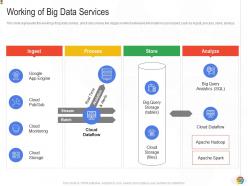
Working of Big Data Services
-
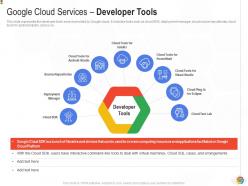
Google Cloud Services Developer Tools
-
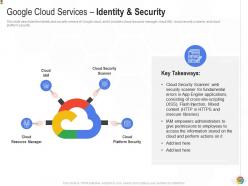
Google Cloud Services Identity Security
-
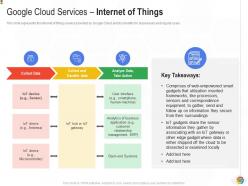
Google Cloud Services Internet of Things
-
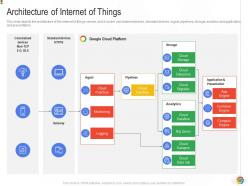
Architecture of Internet of Things
-
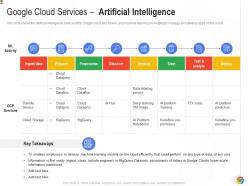
Google Cloud Services Artificial Intelligence
-
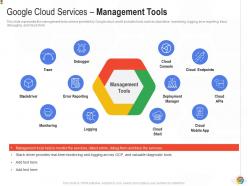
Google Cloud Services Management Tools
-
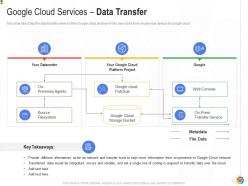
Google Cloud Services Data Transfer
-
Table of Contents for Google Cloud
-
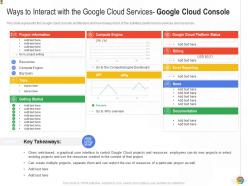
Ways to Interact with Google Cloud Services Google Cloud Console
-
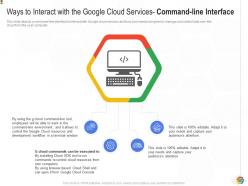
Ways to Interact with Google Cloud Services Command line Interface
-
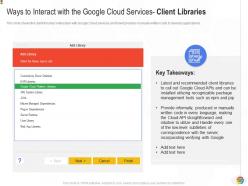
Ways to Interact with Google Cloud Services Client Libraries
-
Table of Contents for Google Cloud
-
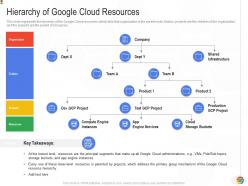
Hierarchy of Google Cloud Resources
-

Accessing Resources through Services and Across Regions and Zones
-
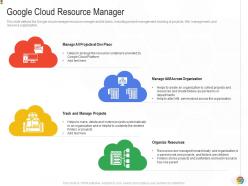
Google Cloud Resource Manager
-
Table of Contents for Google Cloud
-
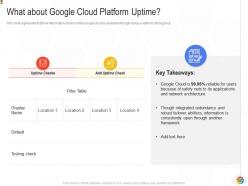
What about Google Cloud Platform Uptime
-
Table of Contents for Google Cloud
-

Google Cloud Platform vs Microsoft Azure vs AWS
-
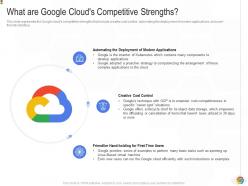
What are Google Cloud s Competitive Strengths
-
Table of Contents for Google Cloud
-
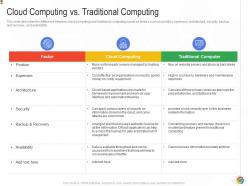
Cloud Computing vs Traditional Computing
-
Table of Contents for Google Cloud
-
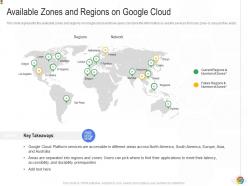
Available Zones and Regions on Google Cloud
-
Table of Contents for Google Cloud
-
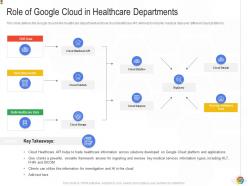
Role of Google Cloud in Healthcare Departments
-

Role of Google Cloud in Banking Sector
-
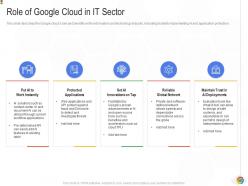
Role of Google Cloud in IT Sector
-
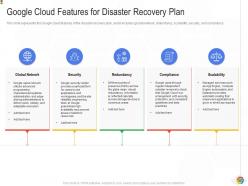
Google Cloud Features for Disaster Recovery Plan
-
Table of Contents for Google Cloud
-
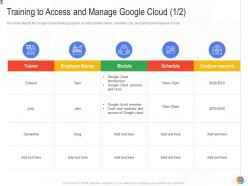
Training to Access and Manage Google Cloud 1 2
-
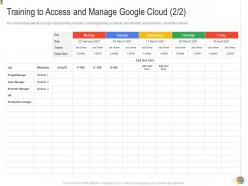
Training to Access and Manage Google Cloud 2 2
-
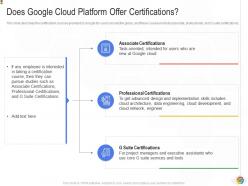
Does Google Cloud Platform Offer Certifications
-
Table of Contents for Google Cloud
-
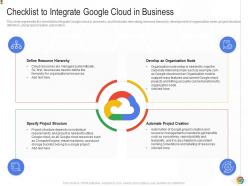
Checklist to Integrate Google Cloud in Business
-
Table of Contents for Google Cloud
-
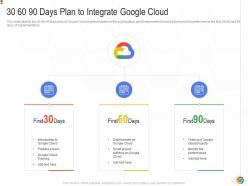
Google Cloud IT
-
Table of Contents for Google Cloud
-
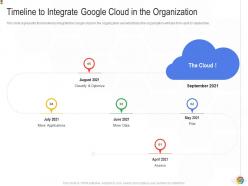
Timeline to Integrate Google Cloud in the Organization
-
Table of Contents for Google Cloud
-
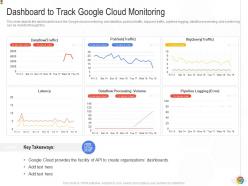
Dashboard to Track Google Cloud Monitoring
-
Table of Contents for Google Cloud
-
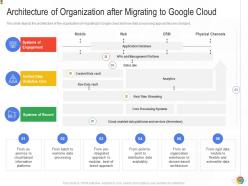
Architecture of Organization after Migrating to Google Cloud
-
Google Cloud IT Icons Slide
-
Additional Slides
-
Venn
-
Line Chart
-
Timeline
-
Puzzle
-
Post It Notes
-
30 60 90 Days Plan
-
Roadmap For Process Flow
-
Thank You for Watching
FAQs for Google Cloud IT
Honestly? Google Cloud's AI stuff is where they really shine - way ahead of AWS and Azure IMO. BigQuery handles massive datasets like it's nothing, and their ML APIs are actually intuitive to work with. The network speed is nuts too since it runs on Google's infrastructure. Pricing is more straightforward with those sustained use discounts, which is refreshing. If you're doing anything with data or want to mess around with AI features, just grab a free account and play with BigQuery first. That's probably the best way to see if it clicks for you.
So Google Cloud's got pretty solid security - they encrypt everything when it's moving around and when it's just sitting there. They've basically collected every compliance cert that exists (SOC 2, ISO 27001, HIPAA, you name it). What I like is they use the same security setup that protects Google's own stuff, which feels reassuring. You get really detailed control over who can access what through their IAM system. Oh, and audit logs track everything that happens. The cool thing is you can layer your own security rules on top of theirs instead of being stuck with whatever they decide works for everyone.
Look, pretty much any business can use Google Cloud, but you'll get the most bang for your buck if you're heavy into data or need to scale fast. Startups dig it since there's no huge upfront investment - just pay as you go. Companies with tons of data absolutely love BigQuery and the machine learning stuff. Oh, and the collaboration tools are actually pretty solid for remote teams. If you're trying to ditch old legacy systems or going through some digital makeover, definitely worth checking out. My advice? Pick one small project first and test it out.
So Google Cloud's got you covered with scaling - both vertical and horizontal stuff. Auto-scaling is pretty sweet, your compute instances just grow and shrink with traffic automatically. Load balancers spread everything across servers too. Honestly, serverless is where it's at though - Cloud Functions and Cloud Run just handle all the scaling mess for you. Most of it runs itself once you set it up. You can put limits on things so your bill doesn't go crazy. I'd probably start with auto-scaling groups if you're doing VMs, but Cloud Run's way easier if you can swing it.
Yeah, Google Cloud is pretty simple - you just pay for what you actually use. Compute time, storage, network stuff, whatever. Way better than those nightmare enterprise contracts, honestly. First thing I'd do is rightsize your instances and grab those sustained use discounts for anything running long-term. Set up billing alerts too so you don't get hit with a surprise bill (learned that one the hard way). Oh, and if you can predict your usage patterns, committed use contracts will save you decent money. Their pricing calculator is actually helpful for ballpark estimates upfront.
Definitely start by mapping out what you've got - servers, apps, dependencies, the whole mess. Google's Migrate for Compute Engine tool is solid for moving VMs over. Don't try to do everything at once though, that's a recipe for disaster. Break it into chunks and tackle one piece at a time. IAM setup should be your first priority, then get your network sorted. Oh, and make sure you can roll back each phase if things go sideways. Test everything in staging first - I can't stress this enough. Also watch your spending like a hawk because cloud costs will sneak up on you fast.
Google Cloud's ML stuff is actually really solid. Pre-trained APIs handle the basics - vision, language, speech recognition. Vertex AI is where you'll do most of your custom model work. AutoML rocks if you don't want to build everything by hand (seriously saved my butt on a project last month). BigQuery ML is perfect for data folks who hate switching platforms. Oh, and TensorFlow integration is seamless. Start with Vertex AI tutorials - they're way better than the old docs. You'll get a feel for what fits your project pretty quick.
So Google Cloud has a bunch of ways to connect third-party apps. Start with the Cloud Marketplace - might save you hours if there's already a connector built. APIs and SDKs let you build custom integrations, while Cloud Integration (used to be called Apigee) has pre-made connectors for big names like Salesforce and SAP. Pub/Sub is great for real-time messaging between systems. Cloud Functions work well for simple Zapier-type workflows too. Honestly took me forever to figure out Pub/Sub the first time, but it's solid once you get it.
So GKE handles all your Kubernetes stuff automatically - scaling, load balancing, the works. You don't have to mess with the underlying servers at all. Honestly, it's pretty sweet because you can just write code instead of dealing with cluster headaches. The way it connects with Cloud Build and Istio makes deployments way smoother too. Oh, and definitely try autopilot mode first if you're just getting started. It'll set up nodes and configs for you while you figure everything out. Way less stressful than diving into the deep end immediately.
So Google Cloud's got this whole suite of tools that play nice together. BigQuery's your main data warehouse - honestly, it's probably where you'll spend most of your time since it handles SQL queries like a champ. For processing stuff, there's Dataflow (batch and streaming) and Pub/Sub handles real-time messaging. Oh, and Dataprep is clutch for cleaning up data because let's be real, your data's gonna be a mess. They've also got AI Platform for ML stuff. Everything's serverless too, so no headache with scaling. I'd just jump into BigQuery first - way easier to wrap your head around.
Honestly, Google's suite works really well for remote teams. Gmail, Meet, Drive, and Docs all talk to each other seamlessly - you can hop from a video call straight into editing a doc together. Real-time editing is a lifesaver when you're working with people in different time zones. Security's enterprise-level too, which is nice since you don't want company stuff just sitting around unprotected. Oh, and pro tip - start by moving your shared folders to Drive first. Once everyone gets used to that, roll out the other tools gradually. Makes the transition way smoother.
Google Cloud IoT Core is pretty solid for managing a bunch of devices - handles all the authentication headaches for you. Cloud Pub/Sub does the real-time messaging between your devices and apps. Honestly, the security stuff is huge because IoT security can be a total mess if you're not careful. BigQuery's there for crunching your sensor data, and Cloud Functions processes events instantly. Everything plays nice together too, which is nice since dealing with multiple platforms sucks. I'd definitely start with just a few devices first though - test everything works before you go crazy with scaling.
Hybrid cloud is perfect for your situation. Google's Anthos lets you run stuff on-premises while gradually moving things to the cloud - no rush, no "rip the band-aid off" drama with your CFO. You can keep sensitive data local for compliance but still get cloud benefits where they actually matter. What I'd do first is figure out which apps would benefit most from moving. Legacy systems can stay put while you modernize the easier wins. The flexibility is honestly the best part - you're not stuck with one approach and can adjust costs based on what you're actually using. Plus leadership loves hearing "gradual migration" instead of massive upfront investment.
Oh totally! Spotify uses Google Cloud for their crazy music data and recommendation stuff. Netflix runs their content delivery and ML algorithms on Google's infrastructure too. Snapchat's whole backend is on there handling like billions of photos every day - which honestly blows my mind. Twitter moved their cold storage over to save money. You should definitely check out Google's case studies page though. They actually break down what services each company used and what results they got, which is super helpful for project ideas.
Honestly, Google Cloud's support is pretty decent once you know where to look. The community forum is your best bet - it's free and usually has answers already posted. Stack Overflow's GCP section is massive too, developers are constantly sharing fixes there. If you've got a paid plan, you can submit actual support tickets. But here's the thing - the Google Cloud Slack community often gets you answers way faster than official support. Kinda weird but true. There's also Google Cloud Skills Boost for learning stuff, plus all the usual docs and console help features.
-
Great quality product.