

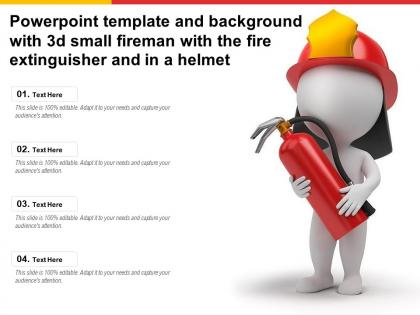
Powerpoint template and background with 3d small fireman with the fire extinguisher and in a helmet




Try Before you Buy Download Free Sample Product
 Impress Your
 Audience
 100%
100% Editable
 Save Hours
 of Time


The following Powerpoint Image slide titled Powerpoint Template And Background With 3d Small Fireman With The Fire Extinguisher And In A Helmet is an editable Powerpoint template available in Standard as well as Widescreen size. This slide has an image pasted strategically on a slide with sections for text that you can fill in. You can move and edit any element and paste your own image in place of this provided image if required.
People who downloaded this PowerPoint presentation also viewed the following :
Powerpoint template and background with 3d small fireman with the fire extinguisher and in a helmet with all 2 slides:
Use our Powerpoint Template And Background With 3d Small Fireman With The Fire Extinguisher And In A Helmet to effectively help you save your valuable time. They are readymade to fit into any presentation structure.
FAQs for Powerpoint template and background with 3d small fireman with the fire extinguisher and
So for your fireman presentation, start with emergency response basics and fire safety protocols - those are non-negotiable. Equipment demos always get people interested too. Then throw in prevention tips and evacuation procedures. Oh, and real examples work way better than just theory - people actually pay attention when you tell stories about actual fires you've dealt with. Make sure to leave time for Q&A at the end because literally everyone has questions for firefighters. Include your contact info and give them clear next steps. Actually, now that I think about it, maybe prep for the weird questions too - kids especially ask the most random stuff!
Red's your obvious go-to for danger stuff - fire risks, emergencies, you know. But don't go crazy with it or people get overwhelmed. Blue works amazing for trust and safety protocols (honestly, most fire departments already figured this out with their uniforms). Yellow's solid for warnings that need attention. Green says "safe zone" or all-clear situations. Here's what I'd do: hit the scary parts with red, then balance it out with calming blues when you're explaining solutions. The color combo actually makes your safety message stick better than just using one color throughout.
For a fireman presentation, go with bold action shots that really pop. Dramatic scenes work best - firefighters battling flames, rescue operations, team shots during emergencies. Fire trucks and close-ups of their gear are solid choices too. Static photos just feel flat for this topic, honestly. You could also try silhouettes against dramatic backgrounds if you want something cleaner. Oh, and skip anything that screams "stock photo" - those always look cheesy. High-res is obviously key. The whole vibe should scream courage and intensity, you know? Authentic beats polished every time here.
Dude, charts and infographics are your best bet here. Bar charts crush it for showing injury trends over time, while pie charts break down fire causes really well. Heat maps are perfect for geographic risk areas (okay that pun was terrible but whatever). Stick with reds, oranges, yellows - keeps it themed but don't sacrifice readability. Those little flame and extinguisher icons help when you've got text-heavy slides. Here's the thing though - animate your charts so data appears gradually instead of all at once. Way better for keeping people actually paying attention and you can really drive home your key points.
Definitely bring props - smoke detectors, fire extinguisher, maybe even set up a fake kitchen scene. Way more engaging than just talking at people. Get them moving around too, like practicing escape routes or sharing stories about close calls they've had. Real scenarios work better than made-up ones, honestly. Oh, and break it into stations where they rotate through different topics - keeps things from getting boring. Throw in some quick games or quizzes between the serious stuff. The whole point is making them DO things instead of just sitting there. Interactive beats lecture-style every time.
For your fireman presentation, definitely go with high contrast colors - bold reds and whites work way better than those subtle grays that nobody can see properly. Make your fonts big (24pt minimum for body text) and don't forget alt text for images. Oh, and audio descriptions for video clips are super important since fire safety demos always have those. Screen readers need clean layouts to work right, so keep things uncluttered. Multiple language options are smart too - fire safety info shouldn't be lost in translation, you know? Also leave space for captions. Honestly, accessibility stuff seems overwhelming at first but it's really just common sense once you get into it.
Definitely go with bold sans-serif fonts for your headers - Arial Black, Montserrat Bold, or Bebas Neue work great. Impact's solid too, though maybe a bit overused these days. You want something that screams authority from the back of the room, you know? Body text should stay simple - Arial or Calibri won't let you down. Skip anything fancy or script-y since people will just squint instead of listening. Oh, and test your font sizes on the actual projector first! I learned that one the hard way when half my slides were basically unreadable.
Honestly, visual timelines work really well - show the evolution from bucket brigades to today's tech. Those old horse-drawn fire engine photos always get people excited, trust me. Structure some sections around big moments like the Great Chicago Fire or when they invented fire poles (random but fascinating). Before/after comparisons are solid too, especially for safety gear improvements. Maybe throw in a quick quiz about firefighting facts? Interactive stuff keeps people awake. Oh, and definitely open with some historical hook right away to grab their attention from the start.
So the hero's journey thing totally works here - dispatch call, then all the crazy obstacles they hit, finally the resolution. But honestly? Personal stories are where you'll really get them. Close calls, amazing saves, that kind of stuff shows the human side. I'd go with a "day in the life" structure since it lets people actually feel what it's like. Don't skip the sensory stuff either - alarms blaring, that insane heat, adrenaline pumping. Oh, and start with like a 30-second story from a real call. Hooks them immediately.
So basically tailor your content to who's listening. Kids want the fun stuff - show them the gear, let them explore the truck, talk about becoming a firefighter. Way more engaging than dry safety lectures. Corporate crowds are different though. They need workplace prevention tips, evacuation plans, that kind of practical stuff. Switch up your language too - storytelling works great for students, but executives want facts and data. Honestly, I'd make two separate master templates since the audiences are so different. Way easier than trying to frankenstein one presentation into something else every time. The modular setup should make swapping sections pretty straightforward.
Dude, multimedia makes ALL the difference for fire safety presentations. People zone out during boring safety talks, but show them actual rescue footage or before/after photos of fire damage? Now you've got their attention. Real emergency call audio hits different too - gets pretty intense honestly. Mix it up throughout so nobody's checking their phones. I'd start with your key safety points, then find visuals that really drive each one home. Even basic animations showing how fires spread work great. Trust me, seeing actual flames beats reading bullet points any day!
Keep the animations super basic for your firefighter presentation. Simple fade-ins work great for highlighting safety points step-by-step - way better than dumping everything on screen at once. Honestly, they'll appreciate clear info over flashy effects anyway. Stick to "fade" or "push" transitions between slides. Nothing fancy. Oh, and definitely test it beforehand! I learned that the hard way when my slides glitched during a big presentation last year. Emergency procedures are too important to risk technical issues messing things up. Focus on making the content easy to follow rather than impressive-looking.
Don't cram everything onto one slide - nobody wants to read a novel up there. Use big fonts so people in the back can actually see what you're saying. Those cheesy flame animations? Skip them, they're honestly just annoying. Red text on dark backgrounds is brutal to read, so pick colors that contrast well. Include real data instead of just dramatic photos - stats matter. Oh, and keep your layout consistent throughout, same fonts and everything. Test your tech beforehand because Murphy's law is real. Have a backup ready too, just in case.
Definitely ask questions throughout - "What would you do if you saw smoke under a door?" gets them thinking. Have them practice stop-drop-and-roll right there. Kids eat that stuff up! Props work great too - let them hold smoke detectors, show fire extinguisher techniques, maybe photos of local incidents they'd recognize. Oh, and break up your talking with moments where they actually move or respond. I always thought the best presentations feel more like conversations anyway. Wrap each section with "Any questions about what we covered?" Works every time.
Pick incidents people can actually relate to - set up each one with what happened, the response, and how it turned out. Honestly, the "almost went bad" stories hit just as hard as the dramatic rescues. Get permission before sharing real call details, obviously. Maybe blur out locations or personal stuff too. Focus each example on just one main lesson - otherwise you'll lose them. Oh, and definitely connect it back to whatever safety thing you're teaching at the end. That's what makes it stick.
-
Amazing product with appealing content and design.
-
Top Quality presentations that are easily editable.
-
Wonderful templates design to use in business meetings.