

Process Flow Chart For Manufacturing Company Powerpoint Ppt Template Bundles
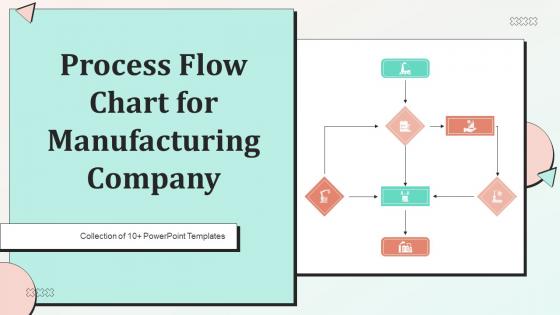




Try Before you Buy Download Free Sample Product
 Impress Your
 Audience
 100%
100% Editable
 Save Hours
 of Time


Our Process Flow Chart For Manufacturing Company Powerpoint Ppt Template Bundles are topically designed to provide an attractive backdrop to any subject. Use them to look like a presentation pro.
People who downloaded this PowerPoint presentation also viewed the following :
Process Flow Chart For Manufacturing Company Powerpoint Ppt Template Bundles with all 17 slides:
Use our Process Flow Chart For Manufacturing Company Powerpoint Ppt Template Bundles to effectively help you save your valuable time. They are readymade to fit into any presentation structure.







FAQs for Process Flow Chart For Manufacturing Company Powerpoint
You'll want clear start/end points, decision diamonds, and process rectangles - basic stuff. Connect everything with arrows that don't cross over each other (seriously, crossed arrows make people's brains hurt). If different people or departments are involved, throw in some swim lanes. Those things are honestly game-changers for messy processes. Make each step super specific too - none of that "handle customer request" nonsense. Actually, I'd start by sketching it out on paper first. Way easier to move stuff around before you commit to making it digital.
Honestly, flow charts are game-changers for getting your team on the same page. You map out each step visually, and suddenly everyone knows who's doing what and when. No more "wait, what comes next?" conversations every five minutes. The best part? You'll catch all those weird redundant steps that somehow snuck into your process over time - I swear every workplace has at least three of these nobody can explain. Bottlenecks become super obvious too. New hires can actually figure out what they're supposed to be doing without bugging everyone constantly. Just pick one messy process that's been driving you nuts and start there.
So basically you've got ovals for start/end points, rectangles for all your process steps, and diamonds for decisions. Arrows show which way everything flows. Oh, and parallelograms are input/output stuff, circles connect different chart sections. Honestly there's tons of other symbols but these cover like 90% of what you'll actually use. Rectangles are where the real work happens - that's your bread and butter. Diamonds split things up with yes/no choices. I'd just stick with the basics first since you can always get fancy later if you need to.
Okay so flowcharts are just your basic "step A leads to step B" kind of thing. Pretty straightforward. Swimlane diagrams? Same concept but you split everything into lanes by whoever's doing that part - like marketing gets one lane, IT gets another. Makes handoffs way clearer. Data flow diagrams are completely different though. They're all about tracking how information moves around between systems and databases, not the actual workflow steps. I honestly used to think they were the same thing for the longest time! My rule: need to show who does what? Swimlane. Mapping data between systems? DFD. Everything else just use regular flowcharts.
Flow charts are amazing for finding bottlenecks - they literally show you where stuff gets stuck. You'll see the whole process mapped out and immediately notice where work piles up or drags on forever. Multiple inputs feeding into one step? That's trouble. Same with any step that takes way longer than others. I swear it's like putting on glasses for the first time when you really look at it. My old boss used to say "measure twice, cut once" but honestly this applies here too. Once you spot those problem areas, you can actually fix what matters instead of randomly tweaking things.
So basically, figure out your start and end points first. Then just work through each step logically - rectangles for regular tasks, diamonds when there's a decision to make. I always go top-to-bottom or left-to-right because crossing lines everywhere looks messy as hell. Keep the text short and punchy with words like "review" or "submit." Here's what really works though: grab someone who doesn't know the process and have them walk through your flowchart. If they're scratching their head, you've overcomplicated it. Oh, and stay consistent with formatting - it's one of those small things that actually matters way more than you'd think.
Figure out what actually kicks the whole thing off - like when a customer hits submit or a deadline hits. That's your real start, not some prep work beforehand. Then work backwards from the end goal. The finish line is when you've delivered actual value, not when you dump it on someone else's desk (honestly, people mess this up all the time). Don't overthink it at first. Just nail down those two bookends, then you can fill in all the messy stuff that happens between them. Way easier than trying to map everything at once.
Honestly, I'd go with Lucidchart or Microsoft Visio for professional stuff - both have great templates and look super polished. Though if you want free, diagrams.net (used to be draw.io) is actually pretty solid. Visio's nice if you're already using other Microsoft apps since everything plays together well. But Lucidchart is way easier to use, and the collaboration stuff is better if your team's gonna be jumping in. I always forget how much I hate clunky interfaces until I use one lol. I'd try Lucidchart's free trial first, then compare it with diagrams.net before deciding.
Honestly, flow charts are total lifesavers for teams. They show everyone exactly who's doing what and when - like having a roadmap where you can actually see how your stuff connects to what Sarah's working on. No more awkward "wait, weren't you supposed to handle that?" moments. You'll spot bottlenecks before they mess up your whole timeline too. I know it sounds boring, but trust me on this one. Just map out your next project with everyone and watch how much smoother things get. It's like finally understanding a confusing movie plot!
Dude, flowcharts are seriously a lifesaver for new hires. Visual people can actually see what they're supposed to do instead of drowning in paragraphs of instructions. Breaking stuff down step-by-step just works better than throwing everything at them at once. When you're not around to help, they can look at the chart and figure it out themselves - builds confidence way faster. Honestly, I wish more places did this instead of just verbal explanations that people forget five minutes later. Just keep 'em simple and updated for your main processes. You'll be shocked how much smoother onboarding gets.
Honestly, flow charts are perfect for this. Start by mapping out whatever process is driving you nuts right now - bottlenecks and redundant steps will literally jump off the page. I know it sounds boring, but the visual aspect is actually really helpful when you're trying to spot where things go wrong. After you fix stuff, update the chart and boom - you can see exactly what changed. Your team will get it way faster than trying to explain everything verbally too. Just pick one annoying process you deal with all the time and chart it out first.
So process flow charts are honestly game-changers for ISO 9001 stuff. They help you map out how things actually work in your company - all the inputs, outputs, decision points, weird handoffs between departments. ISO requires you to document your key processes anyway, so why not make it visual? Start with your most critical ones first since that's where you'll spot the biggest problems. Auditors eat this stuff up too, makes their lives way easier. You'll catch inefficiencies you didn't even know existed and can actually prove you're doing what you say you're doing. My old boss was obsessed with these things, but honestly? They work.
Talk to the people who actually do the work every day - skip the managers who just think they know what's happening. Ask them where they're getting stuck and what feels like a waste of time. Write down all their complaints, then figure out which fixes would help the most people. You'll get tons of conflicting opinions, which is honestly pretty normal. Just focus on the biggest problems first. Change your flowchart bit by bit and test stuff as you go - that way you can tell if something's actually helping or just making things worse. Oh, and don't try to make everyone happy because that's impossible.
Honestly, the two big ones are overcomplicating it and forgetting stuff breaks. Don't make some massive flowchart that nobody can follow - keep it simple. Also, be way more specific than "process data" because that tells nobody anything useful. Real processes are messy, so you need decision points and backup plans. Oh, and definitely talk to the people who actually do this work every day (I learned that one the hard way). They'll catch things you'd never think of. Start basic, test it out, then fix what doesn't work. Way better than scrapping the whole thing later.
Honestly, flow charts are a game-changer for presentations. They take messy processes and make them actually followable – way better than boring bullet points that put everyone to sleep. You can guide people through each step, show where decisions happen, highlight the important stuff with colors. I always add little icons for different people involved too. Oh, and don't reveal everything at once or you'll lose them. Build it piece by piece. People retain visual stories so much better than text walls. Trust me, I've sat through too many painful slide-reading sessions where flow charts would've saved everyone's sanity.
-
Appreciate the research and its presentable format.
-
My team has been relying on SlideTeam’s professional PPT designs for a while now. It has greatly sped up quality work at my organization. So thanks!