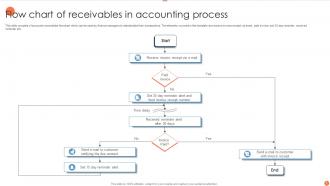
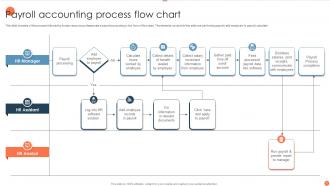
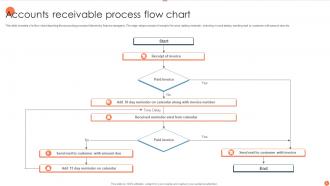
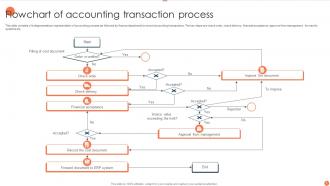
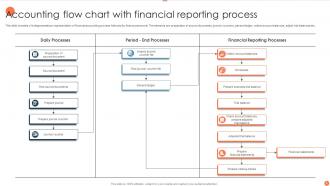
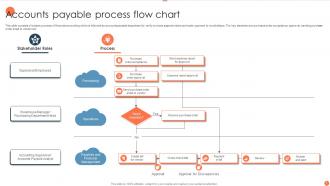
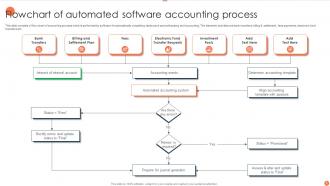
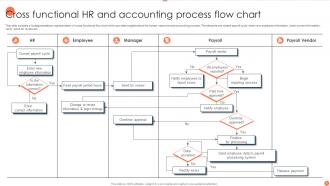
Flow Chart Of Accounting Process Powerpoint PPT Template Bundles
Try Before you Buy Download Free Sample Product
Audience
Editable
of Time
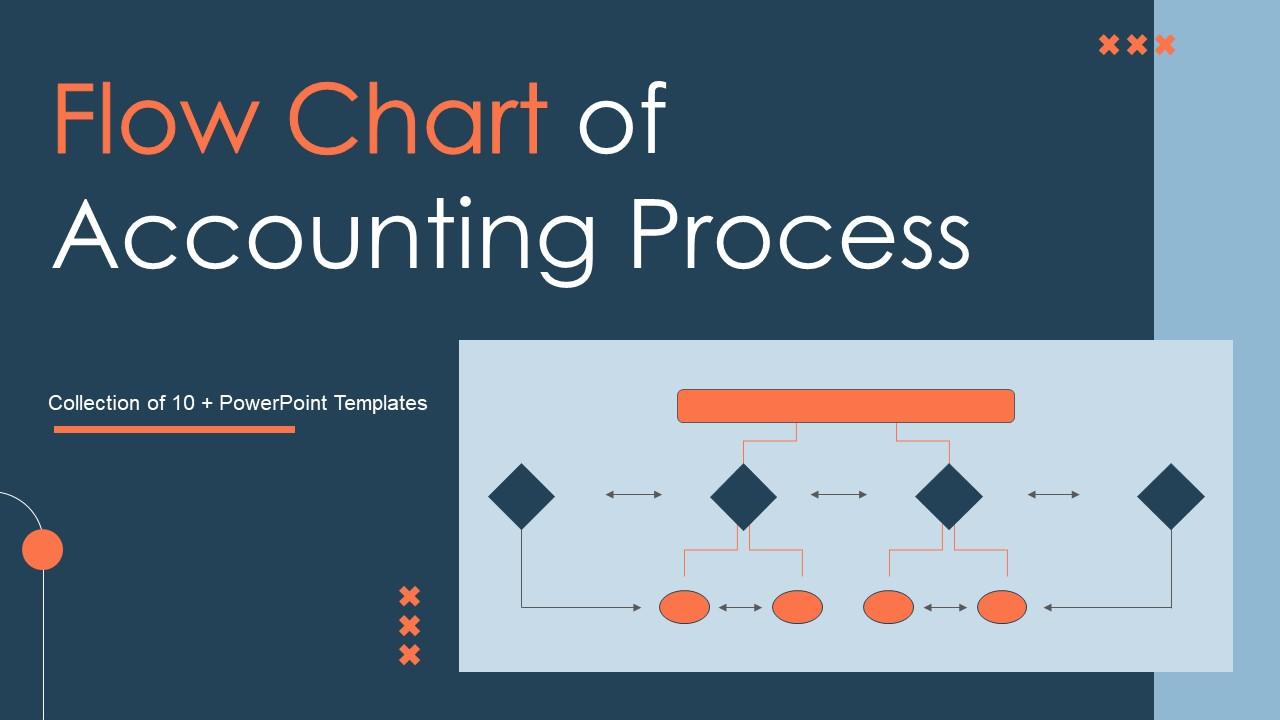
Our Flow Chart Of Accounting Process Powerpoint PPT Template Bundles are topically designed to provide an attractive backdrop to any subject. Use them to look like a presentation pro.
People who downloaded this PowerPoint presentation also viewed the following :
Flow Chart Of Accounting Process Powerpoint PPT Template Bundles with all 17 slides:
Use our Flow Chart Of Accounting Process Powerpoint PPT Template Bundles to effectively help you save your valuable time. They are readymade to fit into any presentation structure.
FAQs for Flow Chart Of Accounting Process Powerpoint
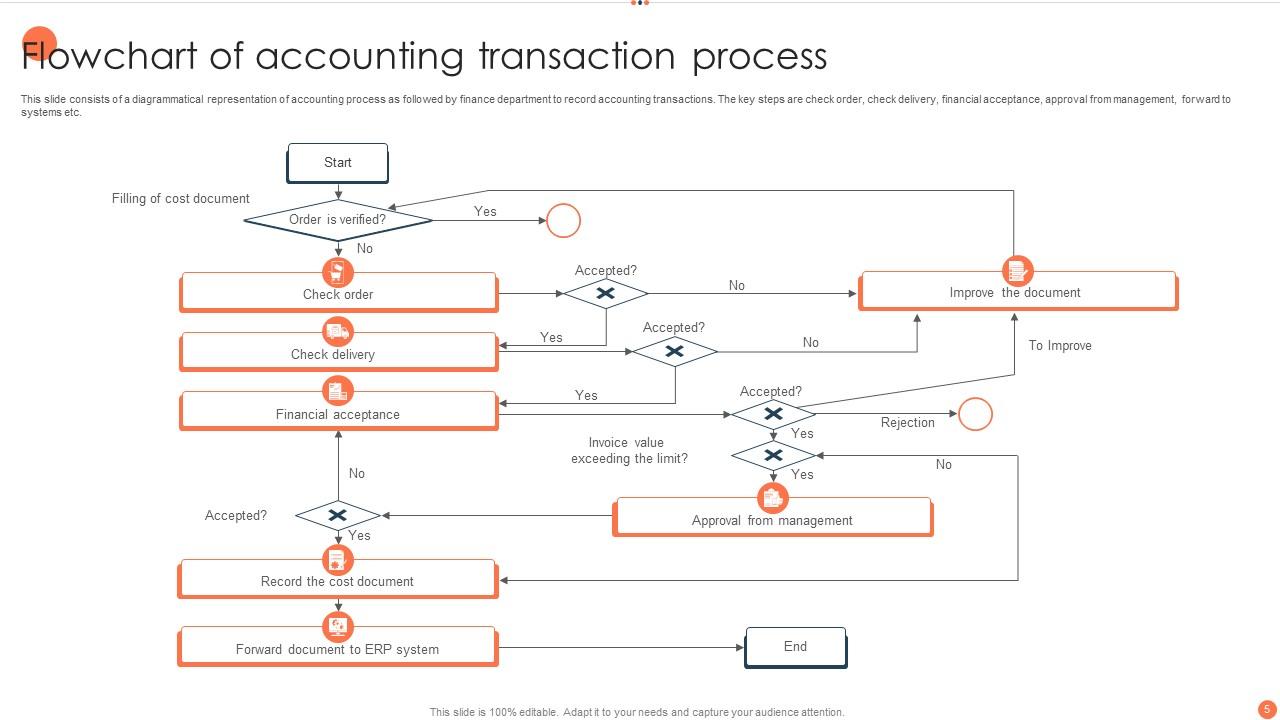
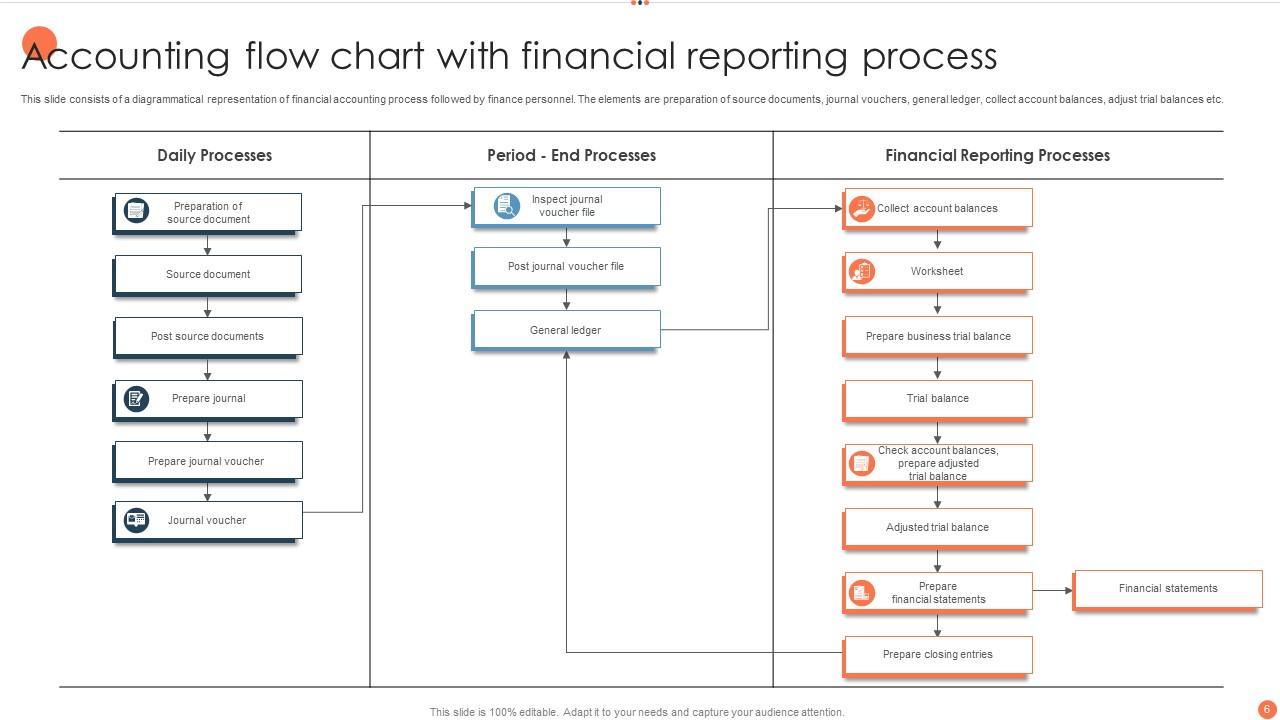
So basically you journal your transactions first, then post everything to the general ledger. Trial balance comes next - seriously, don't skip this because it catches errors before they multiply. Adjusting entries are after that (depreciation, accruals, all that fun stuff), then another trial balance. Financial statements wrap it up - income statement, balance sheet, the works. Oh, and close your books when you're done. Honestly? Make yourself a checklist. I learned that the hard way when I forgot to adjust for prepaid expenses last month and had to redo half my work.
So basically, each group wants different stuff from your accounting process. Management decides what gets recorded based on their goals. Auditors are super picky about your documentation - trust me, they'll find every little gap. Investors and creditors want everything transparent and fast (monthly closes are brutal because of them). Regulators set all the compliance rules that control your whole workflow. Tax people affect timing decisions too. The trick is figuring out what each group actually needs. Then you can build processes that keep everyone happy without making your team do a ton of extra work for no reason.
Honestly, QuickBooks or Xero are solid choices for full accounting - they do invoicing, reports, all that stuff. Expensify is amazing for expenses, like the receipt scanning thing actually works (which shocked me). Receipt Bank or Dext are great if you're drowning in invoices since they'll scan and sort everything automatically. Don't sleep on Excel or Google Sheets though - they're perfect for smaller stuff. My advice? Figure out what's driving you crazy first. Is it expense tracking? Invoicing? Then just pick whatever fixes that specific headache. You don't need every bell and whistle right away.
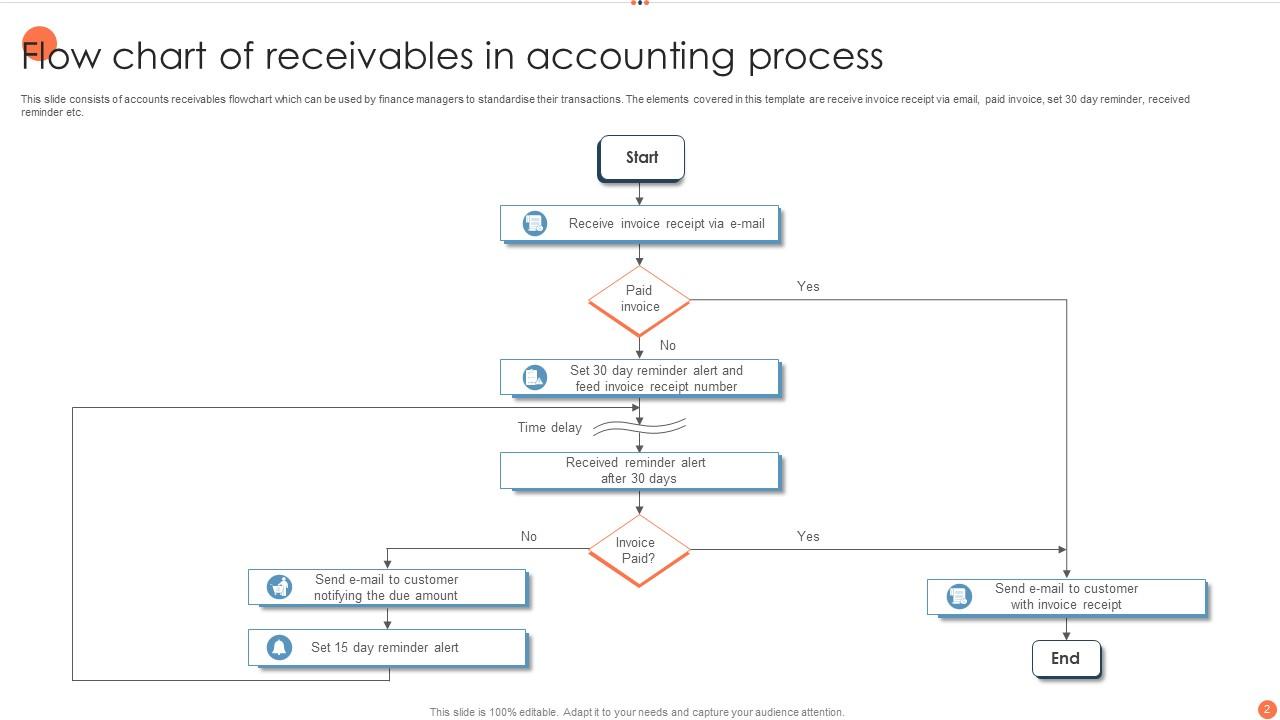
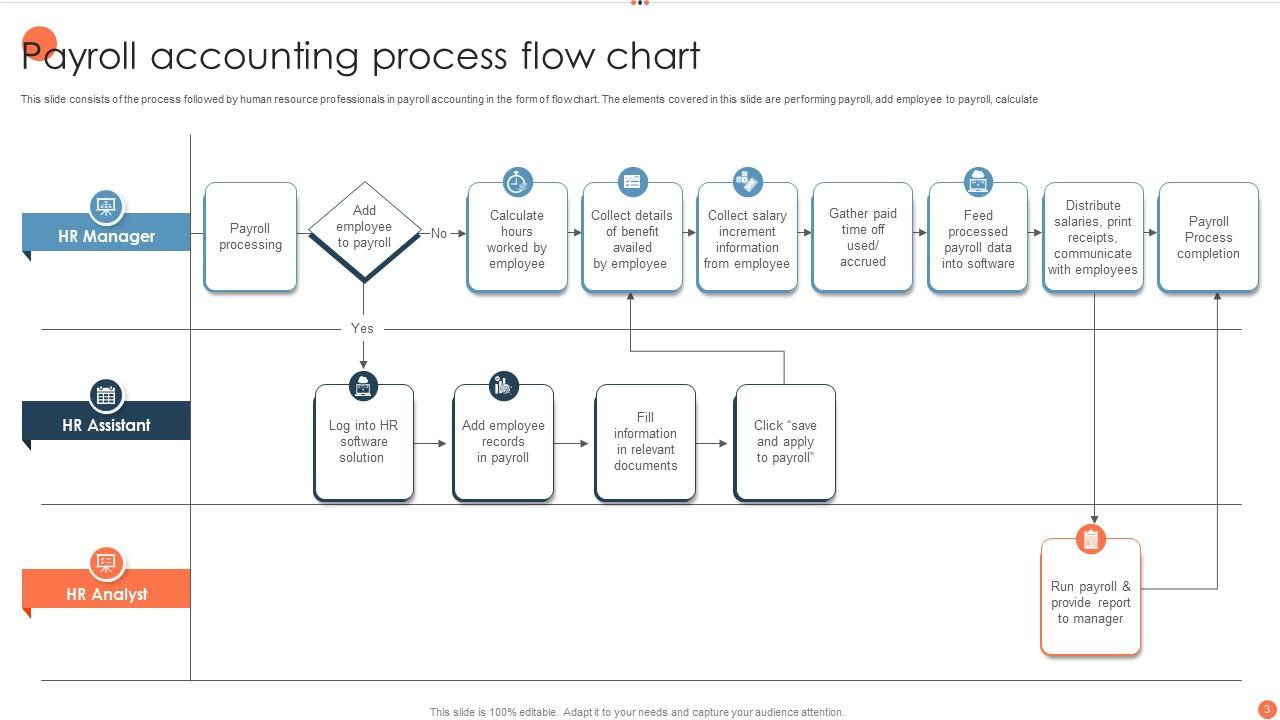
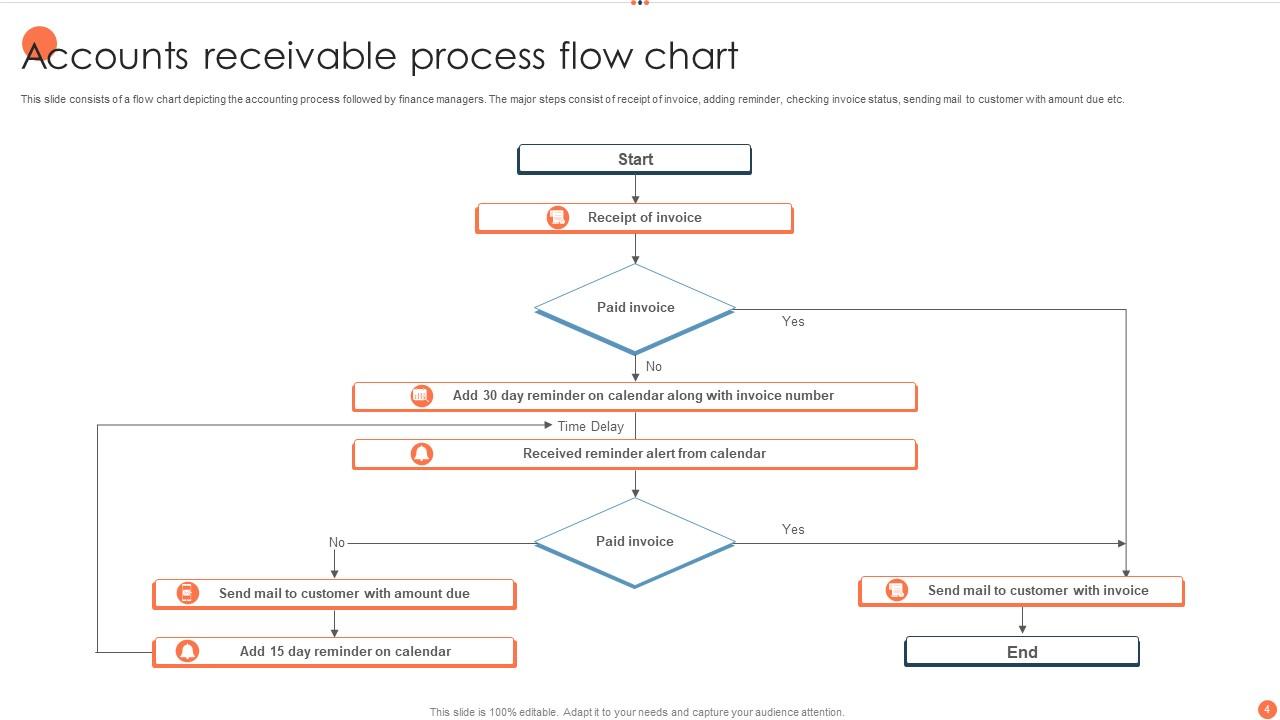
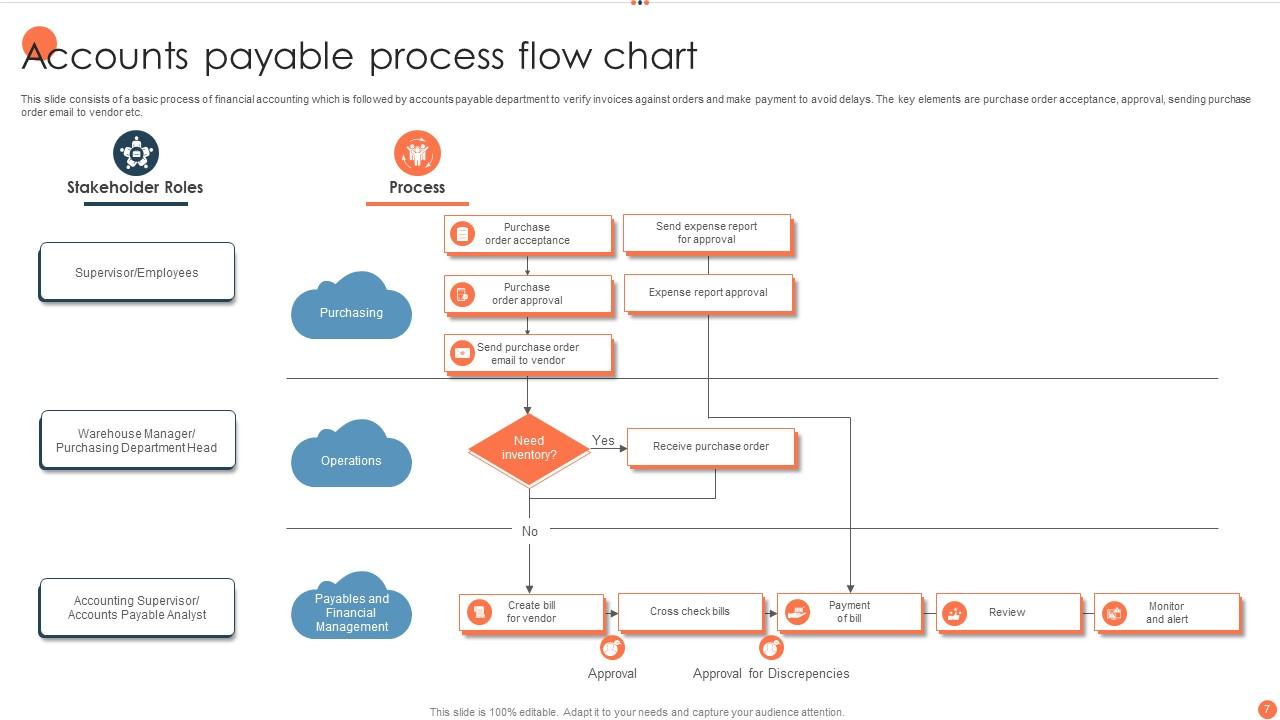
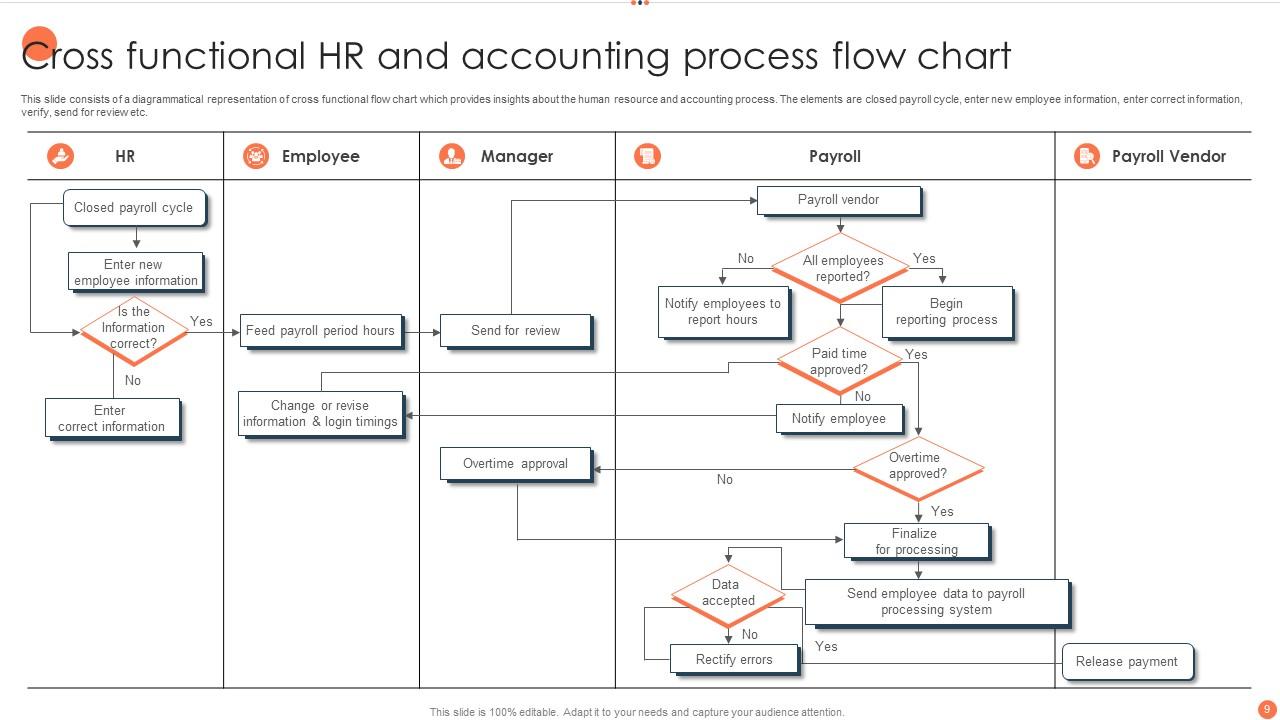
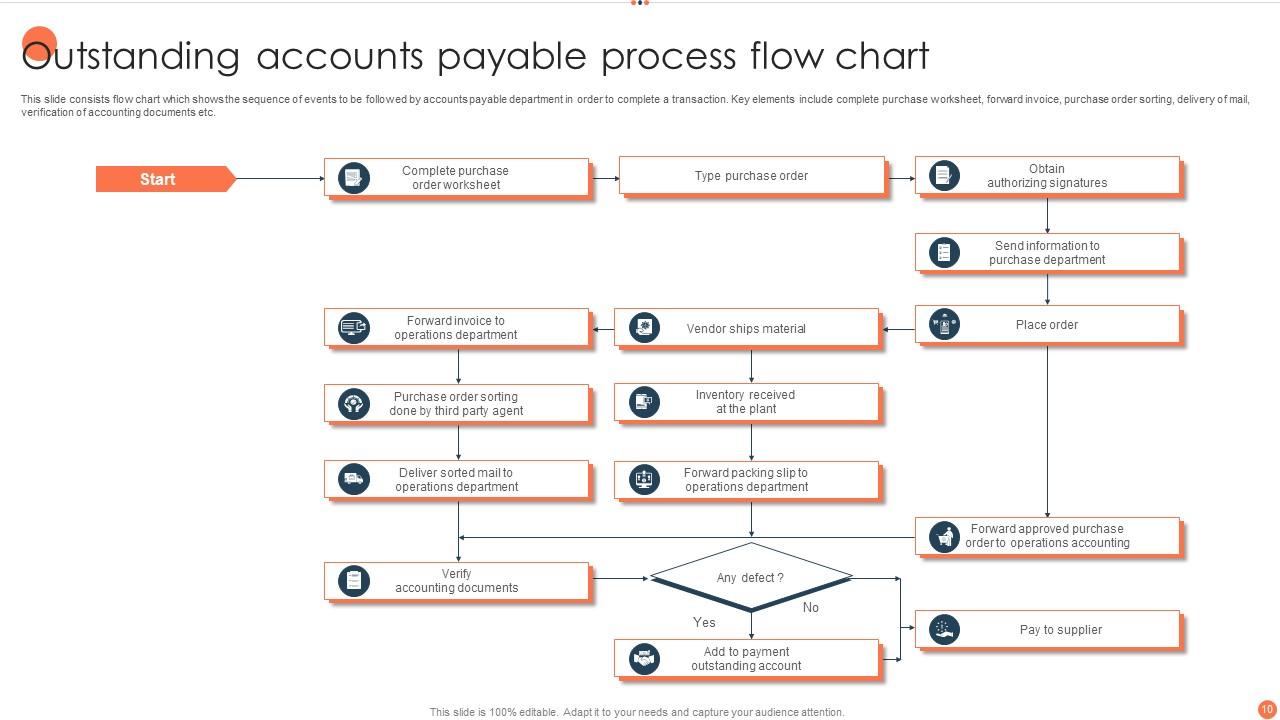
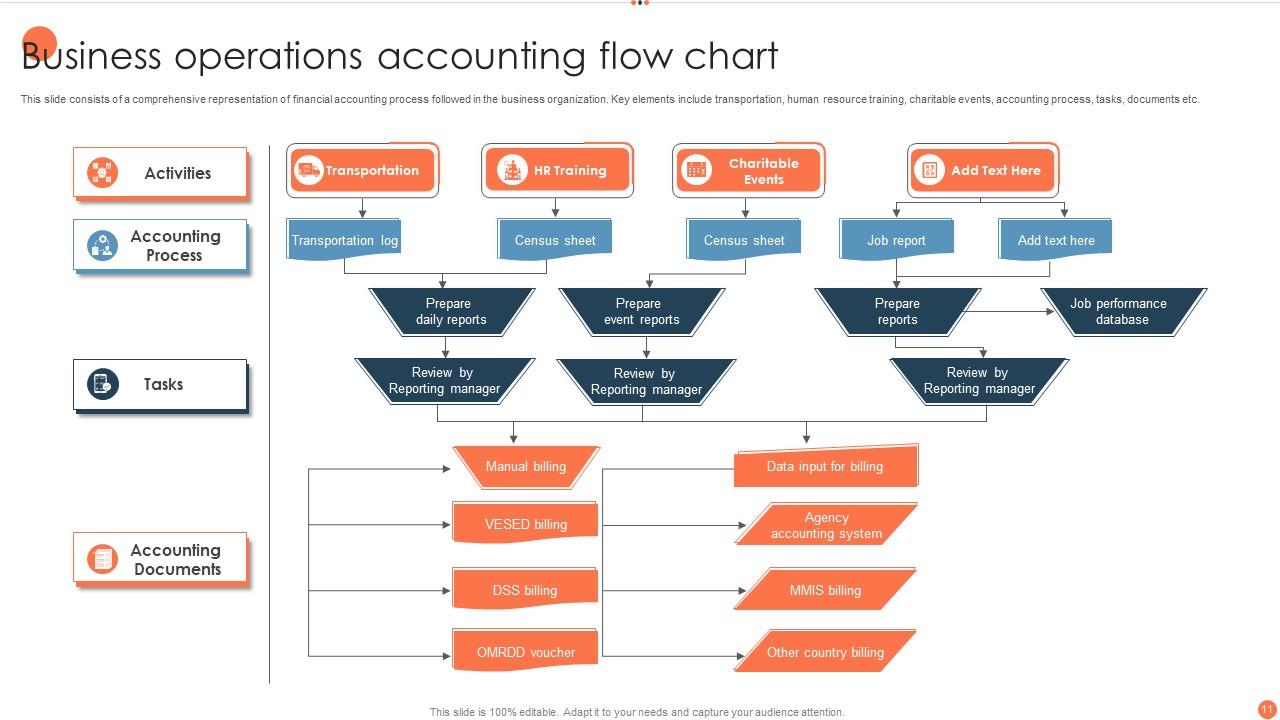
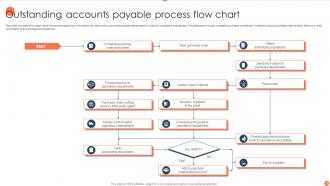
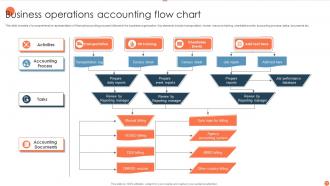
Flowcharts are honestly game-changers for this stuff. You'll see exactly where things get stuck - like when invoices sit waiting for approval forever or when three different people have to sign off on a $50 expense (seriously annoying). The visual part makes it so obvious where bottlenecks happen. I found redundant steps I didn't even realize existed. Once you spot the problem areas, you can fix those specific parts. Maybe automate the boring stuff or move tasks around so work doesn't pile up. It's basically like looking at a traffic map of your whole process.
Honestly, the worst thing I see is when companies just skip entire steps in their documentation - like they'll completely forget about approval stages. Missing handoff points between departments is brutal too. Don't make your flowchart look like spaghetti though, nobody's gonna follow something that complicated. Oh, and this drives me nuts - people create these things then never update them when stuff changes. You end up with some ancient document that just confuses new people. My advice? Map out what's actually happening first, not what you think should be happening. Keep it simple enough that someone brand new could get it.
Your accounting cycle is basically the hub that connects everything else in your business. Sales data, payroll, inventory purchases - it all flows through journal entries into your accounting workflow. Then those financial reports get used everywhere: management for budgets, sales for commissions, operations for buying decisions. Pretty much feeds the whole machine, honestly. The trick is getting your accounting software to actually talk to your other systems so you're not manually entering stuff and screwing up numbers. Do yourself a favor and set up those integrations from day one - trust me on this.
Cycle time's probably your biggest win - tracking how long stuff takes from transaction to books. Error rates tell you where things are falling apart. I'd also watch cost per transaction and days to close (month-end is always a nightmare anyway). Processing volume per employee shows bottlenecks pretty clearly. Rework percentage is another good one - nobody wants to do the same work twice. Oh, and compliance rates matter since screwing that up gets pricey fast. Honestly though? Pick like 2-3 metrics first. Don't try tracking everything or you'll go crazy.
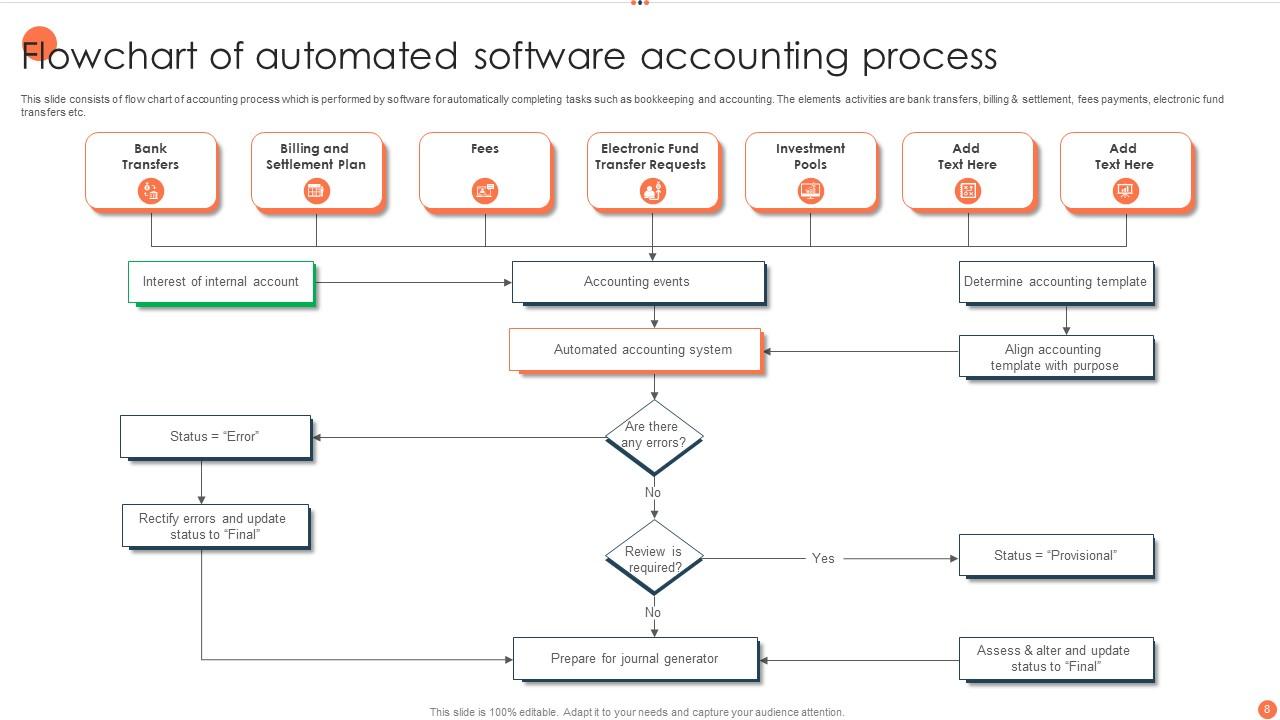
So automation basically cuts out all the tedious manual stuff you're doing right now. Data entry, reconciling accounts, generating reports - software handles most of that automatically. Your job becomes more about reviewing what the system did instead of doing everything yourself. Way more interesting than being a data entry person, honestly. The time savings are crazy once you get it running. I'd start with whatever tasks you find most mind-numbing first - that's where you'll feel the biggest difference right away. Oh, and you'll actually get to do analysis instead of just pushing numbers around all day.
Honestly, flow charts are a game changer for catching accounting mistakes. When everyone follows the exact same steps, there's way less room for screw-ups. Your team won't be second-guessing whether they recorded something right because the process is right there in front of them. Auditors eat this stuff up too - they love seeing everything mapped out clearly. The visual layout makes it super obvious where things might be getting stuck or doubled up. I'd definitely start with your month-end close process first since that's usually the messiest part anyway.
So the big thing with your flow chart is *when* you actually record stuff. Cash accounting only counts money when it hits your account - you invoice someone but don't record it until they pay up. Accrual records transactions right when they happen, whether money moves or not. Honestly, accrual gives you a way better picture of how your business is really doing since you're matching income with expenses from the same time period. Cash is easier though and shows actual money flow. Just pick your method before you start the chart since it'll change how you record literally everything.
Documentation is honestly your lifeline in accounting. Every transaction needs backup - invoices, receipts, contracts, whatever supports what you recorded. When auditors show up or you're hunting down some weird entry from six months ago, you'll thank yourself. Companies I've worked with have gotten absolutely destroyed over sloppy record-keeping. It's wild how fast things go south without proper documentation. Your financial statements depend on this stuff being legit and traceable. Don't put it off either - reconstructing documentation later is pure hell. Trust me on this one.
Think of internal controls as checkpoints that catch problems before they blow up your books. Authorization requirements, splitting up who records vs who approves stuff, regular reconciliations - all that boring but necessary stuff. Without them you're basically asking for errors and fraud. Short sentences work better here. Your flowchart should show exactly where these checkpoints happen so nobody's confused about the process. Honestly, most accounting disasters I've seen could've been avoided with decent controls in place. Document everything clearly and you'll save yourself major headaches later.
Honestly, flowcharts are a game changer for training newbies. Instead of drowning them in random procedures, they can actually see how everything connects - like where those journal entries end up and why we even do them. Remember how lost you felt your first week? The visual shows the whole path from daily transactions straight through to financial statements. Makes the "why" click way faster. I always keep one posted in our training corner now - saves so much confusion when they're stumbling through their first month. Walk through it with them once and they'll reference it constantly.
Yeah, regulatory changes will mess up your accounting processes - sometimes just pieces, sometimes the whole damn thing. New approval steps, different documentation rules, completely redoing how you classify transactions. Such a headache honestly. Map out what's actually affected before you dive in though. I'd grab your current flowchart and mark every spot that needs tweaking against the new rules. Hit the scary high-risk stuff first - you know, the things that'll get you in real trouble if they're wrong. Then work down from there. Can't really ignore this stuff unfortunately.
So first thing - sketch out how your business actually works right now. Then see where the standard accounting flowchart doesn't match up. Like if you're subscription-based, you'll need different billing steps than a regular retail shop. Most people add their industry-specific stuff (inventory tracking if you manufacture things, trust accounting for lawyers, whatever). Remove the parts that don't apply to you. Also factor in your software and who needs to approve what. I always tell people to update it every few months since businesses change. Way easier than trying to force your processes into some generic template.
-
The content is very helpful from business point of view.
-
Great work on designing the presentation. I just loved it!