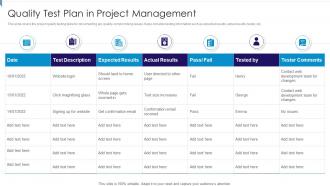
Quality Test Plan In Project Management

Rating:
80%
Quality Test Plan In Project Management
Slide 1 of 6
Favourites Favourites

Try Before you Buy Download Free Sample Product

Audience Impress Your
Audience
Editable 100%
Editable
Time Save Hours
of Time
The Biggest Sale is ending soon in
0
0
:
0
0
:
0
0
Rating:
80%
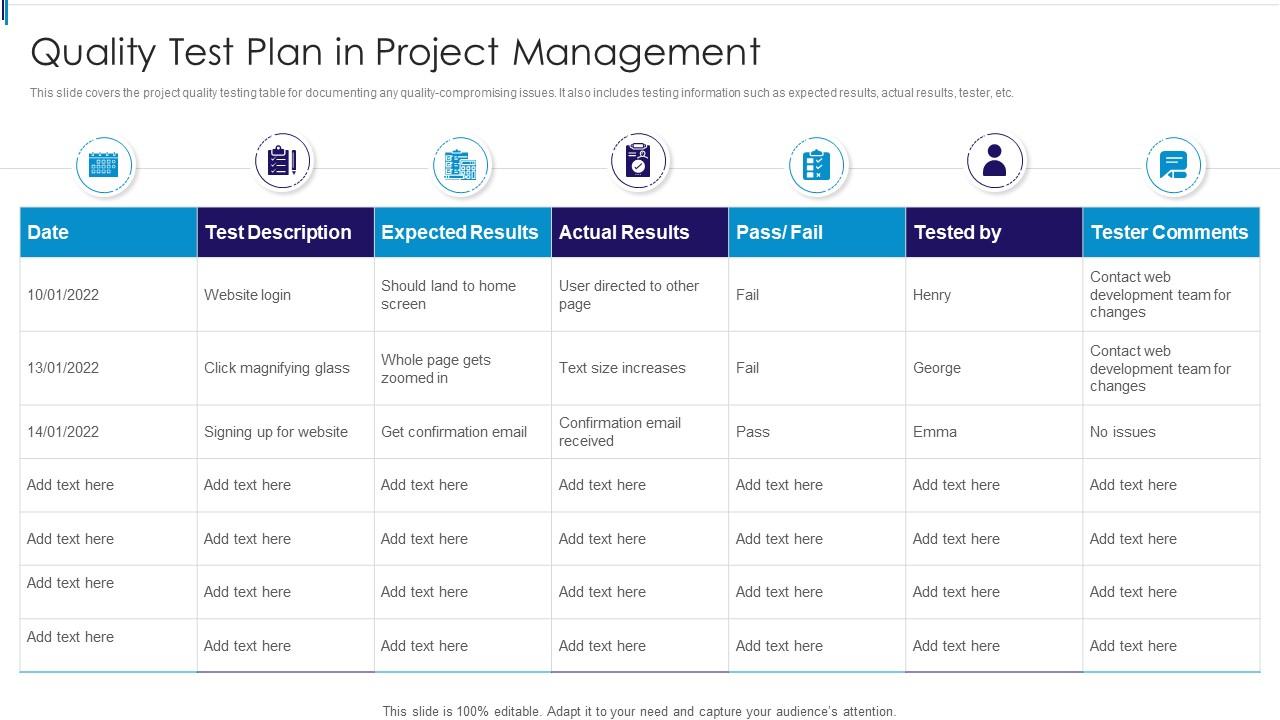
This slide covers the project quality testing table for documenting any quality-compromising issues. It also includes testing information such as expected results, actual results, tester, etc. Presenting our well-structured Quality Test Plan In Project Management. The topics discussed in this slide are Quality Test Plan In Project Management. This is an instantly available PowerPoint presentation that can be edited conveniently. Download it right away and captivate your audience.
FAQs for Quality Test Plan

So for your test plan, you'll want to nail down what exactly you're testing and your overall approach first. Then figure out who's doing what, timeline stuff, and when you start/stop testing. Oh and definitely include risk assessment - I learned that one the hard way when my manager kept asking about it later. Resource requirements matter too, plus all your environment setup details. Honestly, the goal is making it so clear that anyone could grab it and know what's up. Got a template already? Use it but tweak it for your project. Makes life way easier.

First thing - figure out what you're actually building and what could go wrong. Map out the critical stuff that absolutely has to work, then think about your risk levels. High-risk features need way more testing than the fluff features. Honestly, I just walk through the app with coffee in hand like I'm a regular user. Catches so many weird edge cases that way. Your timeline matters too - you can't test everything perfectly, so be realistic about resources. Oh, and document what's in AND out of scope. Trust me on this one - it'll save you headaches later when stakeholders start asking questions.

Make your test objectives crazy specific and measurable - skip the fluffy "quality assurance" nonsense that sounds impressive but tells you nothing. Link each one straight to your business requirements or user stories. Define what "passing" actually looks like with real criteria. I made this mistake early on and wasted so much time with objectives nobody could verify! Cover functional stuff plus things like performance and usability. One focus per objective makes tracking way easier. Write everything in normal English so stakeholders can actually understand it. Then use those objectives to drive your testing decisions - they're not just paperwork.

So basically, you'll want to figure out what could blow up during testing first. Make a list - critical features breaking, crazy deadlines, not enough people, whatever. Then rank them by how likely they are and how much damage they'd do. This part honestly makes everything so much easier down the road. Once you know your biggest risks, spend more time testing those areas and have backup plans ready. Document it all in your test plan too - sounds boring but you'll thank yourself later. Oh, and definitely revisit this stuff as things change. Way better than just testing everything randomly.

Honestly, I'd focus on just 3-4 key metrics instead of going overboard. Test coverage is obvious - what percentage of your code/requirements are you actually hitting? Then track your defect detection rate and how many bugs slip through to production (that one stings). Execution time matters too because slow tests are basically useless - nobody runs them. I also like watching defect density by module and pass/fail trends over time. Set up some basic dashboard so you can catch patterns without digging through spreadsheets. Way easier than trying to measure every little thing.

Definitely get stakeholders involved from day one - don't wait until you're halfway done. Kick things off with a meeting where you walk through objectives, scope, and what success actually looks like. I can't tell you how many times I've seen projects crash because everyone had different ideas of "done." Document what they say, then keep sending updates that show progress against those criteria. Oh, and set up regular check-ins so you can pivot if priorities change (they always do). The whole thing works better when it's collaborative rather than just throwing a plan at them and hoping they approve it.

Think of entry and exit criteria like checkpoints for your testing - they tell you when to actually start and when you can finally stop. Entry criteria make sure your environment isn't a total mess first (stable build, decent test data, that kind of stuff). Exit criteria define when you've done enough testing to ship without breaking everything. Honestly, without these you're just testing blindly and never knowing when to wrap up. I always set these upfront so my team doesn't argue about whether we're ready to go live.

Definitely use formal change control for test plan updates - document what's changing and why, then get stakeholder sign-off before you touch anything. I've watched too many projects completely derail when teams just make random changes without thinking it through. First assess how it'll impact your timeline and resources. Update that traceability matrix (boring but necessary) and tell your team right away. The whole thing is basically treating each change like a mini project review instead of just casually editing docs. Stay flexible but organized - that's honestly the only way to not lose your mind with all the moving pieces.

So test environments are just safe spaces where you can break stuff without panicking about production going down. You'll want a few different ones - dev for your messy first attempts, staging that actually looks like production, maybe some specialized ones for performance testing. Basically sandboxes where chaos is totally fine! Here's the thing though - if your test environment is nothing like production, you're kinda wasting your time. I learned that the hard way once. Just document what each one's supposed to do and keep them realistic.

Look for the stuff you're doing over and over - regression tests, smoke tests, that kind of thing. Those are perfect automation candidates. I always tell people to start with your critical user flows first, then worry about edge cases later. Maybe spend like 20-30% of your time building scripts initially? Here's the thing though - don't just automate because you can. I've seen teams go nuts automating everything and it becomes a maintenance nightmare. Focus on what actually saves you time and catches bugs early. Map out what you're doing manually on repeat - that's where you'll get the biggest bang for your buck.

So you'll want to look at testing scope, how complex the features are, and what your team can actually handle. Test environment setup and data prep always eat up way more time than you think - trust me on this one. Dependencies with other teams will slow you down too. If there's any regulatory stuff involved, factor that in early. Honestly, whatever timeline feels right in your head, just add 20-30% more time because something unexpected always comes up. Write down your assumptions so when requirements inevitably change halfway through, you're not scrambling to explain why everything's delayed.

Set up a basic defect template first - you need defect ID, severity, reproduction steps, expected vs actual results, plus environment info. Whatever tool your team already uses (Jira, Azure DevOps) is fine, just stay consistent with the format. That's honestly the biggest thing - if everyone documents the same way, anyone can jump in and figure out what broke. Categorize by priority and assign them right away. Don't let stuff sit around. For reporting, regular status meetings help, plus dashboards showing trends are pretty useful. Oh, and document immediately when you find issues - I used to wait until later and always forgot half the details.

Honestly, retrospectives after each testing cycle are where the magic happens. Track your defect detection rates, test execution time, and customer complaints - patterns will jump out at you. Get everyone involved, not just the QA team. Developers and product managers need to hear this stuff too, otherwise what's the point? Gradually automate the boring repetitive tests. Frees you up for exploratory testing where you catch those bizarre edge cases that make you go "how did THAT happen?" Oh, and tackle one small improvement per sprint. Don't try to fix everything at once - learned that one the hard way.

Okay so it really depends on what methodology you're actually using. Waterfall means you gotta do all that heavy planning upfront - detailed test cases, formal docs, the whole nine yards since requirements won't change later. But with Agile? Totally different beast. Work in short sprints, keep your test plans light and flexible. I'd focus more on acceptance criteria and try to automate whatever you can because things change constantly. DevOps is all about that continuous testing in the pipeline. Honestly, first figure out what your team actually does - lots of places claim they're Agile but still act like Waterfall, which is... interesting.

Look, technical skills are obviously the foundation - your people need to know the testing tools and write decent test cases. Communication matters way more than most teams realize though, since you're always having to explain bugs to devs who don't want to hear it. Critical thinking is huge too. I'd honestly assess your current team's gaps first, then figure out what domain knowledge they're missing about your actual product. Attention to detail goes without saying. Oh, and patience - you'll need tons of that. Focus training on whatever's hurting your testing process most right now.

Ratings and Reviews

80% of 100
Review Form
Write a review
Most Relevant Reviews
  1. 80%

    by O'Connor Collins

    I’m not a design person, so I couldn’t make a presentation to save my life. Thankfully, they have all kinds of templates that I regularly use for my work.
  2. 80%

    by Donnie Knight

    “The presentation template I got from you was a very useful one.My presentation went very well and the comments were positive.Thank you for the support. Kudos to the team!”

2 Item(s)

per page: