

Rectangular pyramid diagram 4 levels ppt slides diagrams templates powerpoint info graphics





Try Before you Buy Download Free Sample Product
 Impress Your
 Audience
 100%
100% Editable
 Save Hours
 of Time


Let your thoughts jump out of the box. Spring the lid with our rectangular pyramid diagram 4 levels ppt slides diagrams templates powerpoint info graphics.
People who downloaded this PowerPoint presentation also viewed the following :
Rectangular pyramid diagram 4 levels ppt slides diagrams templates powerpoint info graphics with all 8 slides:
Stop giving boring presentations. Our rectangular pyramid diagram 4 levels ppt slides diagrams templates powerpoint info graphics will dress up any idea.


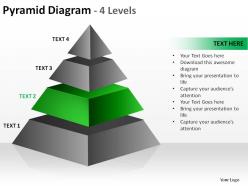

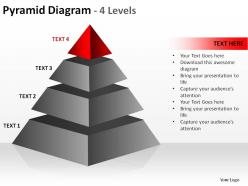
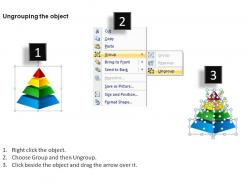
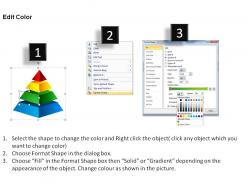
FAQs for Rectangular pyramid diagram 4 levels ppt slides diagrams templates
So it's basically a rectangle on the bottom with four triangular sides meeting at the top point. The base has regular rectangle properties - right angles, parallel opposite sides, all that. But here's the thing - those triangular faces don't have to match each other (unless it's a square pyramid, which is way more symmetrical). Height goes straight up from base to apex. You'll need base length/width, the slant heights of each triangular face, and that perpendicular height I mentioned. Volume's pretty straightforward: (1/3) × base area × height. Surface area gets trickier since you're adding the rectangle plus all four triangles together.
Draw the rectangular base first, but tilt it slightly so it doesn't look flat - way more realistic that way. Then put a single point above the center and connect lines from each corner of the rectangle to that apex. Here's the annoying part: you gotta use dashed lines for edges that would be hidden behind the pyramid, solid lines for what you can see. Otherwise it just looks like weird triangles stuck together lol. If you're feeling lazy, most CAD programs have built-in pyramid tools that do the heavy lifting for you.
So there's basically just one formula: V = (1/3) × base area × height. You'd calculate your rectangle's length times width first, then multiply that by height and divide by three. Some textbooks split it into steps but it's literally the same calculation - they just say "find base area, then take one-third of base area times height." Math teachers love making things sound complicated lol. Either way works fine, just use whatever clicks for you. Oh and make sure you're using the straight-up height from the tip to the base, not measuring along the slanted side.
Rectangular pyramids are super versatile for architecture! Great for dramatic rooflines and skylight structures that really pop. Museums use them all the time - adds that geometric interest without being structurally weird. I've seen them in modern homes too, mainly for clerestory windows or facade details. They're kind of having a moment right now honestly. Just make sure your proportions don't look off with the rest of the building. Sketch out a few pyramid-to-base ratios first - trust me on that one. The entrance features can be really striking when done right.
Actually, those two measurements are totally separate - you can adjust them independently. Picture it this way: you could make a wide, flat pyramid or go super tall and narrow with the exact same base area. The magic happens when they work together for volume (V = 1/3 × base area × height). If you need a specific volume for your diagram, bigger base = shorter height works, and the opposite too. Personally, I think the base area really changes how the whole thing looks visually, so that's worth considering when you're designing it.
You need the slant height to find the surface area of those triangular faces. Regular height won't work - that just goes straight up through the center. Slant height goes from the top down to the middle of each base edge, so you get the actual face dimensions. Think of it like measuring a roof's slope instead of ceiling height (way more useful, honestly). Once you've got that measurement, you can calculate each triangular face area. Then just add those to your rectangular base area and boom - total surface area. Makes sense?
So you gotta find the rectangular base area first - just length times width. Then tackle those four triangular faces using ½ × base × slant height. Here's where it gets annoying though - the slant heights are different depending on which base edge you're working with. The longer edges vs shorter edges will give you different measurements. Use Pythagorean theorem from each base edge's midpoint up to the apex. Don't accidentally use the pyramid's vertical height instead of slant height, that'll mess you up. Add everything together and you're good.
Oh dude, they're literally everywhere! Egyptian pyramids are the obvious ones - most people think they're square but they're actually rectangular. Buildings use this shape all the time for roofs and monuments. Even random stuff like lampshades and those fancy chocolate pyramids you see at stores. I got weirdly obsessed with spotting them after learning about this in math class lol. Tent designs too! It's actually pretty fun once you start looking around for them - makes the geometry homework way less abstract when you can picture real examples.
Honestly, just use software for this stuff - CAD programs, GeoGebra, or even basic drawing apps will save you so much frustration. My hand-drawn pyramids always looked like collapsed tents lol. The snap-to-grid and angle features actually make them look geometric instead of wonky. SketchUp's pretty great because you can rotate the whole thing around and see different angles. Plus it'll generate those net diagrams automatically which is clutch. GeoGebra's good if you just need something simple for homework or whatever. Trust me, don't torture yourself trying to get the perspective right by hand.
Honestly, rectangular pyramids are perfect for this! Kids can actually count the parts - 5 faces, 8 edges, 5 vertices - without getting overwhelmed like they do with crazy complex shapes. The rectangular base is familiar territory, which helps. Volume and surface area become way more manageable too. Here's what works: have them build paper models first. Seriously, the hands-on stuff makes everything click before you throw formulas at them. Plus there's something about pyramids that just hooks kids (probably all those Egypt documentaries). They're simple enough that students don't panic, but you can still dive into proper 3D concepts. Perfect sweet spot for bridging 2D to 3D thinking.
You see rectangular pyramids literally everywhere once you notice them. Roof trusses use them because they're crazy good at distributing weight. Artists throw them into sculptures all the time - something about the shape just pulls your eye up, you know? Packaging people love pyramid displays too. I was sketching last week and randomly added a pyramid shape to this design, and honestly? It looked way more balanced than it had any right to. The proportions just work without you having to overthink it. Pretty cool geometry when you think about it.
Draw the rectangular base first - seriously, don't make it a square or it'll look totally off. Then put your apex point somewhere off to the side, not dead center. That centered look is just awkward honestly. Use dashed lines for the edges you can't see, but don't make them too dark or skip them completely. Oh, and the triangular faces shouldn't all be identical sizes either. That's probably the weirdest mistake I see people make. The whole thing needs to feel asymmetrical to get that proper 3D look going.
Okay so the main thing is height versus base size - taller pyramids with narrow bases just topple over easier. You want that base pretty wide compared to height for better weight spread and so it won't tip. Steeper sides create nasty stress concentrations too (seriously, look up how many ancient ones collapsed). The square-cube law means thicker walls as you scale up. I'd go with base width at least 60% of the height. Oh and definitely check those corner joints first - that's usually where everything falls apart.
So rectangular pyramids were basically the go-to power move for ancient civilizations. Egypt had their famous step pyramids, but you also see them in Mesopotamian ziggurats and Mesoamerican temples. The rectangular base made way more sense than circles - easier to line up with compass directions and way less of a nightmare to actually build with primitive tools. Honestly, the shape just screams authority, you know? Rulers literally put themselves at the top. That's probably why even today when we see that form, it automatically feels stable and important. Pretty smart visual psychology for ancient times.
Honestly, interactive diagrams are a game changer for this stuff. Students can rotate the pyramid around, mess with the dimensions, and actually watch how surface area shifts in real time. The coolest part? You can unfold it to show the net pattern. When they drag sliders to change the height, suddenly that volume formula actually makes sense - like they finally get why it works. I was skeptical at first, but it beats static textbook pictures by a mile. Oh, and find one that does cross-sections too. Your kids will finally understand that weird one-third factor in the formula.
-
Content of slide is easy to understand and edit.
-
Appreciate the research and its presentable format.