

Retail Store Management Playbook Powerpoint Presentation Slides





Try Before you Buy Download Free Sample Product
 Impress Your
 Audience
 100%
100% Editable
 Save Hours
 of Time


Retail Store Management Playbook aids retailers in achieving retail store excellence by enabling a seamless shopping experience, potential future innovations, and promoting shopper engagement. Here is a professionally designed Retail Store Management Playbook template showcases best practices to enhance customers retail store experience. This presentation caters to key considerations impacting consumers decisions to visit a retail store and value dimensions across marketing and retail infrastructure. It helps build different shopping experiences at retail stores, such as luxury, active, connected, or curated. It also allows an understanding of shoppers preferences by tracking customer experience at the store and determining the retail store environment and new shopper imperatives. Retail excellence enablement is determined by deploying strategies to enhance the overall store experience, initiatives to improve productivity across different retail stores, technology advancement across the retail store, etc. Shopper engagement is managed by optimizing digital channels and loyalty programs to leverage positive in-store experiences. The playbook also caters to information about checklists highlighting COVID response initiatives by retailers, retail store team members, cost assessment, and retail store activities tracking dashboard. Download it now.
People who downloaded this PowerPoint presentation also viewed the following :
Content of this Powerpoint Presentation
Slide 1: This slide displays title i.e. 'Retail Store Management Playbook' and your Company Name.
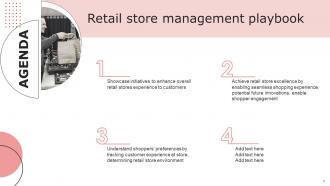
Slide 2: This slide presents agenda.
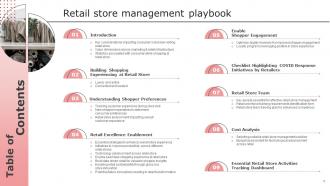
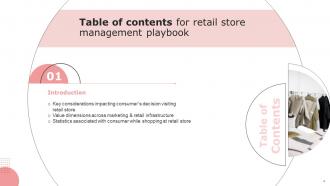
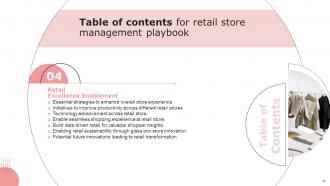
Slide 3: This slide exhibits table of contents.
Slide 4: This slide depicts the title for topics to be covered next in the template.
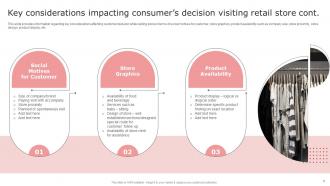
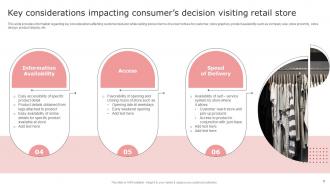
Slide 5: This slide provides information regarding key considerations affecting customer decision while visiting store.
Slide 6: This slide provides information regarding key considerations affecting customer decision while visiting store.
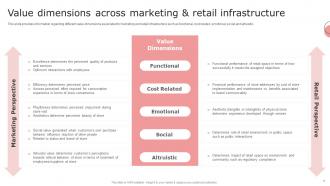
Slide 7: This slide provides information regarding different value dimensions associated to marketing and retail infrastructure.
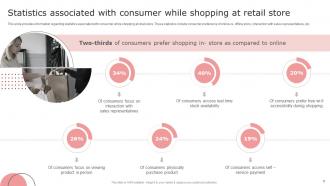
Slide 8: This slide provides information regarding statistics associated with consumer while shopping at retail store.
Slide 9: This slide depicts the title for topics to be covered next in the template.
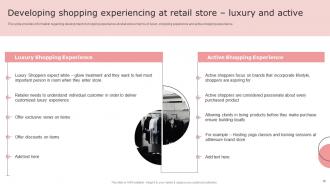
Slide 10: This slide provides information regarding development of shopping experience at retail store.
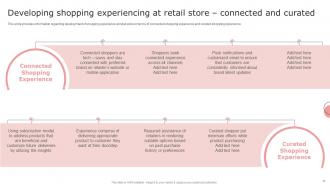
Slide 11: This slide provides information regarding development of shopping experience at retail store.
Slide 12: This slide depicts the title for topics to be covered next in the template.
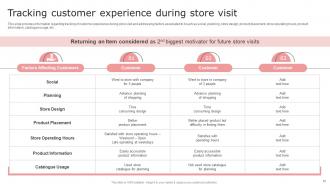
Slide 13: This slide provides information regarding tracking of customer experience during store visit and addressing factors associated to it.
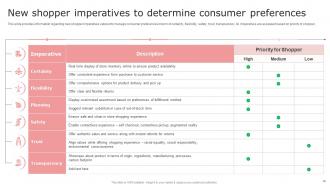
Slide 14: This slide provides information regarding new shopper imperatives catered to manage consumer preferences.
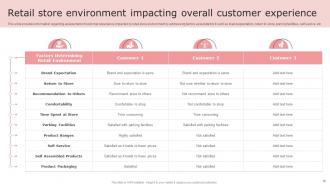
Slide 15: This slide provides information regarding assessment of customer experience impacted by retail store environment by addressing factors associated to it.
Slide 16: This slide depicts the title for topics to be covered next in the template.
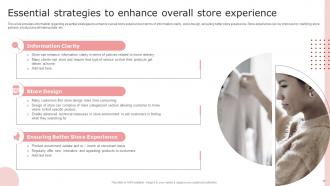
Slide 17: This slide provides information regarding essential strategies to enhance overall store experience.
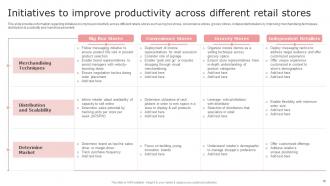
Slide 18: This slide provides information regarding initiatives to improve productivity across different retails stores.
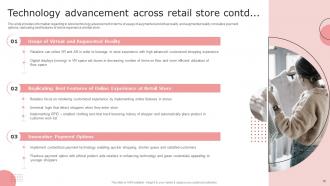
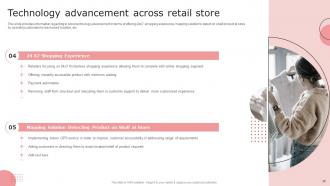
Slide 19: This slide provides information regarding in store technology advancement.
Slide 20: This slide provides information regarding in store technology advancement.
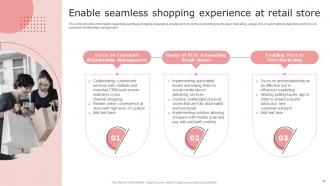
Slide 21: This slide provides information regarding seamless shopping experience at retail store.
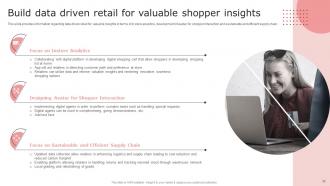
Slide 22: This slide provides information regarding data driven retail for valuable insights in terms of in store analytics.
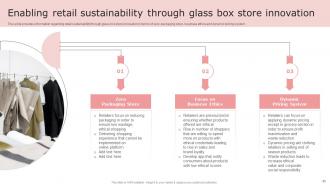
Slide 23: This slide provides information regarding retail sustainability through glass box store innovation.
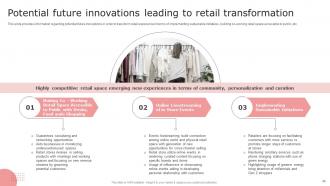
Slide 24: This slide provides information regarding potential future innovations in order to transform retail experience.
Slide 25: This slide depicts the title for topics to be covered next in the template.
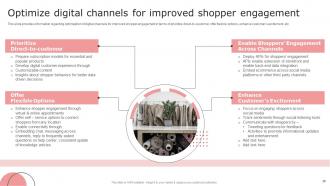
Slide 26: This slide provides information regarding optimization of digital channels for improved shopper engagement.
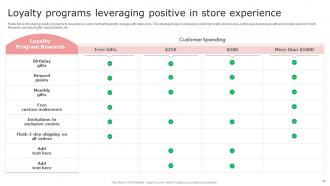
Slide 27: This slide shows Loyalty programs leveraging positive in store experience.
Slide 28: This slide depicts the title for topics to be covered next in the template.
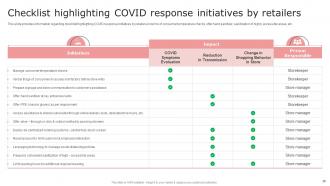
Slide 29: This slide provides information regarding checklist highlighting COVID response initiatives by retailers.
Slide 30: This slide depicts the title for topics to be covered next in the template.
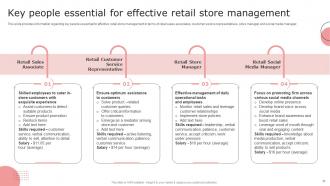
Slide 31: This slide provides information regarding key people essential for effective retail store management in terms of retail sales associates.
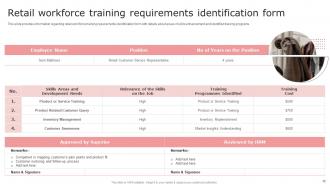
Slide 32: This slide provides information regarding retail workforce training requirements identification form with details.
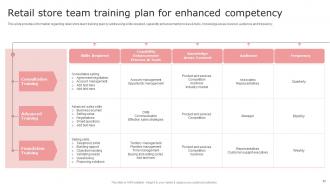
Slide 33: This slide provides information regarding retail store team training plan by addressing skills required, capability enhancement process & tools.
Slide 34: This slide depicts the title for topics to be covered next in the template.
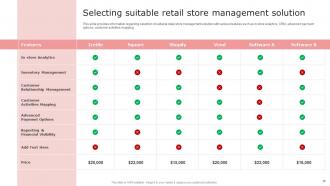
Slide 35: This slide provides information regarding selection of suitable retail store management solution with various features.
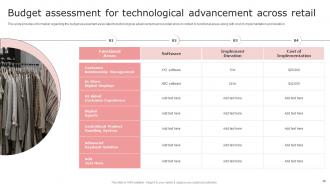
Slide 36: This slide provides information regarding the budget assessment associated to technological advancement across retail store.
Slide 37: This slide depicts the title for topics to be covered next in the template.
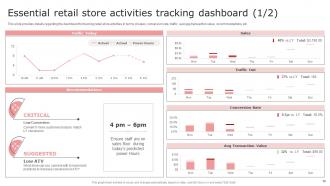
Slide 38: This slide provides details regarding the dashboard for tracking retail store activities in terms of sales, conversion rate, traffic, etc.
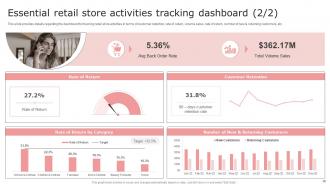
Slide 39: This slide provides details regarding the dashboard for tracking retail store activities in terms of customer retention, rate of return, etc.
Slide 40: This is the icons slide.
Slide 41: This slide presents title for additional slides.
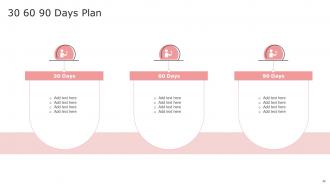
Slide 42: This slide depicts 30-60-90 days plan for projects.
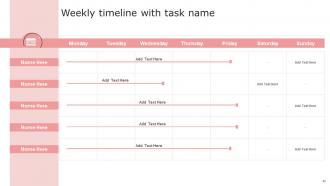
Slide 43: This slide exhibits weekly timeline.
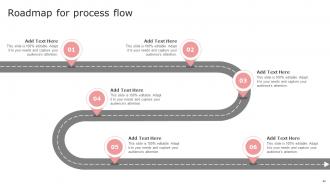
Slide 44: This slide shows roadmap.
Slide 45: This slide shows details of team members like name, designation, etc.
Slide 46: This slide presents your company's vision, mission and goals.
Slide 47: This slide shows about your company, target audience and its client's values.
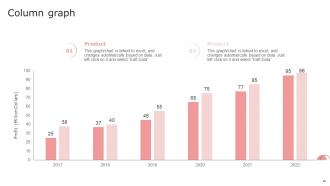
Slide 48: This slide exhibits yearly profits column graph for different products. The charts are linked to Excel.
Slide 49: This slide shows lego.
Slide 50: This slide depicts posts for past experiences of clients.
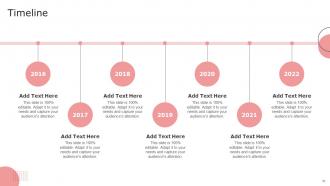
Slide 51: This slide exhibits yearly timeline.
Slide 52: This is thank you slide & contains contact details of company like office address, phone no., etc.
Retail Store Management Playbook Powerpoint Presentation Slides with all 57 slides:
Use our Retail Store Management Playbook Powerpoint Presentation Slides to effectively help you save your valuable time. They are readymade to fit into any presentation structure.





FAQs for Retail Store Management Playbook
You definitely want solid demand forecasting and automated reorder points set up first. Real-time inventory tracking is huge too. Build good relationships with your suppliers - trust me, this pays off when you need rush orders. ABC analysis helps you focus on what actually matters (your high-value stuff). Don't just do yearly inventory counts, that's asking for trouble. Do regular cycle counts instead. Get your POS talking to your inventory software so you're not stuck updating spreadsheets manually all day. Oh, and set up low-stock alerts ASAP - saves you from those super awkward moments when customers want something you don't have.
Honestly, start with mobile POS - your staff can help customers anywhere instead of making them trek to checkout. Super game changer. Digital signs and those interactive kiosks work great too since people like finding stuff themselves. Oh, and get inventory systems that show what's actually in stock - nothing's worse than wanting something that's not there. I'd probably focus on just one or two things first though. Pick whatever fixes your biggest headache because otherwise you'll just overwhelm yourself trying to do everything at once.
Honestly, start with training your team to catch sketchy behavior and handle cash properly - you'd be shocked how much employees steal compared to customers. Get some cameras up in key spots and do inventory counts way more often than once a year. Those security tags work great on expensive stuff too. Returns are where people scam you the most, so nail down those policies first. Oh, and cycle counting is so much better than doing everything at once - less overwhelming and you actually catch problems faster. Just pick whatever feels doable right now and add more security stuff as you go.
Okay so visual merchandising is basically psychological manipulation but in a good way - it totally guides how customers move through your store and what they end up buying. Good lighting and strategic product placement tap into natural shopping behaviors. Grocery stores always put pricey stuff at eye level for a reason, right? Your window displays pull people inside, smart layouts keep them browsing longer, and placing products well can boost impulse buys by like 60%. Oh and definitely put your bestsellers somewhere people can't miss them - clear sight lines are everything. It's honestly pretty fascinating how much this stuff works.
Training your staff is seriously what makes or breaks a retail business. Your people need to actually know what they're selling - customers can tell when someone's just winging it. Good training means they'll handle angry customers better too, instead of falling apart or calling you over for everything. Oh, and trained employees don't quit as much, which honestly saves you so much money on constantly hiring new people. I'd start with whatever your team struggles with most. Maybe it's product knowledge, maybe it's dealing with returns. Build from there and you'll see the difference pretty quickly.
Put your best money-makers right at eye level - that's where people look first. Most customers turn right when they walk in, so use that to your advantage. Wide aisles work better in busy spots, and honestly? Those impulse buys by the register still work like crazy. Create a flow that pulls people through the whole store instead of letting them get stuck in corners. Make sure they can see checkout from anywhere - nobody likes hunting for it. Oh, and test different setups when it's slow to see what actually moves product. Sometimes the weirdest changes boost sales.
Start planning like 4-6 months out - I know it sounds crazy early but trust me. Look at last year's numbers for ideas but don't just copy them since trends change. Order light at first, then restock whatever's flying off shelves. Halloween decorations taught me this lesson the expensive way when I had pumpkins until Valentine's Day! Plan your markdown schedule before the chaos starts so you're not scrambling later. During busy season, check inventory weekly and have backup suppliers on speed dial. Short bursts work better than one massive order anyway.
Oh totally, loyalty programs work great! I've seen places get like 20-30% more repeat customers when they do it right. People genuinely love collecting points and getting exclusive stuff - makes them feel special, you know? Just don't make the rewards suck or impossible to get (seriously, who wants to spend $500 for a free coffee?). You'll get tons of useful data too about what people actually buy. Honestly I'd just start with basic points and see what happens. My cousin's bakery tried getting too fancy at first and it was a mess.
Honestly, start with sales per square foot - it shows if you're wasting space. Then track your conversion rate (how many browsers actually buy stuff) and average transaction value. Inventory turnover matters too, though that one can be tricky to calculate at first. Don't forget customer traffic - obvious but crucial. Labor costs as a percentage of sales will save your butt. Customer satisfaction scores are gold if you can swing it. Here's the thing though: these metrics only work when you look at them together. Pick 2-3 that match your biggest headaches and check them weekly. That's where you'll see real patterns.
Honestly, good communication is like magic for teams. It builds trust and stops all that confusion about who's doing what by when. Regular check-ins are clutch - you catch problems early instead of dealing with drama later. I've watched teams go from total chaos to actually having each other's backs just by getting better at sharing info. The biggest thing though? Make it two-way. Don't just talk at people - ask what they're struggling with and actually listen. Oh, and be super clear about deadlines and priorities from the start. Saves everyone headaches.
Honestly, experiential stuff is where it's at - give people a real reason to come in. Mini workshops work great, or partner with local artists for pop-ups. QR scavenger hunts are weirdly addictive too. People love that treasure hunt feeling! Social contests where they've gotta visit to claim prizes? Pure gold. Also think about Instagram moments in your layout since everyone's gonna post anyway. The whole point is making it feel like a destination instead of just another store. Oh, and start small - maybe one monthly event. You don't wanna burn yourself out right away.
Dude, online shopping is totally changing the game for physical stores. Can't just wait for people to wander in anymore. Your store needs to offer stuff you literally can't get online - like actually feeling the product, getting real help from someone who knows their stuff, maybe some cool events. Amazon's everywhere now, it's kinda insane. But here's the thing - blend your online and physical stuff together. Buy online, pick up in store works great. Mobile apps for finding stuff in-store, or just use your space as a showroom. Focus on what makes being there in person actually worth it instead of trying to beat online convenience.
Look, customer feedback is literally your cheat sheet for figuring out what's working and what totally isn't. I'd use it to tweak your product mix, rearrange the store layout, maybe even retrain staff if needed. Way better than just staring at sales numbers and hoping for the best, you know? Grab feedback through surveys, online reviews, or just chatting with customers while they shop. Here's the thing though - don't be one of those places that collects all this info and then does nothing with it. Actually read through it monthly and make real changes based on what keeps coming up.
Dude, just use whatever customer data you've got - purchase history, what they browse, all that stuff from your POS or loyalty program. Train your team to actually remember customers when they come in. Like "hey, how's that jacket working out?" Send them emails about sales they'd actually care about. Maybe do custom displays for your best customers or offer styling sessions. I mean, people eat that stuff up when you make them feel special. The whole point is making it seem like you genuinely remember them instead of treating everyone like a random stranger walking through the door.
Start by looking at your past sales to figure out when you'll be slammed - then schedule around that. I always do schedules 2-3 weeks ahead because nobody likes finding out last minute they're working Saturday night. Cross-train everyone so you're not screwed when people call out sick. Get scheduling software if you can swing it - way better than dealing with Excel drama. Mix your experienced people with newbies during busy times. Oh, and have a system for shift swaps that doesn't involve you approving every little thing. Just communicate changes fast and you'll be fine.
-
I was mind-blown by the services that SlideTeam provided me. Thanks a ton!
-
Professionally designed slides with color coordinated themes and icons. Perfect for enhancing the style of the presentations.