

Rm roadmap with yearly achievement diagram powerpoint template timeline




Try Before you Buy Download Free Sample Product
 Impress Your
 Audience
 100%
100% Editable
 Save Hours
 of Time


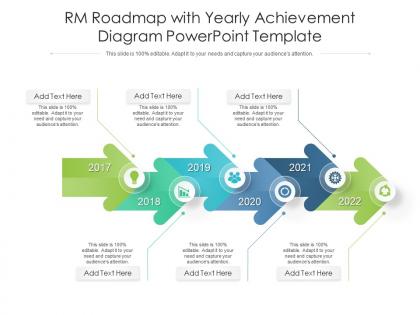
This is a RM Roadmap With Yearly Achievement Diagram Powerpoint Template Timeline that you can use to present real-time information about your business. With a variety of graphical representations that are in-line with the current trends, this is a great way to display quantified data and stats. This is also a great PowerPoint slide to make informed decisions based on the data and results depicted. Since this template can accommodate a lot of statistical information in one-go it can be put to use by different department heads of the organization. This PPT slide can also be used to present a thorough discussion on various KPIs, all excel-linked and susceptible to innumerable changes. Thus helping in the portrayal of calculative data in a highly professional format. Not only this, but it can also be reproduced in JPG, PNG, and PDF formats. Therefore, reinvent the wheel by downloading this PPT slide now.
People who downloaded this PowerPoint presentation also viewed the following :
Rm roadmap with yearly achievement diagram powerpoint template timeline with all 2 slides:
Use our RM Roadmap With Yearly Achievement Diagram Powerpoint Template Timeline to effectively help you save your valuable time. They are readymade to fit into any presentation structure.

FAQs for Rm roadmap with yearly achievement diagram
You'll want clear milestones and phases mapped out first. Buffer time is non-negotiable - seriously, double whatever you think you need. Assign owners to specific deliverables and map out task dependencies so nothing falls through cracks. Build in regular checkpoint reviews because stuff always shifts. Risk assessment points are clutch too. Don't forget stakeholder communication touchpoints throughout each phase. Oh, and define your success metrics upfront - makes life easier later. Start simple with your framework, then customize based on how complex your RM program actually is. Resource allocation goes without saying but plan that early.
Look, customizable features are a game-changer because you're not stuck with someone else's weird process. Adjust timeframes, throw in your own milestone categories, tweak the visuals - whatever matches how your team actually operates. Honestly, the audience thing is huge too. Executives want totally different views than developers do, obviously. You can hide stuff or highlight what matters for each group. Oh, and here's the best part - start simple then build complexity as you get better at this whole RM thing. Trust me, you'll appreciate that flexibility later when you're not rebuilding everything from scratch.
Tech companies get the most out of these RM roadmap templates, plus healthcare and finance. Those industries are drowning in regulatory stuff and crazy deadlines, so the visual timeline actually keeps teams on track with compliance dates. Manufacturing and energy love them too - they're juggling like ten different risk factors at once. The template thing really shines when you're explaining timelines to executives who'd rather die than look at a spreadsheet (can't blame them honestly). I'd just pick whichever template matches how complex your regulations are. You'll save yourself a ton of setup headaches.
Honestly, I'd break everything down into smaller pieces first - way easier to estimate that way. Three things matter most: how complex the task is, what resources you actually have, and which stuff depends on other stuff being done first. Buffer time is huge too, especially for anything risky. I usually tack on like 20-30% extra to whatever I think it'll take because something always goes wrong. Oh and definitely check what your team's already juggling before you promise dates. Then work backwards from your real deadlines to see if it's even doable.
Honestly, visual design can make or break your RM roadmaps. I've watched amazing roadmaps get completely ignored just because they looked like Excel threw up everywhere - it's painful to see. Clean layouts and consistent colors help people actually understand your timelines without their eyes glazing over. White space is your friend here. Color-code milestones by priority or team, use readable fonts, and keep that visual hierarchy clear. Executives especially need this stuff digestible, not cluttered. Trust me, good design builds way more credibility than you'd think and saves you from endless "can you explain this again?" meetings.
Honestly, the key is nailing down who owns what - none of this "the team will figure it out" nonsense because that's how roadmaps die a slow death. Set up weekly check-ins where you actually walk through progress, not just status meetings that waste everyone's time. Red/yellow/green indicators work great for spotting problems fast. When priorities change (and trust me, they will), update that roadmap immediately. Oh, and please keep one master version somewhere central - I've seen too many projects derail because people were working off random email attachments from three weeks ago.
Oh man, timeline optimism will kill you every time - I learned this the hard way. Stakeholder reviews drag on forever, scope creep happens, and suddenly you're three weeks behind. Map out your dependencies first or you'll have teams sitting around waiting. Also, don't get too detailed with milestones. I've seen people spend half their day just updating charts instead of actually getting stuff done. Keep your planning team small (trust me on this), add like 25% buffer time, and definitely talk to someone who's been through an RM rollout before. Their war stories are gold.
Honestly, stakeholders will make or break your timeline planning. They'll tell you which risks actually matter to the business and push back hard if your deadlines are unrealistic - learned that one the hard way. Different people have totally different risk tolerance levels too, so you'll get conflicting priorities. But here's the thing - they also catch dependencies you'd never think of on your own. Document everything during those planning meetings and let them help shape the timeline. People support what they help create, so if they're part of building those deadlines, they're way more likely to actually stick to them.
Honestly, these RM roadmap templates are lifesavers. You'll catch bottlenecks way before they blow up your whole project. The visual timeline thing makes dependencies super obvious - like, you can actually see what's blocking what instead of guessing. Start with your big milestones first, then work backwards to fill in the smaller stuff. Your team stays on the same page, and when stakeholders ask for updates (which they always do), you're not frantically putting together some last-minute presentation. Way better than reinventing the wheel every single time. Trust me, I learned this the hard way.
Honestly, just use whatever your team's already comfortable with for project stuff. Microsoft Project and Smartsheet are solid for the fancy Gantt charts and dependency tracking. Monday.com works well too. If your team lives in Jira, you could integrate there - though fair warning, it's kinda a pain to learn if you're new to it. Don't sleep on Excel or Google Sheets though! They're actually pretty decent for basic roadmaps when you don't need all the complicated features. My advice? Start simple with what you know, then upgrade later if you need more timeline bells and whistles.
Track your milestone dates and budget first - that's the obvious stuff. But honestly? The real test is whether you're actually cutting down risk like you planned. I'd set up quarterly check-ins to compare where you are vs. where you thought you'd be. Missing deadlines or not seeing the risk improvements you expected means something needs to change. Oh, and define 3-5 concrete metrics upfront before you get rolling - makes everything way easier to measure later. Timeline tracking feels straightforward, but the risk reduction piece is where you'll really know if it's working.
Look, Gantt charts get super granular - we're talking task dependencies, exact scheduling, the whole nine yards. Your RM roadmap template? That's more like the big picture stuff executives actually care about. Roadmaps show milestones and phases without drowning people in details. I swear, nothing kills a strategy meeting faster than someone pulling up a Gantt chart with 200 tasks on it. Save those for your project managers who need that daily tactical view. When you're trying to show vision and direction to stakeholders, stick with the roadmap - it's way cleaner.
Monthly check-ins work best for me, especially if things move fast at your company. Quarterly feels too slow these days - regulations change, budgets get shuffled around, priorities flip overnight. I do quick monthly scans for any big roadblocks or timeline issues, then every three months I'll dive deeper into strategy stuff. Don't overwhelm your team though, that's the worst. Light touch most of the time. Also, seriously just put it on your calendar now as a recurring thing or you'll forget (I always do). The rigid annual review thing is pretty much dead at this point.
Honestly, visual updates are your best friend here - stakeholders just glaze over when you send walls of text. Set up weekly check-ins with color coding or progress bars so changes jump out immediately. Monthly roadmap meetings work great too, lets people ask questions before stuff goes sideways. The trick is getting ahead of changes instead of always playing catch-up. Nobody wants timeline surprises dropped on them last minute, trust me on that one. Oh, and definitely create some kind of shared dashboard that updates itself - saves you from constant "what's the status?" messages. People can just check whenever they want without bothering you every five minutes.
Think of it like creating a timeline that shows when bad stuff might happen to your project and when you need to jump into action. Plot out your risk checkpoints, backup plans, and review meetings alongside your regular project milestones. Honestly, most people just wing it and then panic when things go sideways. This way you're staying ahead of problems instead of scrambling to fix them. It also helps you figure out resource allocation and keeps everyone on the same page. Just start simple - pick your biggest 3-5 risks and map when they'll likely pop up.
-
Great product with highly impressive and engaging designs.
-
Great product with effective design. Helped a lot in our corporate presentations. Easy to edit and stunning visuals.
-
Content of slide is easy to understand and edit.
-
Understandable and informative presentation.
-
Illustrative design with editable content. Exceptional value for money. Highly pleased with the product.