

Sample presentation for placement interview ppt slides powerpoint presentation slides




Try Before you Buy Download Free Sample Product
 Impress Your
 Audience
 100%
100% Editable
 Save Hours
 of Time


Our Sample Presentation For Placement Interview PPT Slides Powerpoint Presentation Slides are topically designed to provide an attractive backdrop to any subject. Use them to look like a presentation pro.
People who downloaded this PowerPoint presentation also viewed the following :
Content of this Powerpoint Presentation
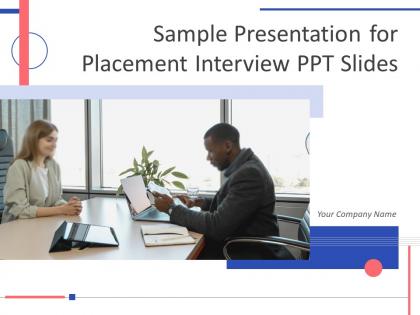
Slide 1: This slide introduces Sample Presentation for Placement Interview PPT Slides. State Your Company Name and begin.
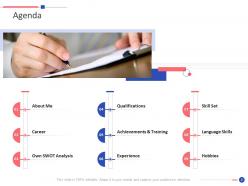
Slide 2: This is an Agenda slide. State your agendas here.
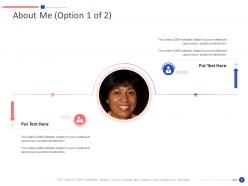
Slide 3: This slide is titled as About Me with related imagery.
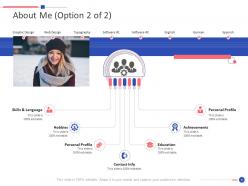
Slide 4: This slide shows About Me describing- Graphic Design, Web Design, Typography, etc.
Slide 5: This slide is titled as Career with related imagery.
Slide 6: This is another slide continuing Career.
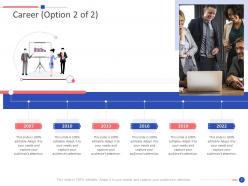
Slide 7: This is an optional slide for Career.
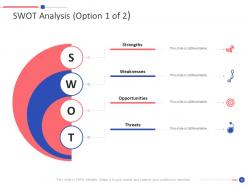
Slide 8: This slide shows SWOT Analysis describing- Strength, Weakness, Opportunity, and Threat.
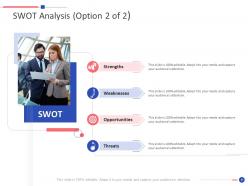
Slide 9: This is another slide continuing SWOT Analysis.
Slide 10: This slide presents Professional Qualifications with related imagery.
Slide 11: This slide shows Achievements with related icons and text.
Slide 12: This slide displays Training with additional textboxes.
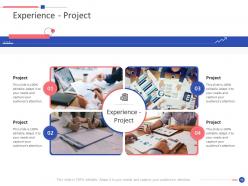
Slide 13: This slide represents Experience - Project with related imagery.
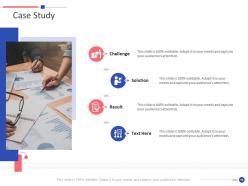
Slide 14: This slide shows Case Study describing- Challenge, Solution, Result, etc.
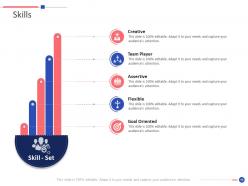
Slide 15: This slide presents Skills describing- Flexible, Goal Oriented, Team Player, Assertive, etc.
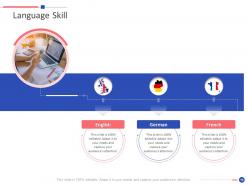
Slide 16: This slide shows Language Skill describing- English, French, German, etc.
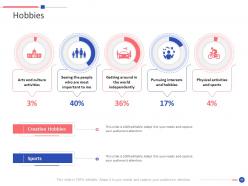
Slide 17: This slide displays Hobbies describing- Creative Hobbies, Physical activities and sports, Arts and culture activities, etc.
Slide 18: This slide represents Icons for Sample Presentation for Placement Interview PPT Slides.
Slide 19: This slide reminds about a Coffee Break.
Slide 20: This slide is titled as Additional Slides for moving forward.
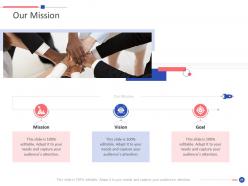
Slide 21: This is Our Mission slide with related imagery and text.
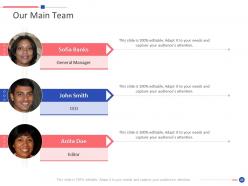
Slide 22: This is Our Team slide with names and designation.
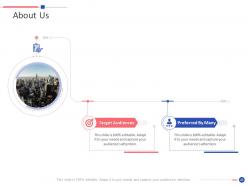
Slide 23: This is About Us slide to show company specifications etc.
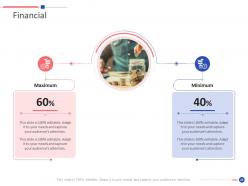
Slide 24: This is a Financial slide. Show your finance related stuff here.
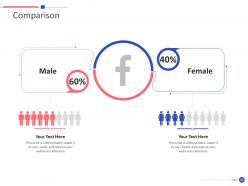
Slide 25: This is a Comparison slide to state comparison between commodities, entities etc.
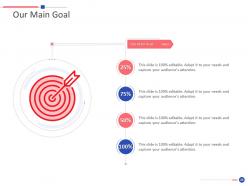
Slide 26: This is Our Goal slide. State your firm's goals here.
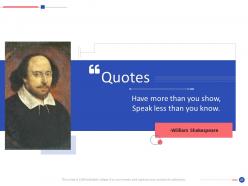
Slide 27: This is a Quotes slide to convey message, beliefs etc.
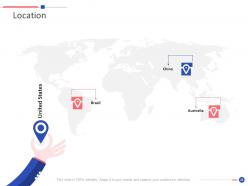
Slide 28: This is a Location slide with maps to show data related with different locations.
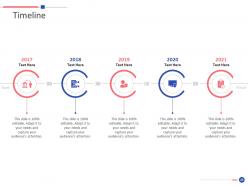
Slide 29: This is a Timeline slide. Show data related to time intervals here.
Slide 30: This is an Idea Generation slide to state a new idea or highlight information, specifications etc.
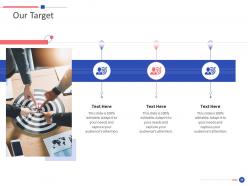
Slide 31: This is Our Target slide. State your targets here.
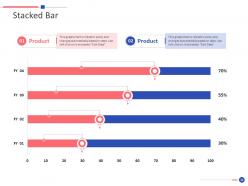
Slide 32: This slide displays Stacked Bar chart with two products comparison.
Slide 33: This is a Thank You slide with address, contact numbers and email address.
Sample presentation for placement interview ppt slides powerpoint presentation slides with all 33 slides:
Use our Sample Presentation For Placement Interview PPT Slides Powerpoint Presentation Slides to effectively help you save your valuable time. They are readymade to fit into any presentation structure.
FAQs for Sample presentation for placement interview ppt slides
Focus on three things: the actual problem they're facing, your specific solution, and what results you'll deliver. Do real research beyond their website - that surface-level stuff is pretty useless anyway. Think of it like a mini consulting pitch. What's broken? How would you fix it? What does success look like in 6 months? Keep slides clean but tell a good story. I know it sounds dumb, but practice out loud beforehand - even to your mirror. Leave plenty of time for questions at the end. That's honestly where you'll stand out most and show you can handle curveballs.
Do your homework first - stalk their website, LinkedIn, and Glassdoor reviews. Figure out what they actually care about. If they're obsessed with innovation, talk up your creative problem-solving skills. Team collaboration their thing? Highlight group projects you've crushed. Honestly, most companies basically spell out their priorities in job descriptions anyway. Drop in specific details that show you've done your research - maybe mention their new product launch or some sustainability program they're pushing. The whole point is making them think "this person already gets us" before you even finish talking.
Honestly, go with charts and infographics - they're perfect for making complex stuff easy to digest quickly. One key point per slide keeps people listening instead of trying to read everything. I've watched people get way too animation-happy and it's just... awkward. Your visuals should back up what you're saying, not fight for attention. Screenshots are amazing if you've got actual work to show. Simple colors that you can read from the back of the room. Oh, and definitely have a backup plan because tech will fail you at the worst possible moment. You should be ready to present without any slides if everything crashes.
Open with a story or problem that hooks people before diving into the techy stuff. Don't dump all your data at once - I made that mistake once and watched eyes glaze over immediately. Sprinkle specifics throughout instead. The problem-solution-impact flow works pretty well for keeping things moving. Your technical bits should back up the story, not become the main event. Basically, you're translating "here's complicated thing" into "here's why you care." Oh, and practice those transitions between story and tech parts beforehand. Makes everything feel way smoother.
Honestly, just buy yourself some time first - say "good question" or repeat it back while you think. Don't try to bullshit your way through stuff you don't know because interviewers can tell immediately. Just be upfront about it! You can say something like "I haven't dealt with that exact situation, but here's what I'd probably do..." then walk them through your thinking. Oh, and if the question doesn't make sense, totally fine to ask them to clarify. I'd practice thinking through some curveball questions beforehand too - helps you not freeze up completely when they hit you with something weird.
Okay so first thing - practice WAY more than feels necessary. I'm talking like 10+ times minimum. Record yourself on your phone because you'll catch all those "ums" and weird pauses you don't even know you're doing. Time it obsessively too, going over is just painful for everyone involved. Start with the mirror (yeah it's cringey but whatever), then rope in a friend or your mom to listen. They'll notice stuff you totally miss. Oh and nail those slide transitions - that's honestly where most people crash and burn. Do one final practice the morning of and you'll be golden.
Body language is absolutely everything in presentations - I can't stress this enough. Stand tall, look people in the eye around the room, and use your hands to emphasize points. Don't slouch or stare at your notes the whole time. I've watched really smart candidates bomb just because they looked nervous or avoided eye contact (seriously, such a missed opportunity). Good posture and confident gestures will make even an okay presentation stick with people. Oh, and definitely practice beforehand! Film yourself if you can - you might be surprised how you actually look up there.
Pick data that actually proves your points - like real percentages or examples from class projects. Don't just randomly throw numbers everywhere though. Choose maybe 2-3 solid data points that back up what you're claiming about your skills. Could be "boosted efficiency by 30%" from some group work or survey results you collected. Here's the thing - you've got to explain what those numbers mean for the employer. Like, why should they care? Practice working these stats into your stories naturally so they don't sound weird or forced. Nobody wants to hear you rattling off a bunch of random metrics.
Time management is huge - seriously, going over kills any good impression you made. Don't read straight off your slides either, people hate that. Your slides shouldn't be novels anyway. The worst mistake though? Skipping the "why should anyone care" part. I swear, half the presentations I sit through are just people describing their process without explaining how it helped the business at all. Also, context before you dive into technical stuff - otherwise you lose everyone. Oh and practice your transitions or you'll sound super robotic. Run through it twice with a timer, trust me.
Open with something that hooks them right away, then lay out what you're covering. I always think of it like telling a story - here's the problem, here's how I solved it, here's what happened. Don't go over 3-4 main points because people zone out fast in interviews. STAR method works great for examples (Situation, Task, Action, Result). Each slide should build up to why you're perfect for this role. Wrap up with next steps or what you want from them. Oh, and practice those transitions between sections - that's where everyone gets awkward and loses people.
Okay so first thing - rehearse out loud a bunch of times beforehand. You'll feel way more confident knowing your stuff cold. Right before you go in, do some deep breathing. Honestly, being a little nervous is totally normal and shows you actually care about it. When you're presenting, slow down your talking because nerves make everyone speed up. Find the friendliest face in the room and make eye contact with them. Oh and definitely bring water! If you mess something up, just say "sorry, let me rephrase that" and keep going. Try thinking of it as chatting about your work instead of some perfect performance.
After each mock session, jot down feedback in three buckets: content, delivery, and technical stuff. Here's what I'd do - pick your top 2-3 recurring issues instead of fixing everything at once. I made that mistake and it was a disaster! Run through your revised sections multiple times until they feel natural. Got feedback about speaking too fast or fidgeting? Record yourself doing a final practice round. You'll catch things you miss otherwise. One rule though: don't touch major content changes the day before. Minor tweaks only. Focus on nailing the delivery improvements you've been working on.
Pick 2-3 examples that actually match the job you want. STAR method works great but keep each story under 30 seconds or you'll lose them. Don't just say "I'm organized" - that's meaningless. Instead, tell them about the time you reorganized the filing system and found those missing invoices. Way more convincing. Each example should show off different skills so you're not repeating yourself. Honestly, practice with a timer because everyone goes way over without realizing it. Oh, and always wrap up by explaining how that experience would help you crush it in their role specifically.
Okay so this is gonna sound obvious but you HAVE to practice with a timer - like actually do it, don't just think about it. I'd say run through it 3-4 times and aim to finish early so you have buffer time. Trust me, I went over by 5 minutes once and wanted to disappear lol. Break everything into chunks - maybe 2 minutes intro, 8 for your main stuff, 2 to wrap up. Just glance at your phone or watch casually. Oh and prepare shorter versions of each part beforehand! That way if you're running long, you can cut things without panicking. It's honestly a lifesaver.
Virtual interviews are still kinda awkward tbh, but you gotta overdo everything since the camera kills your natural energy. Talk slower than usual and look at the camera, not their face on screen - feels weird but looks way better. Your gestures need to be bigger too, like you're performing a bit. In-person is so much easier because you can just be normal, walk around, use the whole space. Oh and definitely test your tech beforehand - nothing worse than fumbling with screen share while they're waiting. Good lighting makes a huge difference, and you'll need more vocal variety to keep them interested through a screen.
-
Really like the color and design of the presentation.
-
Professional and unique presentations.
-
Great designs, really helpful.
-
Much better than the original! Thanks for the quick turnaround.
-
Easy to edit slides with easy to understand instructions.
-
Excellent Designs.
-
Innovative and Colorful designs.
-
I discovered this website through a google search, the services matched my needs perfectly and the pricing was very reasonable. I was thrilled with the product and the customer service. I will definitely use their slides again for my presentations and recommend them to other colleagues.
-
Unique research projects to present in meeting.
-
Good research work and creative work done on every template.