

Software maintenance project proposal powerpoint presentation slides





Try Before you Buy Download Free Sample Product
 Impress Your
 Audience
 100%
100% Editable
 Save Hours
 of Time


The more complicated the program, the more upkeep it will most likely require to ensure its continuous usage. Why and how much are the obvious questions. Because each software product is unique, this changes and is a bit of a loaded subject. It is feasible to reduce maintenance costs by careful planning and execution, but if you are not diligent, you may end up spending more to maintain your product than it did to produce it. Downloading our software PowerPoint templates is the perfect way to get started on your next maintenance project proposal. Our templates are easy to use and can be customized to fit your specific needs. Plus, they’re backed by our team of experts who are available 24/7 to help you out with any questions or concerns you may have. So, download our ready-to-use project proposal ppt to get started today and see how easy it can be to create a stunning presentation that will wow your audience.
People who downloaded this PowerPoint presentation also viewed the following :
Content of this Powerpoint Presentation
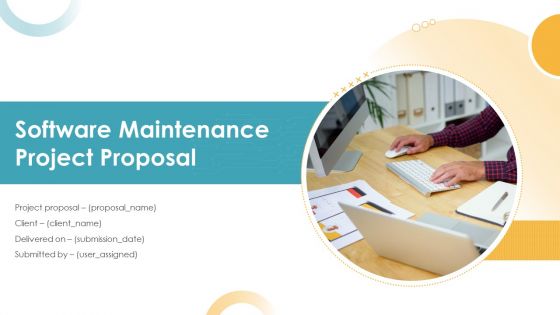
Slide 1: This slide introduces Software Maintenance Project Proposal. State Client name, Submission date, User assigned and begin.
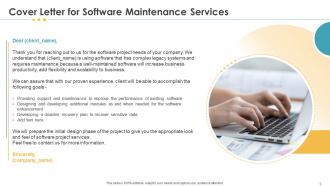
Slide 2: This slide displays Cover Letter.
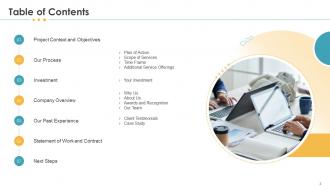
Slide 3: This slide displays Table of Contents of the presentation.
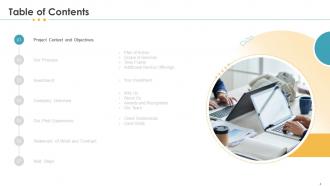
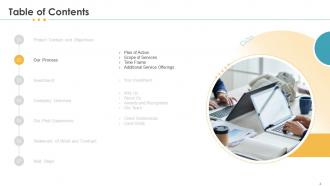
Slide 4: This slide shows Table of Contents of presentation.
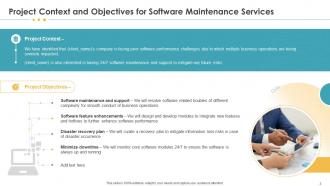
Slide 5: This slide describes Project Context and Objectives for Software Maintenance Services
Slide 6: This slide shows Table of Contents.
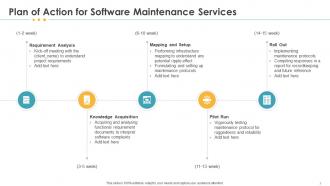
Slide 7: This slide shows Plan of Action for Software Maintenance Services
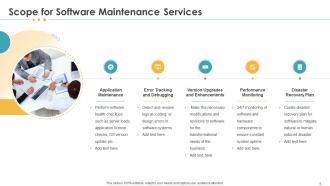
Slide 8: This slide represents Scope for Software Maintenance Services
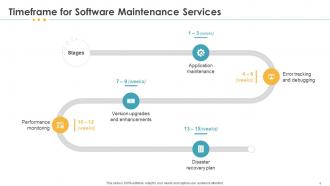
Slide 9: This slide displays Timeframe for Software Maintenance Services
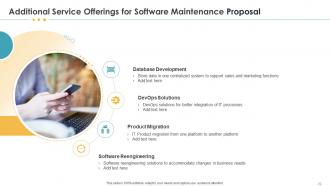
Slide 10: This slide showcases Additional Service Offerings for Software Maintenance Proposal
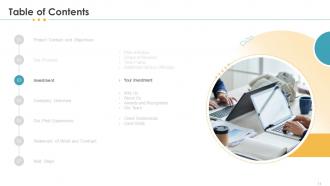
Slide 11: This slide displays Table of Contents.
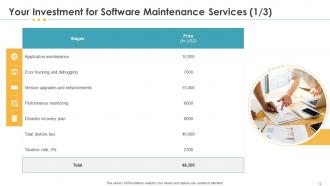
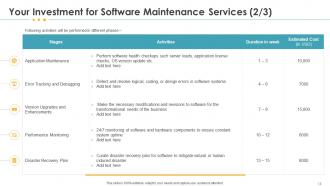
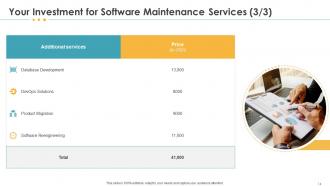
Slide 12: This slide showcases Investment details for Software Maintenance Services.
Slide 13: This slide showcases Investment details for Software Maintenance Services.
Slide 14: This slide showcases Investment details for Software Maintenance Services.
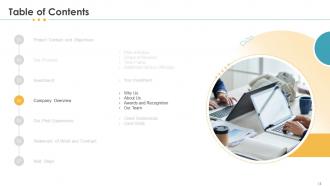
Slide 15: This slide displays Table of Contents.
Slide 16: This slide shows reasons for choosing us for Software Maintenance Services
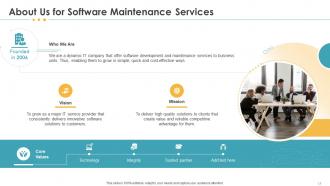
Slide 17: This is About Us slide to showcase Company specifications.
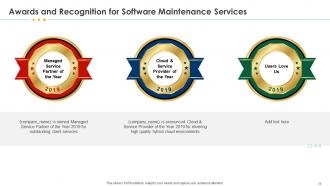
Slide 18: This slide displays Awards and Recognition for Software Maintenance Services
Slide 19: This slide shows Our Team with Names and Designations.
Slide 20: This is Our Team slide with Names and Designations.
Slide 21: This slide shows Table of Contents of the presentation.
Slide 22: This slide displays Client Testimonials with Names and Designations.
Slide 23: This slide shows Client Testimonials.
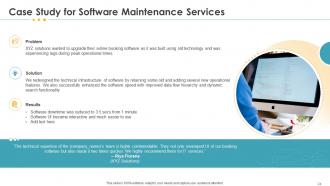
Slide 24: This slide displays Case Study for Software Maintenance Services
Slide 25: This slide shows Table of Contents of the presentation.
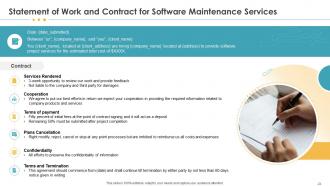
Slide 26: This slide describes Statement of Work and Contract for Software Maintenance Services
Slide 27: This slide depicts Table of Contents.
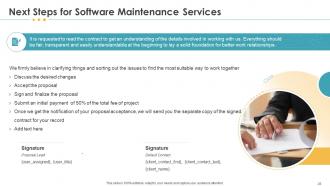
Slide 28: This slide showcases Next Steps for Software Maintenance Services
Slide 29: This is Contact Us slide with Address, Email address and Contact number.
Slide 30: This is Icons Slide for Software Maintenance Project Proposal.
Slide 31: This slide is titled as Additional Slides for moving forward.
Slide 32: This is About Us slide to showcase Company specifications.
Slide 33: This slide displays Vision and Mission statement.
Slide 34: This slide shows 30 60 90 Days Plan.
Slide 35: This slide shows Timeline process.
Slide 36: This slide depicts Roadmap process.
Software maintenance project proposal powerpoint presentation slides with all 36 slides:
Use our Software Maintenance Project Proposal Powerpoint Presentation Slides to effectively help you save your valuable time. They are readymade to fit into any presentation structure.


FAQs for Software maintenance project proposal
Start with scope - what you're actually fixing, updating, all that stuff. Response times matter too, especially for urgent vs minor issues. Pricing is obvious (hourly or retainer?), but spell out what costs extra. Communication and reporting schedules sound boring but clients get weird about it. Version control and testing procedures are huge - nobody wants their site to randomly break on a Tuesday. Contract length and how to bail out if things go south. Oh, and if you're taking over from another dev team, definitely include knowledge transfer stuff. Trust me on that one.
Honestly, I'd start by running some automated code analysis tools to catch technical debt and security issues - that's the low-hanging fruit. Then dig into your monitoring dashboards from the past few months. Error rates and resource usage don't lie, unlike what people *think* is causing problems. Interview your key users too since they'll tell you what's actually breaking their workflow. Oh, and check for outdated dependencies while you're at it. Once you've got all that documented in a prioritized list, you'll have solid ammunition for your maintenance proposal.
Track the technical stuff like how fast you fix bugs, uptime, and test coverage. But honestly? Focus more on what users actually feel - satisfaction scores and how quickly you're shipping features. Defect resolution time matters, but if your maintenance backlog keeps piling up despite everything you're doing, that's a red flag something's broken in your process. Cost per incident is good for the business folks too. Don't go crazy measuring everything though. Pick maybe 3-4 things that actually matter for your specific mess and start there.
Don't forget the sneaky costs everyone overlooks - hosting fees, licenses, testing environments. Downtime during updates can get expensive fast. Developer hours are obvious, but I always add extra padding because this stuff takes forever. Break it down monthly so they see exactly what they're paying for. Some companies can only approve big expenses at certain times, so ask about their budget cycle upfront. Be super clear about what's included vs what costs extra later. Honestly, transparency saves you so many headaches down the road.
Honestly, just cast a wide net first - grab feedback from support tickets, surveys, app reviews, whatever you can get your hands on. Sort everything by which parts of your product people complain about most. That squeaky wheel thing is real! I'd focus on the stuff generating the most noise, but you've also gotta think about business impact. Build some simple scoring system around how many users are affected, how bad the problem is, and how much work it'll take to fix. Oh, and definitely circle back with people after you make changes - shows you actually listened and helps you figure out what to tackle next.
Rolling updates are your best friend - update one server while the others keep running. Schedule stuff during slow hours obviously. Blue-green deployments work really well too, where you've got two identical setups and just flip between them. Honestly, I've watched teams go from hours of downtime to like 5 minutes using this approach. Feature flags are clutch because you can instantly roll back without doing a whole new deployment if things go sideways. Oh, and test your rollback plan first! You don't want to figure that out when everything's on fire.
Oh man, documentation is huge for maintenance proposals. Seriously, I've watched so many deals die because people just skipped over this part. Your client doesn't want their system knowledge trapped in some developer's brain forever, you know? Show them what docs exist now, point out the gaps, then explain your plan for keeping everything updated. Honestly, crappy existing documentation actually helps your case - you can be like "see how risky this is?" Always throw in a documentation audit as its own line item. Makes you look way more professional.
Build compliance into your maintenance workflow right from the start - don't make my mistake of treating it like an afterthought. Figure out what standards hit your software (ISO, SOC 2, GDPR, whatever). Then schedule regular audit checkpoints. Automate the monitoring stuff where you can. Document absolutely everything - I know it's boring but you'll thank yourself later. Someone needs to track regulatory changes too. The whole point is making compliance feel routine instead of this massive panic before audits hit. Oh, and start small - pick your top three requirements this week.
Biggest headaches? Failed updates crashing everything, new bugs popping up, and stuff not playing nice with your other systems. Security patches are a nightmare too - skip them and you're screwed. That whole "don't fix what's working" thing sounds smart until you've got months of critical updates stacked up. Test everything first in a staging environment. Always have rollback plans ready. Schedule updates when nobody's using the system - learned that one the hard way. Oh, and document what you changed so your future self doesn't hate you. Set up monitoring to catch problems early.
Set up a dedicated section covering upgrades and timelines. Clarify if major version updates need extra budget approval or fall under your base maintenance fee. Security patches are way more urgent than feature updates, so spell that out. Define what counts as "minor" vs "major" enhancements upfront - trust me, that's where clients love to push boundaries later. Oh, and don't forget a solid change request process so they can't just randomly ask for new features mid-project without following proper channels.
Honestly, just keep them in the loop constantly. Monthly updates work great - show what got fixed, what's next, any problems brewing. Stakeholders absolutely hate being blindsided, so call out issues before they blow up. I'd do quarterly meetings too where they can actually ask questions. Skip all the tech speak and just explain how it affects their world. Maybe set up some simple dashboard they can check whenever? Oh and don't treat them like you're just reporting upward - make it feel collaborative. They're way more cooperative when they feel involved in decisions.
So break your maintenance work into 2-week chunks with actual deliverables they can see. Clients get way more excited about biweekly progress than waiting forever for some massive update. Daily standups, sprint planning, the whole deal - put it right in your timeline. The best part? When something breaks or priorities totally shift, you can pivot fast instead of being stuck in some rigid plan. Oh and make sure they know they'll have input the entire time, not just when you're done. Trust me, that constant visibility thing sells itself.
For your proposal, I'd definitely include issue tracking - Jira or GitHub Issues work great for bug management. Git's a given, obviously. CI/CD pipelines are clutch for automated testing and deployments. Monitoring tools like New Relic catch issues before your users start complaining, which honestly saves so much headache. Don't forget documentation platforms like Confluence to keep everyone on the same page. Code analysis tools help spot technical debt early too. My advice? Start with what your dev team already uses, then build from there. No point overwhelming them with completely new tools right off the bat.
You've got to connect every maintenance task to real business numbers. Like, instead of saying "improves performance," show them that shaving 2 seconds off page loads means users stick around longer. Security patches? That's preventing a data breach that could cost millions. Honestly, stakeholders can be pretty dense about this stuff - they need you to spell it out. Map everything to their quarterly goals and throw in ROI numbers whenever you can. The whole point is showing that maintenance isn't just busywork. It's actually making money and stopping disasters before they happen.
Definitely get hands-on training for your IT folks - like actual practice, not just sitting through slides. The documentation needs to be readable too (nobody's touching a 200-page manual). Your system admin will need dedicated training since they're stuck dealing with it daily. Budget for 24/7 support the first month because something always breaks. After that you can probably drop to business hours with emergency backup. Oh, and quarterly vendor check-ins for year one are worth it. Get everything written down beforehand so you don't get hit with random fees when your team's panicking and needs help.
-
Unique research projects to present in meeting.
-
The Designed Graphic are very professional and classic.
-
Use of different colors is good. It's simple and attractive.