


Website Maintenance Service Proposal Powerpoint Presentation Slides




Try Before you Buy Download Free Sample Product
 Impress Your
 Audience
 100%
100% Editable
 Save Hours
 of Time


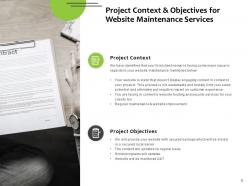
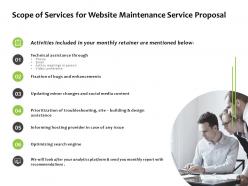
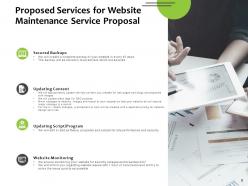
Engage and retain your customers by making use of our well-formatted Website Maintenance Service Proposal PowerPoint Presentation Slides. Showcase the benefits of opting for your services such as new customer acquisition, customer retention, correct bugs, and design problems, update and add supplementary information and others. Help your clients gain momentum and followers by pitching your services such as technical assistance through, updating minor changes, troubleshooting, optimizing the search engine, etc. Elaborate more on your offerings to help convince the clients that you are the best when it comes to maintaining their website. This website maintenance agreement PowerPoint slideshow can help startups develop a convincing proposal is a matter of seconds. Having a fully editable layout, this website maintenance and support complete deck gives you the freedom to add your personal touches and make it more adaptable to your business needs. This eCommerce website maintenance proposal PowerPoint layout consists of deliverables like project context and objectives, company overview, about us, our team and others that make it a must-have tool to market yourself. Additionally, anticipate and present a sum total of the investment here to help the clients envision the price of your services. Additionally, you can also present a customer feedback in this sample proposal for web maintenance PowerPoint template to help showcase that you are a result-oriented company. Apart from this, presenting a few customer testimonials will help retain the present clients as well as attract new ones towards your organization. Therefore without any further ado, download our PowerPoint visual with an attractive color scheme to present a convincing proposal in front of your prospective clients.
People who downloaded this PowerPoint presentation also viewed the following :
Website Maintenance Service Proposal Powerpoint Presentation Slides with all 28 slides:
Use our Website Maintenance Service Proposal Powerpoint Presentation Slides to effectively help you save your valuable time. They are readymade to fit into any presentation structure.








FAQs for Website Maintenance Service Proposal
Start with the technical meat - security updates, backups, monitoring, response times. That's what they're actually paying for. Break down your pricing clearly and spell out emergency vs routine stuff. Honestly, most people skip the boring legal bits but don't - cover contract terms, cancellation, and what happens if everything goes to hell. Your credentials matter too, so throw in some client wins. Oh, and be super clear about limitations so they can't blame you later for things outside your control. End with a deadline to create urgency.
Start with a performance audit - loading speeds, security holes, broken links, old content. Check your analytics to see where people bail out. Then be real about your team's bandwidth. Got someone who'll actually handle updates and backups regularly? Most people totally neglect this stuff until something breaks. It's like ignoring your car maintenance honestly. Document what you find, then focus on the things that'd genuinely screw your business if they failed. That audit becomes your roadmap for whatever maintenance plan you pitch.
Honestly, budget fights are the worst part. Stakeholders think maintenance is boring compared to shiny new features, so good luck getting buy-in there. Then clients hit you with "oh can we just add this tiny thing?" - spoiler alert, it's never tiny. Coordination becomes a nightmare too, especially when they don't have one person you can actually talk to. My take? Be super clear about what's included from the start. Set up a proper change request process - trust me on this one. And make sure you're dealing with people who can actually make decisions, not just whoever answers the phone first.
Honestly? Most sites can get away with monthly maintenance. But if you're running something busy like an e-commerce store, you'll want to check weekly. I learned this the hard way when a client's site crashed during their biggest sale weekend - yikes. Traffic level matters a ton here. WordPress sites with loads of plugins? Those need babysitting more often. Simple brochure sites? Monthly's fine. Really depends on how much stuff you've got going on. Oh, and whatever schedule you pick, actually do it. Sites have a way of breaking at the worst possible times when you ignore them.
Honestly, performance monitoring is what separates the pros from the amateurs in maintenance proposals. Track uptime, page speeds, server response times - clients eat up real data about their site's health. Nobody wants to wake up to angry emails about their crashed website, trust me. Monitoring tools catch problems before they explode into disasters, which is basically how you prove your worth. Oh, and always mention which specific tools you'll use and your reporting schedule. Makes you look legit instead of just winging it.
Definitely focus on the concrete stuff - regular patches, malware scans, SSL management. Firewall monitoring is big too. And backups! Can't stress that enough since everyone's terrified of ransomware these days (rightfully so). 24/7 monitoring will catch their attention because downtime literally costs them sales. Oh, and vulnerability assessments sound super professional. Breaking down exactly which security tasks you'll handle is key - they want to know you've got it covered so they can focus on running their business. Plugin updates, CMS maintenance, all that technical headache stuff they don't want to deal with.
So definitely cover security patches first - nobody wants their site hacked, trust me on that one. I'd throw in plugin updates, backups, and uptime monitoring too. Performance checks are huge because slow sites drive people crazy. Content updates vary by client but usually means new pages or blog posts. Oh, and broken link checks - those are annoying but necessary. Monthly packages work great since clients like knowing what they'll pay each month. Honestly, bundling everything together just makes more sense than nickel-and-diming them for each little thing.
Oh dude, you absolutely need to stay on top of website maintenance for SEO. Google notices when your site's slow or has broken links - that stuff kills your rankings fast. I made that mistake once and watched my traffic nosedive after getting hit with malware (nightmare situation). Fresh content tells search engines you're still alive and kicking. Speed optimization, mobile fixes, updating meta tags - it all adds up. Even the boring technical stuff like XML sitemaps matters more than you'd think. Don't treat it like some afterthought expense. It's basically an SEO investment that keeps paying off.
Definitely track your uptime percentage and page load speeds - those are non-negotiable. Security incidents too, obviously. Bounce rates matter way more than people think because they show if your site's actually frustrating users. I'd also watch session duration and any sudden traffic drops. Honestly, slow loading killed one of my friend's sites last year - lost like 30% of visitors overnight. SEO rankings can tank from technical problems, so don't ignore those. Oh, and support tickets! If people are complaining more about site issues, that's your early warning system. Just throw these into a basic dashboard and check monthly.
Honestly, flip the script and scare them a little. Calculate what downtime actually costs per hour - like if your site crashes during Black Friday, how much money just evaporates? Pull up some nightmare stories about competitors who got hacked or went down. That stuff hits different than talking about "best practices." Frame it as insurance that prevents disasters instead of just another bill. I learned this the hard way at my last job - executives don't care about maintenance until everything's on fire. Show them the real math: spend $X monthly now or potentially lose $Y when (not if) something breaks.
Dude, outsourcing is honestly a lifesaver. You get experts without paying full-time salaries, plus they're watching your site 24/7. When stuff breaks at 2 AM (and it will), someone else deals with it. These companies are way better at staying on top of security updates than most internal teams. Your people can work on actual strategic stuff instead of fixing random bugs. The monthly cost is predictable too, which is nice for budgeting. I'd get quotes from maybe 2-3 companies and compare their response times. Trust me on this one.
Just hit them with real numbers from their own business. If their site makes $500/hour and goes down for 4 hours, that's $2K gone - way more than your $200/month fee. Security stuff is huge too since breaches cost thousands to fix (honestly, most people don't realize how expensive those get). Site speed is another angle - even shaving off one second can bump conversions by 7%. The key is using their actual data, not some random industry stats. Break down what downtime actually costs them per hour, then show how maintenance prevents it. Makes the math pretty obvious.
Ditch the tech speak first - nobody wants to figure out what "database optimization" means. Break everything into simple stuff like backups, security updates, monitoring. Lead with the actual problems you're solving instead of just rattling off features. Charts and icons work great for non-tech clients (trust me on this one). Put in real response times and what your monthly reports look like. Clear pricing tiers are huge. Oh, and always end with next steps - people need to know exactly how to hire you. Makes a massive difference when they can actually understand what they're buying.
Look, you gotta tailor these based on what industry you're pitching and how big they are. Healthcare clients obsess over HIPAA stuff, while e-commerce just wants their payment systems bulletproof. Small businesses? They mostly care about basic uptime and maybe some content tweaks. But bigger companies - they want the full package with performance tweaks and security deep-dives. Oh, and pricing's weird too. Startups love those month-to-month deals, but enterprises usually go annual. I'd build like 3-4 basic templates first - you know, basic through enterprise tiers. Then just swap out the specific services and buzzwords that'll make each prospect think "yes, they totally get my problems."
Dude, you absolutely need a solid communication plan in your proposal - it's what separates the pros from the amateurs. Spell out when you'll send reports (monthly works well), how clients can reach you, and your response times. Trust me, clients freak out when they don't know what's happening with their site. Set clear expectations about check-in calls and emergency contacts upfront. Otherwise you'll be drowning in "hey, what's going on?" messages every other day. Oh, and make sure they know who their main contact person is - that alone prevents so much confusion later.
-
Illustrative design with editable content. Exceptional value for money. Highly pleased with the product.
-
Awesome presentation, really professional and easy to edit.
-
Designs have enough space to add content.
-
Great quality product.
-
Professional and unique presentations.
-
Excellent design and quick turnaround.
-
Content of slide is easy to understand and edit.
-
Very unique, user-friendly presentation interface.
-
Really like the color and design of the presentation.