


Strategies To Create Sustainable Hybrid Workplace Powerpoint Presentation Slides





Try Before you Buy Download Free Sample Product
 Impress Your
Audience
 100%
Editable
 Save Hours
of Time


With decreased job satisfaction, poor employee productivity, and a high stress level, many companies are shifting to flexible work arrangements. Remote working gives an employee the freedom to decide when they start working, where they work, and for how long. With our professionally designed Strategies to Create Sustainable Hybrid Workplace PowerPoint presentation, corporates can successfully improve employee engagement rate and improve workplace diversity. Initially, the PPT begins with multiple issues faced by the company because of its inflexible working schedule. Secondly, the complete deck caters to a section through which professionals can highlight major statistics, advantages, trends, and growth drivers associated with hybrid working. Going forward, the firm can achieve flexible working objectives by developing guidelines, policies, employee engagement strategies, and productivity software tools for remote teams. In addition to this, the module covers a section on different issues faced by managers when implementing flexible working hours and the ways in which businesses can overcome them. At last, through key performance indicators KPIs metrics and dashboards, organizations can successfully evaluate the impact of flexible employment strategies on employees and the companys performance. Download our 100 percentage editable and customizable template, which is also compatible with Google Slides.
People who downloaded this PowerPoint presentation also viewed the following :
Content of this Powerpoint Presentation
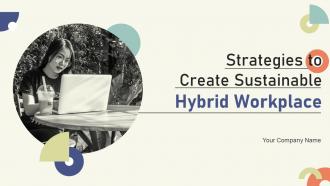
Slide 1: This slide displays the title Strategies to Create Sustainable Hybrid Workplace.
Slide 2: This slide displays the title Agenda.
Slide 3: This slide exhibit table of content.
Slide 4: This slide showcase table of content that are to be discuss further.
Slide 5: The following slide outlines different problems faced by staff members and the company while working work from the office five days a week.
Slide 6: The following slide outlines the continuous loss of worker's productivity and efficiency in the form of a tabular way.
Slide 7: The following slide outlines the continuous loss of worker's productivity and efficiency in the form of a statistical way.
Slide 8: This slide showcase table of content that are to be discuss further.
Slide 9: The following slide outlines various flexible work arrangement survey questions which can be used by the corporates to find out the working preferences of employees.
Slide 10: The following slide outlines result of the remote working survey in the form of statistical data.
Slide 11: The following slide highlights different types of tactics that can assist corporates to boost employee’s efficiency during work-from-home (WFH).
Slide 12: This slide showcase table of content that are to be discuss further.
Slide 13: The following slide outlines key remote work statistics.
Slide 14: The following slide outlines the major benefits of flexible work arrangements for corporates.
Slide 15: The following slide outlines a diagrammatic representation outlining the percentage of companies switching to flexible work arrangements.
Slide 16: The following slide outlines some of the major megatrends in a flexible working arrangement.
Slide 17: The following slide outlines the various growth drivers due to which many corporates are switching to a hybrid model.
Slide 18: This slide showcase table of content that are to be discuss further.
Slide 19: The following slide outlines various objectives that can assist corporate houses in successfully implementing flexible working arrangements at the workplace.
Slide 20: This slide showcase table of content that are to be discuss further.
Slide 21: The following slide showcases the key elements that can assist human resource (HR) professionals to build work from home (WFH) policy for offsite employees.
Slide 22: This slide showcases important instructions related to the work from home (WFH) policy that can assist corporates to draft rules and regulations for remote employees.
Slide 23: This slide showcase table of content that are to be discuss further.
Slide 24: The following slide outlines the most common types of flexible work policies through which employees can work outside of the traditional working hours.
Slide 25: The following slide the different types of remote work policies that can assist managers in improving the productivity and efficiency rate of employees.
Slide 26: The following slide outlines various types of flexible work policies such as hybrid model, results only work environment (ROWE), and split shift.
Slide 27: This slide showcase table of content that are to be discuss further.
Slide 28: The following slide showcases an online staff engagement strategy that can be used by human resource (HR) managers for remote workers.
Slide 29: The following slide showcases employee engagement tactics that can be used by professionals to virtually recognize the employee’s performance and boost their morale.
Slide 30: The following slide showcases employee retention strategy which can assist remote employees to build co-working and collaboration skills with other team members.
Slide 31: The following slide showcases different types of online courses which will assist employees in their professional growth.
Slide 32: This slide showcase table of content that are to be discuss further.
Slide 33: The following slide highlights different software’s used for collaboration and communication with the remote team.
Slide 34: The following slide showcases multiple types of robust project management tools used by a remote team to effectively manage multiple tasks.
Slide 35: The following slide outlines various types of remote desktop software through which remote employees can easily access the desktop virtually while sitting at home.
Slide 36: This slide showcase table of content that are to be discuss further.
Slide 37: The following slide showcases different tactics that can be used by businesses in promoting flexible working arrangements at the workplace.
Slide 38: This slide showcase table of content that are to be discuss further.
Slide 39: The following slide delineates flexible scheduling challenges which are faced by small, medium, and large-scale businesses after the pandemic.
Slide 40: The following slide outlines a graphical representation of different flexible working challenges faced by many businesses post-pandemic.
Slide 41: The following slide exhibits different solutions through which managers can easily overcome the flexible working challenges.
Slide 42: This slide showcase table of content that are to be discuss further.
Slide 43: The following slide showcases the impact of remote working on performance of the workforce.
Slide 44: This slide showcase table of content that are to be discuss further.
Slide 45: The following slide showcases different key performance indicators (KPIs) that can be used by managers to analyze the success rate of flexible work policy.
Slide 46: The following slide delineates a key performance indicator (KPI) dashboard through which managers can evaluate the success of a flexible working policy.
Slide 47: The following slide outlines a comprehensive key performance indicator (KPI) dashboard that can be used to showcase employee’s performance during work-from-home (WFH).
Slide 48: This is the icons slide.
Slide 49: This slide presents title for additional slides.
Slide 50: This slide showcase the title Projecting the trend of flexible work policies.
Slide 51: This slide showcase the title Flexible working arrangements for different jobs.
Slide 52: This slide shows about your company, target audience and its client's values.
Slide 53: This slide showcase title Our mission.
Slide 54: This slide shows details of team members like name, designation, etc.
Slide 55: This slide exhibits yearly timeline of company.
Slide 56: This slide showcase Comparison.
Slide 57: This slide display Puzzle.
Slide 58: This slide shows roadmap of company.
Slide 59: This slide depicts posts for past experiences of clients.
Slide 60: This is thank you slide & contains contact details of company like office address, phone no., etc.
Strategies To Create Sustainable Hybrid Workplace Powerpoint Presentation Slides with all 65 slides:
Use our Strategies To Create Sustainable Hybrid Workplace Powerpoint Presentation Slides to effectively help you save your valuable time. They are readymade to fit into any presentation structure.



FAQs for Strategies To Create Sustainable Hybrid Workplace
Honestly, you need structure or it'll be a mess. Survey your team first - see what's actually broken in your current setup. Don't just let people randomly work from home, that creates chaos. Have everyone align on specific days: deep work happens remote, collaborative stuff in-person. Your office better actually support collaboration too, not just random desks everywhere. Set up consistent communication rhythms so remote people don't get sidelined. The key is being intentional about it rather than winging it. Oh, and flexible doesn't mean "whatever works" - it means having clear protocols that bend when needed.
Track your carbon footprint first - office energy use, commuting, home energy costs. Employee satisfaction and retention rates matter just as much though, since what's the point if people hate it? Productivity metrics are key too. Cost savings data will definitely get the bosses on board (they love that stuff). Run quarterly surveys alongside the hard numbers from facilities and HR. Oh, and set up some kind of dashboard so you can catch problems early. Way easier than fixing a mess later. Short answer: environmental + people metrics = the full story.
Honestly, good tech is what makes or breaks hybrid work. Video calls, cloud stuff, and project management tools are non-negotiables so people can bounce between home and office smoothly. Those smart scheduling systems are clutch too - saves you from that awkward moment when you trek to the office and it's a ghost town. Digital workflows cut down on paper waste, plus energy systems that auto-adjust based on who's actually there. Oh, and definitely figure out where your current tech is causing headaches first - that's your starting point.
Honestly, just start with flexibility and actually listening to your people. Let them work where they're most productive - I'm useless at home but my coworker kills it there. Don't let remote folks become invisible though, that's where things get weird fast. You'll want clear rules about after-hours stuff so people aren't checking Slack at 11pm. Check in regularly to catch burnout before it explodes. But here's the thing - just ask them what they need instead of guessing. I swear their answers will catch you off guard every time.
Honestly, start by just asking your remote team what they're missing - you'll be shocked at their answers. Make sure they're not left out of random decisions that happen between meetings. Set up virtual coffee chats regularly. Different time zones? Rotate meeting times so it's fair for everyone. Create casual Slack channels too since they can't catch those hallway conversations anymore. The whole thing comes down to being really intentional about communication. I learned this the hard way - remote folks notice when they're excluded way more than you'd think.
Honestly, this is super common and fixable. First thing - audit what each group actually gets right now, because I bet there's a bigger gap than you think. Remote people need the same gear, software, and home office money you'd blow on in-office snacks and fancy chairs. The real killer though is when big decisions happen in those random coffee conversations. Document the important stuff and rotate meeting times so everyone can actually join. Set up casual chat channels too - remote folks miss out on so much random useful info. Your managers need to check in with both groups equally, not just the people they bump into by the printer.
So hybrid work definitely helps with emissions - less commuting, offices use way less energy when they're half empty. Your home energy bill goes up though, plus there's more delivery trucks hitting neighborhoods. Overall the math works out pretty well for the environment. Track your actual numbers instead of guessing - measure office energy plus what people use working from home. Push carpools or transit for office days. Set your HVAC to adjust when fewer people show up. Oh and help folks get efficient setups at home, that stuff adds up. I mean, it's not perfect but it's better than the old way.
Honestly, hybrid setups can totally transform your D&I efforts. Remote work opens up talent you'd never find otherwise - think parents juggling school pickup, people with disabilities, or folks who just can't relocate. It's wild how many introverts actually participate more in virtual meetings too. Just don't accidentally create this weird hierarchy where office people get all the leadership face time while remote workers feel invisible. Make your collaboration tools work for everyone and - this might sound obvious but - actually spell out expectations for both groups. Nobody should feel like a second-class employee based on their zip code.
You really need a decent video setup first - Zoom or Teams work fine. For day-to-day stuff, Slack keeps everyone in the loop without constant meetings. Then grab something like Miro for when you need to brainstorm together and Notion for docs (way better than endless email chains, trust me). Maybe throw in Asana for tracking who's doing what. But here's the thing - I've seen teams blow money on fancy tools that nobody touches after week two. Pick maybe 3-4 things max and actually stick with them. Honestly, start with whatever you've already got and only upgrade when something's genuinely driving you crazy.
Make it visible and fun first - do green commute challenges or energy contests between your home vs office people. Numbers work magic, so share the actual impact stats regularly. Digital tools help cut down travel and printing (which we probably should've done ages ago anyway). Pick sustainability champions from each team to keep things rolling. Honestly, the trick is making it feel collaborative instead of like some top-down mandate. Just launch one small thing next month and see what happens. Don't overthink it - you'll build momentum once people get into it.
Yeah, the upfront costs are no joke - tech upgrades, home office stipends, redesigning spaces to be more efficient. Real estate savings though? That's where you actually make money back. Way less office space needed, lower utility bills, zero commute reimbursements. Most places break even around 18-24 months, which isn't terrible. The annoying part is you're basically paying double during the switch - old setup plus new one. Honestly I'd test it with like 20% of your team first. See what breaks and what actually costs before committing to the whole company. My cousin's startup did this and saved them from some expensive mistakes.
Dude, just ask your team what's actually working. Survey them about stuff like when they feel disconnected or which meeting formats suck less. Way too many places just wing it and totally mess this up. Ask specific questions instead of those boring satisfaction ratings nobody cares about. Like "what days are you most productive at home vs office?" Then actually use that info to tweak things every few months. You might find out Mondays are terrible for big meetings or whatever. Trust me - your employees know better than any consultant what makes sense for your setup.
Honestly, flexible scheduling is a game-changer for getting stuff done. Your morning people can crush it at 7am while the night owls do their best work at 2pm - why fight it? People get way more productive when they can block out deep focus time without random meetings interrupting. Oh, and they actually want to work instead of dragging through hours when their brain's basically mush. You'll still need some overlap time though, maybe like 10-2 or whatever works for meetings. I'd just ask everyone what their ideal schedule looks like and try it out for a month.
Honestly, the hardest part is just staying connected when everyone's working from different places. Communication becomes this weird guessing game if you're not careful. I'd say overcommunicate everything - like response times, meeting expectations, all that stuff. Regular check-ins help tons, and use tools that work for people in different time zones so nobody feels left out. Oh, and don't micromanage! Focus on what people actually get done, not whether they're online at 9am sharp. Create some fun moments too - remote teams can get pretty isolated otherwise. You'll probably need to adjust your style for each person.
Honestly? Break everything into small chunks people can do whenever. Those marathon Zoom sessions are brutal - nobody's actually learning anything after hour two anyway. Mix it up with videos, virtual workshops, maybe some in-person stuff when people are actually in the office. Survey your team first though - find out what they're struggling with and how they like to learn. Focus on the hybrid-specific stuff like collaborating digitally and staying connected when half the team's remote. Give people options but keep the core content the same across formats. Oh, and don't forget time zone issues if that's relevant for you guys.
-
It's always a delight to see new templates from you! I am extremely pleased with the fact that they are easy to modify and fit any presentation layout in seconds!
-
Informative design.