

System Integration Plan Powerpoint Presentation Slides





Try Before you Buy Download Free Sample Product
 Impress Your
 Audience
 100%
100% Editable
 Save Hours
 of Time


Software implementation refers to integrating and adopting software apps into business workflows. It allows companies to access the latest technologies and helps the employees to increase their productivity levels and produce good quality work. Our insightfully designed System integration plan helps in providing the implementation of new applications and user-friendly experience to customers. This deck showcases the challenges faced by organizations due to a lack of effective software solutions, gap analysis, key attributes, and benefits of an effective software solution. It represents how an effective software solution helps organizations reduce administrational and operational expenses, decrease project risks, and protect customers valuable data. Additionally, the PPT covers software implementation strategies such as scoping out implementation projects, assigning team owners to drive the implementation process, selecting the right software vendor, software testing, etc. It also covers the key deliverables of the software implementation project and analysis of KPIs such as sprint burndown chart, releases burndown report, and code churn rate to measure the effectiveness of the software implementation project. Lastly, it covers the cost incurred in the implementation of software solutions in the organization and its impact on the overall operational performance of the organization due to the automation of time-consuming manual tasks. Get access to this powerful template now.
People who downloaded this PowerPoint presentation also viewed the following :
Content of this Powerpoint Presentation
Slide 1: This slide introduces System Integration Plan. State your company name and begin.
Slide 2: This slide states Agenda of the presentation.
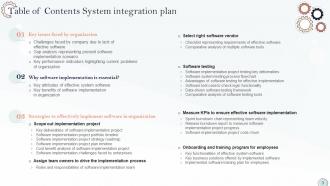
Slide 3: This slide shows Table of Content for the presentation.
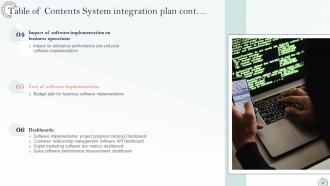
Slide 4: This is another slide continuing Table of Content for the presentation.
Slide 5: This slide highlights title for topics that are to be covered next in the template.
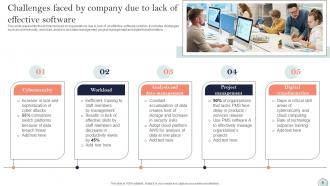
Slide 6: This slide presents Challenges faced by company due to lack of effective software.
Slide 7: This slide displays Gap analysis representing present software implementation scenario.
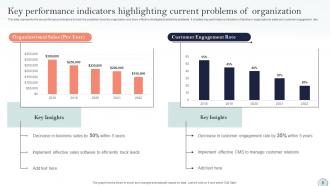
Slide 8: This slide represents Key performance indicators highlighting current problems of organization.
Slide 9: This slide highlights title for topics that are to be covered next in the template.
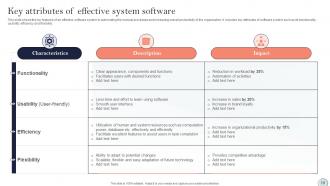
Slide 10: This slide showcases Key attributes of effective system software.
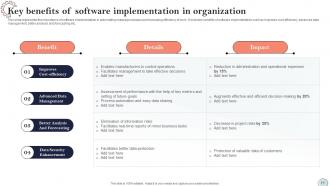
Slide 11: This slide shows Key benefits of software implementation in organization.
Slide 12: This slide highlights title for topics that are to be covered next in the template.
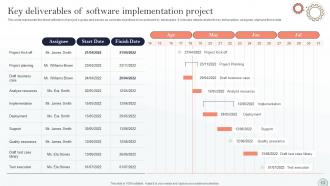
Slide 13: This slide presents Key deliverables of software implementation project.
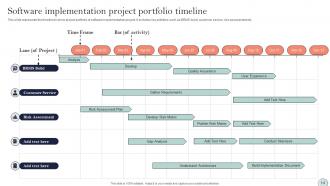
Slide 14: This slide displays Software implementation project portfolio timeline.
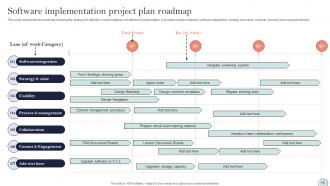
Slide 15: This slide represents Software implementation project strategy roadmap.
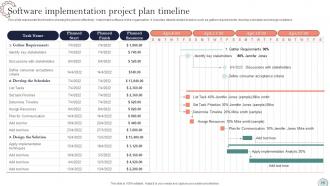
Slide 16: This slide showcases Software implementation project plan timeline.
Slide 17: This slide shows Cost benefit analysis of software implementation project.
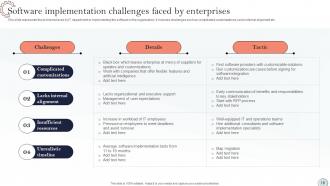
Slide 18: This slide presents Software implementation challenges faced by enterprises.
Slide 19: This slide highlights title for topics that are to be covered next in the template.
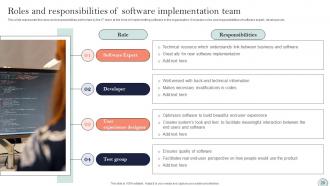
Slide 20: This slide displays Roles and responsibilities of software implementation team.
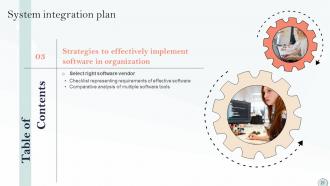
Slide 21: This slide highlights title for topics that are to be covered next in the template.
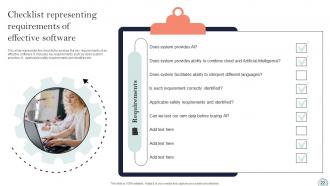
Slide 22: This slide represents Checklist representing requirements of effective software.
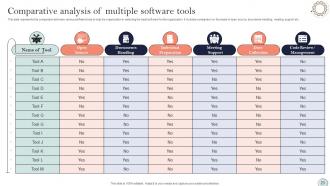
Slide 23: This slide showcases Comparative analysis of multiple software tools.
Slide 24: This slide highlights title for topics that are to be covered next in the template.
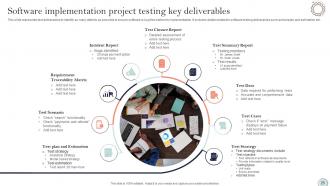
Slide 25: This slide shows Software implementation project testing key deliverables.
Slide 26: This slide presents Software system testing process flowchart.
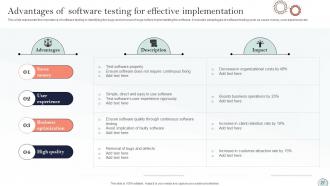
Slide 27: This slide displays Advantages of software testing for effective implementation.
Slide 28: This slide represents Software test case to check login functionality.
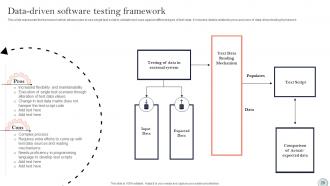
Slide 29: This slide showcases Data-driven software testing framework.
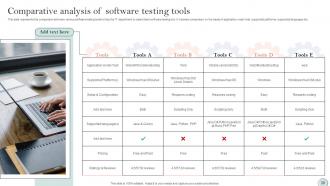
Slide 30: This slide shows Comparative analysis of software testing tools.
Slide 31: This slide highlights title for topics that are to be covered next in the template.
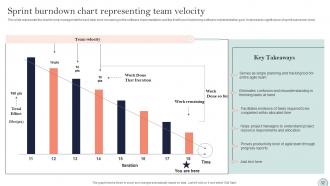
Slide 32: This slide presents Sprint burndown chart representing team velocity.
Slide 33: This slide displays Release burndown report to measure software implementation project progress.
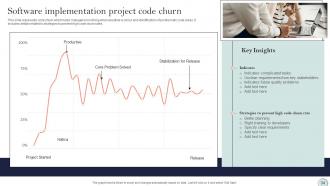
Slide 34: This slide represents Software implementation project code churn.
Slide 35: This slide highlights title for topics that are to be covered next in the template.
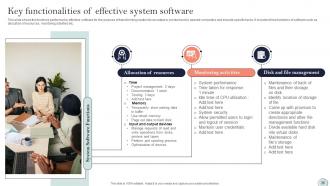
Slide 36: This slide showcases Key functionalities of effective system software.
Slide 37: This slide shows Key business solutions offered by implemented software.
Slide 38: This slide presents Implemented software training plan for employees.
Slide 39: This slide highlights title for topics that are to be covered next in the template.
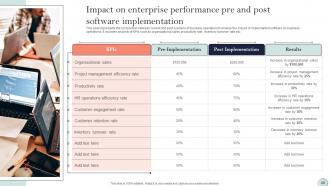
Slide 40: This slide displays Impact on enterprise performance pre and post software implementation.
Slide 41: This slide highlights title for topics that are to be covered next in the template.
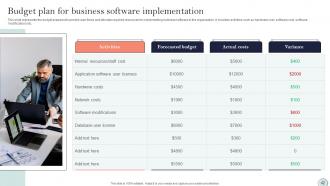
Slide 42: This slide represents Budget plan for business software implementation.
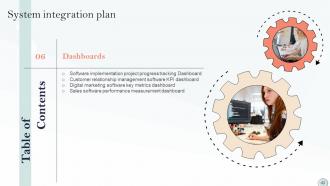
Slide 43: This slide highlights title for topics that are to be covered next in the template.
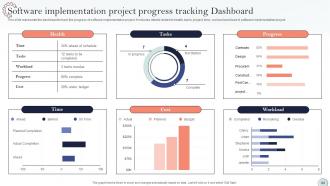
Slide 44: This slide showcases Software implementation project progress tracking Dashboard.
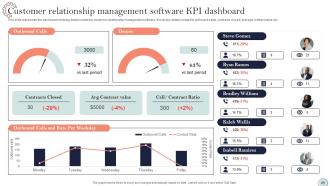
Slide 45: This slide shows Customer relationship management software KPI dashboard.
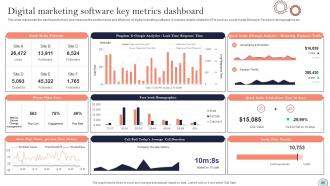
Slide 46: This slide presents Digital marketing software key metrics dashboard.
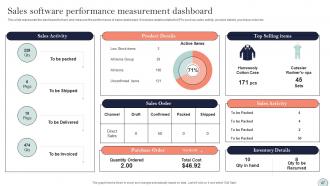
Slide 47: This slide displays Sales software performance measurement dashboard.
Slide 48: This slide contains all the icons used in this presentation.
Slide 49: This slide is titled as Additional Slides for moving forward.
Slide 50: This slide provides 30 60 90 Days Plan with text boxes.
Slide 51: This slide shows Circular Diagram with additional textboxes.
Slide 52: This is a Timeline slide. Show data related to time intervals here.
Slide 53: This slide shows Post It Notes. Post your important notes here.
Slide 54: This slide depicts Venn diagram with text boxes.
Slide 55: This slide contains Puzzle with related icons and text.
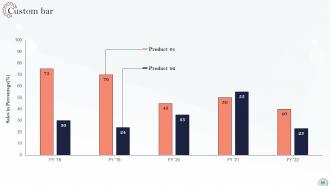
Slide 56: This slide displays Custom bar chart with two products comparison.
Slide 57: This slide presents Roadmap with additional textboxes.
Slide 58: This is a Thank You slide with address, contact numbers and email address.
System Integration Plan Powerpoint Presentation Slides with all 63 slides:
Use our System Integration Plan Powerpoint Presentation Slides to effectively help you save your valuable time. They are readymade to fit into any presentation structure.























FAQs for System Integration Plan
Key components include requirements analysis, architecture design, data mapping protocols, testing frameworks, and rollback procedures. These elements work together by ensuring seamless connectivity between disparate systems, minimizing operational disruptions, and maintaining data integrity, with many organizations finding that comprehensive planning reduces integration costs by up to 40% while accelerating deployment timelines.
**INPUT**: How can stakeholders be effectively identified and engaged during the integration process? **OUTPUT**: Stakeholders can be effectively identified through comprehensive mapping exercises that categorize internal users, external partners, customers, and regulatory bodies based on their integration impact and influence levels. Early engagement strategies include regular communication channels, feedback loops, and collaborative workshops, with many organizations finding that transparent progress updates and role-specific training ultimately deliver smoother implementations and stronger stakeholder buy-in. [Word count: 60 words]
Data migration serves as the critical foundation of system integration plans, involving data extraction, transformation, validation, and seamless transfer between systems while maintaining integrity and accessibility. Best practices include comprehensive data mapping, thorough testing phases, incremental migration approaches, and robust backup strategies, with many organizations finding that phased implementations minimize operational disruptions while ensuring accurate data synchronization across integrated platforms.
System integration timelines are determined by evaluating system complexity, data migration requirements, stakeholder dependencies, testing phases, and organizational readiness. Project managers typically establish milestones through phased approaches, with many organizations finding that breaking integration into smaller modules, conducting parallel testing streams, and building in contingency buffers ultimately delivers more predictable outcomes and minimizes business disruption.
Risk management strategies in system integration plans include comprehensive testing protocols, phased rollout approaches, robust backup and recovery systems, stakeholder communication frameworks, and contingency planning procedures. These strategies enhance project success by minimizing downtime, ensuring data integrity, and maintaining business continuity, with many organizations finding that proactive risk assessment ultimately delivers smoother transitions and competitive operational advantage.
Ensuring compatibility requires thorough system auditing, API development, middleware implementation, and phased rollout strategies that bridge old and new technologies seamlessly. Through careful data mapping and interface design, organizations can maintain operational continuity while modernizing infrastructure, with many finding that gradual integration minimizes disruption and delivers enhanced efficiency.
**INPUT**: What tools and technologies can facilitate seamless system integration? **OUTPUT**: System integration tools include API management platforms, middleware solutions, cloud-based integration services, ETL tools, and enterprise service buses. These technologies streamline operations by automating data flows, standardizing communication protocols, and minimizing manual processes, with many organizations finding that strategic integration ultimately delivers enhanced operational efficiency and competitive advantage. [Word count: 52 words]
Assessing current systems involves conducting comprehensive audits of existing infrastructure, data flows, security protocols, performance metrics, and integration capabilities. Through detailed technical assessments and stakeholder interviews, organizations identify gaps, redundancies, and compatibility issues across departments, while mapping data dependencies and workflow patterns, ultimately creating a strategic foundation that streamlines integration planning and minimizes implementation risks.
Common system integration challenges include data incompatibility, legacy system limitations, security vulnerabilities, communication protocol mismatches, and resource allocation conflicts. These obstacles can be mitigated through comprehensive planning, phased implementation approaches, and robust testing protocols, with many organizations finding that strategic partnerships and dedicated integration teams ultimately deliver seamless connectivity and enhanced operational efficiency.
Success metrics for system integration include performance benchmarks, data accuracy rates, user adoption levels, operational efficiency gains, and cost reduction measurements. These metrics enable organizations to track integration effectiveness through reduced processing times, improved data consistency, and enhanced user experiences, with many enterprises finding that comprehensive metric frameworks ultimately deliver measurable ROI and competitive advantage.
System integration presents both enhanced security opportunities and complex compliance challenges, requiring robust encryption protocols, access controls, audit trails, and data governance frameworks. While integrated systems can strengthen security through centralized monitoring and consistent policy enforcement, organizations must navigate increased attack surfaces and regulatory requirements across multiple jurisdictions, ultimately delivering improved compliance transparency and operational efficiency.
**INPUT**: How can we ensure user adoption and training for systems post-integration? **OUTPUT**: User adoption post-integration requires comprehensive training programs, intuitive interface design, phased rollouts with support teams, and continuous feedback mechanisms to address user concerns. Organizations like banks and healthcare systems find that combining hands-on workshops with real-time support significantly enhances adoption rates, ultimately delivering smoother transitions and improved operational efficiency across departments. **Word count: 53 words**
Effective collaboration strategies include establishing cross-functional integration teams, implementing regular communication protocols, creating shared project dashboards, and defining clear roles and responsibilities for both IT and business stakeholders. These approaches streamline decision-making by enhancing transparency, reducing silos, and ensuring alignment on objectives, with many organizations finding that structured collaboration frameworks ultimately deliver faster implementation timelines and improved system adoption rates.
Cloud-based and on-premises system integration requires hybrid approaches that address connectivity, data synchronization, and security protocols across different environments. Organizations should implement API gateways, middleware solutions, and secure VPN connections to bridge these systems, with many enterprises finding that phased migration strategies ultimately deliver seamless operations while maintaining existing investments.
Best practices for documenting system integration include creating detailed integration architecture diagrams, maintaining comprehensive API documentation, establishing clear data mapping specifications, recording testing protocols and results, and developing rollback procedures. These documentation standards streamline troubleshooting, enhance team collaboration, and ensure seamless knowledge transfer, with many organizations finding that thorough documentation reduces integration timelines by significantly minimizing errors and miscommunication.
-
The visual appeal of the templates is just unparalleled! I was so worried about the design of my presentation but SlideTeam made it all so easy.
-
Every time I ask for something out-of-the-box from them and they never fail in delivering that. No words for their excellence!