Integrated Business Process Outline Powerpoint Presentation Slides
Try Before you Buy Download Free Sample Product
Audience
Editable
of Time
Bringing home the prime solution for seamless management process, integrated business process outline PowerPoint presentation slides. Creative images have been crafted in this PPT slides set with the appropriate topics to extend the policies of sales and operations planning throughout the supply chain, product and client portfolios, consumer demand and strategic planning, to deliver one seamless management process, with a bold impression. We have incorporated topics like missions, goals, objectives, strategies, financial projection under strategic planning, and analysis, key result areas, operational objectives, performance indicators, action plans, budgets to cover up operational plans. Through chart sheet and circular plans, we have explained above topics, further graphs and charts have been shown for thorough comparisons. All the images and icons have been thoroughly chosen to work in favor of the clients with respect to the subject in concern. Proceed with, integrated business process outline PowerPoint presentation slides to ease down your hassles. Make a continuous improvement to your business using Integrated Business Process Outline PowerPoint Presentation Slides.
People who downloaded this PowerPoint presentation also viewed the following :
Content of this Powerpoint Presentation
Slide 1: This slide introduces Integrated Business Process Outline with a creative imagery. State your company name and get started.
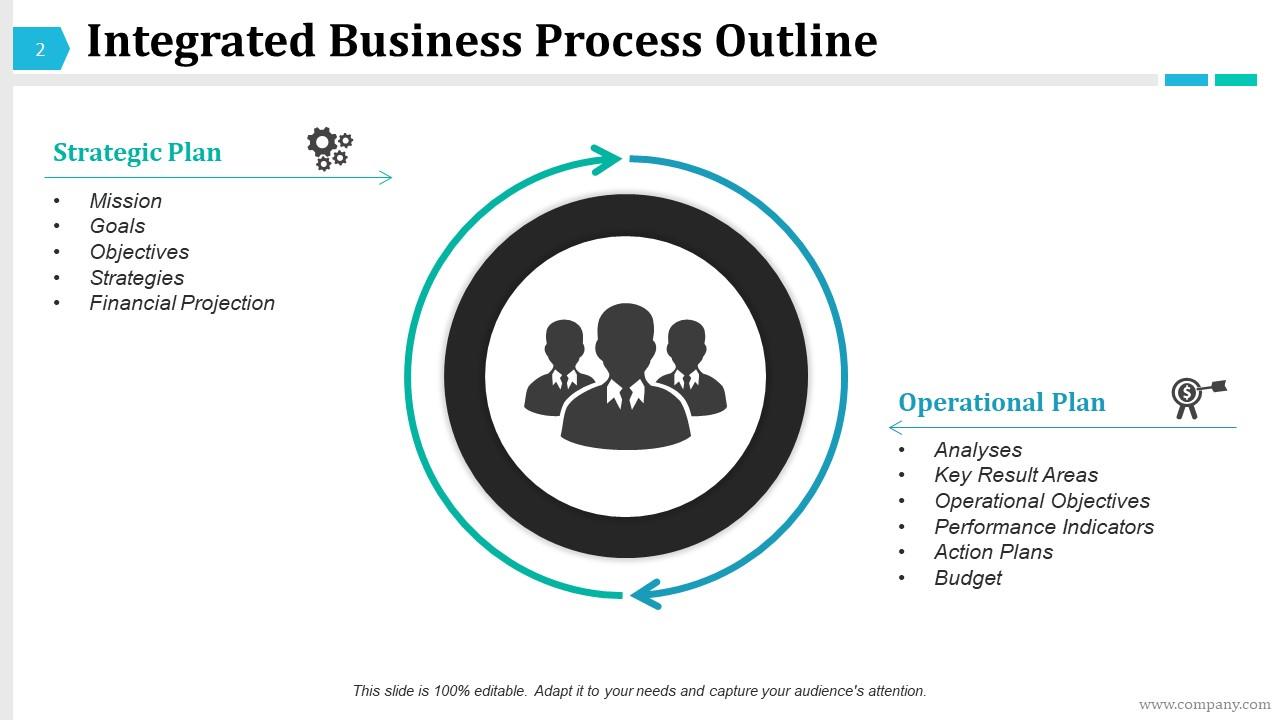
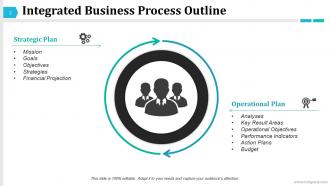
Slide 2: This slide states Integrated Business Process Outline slide with the following content- Strategic Plan including mission, goals, objectives, strategies, financial projection. Operational Plan which includes analyses, key result areas, operational objectives, performance indicators, action plans, budget.
Slide 3: This is a slide titled Strategic Planning. You may change it as required.
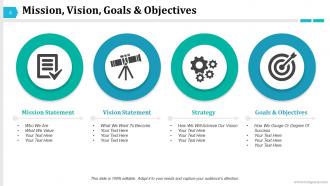
Slide 4: This slide presents Mission, Vision, Goals & Objectives. You can add goals, aspirations, strategy etc. here.
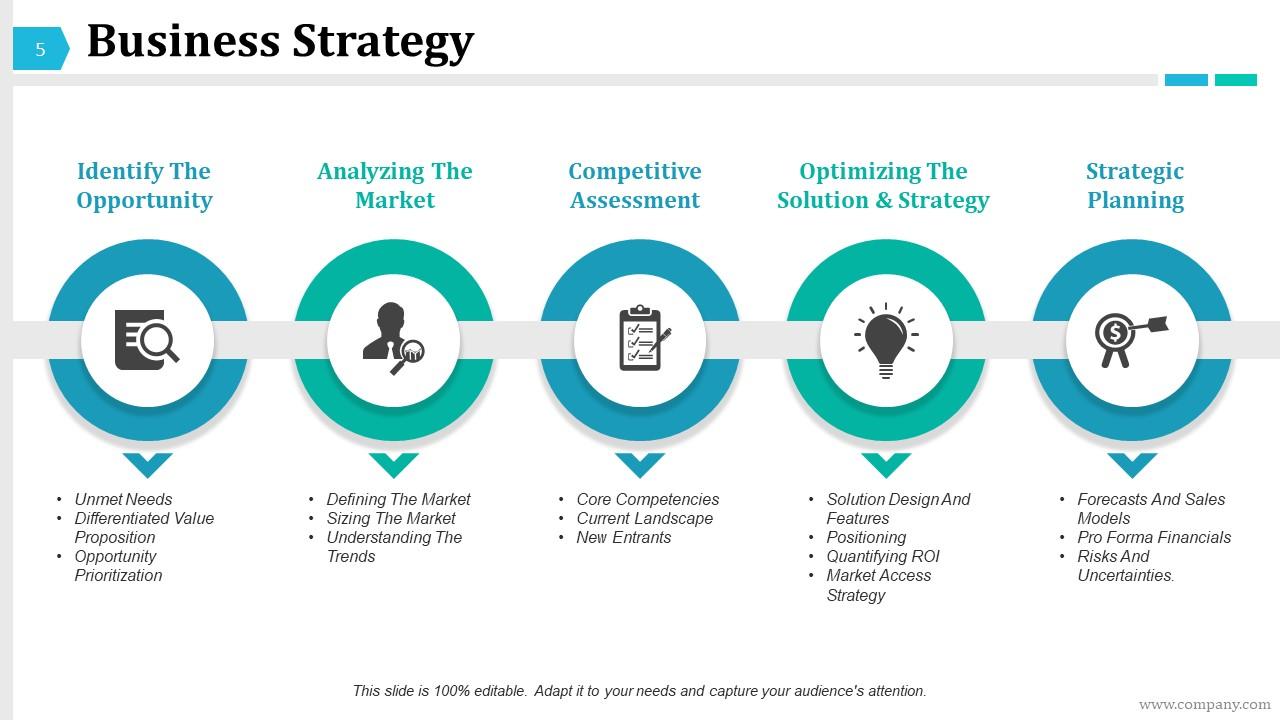
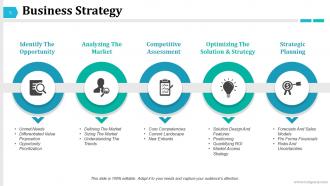
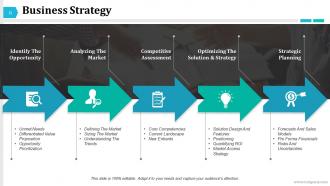
Slide 5: This slide presents the Business Strategy involving the following- Identify The Opportunity, Analyzing The Market, Competitive Assessment, Optimizing The Solution & Strategy, Strategic Planning.
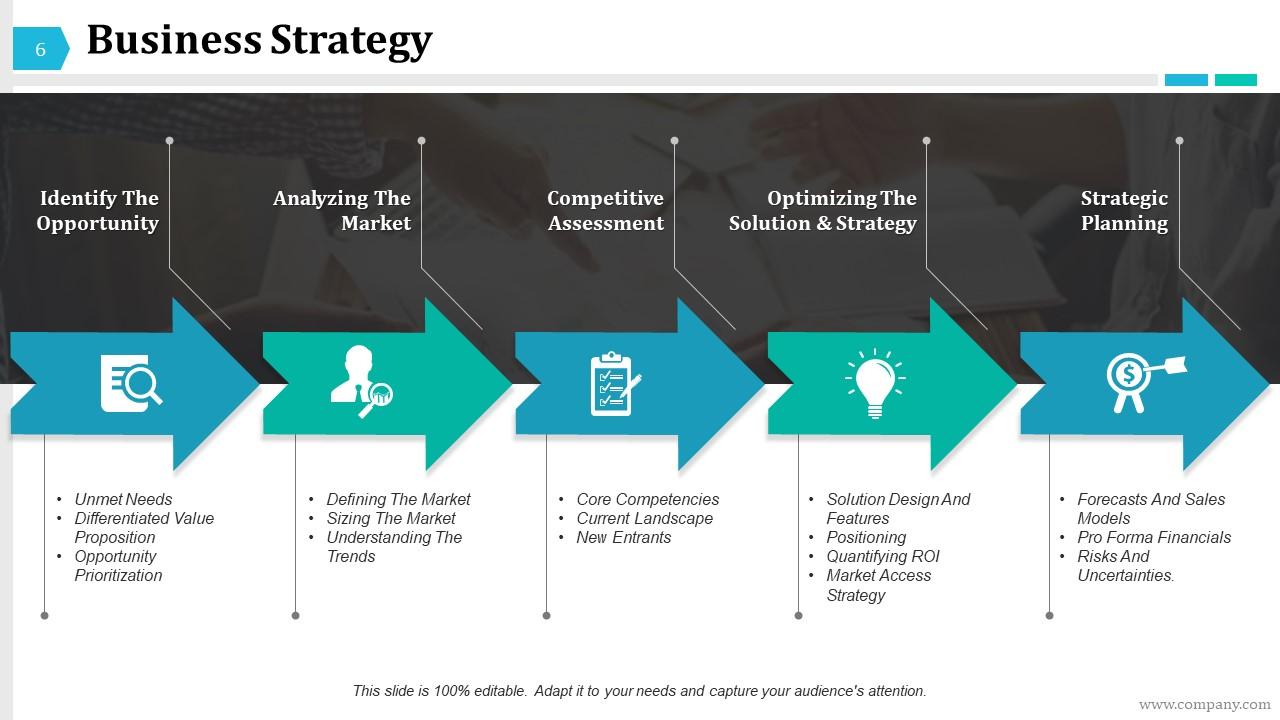
Slide 6: This is another Business Strategy slide.
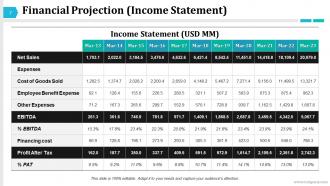
Slide 7: This is Financial Projection slide showing income statement (USD MM).
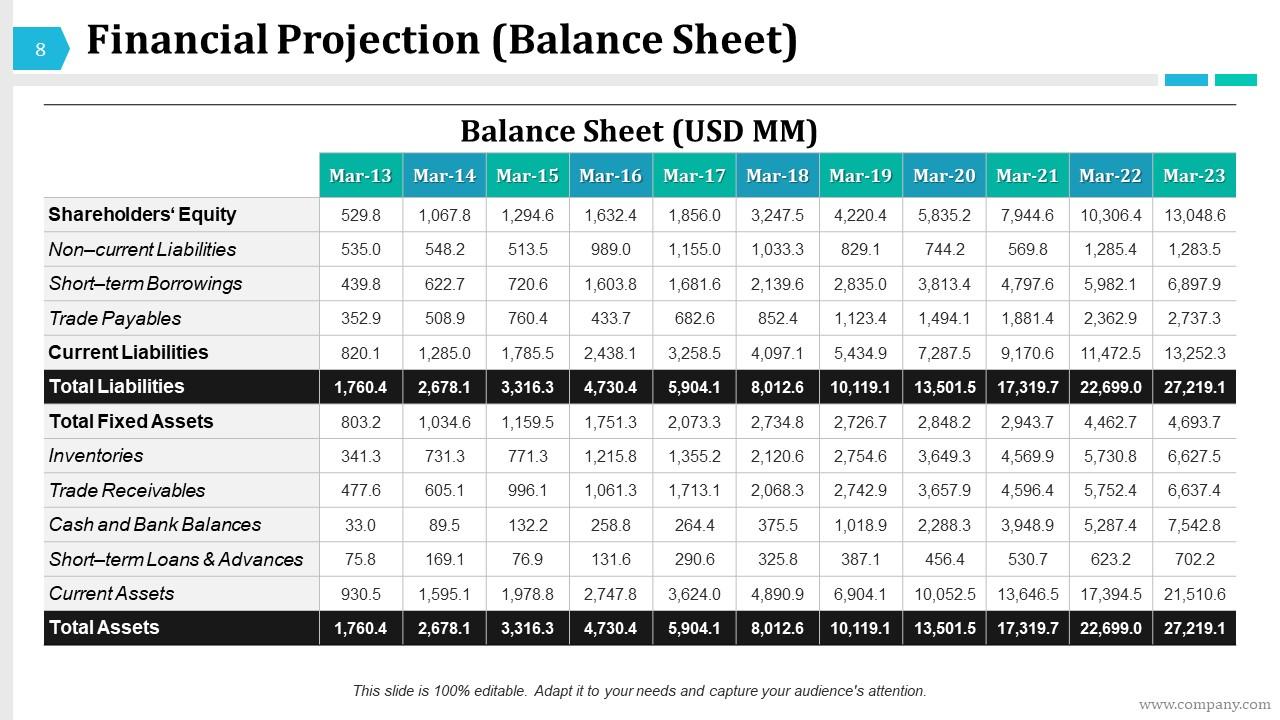
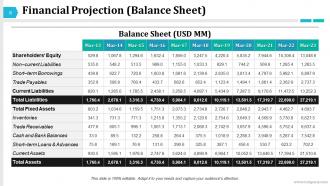
Slide 8: This is another Financial Projection slide showing balance sheet.
Slide 9: This slide is titled Operational Plan. You may change it as required.
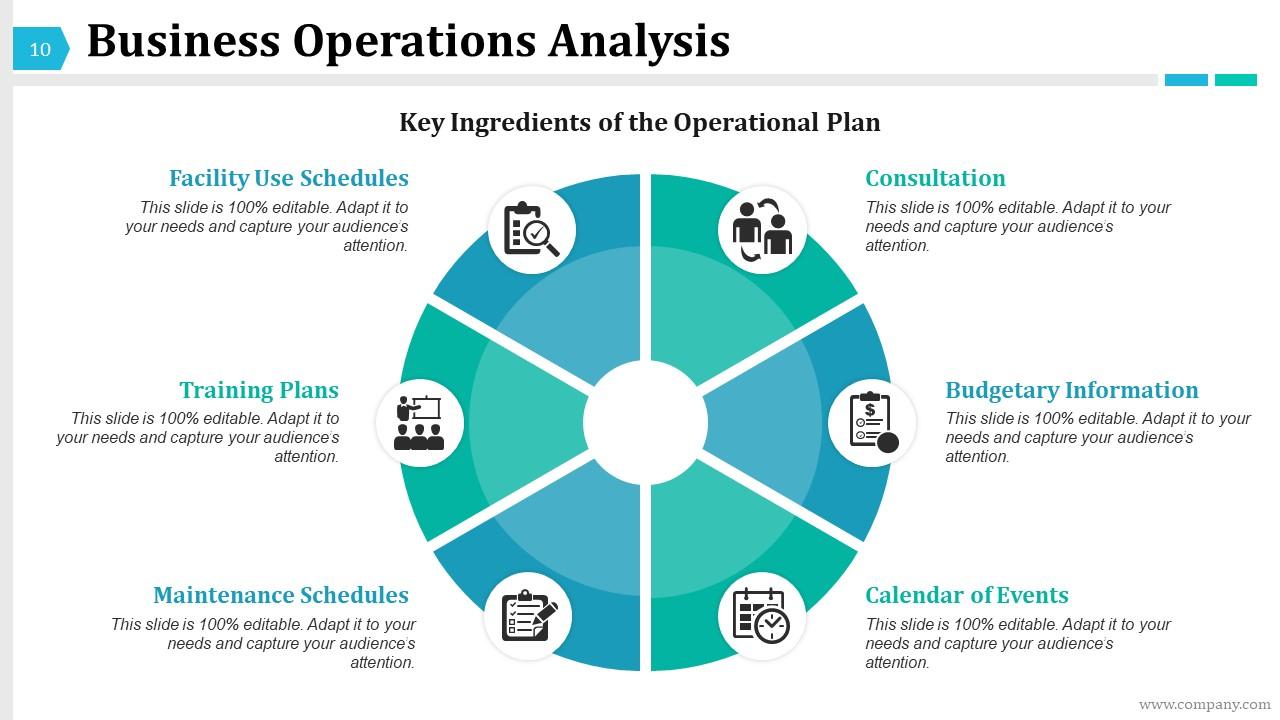
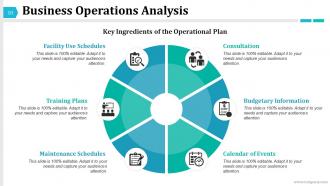
Slide 10: This slide shows Business Operations Analysis with Consultation, Budgetary Information, Calendar of Events, Facility Use Schedules, Maintenance Schedules, Training Plans.
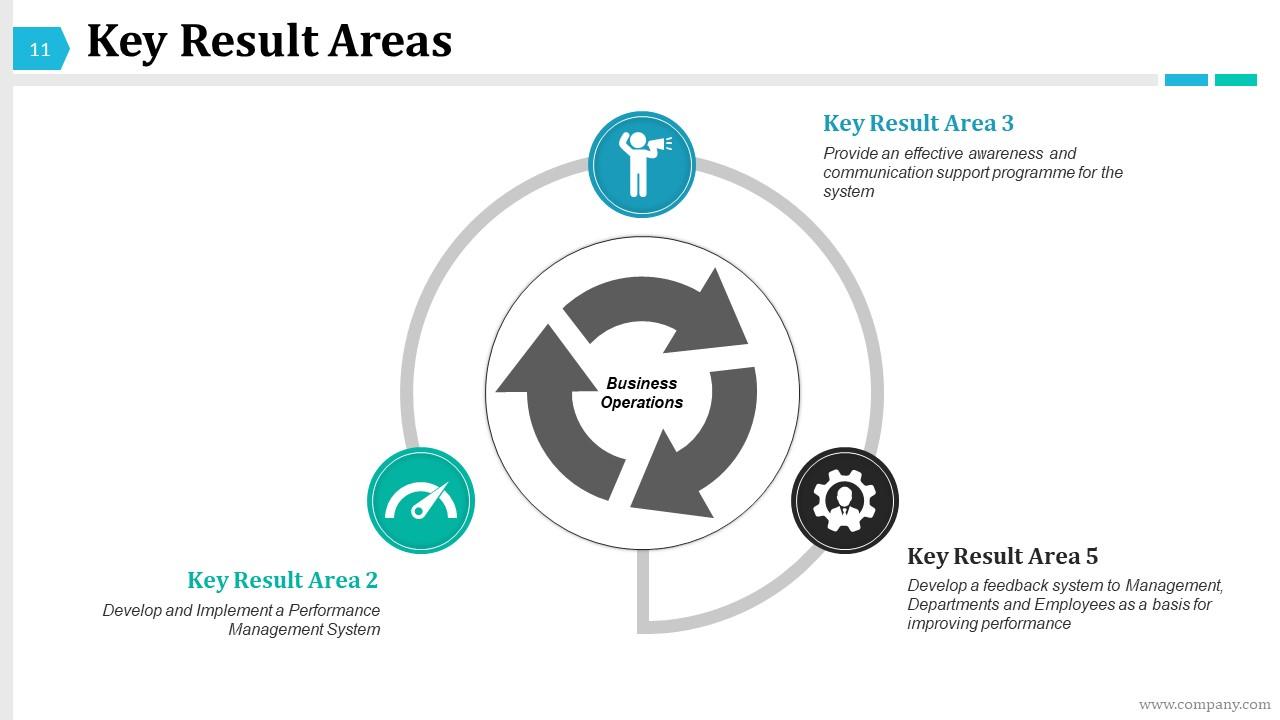
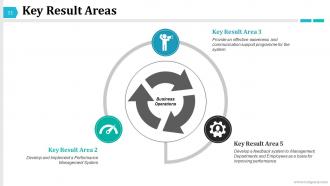
Slide 11: This slide presents Key Result Areas with arrow image.
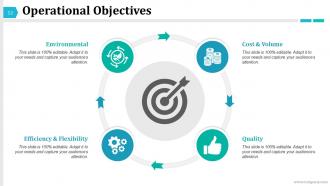
Slide 12: This is an Operational Objectives slide which include- Cost & Volume, Quality, Environmental, Efficiency & Flexibility.
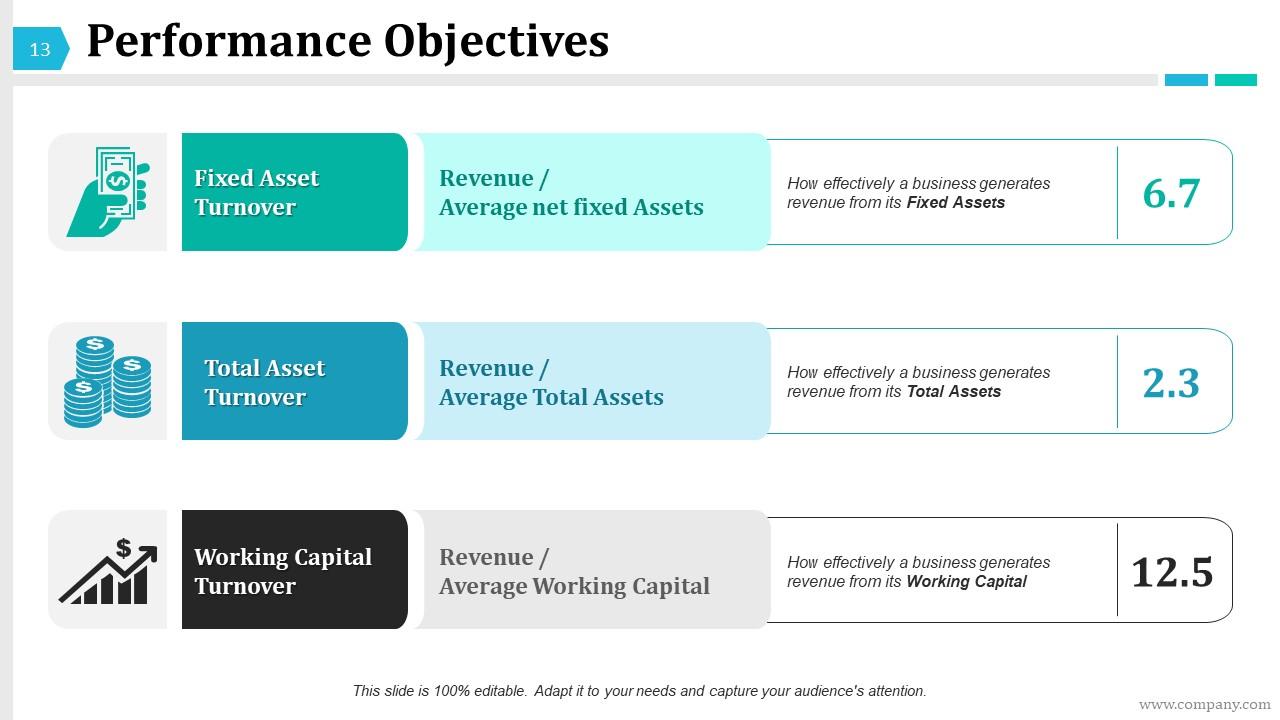
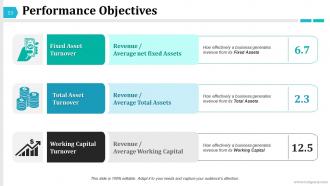
Slide 13: This slide shows Performance Objectives with fixed asset turnover, total asset turnover and working capital turnover.
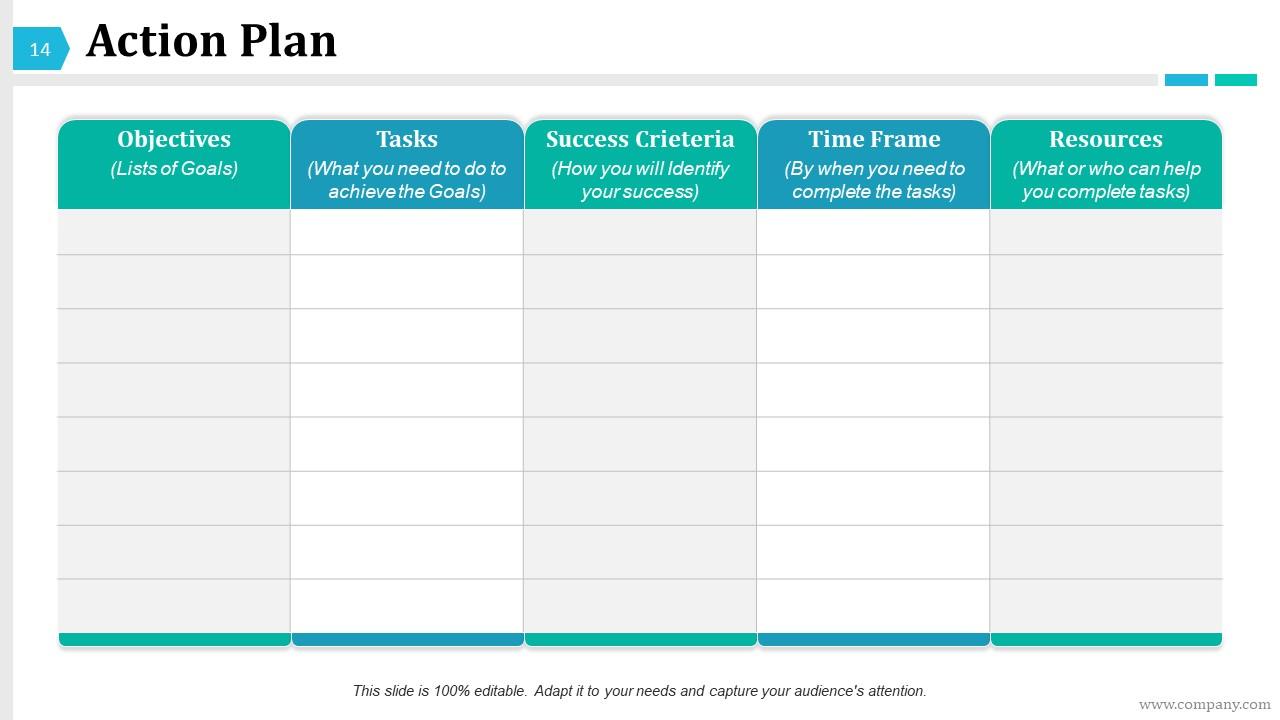
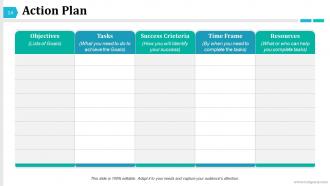
Slide 14: This is an Action Plan slide. You can list your obectives, tasks, resources, success criteria, time frame here.
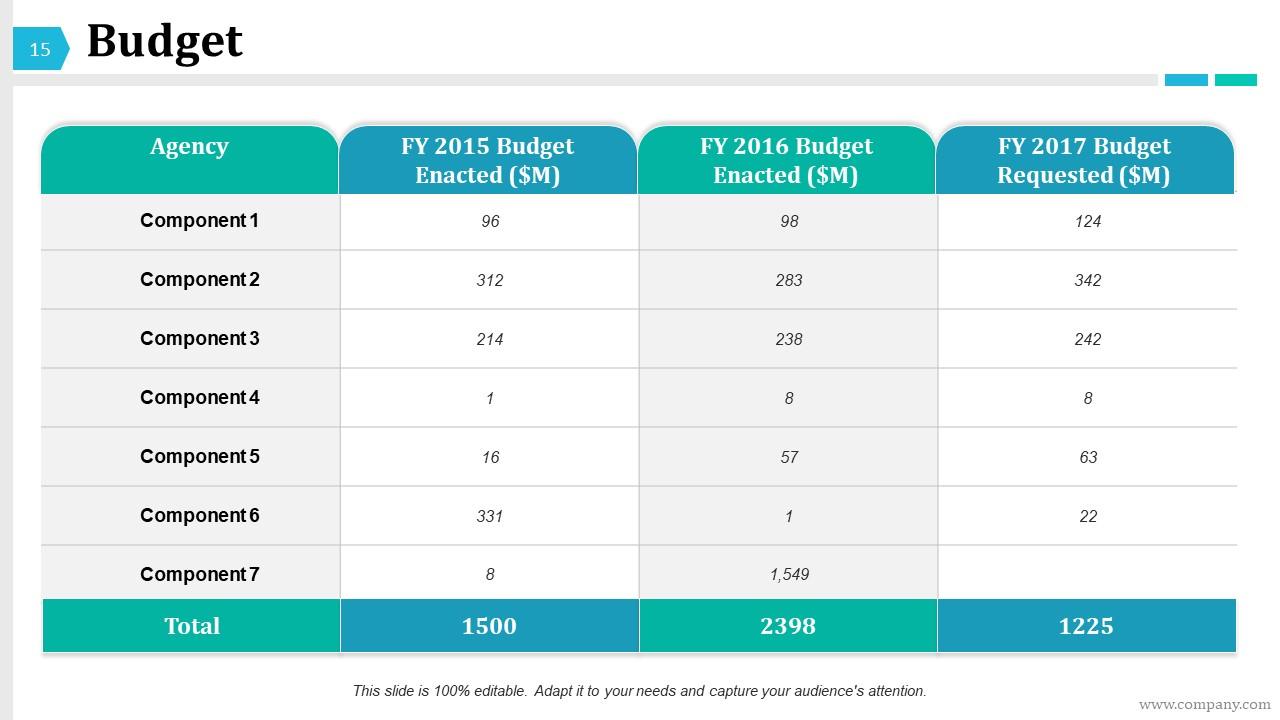
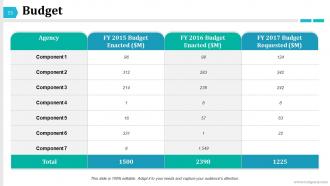
Slide 15: This is a Budget slide represented in years.
Slide 16: This is a Coffee Break slide. You can change as per need.
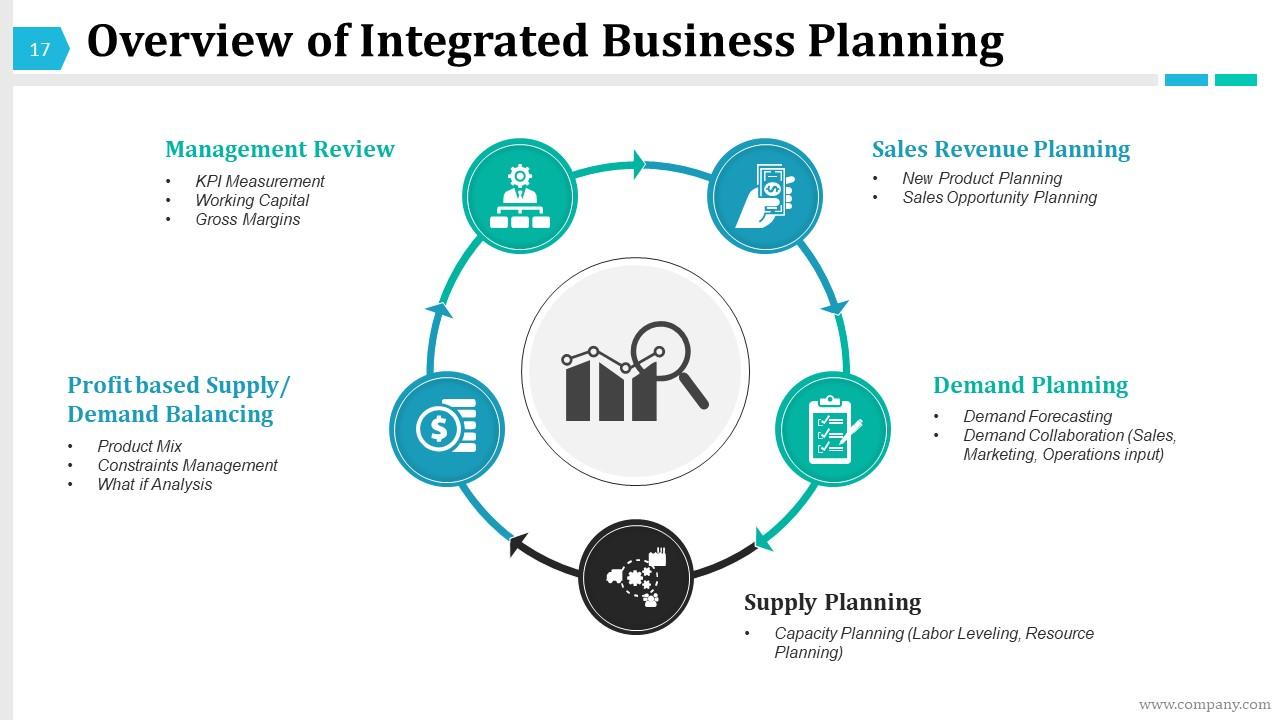
Slide 17: This slide presents an Overview of Integrated Business Planning which include the following- Sales Revenue Planning, Demand Planning, Supply Planning, Management Review Profit based Supply/ Demand Balancing.
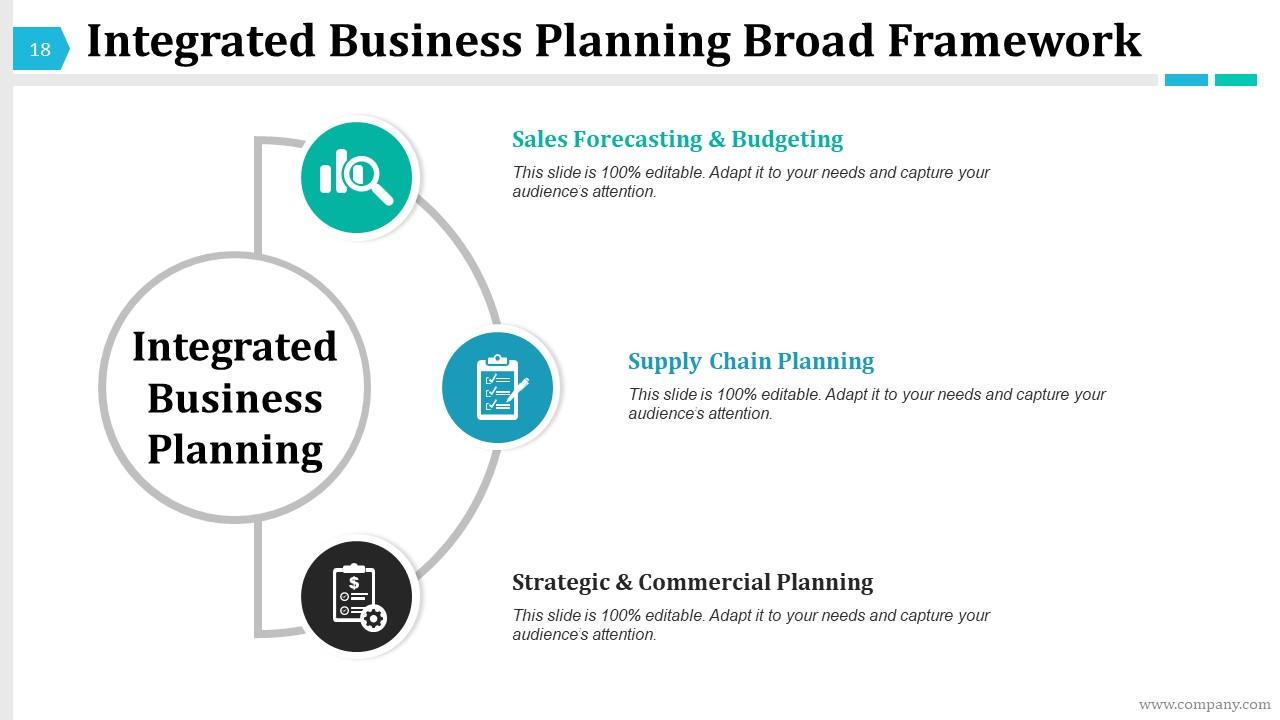
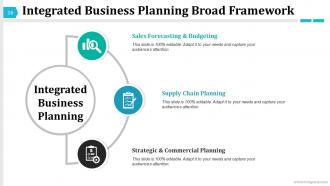
Slide 18: This slide presents an Integrated Business Planning Broad Framework which include the following- Supply Chain Planning, Sales Forecasting & Budgeting, Strategic & Commercial Planning.
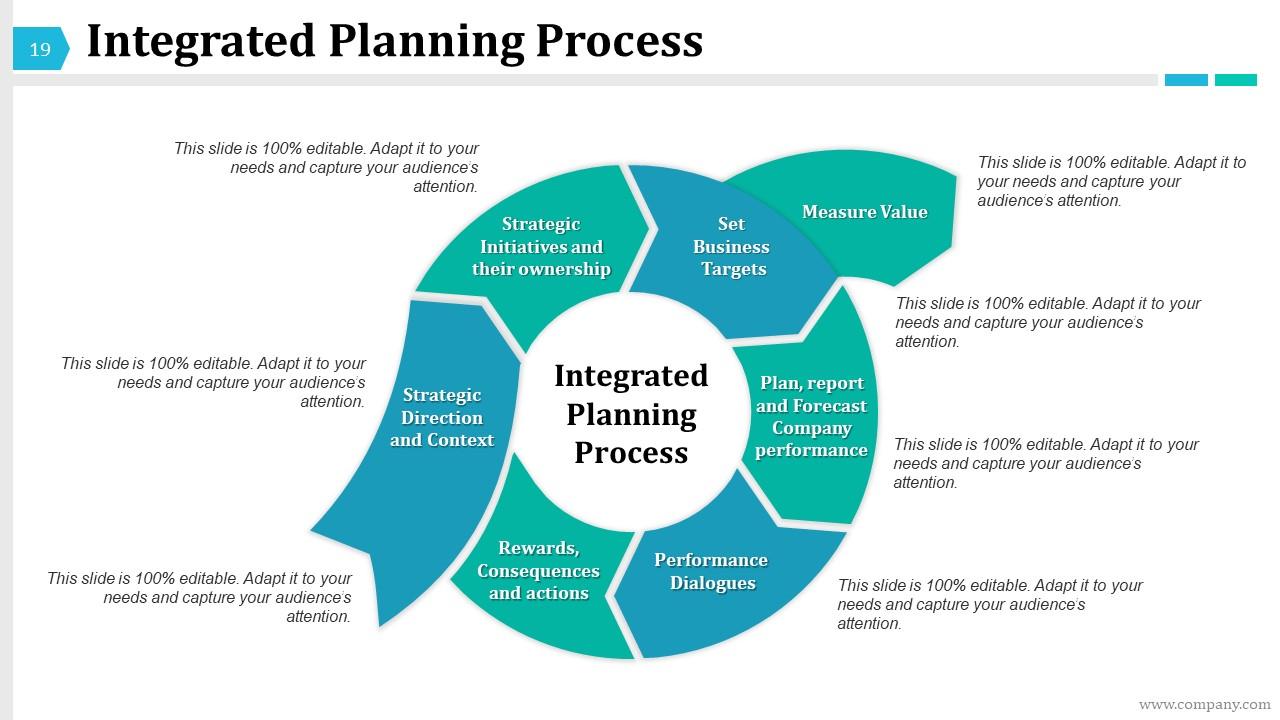
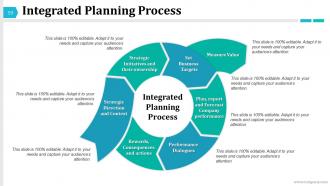
Slide 19: This slide shows Integrated Planning Process with the following points- Integrated Planning Process, Strategic Direction and Context, Strategic Initiatives and their ownership, Set Business Targets, Plan, report and Forecast Company performance Performance Dialogues, Rewards, Consequences and actions.
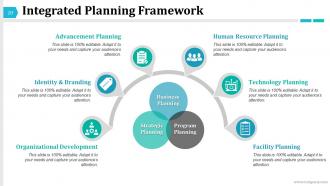
Slide 20: This slide shows Integrated Planning Framework through strategic planning, program planning and business planning.
Slide 21: This slide is titled Graphs And Charts. You may change the slide content as per need.
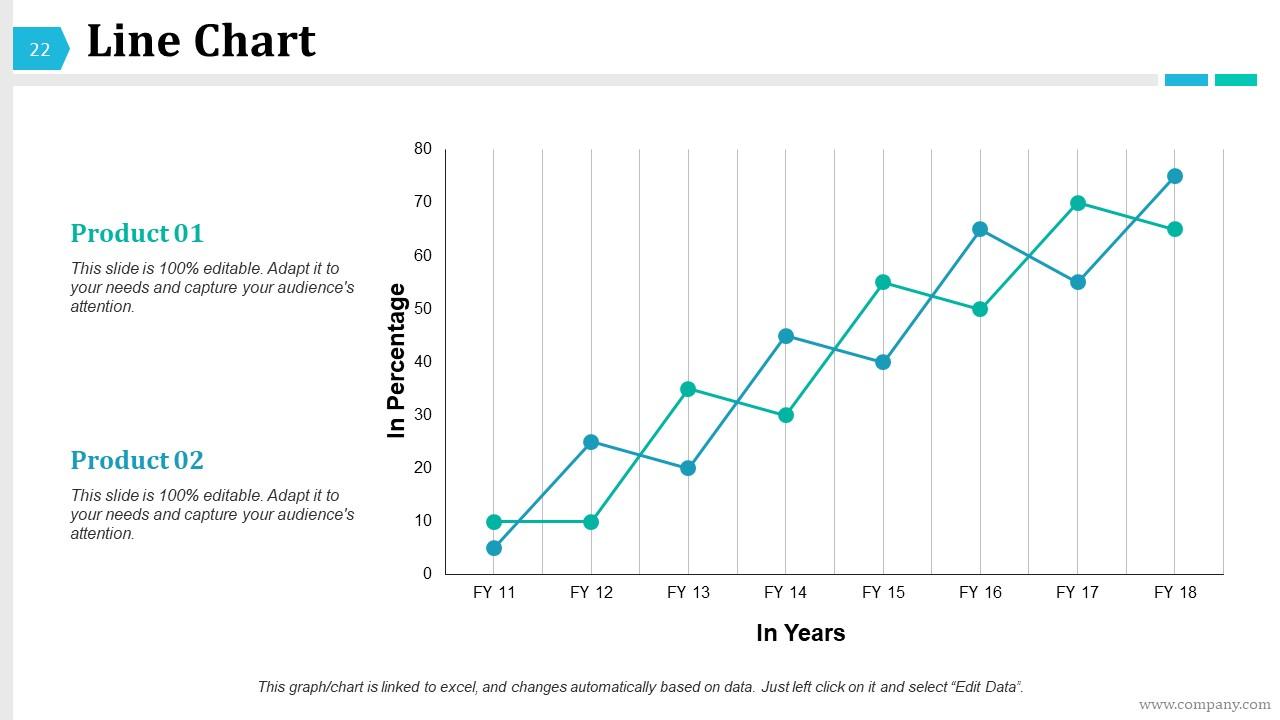
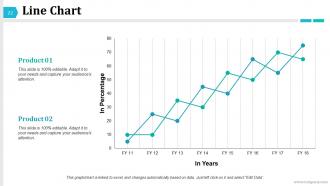
Slide 22: This is a Line Chart image slide for two product comparison.
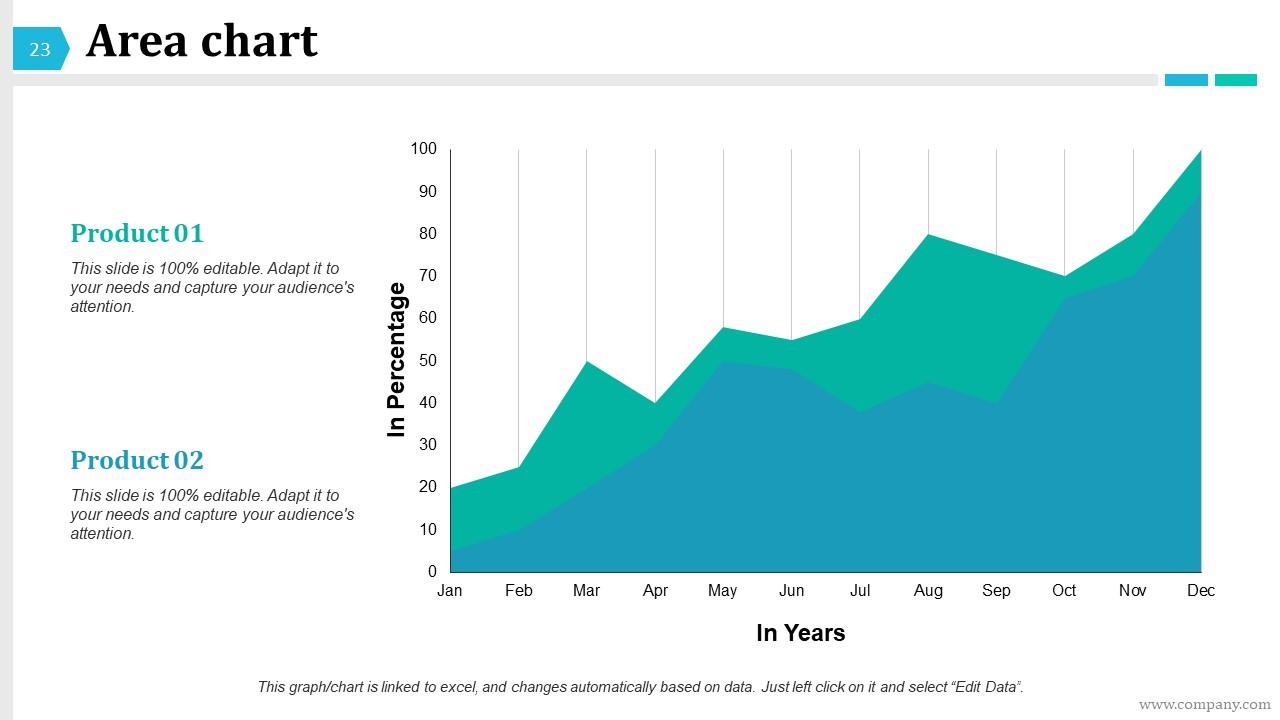
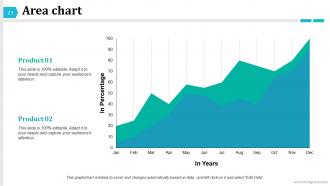
Slide 23: This is an Area chart slide to present product/entity information etc.
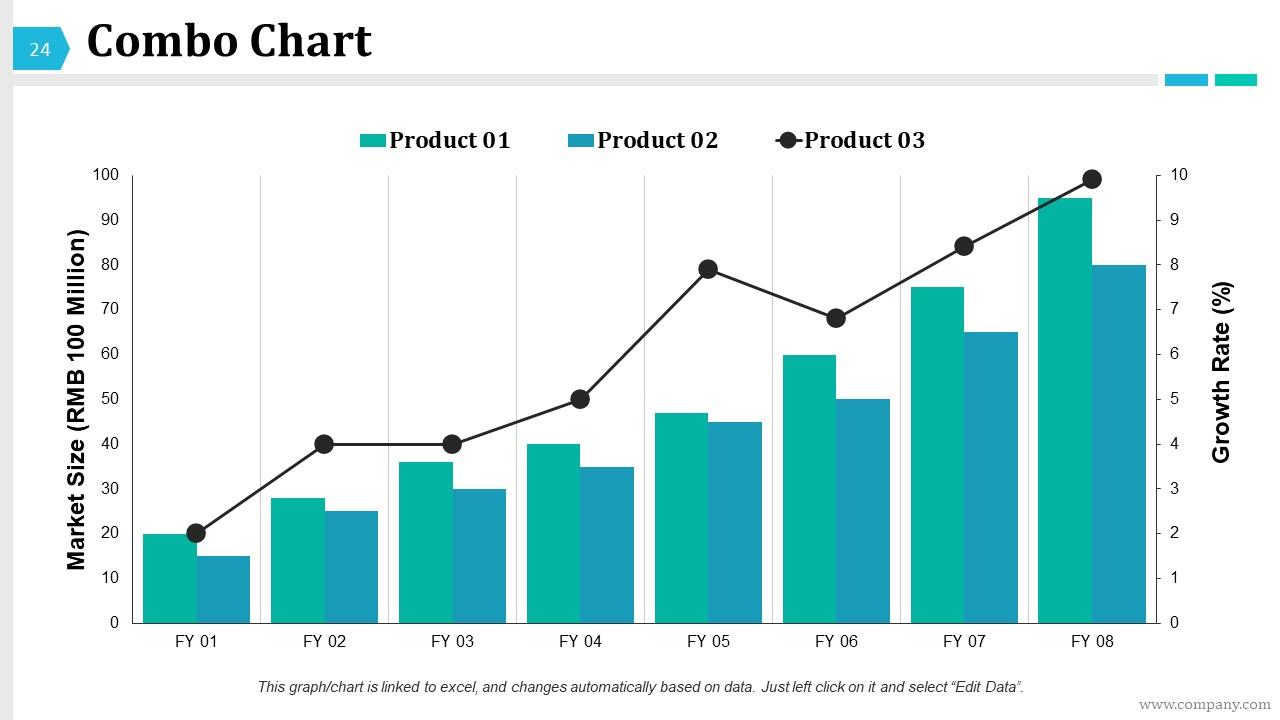
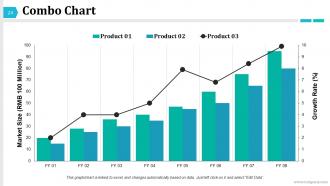
Slide 24: This is a Combo Chart slide to present product comparison in years.
Slide 25: This slide is titled Additional Slides to move forward. You may change the slide content as per need.
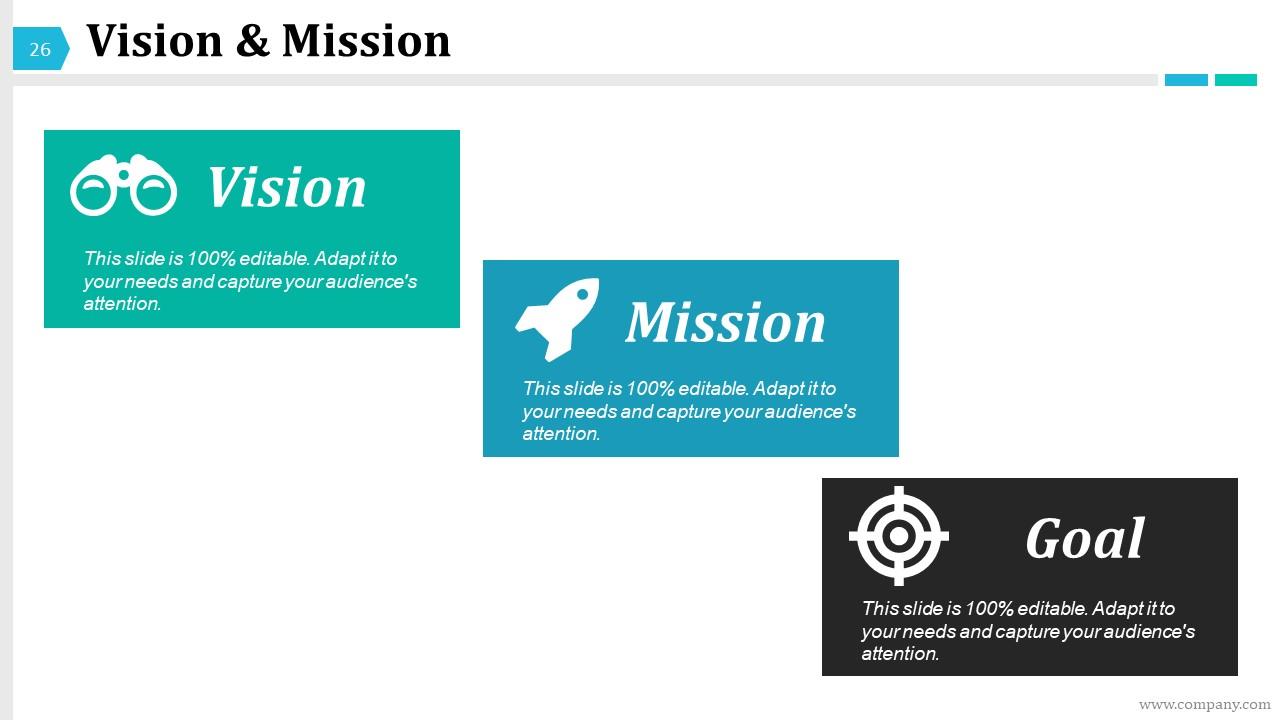
Slide 26: This slide presents Vision & Mission. State your goals, vision, aspirations etc. here.
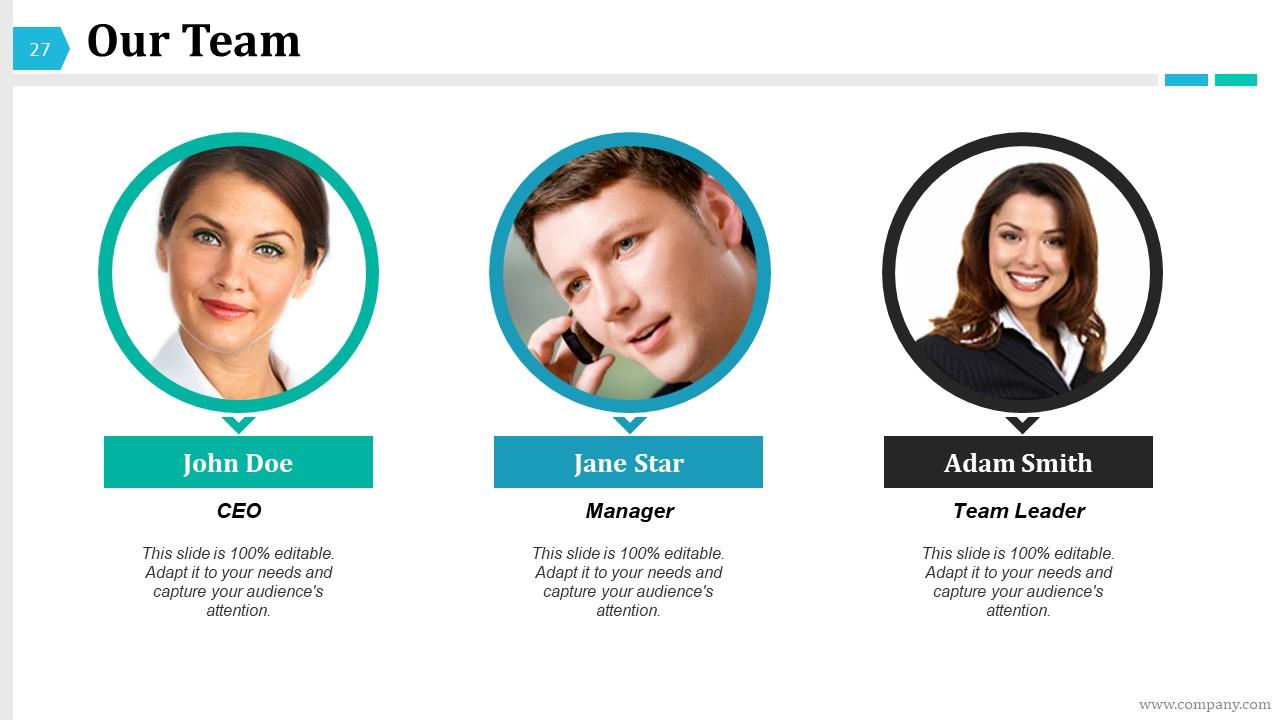
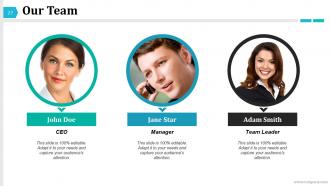
Slide 27: This is Our Team slide with name, designation and text boxes to fill information.
Slide 28: This is an About Us slide. State team/company specifications here.
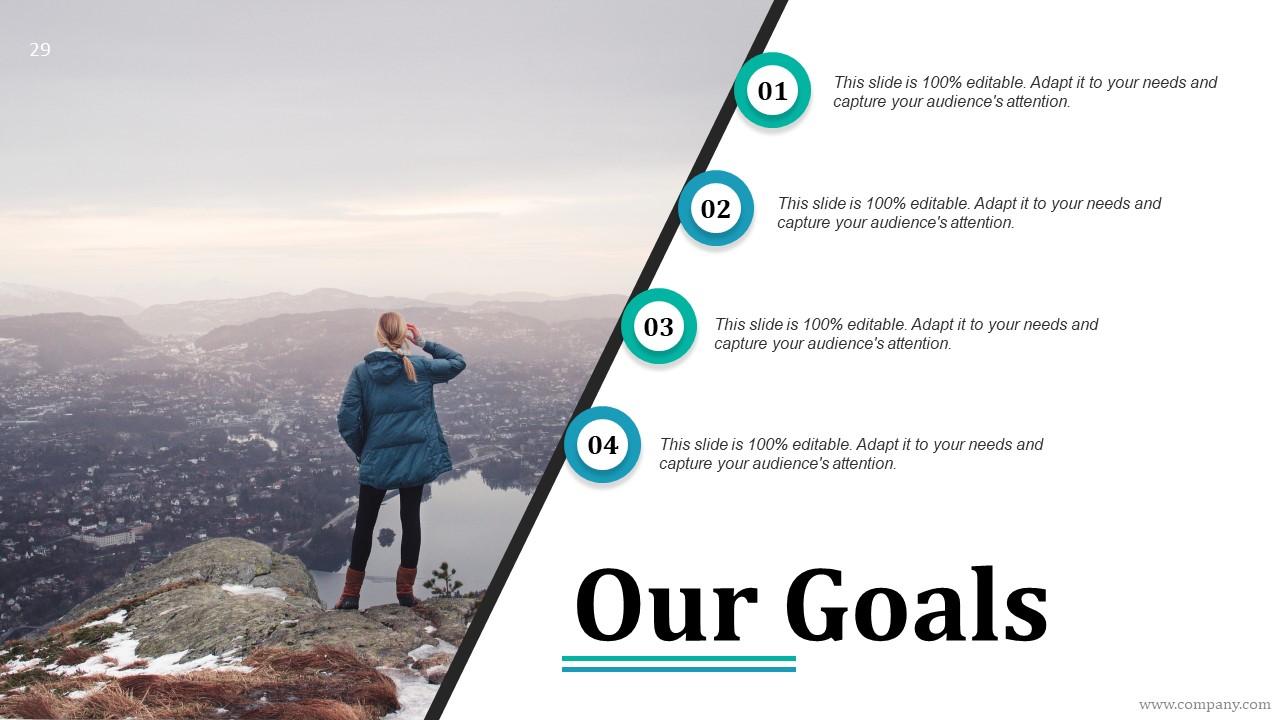
Slide 29: This is Our Goals slide. State your goals, aspirations etc. here.
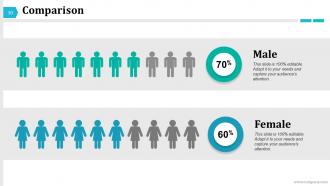
Slide 30: This is a Comparison slide between males and females. State comparison aspects here.
Slide 31: This is a Thank You slide with address, street number, city, state, contact numbers, email address.
Integrated Business Process Outline Powerpoint Presentation Slides with all 31 slides:
You will find our Integrated Business Process Outline Powerpoint Presentation Slides to be highly artistic. You can even adorn the gallery with them.
FAQs for Integrated Business Process Outline
Honestly, the game-changer is getting rid of all those annoying handoffs between teams. Your sales info flows straight to fulfillment, then accounting - no more hunting people down for updates or fixing duplicate entries. Real-time visibility into everything is clutch when your boss randomly asks for status reports (happens way too often, right?). Customers stop getting mixed messages from different departments too. I'd start by figuring out where your teams currently pass info back and forth. Those spots are perfect for automation.
So basically, tech just handles all those annoying handoffs between departments. No more waiting around for Karen in accounting to update her spreadsheet (we all know a Karen, right?). Your CRM connects straight to inventory, which automatically kicks off billing - boom, done. It's like having an assistant who actually works instead of scrolling Instagram all day. But here's the thing - you can't just grab random tools and expect them to play nice together. Map out where your processes keep getting stuck first. Then find automation that'll cut out those manual steps. Trust me, integration is everything.
Honestly, data analytics is like having x-ray vision for your whole operation. You'll spot bottlenecks you never knew existed and see exactly where departments aren't talking to each other properly. The crazy thing? You start noticing these weird patterns - like how a procurement hiccup always screws up production three weeks down the line. Who would've thought, right? Instead of just reacting to problems, you can actually predict them. My advice: pick your most important metrics first and get some basic automated reports going. Trust me, you'll find stuff that'll blow your mind.
Ugh, cultural differences will totally throw a wrench in your process integration. Different teams have completely different ways of doing things - some want everything documented while others just talk it through. Then you've got cultures that need approval from like three managers versus teams that just make decisions on their own. Honestly, the hierarchy thing is probably the biggest pain point I've seen. Map out these differences before you start building anything. You'll want standard workflows but - and this is key - give teams room to adapt how they actually execute stuff. Survey your global teams about communication styles first though.
First thing - map out how work actually flows between your departments right now. You'll probably find way more bottlenecks and duplicate data entry than you think (there always is). Talk to people from each department about what drives them crazy. Check which of your systems can talk to each other and which ones are just sitting there doing their own thing. I'd also look up some industry benchmarks so you know if you're behind or just being paranoid. The whole point is figuring out what's actually broken before you start trying to fix everything.
Okay so stakeholder engagement is huge for this stuff. You need everyone on the same page about what you're actually trying to do with these integrated processes. Getting people involved early means they'll spot problems you missed and tell you how things really work day-to-day. Nobody wants new processes just dumped on them - that's a recipe for disaster, honestly. When stakeholders feel heard, they become your biggest supporters instead of fighting you every step of the way. Map out who's getting affected first, then set up regular check-ins throughout the whole thing. Trust me, it saves so much headache later.
Honestly, data silos are your worst enemy here. Different departments use systems that straight up refuse to work together, creating these annoying information gaps. People will fight you on changing their workflows too - and honestly, I get it after doing something one way for years. The technical stuff is brutal; getting old systems to cooperate with new ones is like herding cats. Budget issues don't help either, plus nobody wants to actually own the whole mess. Start with just one small process though. Get some quick wins under your belt, then use those victories to convince everyone the bigger changes are worth it.
Look, when your systems actually work together, customers don't get bounced around between departments like a pinball. They get quick answers and consistent info no matter who they talk to. You can see their whole story too, which means catching problems early instead of dealing with angry calls later. Honestly, nothing kills loyalty faster than making someone repeat themselves three times to different reps. The whole experience just flows better - and that's what keeps people around. I'd start by picking one customer journey and figuring out where things get messy.
Map out which processes need to connect first - that's your starting point. SAP, Oracle, and Microsoft Dynamics are the big guns for full ERP if you need everything integrated. Salesforce has become pretty solid too, especially their whole ecosystem thing. Smaller shops might get away with Monday.com or Asana, though they're not real ERPs. The main thing? Pick something that plays nice with what you already have instead of making everything worse. I'd demo maybe 2-3 options max - any more and you'll go crazy comparing features. Oh, and don't let the sales guy oversell you on stuff you won't use.
Honestly, I'd start by mapping out your whole process flow - sounds boring but it'll show you exactly where things are breaking down. Those handoff points between systems? That's where the real mess happens. Get some data on how everything's performing, then make small tweaks instead of blowing everything up. The tricky part is getting everyone on board since these processes touch like five different departments. Pick one process that's been driving you crazy and just focus on that first. Run a quick improvement sprint on it - maybe try some Lean Six Sigma or Kaizen stuff if you're feeling fancy.
Look, you can have all the integrated systems in the world, but if your people don't know how to use them properly, you're basically throwing money away. Training has to cover the technical stuff AND help people see the bigger picture - like how their work affects other departments. I've seen too many teams just create workarounds when they don't get it, which totally defeats the point. Focus first on spots where handoffs between departments usually fall apart. Once your team actually understands why integration matters (not just how to click buttons), they'll catch problems early instead of letting them snowball. It's honestly what separates companies that succeed with this stuff from those that don't.
Think of regulatory compliance like bumpers at a bowling alley - it keeps your data integration from going into the gutter. You can't just hook up systems however you want anymore. Trust me on this one. Build in audit trails and validation checks first, even if it makes things messier. Map out which regulations actually apply to your stuff before you start connecting everything. Otherwise you'll end up redesigning the whole thing later (been there). Sometimes you'll need to separate duties too, which honestly can slow things down. But hey, better than getting fined.
Track end-to-end cycle times and error rates at handoffs - that's where you'll see the real problems. Customer satisfaction matters more than internal metrics, honestly. Data accuracy is critical because messy data kills everything downstream. We learned this when our sales-to-fulfillment looked perfect individually but was a total mess together. Employee productivity shows if people are still doing workarounds instead of letting the integration handle things. Monthly check-ins work well for spotting gaps early. Oh, and don't just measure individual processes - they might perform great alone but terrible when connected.
Honestly, integrated processes are a game-changer for small businesses. You'll stop doing the same data entry three times and actually trust your numbers. When your sales, inventory, and accounting systems talk to each other automatically, your team can focus on growing instead of constantly fixing mistakes. Real-time visibility across everything means you can make quick decisions without second-guessing if the data's even right. I always tell people to start by connecting whatever two systems cause them the most headaches daily - that's where you'll feel the difference immediately. Way better than juggling a bunch of disconnected tools that don't play nice together.
Amazon's got this down to a science - order something and boom, their warehouse, shipping, and restocking all happen automatically. Toyota does something similar with their manufacturing, connecting production with suppliers in real-time. Oh, and Starbucks honestly nailed it with their app talking to their registers and inventory (I'm probably too impressed by how smooth that ordering experience is). But here's the thing - don't try to copy everything at once. Pick two processes you've got that already bump into each other and connect those first. You'll save yourself a major headache.
-
Nice and innovative design.
-
Awesome presentation, really professional and easy to edit.