Talent Mapping Powerpoint Presentation Slides

Slide 1 of 24
Favourites Favourites

Try Before you Buy Download Free Sample Product

Audience Impress Your
Audience
Editable 100%
Editable
Time Save Hours
of Time
The Biggest Sale is ending soon in
0
0
:
0
0
:
0
0
Presenting, talent mapping PowerPoint presentation slides. Providing you a set of twenty-four intimate PPT designs to meet your requirements. Made up of enough slides of high resolution. It can be readily converted into PDF and JPG format. Alluring graphs for illustration and fascinating figures to illustrate the concepts. Profitable for the students, business professional, corporate people, and researchers. Format options. Genuine content with flexible data. Flexible background with color, font, and layout. Just Click on the picture and explore your knowledge.

Content of this Powerpoint Presentation


Slide 1: This slide introduces Talent Mapping. State Your Company Name and begin.
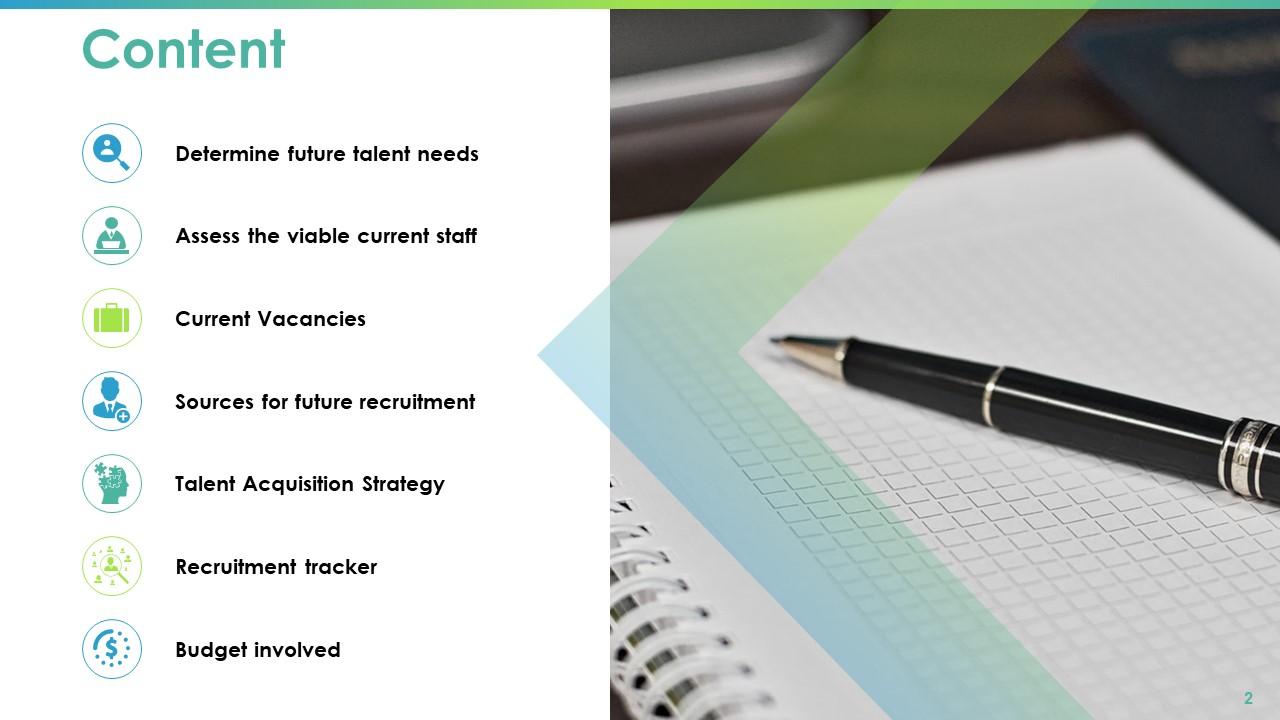
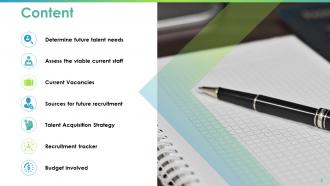
Slide 2: This slide shows Content. Its constituents are- Assess The Viable Current Staff, Current Vacancies, Sources For Future Recruitment, Talent Acquisition Strategy, Recruitment Tracker, Budget Involved, Determine Future Talent Needs.
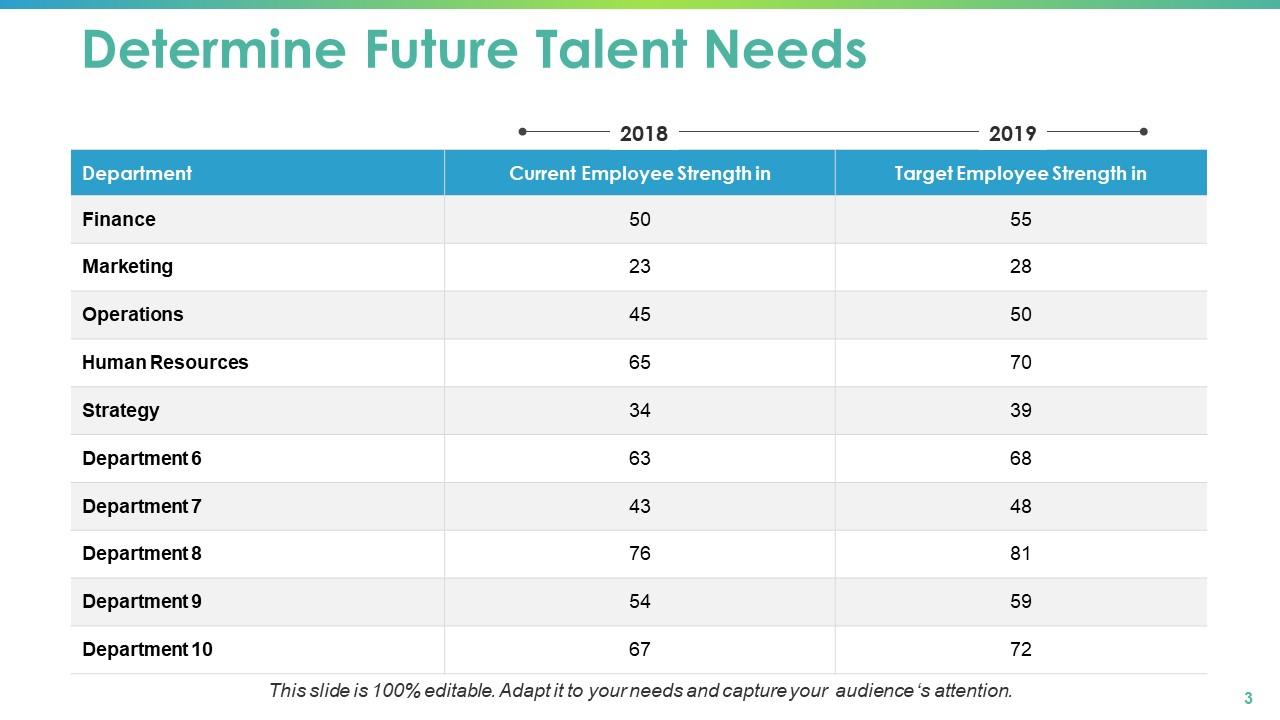
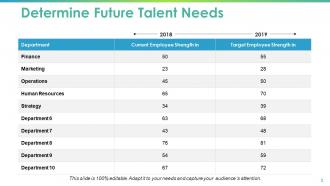
Slide 3: This slide shows a table which you can use to Determine Future Talent Needs. Add two-year data in this table and use it accordingly.
Slide 4: This slide is titled Assess the Viable Current Staff with imagery.
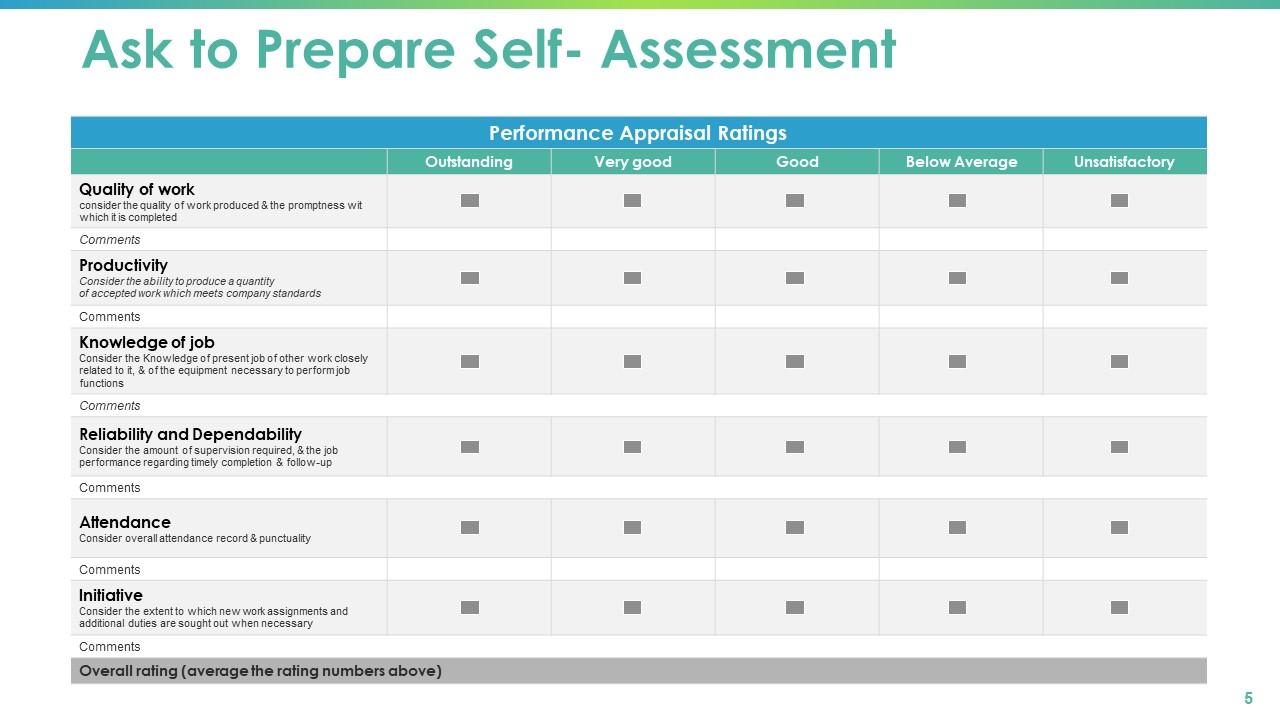
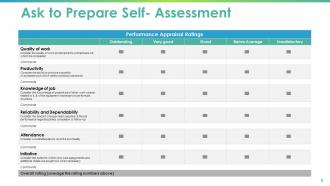
Slide 5: This is Ask to Prepare Self-Assessment slide showing Performance Appraisal Ratings.
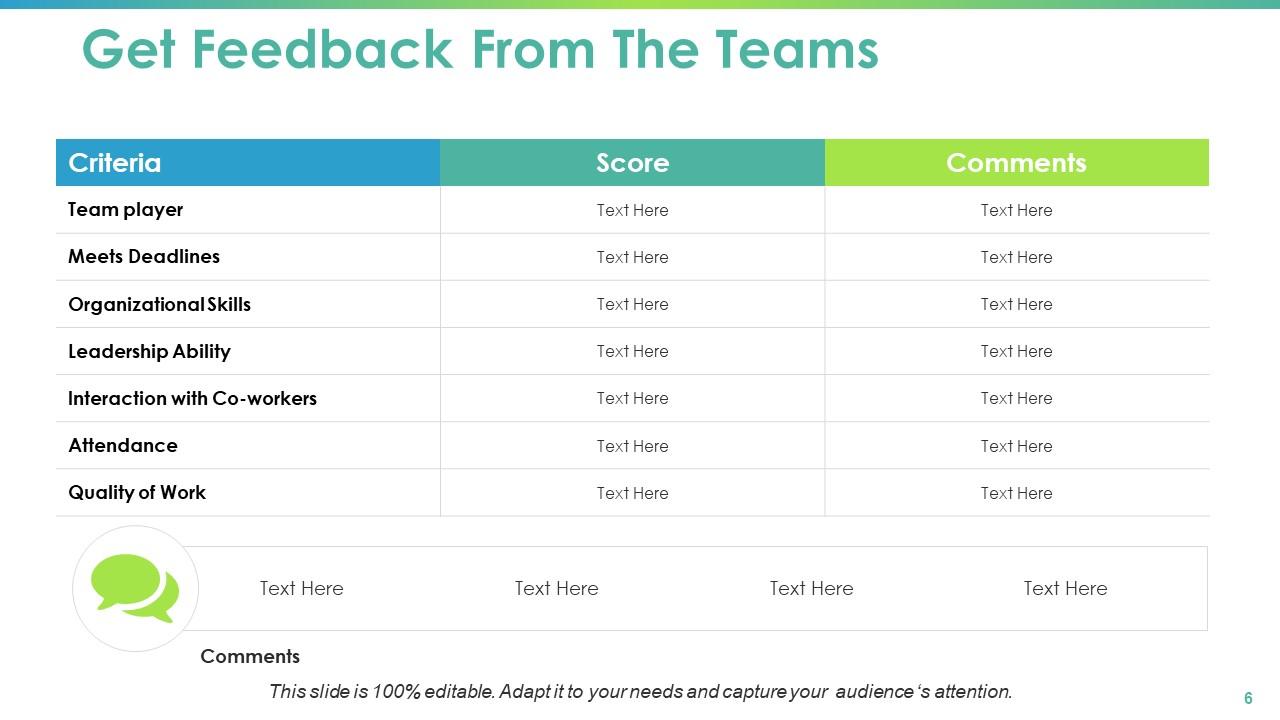
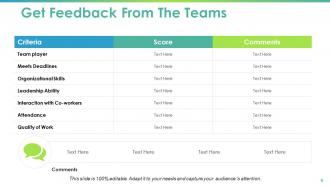
Slide 6: This slide shows a table titled Get Feedback from the Teams in which you can add criteria, score and comments.
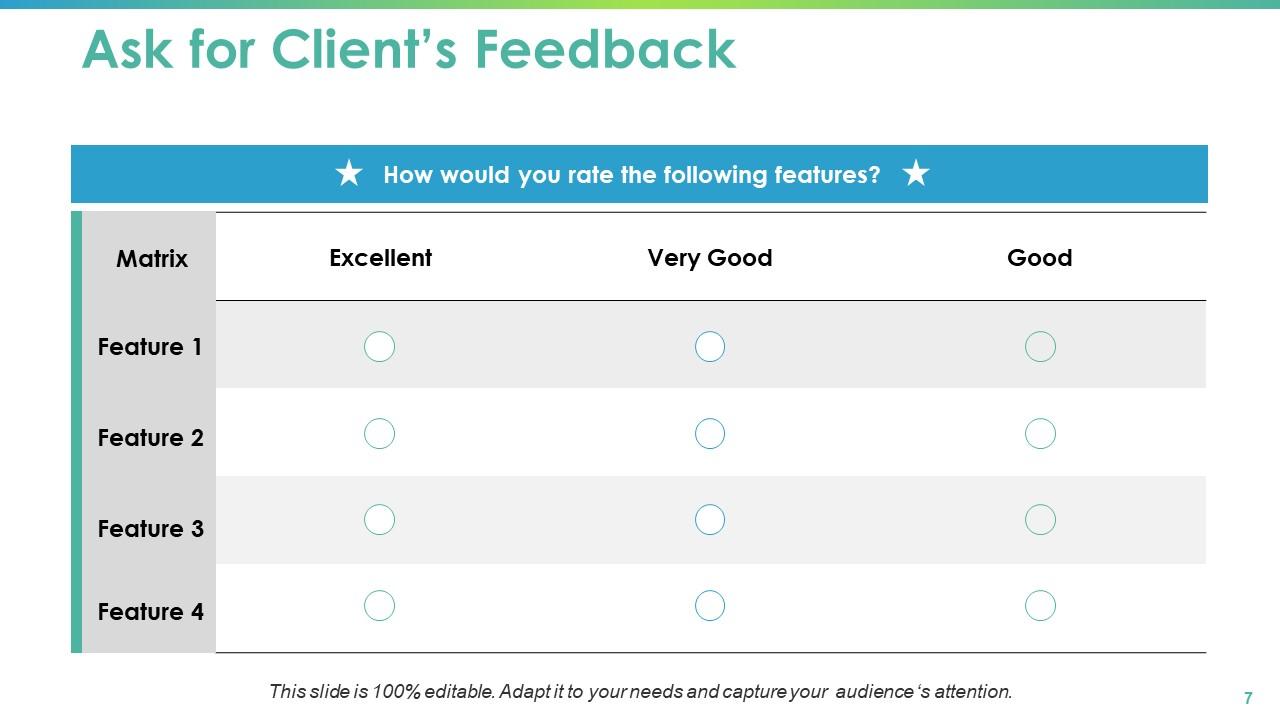
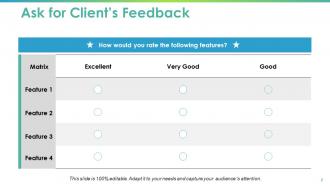
Slide 7: This is Ask for Clients’ Feedback slide showing Matrix in terms of excellent, very good and good.
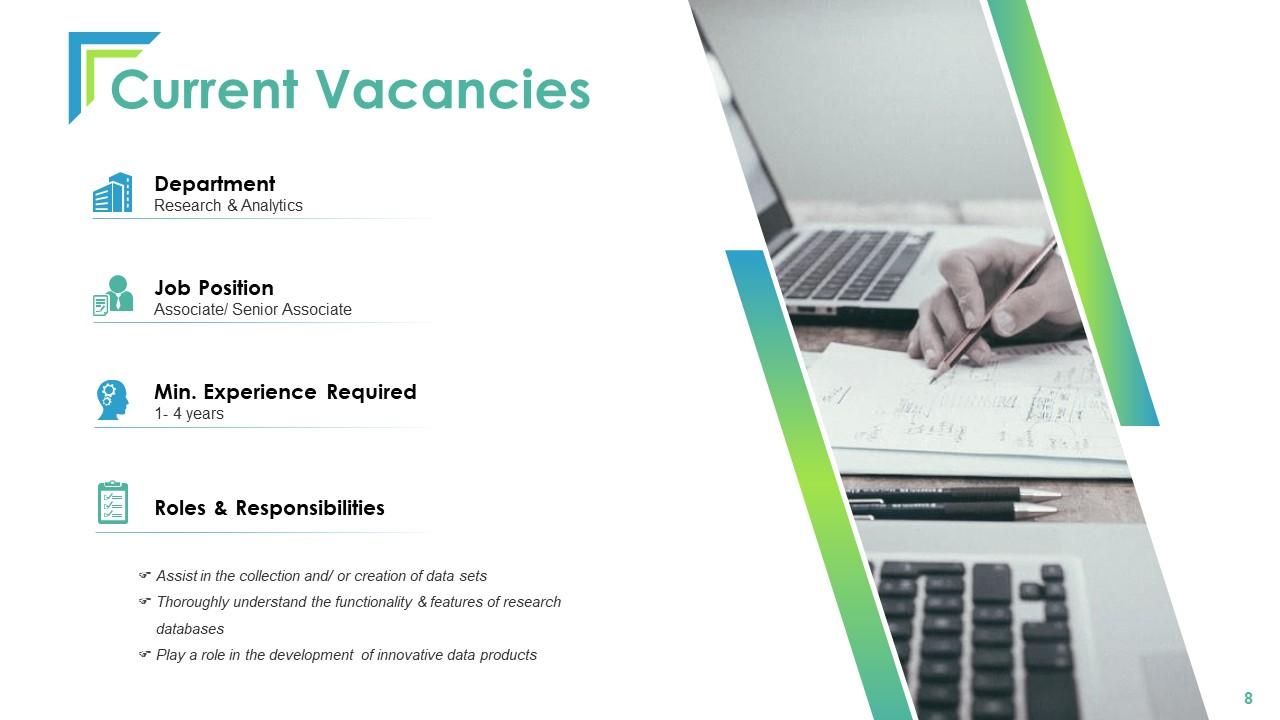
Slide 8: This slide shows Current Vacancies in the organization. You can add your own vacancies if any.
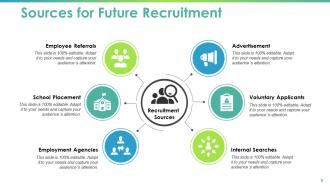
Slide 9: This slide shows Sources for Future Recruitment like Advertisement, Voluntary Applicants, Internal Searches, School Placement, Employee Referrals, Employment Agencies.
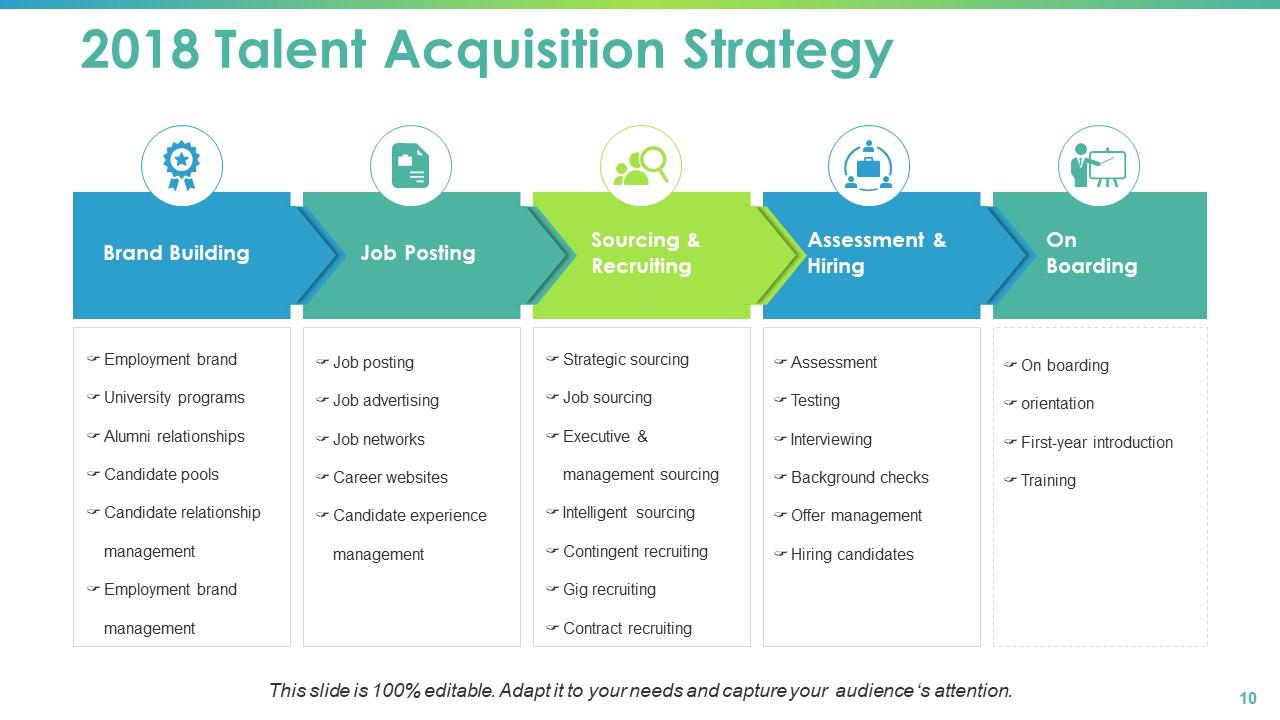
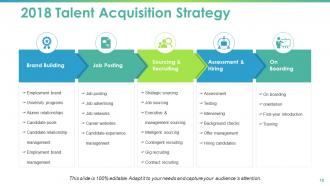
Slide 10: This slide shows 2018 Talent Acquisition Strategy table with the following sub headings- Brand Building, Job Posting, Sourcing & Recruiting, Assessment & Hiring, On Boarding.
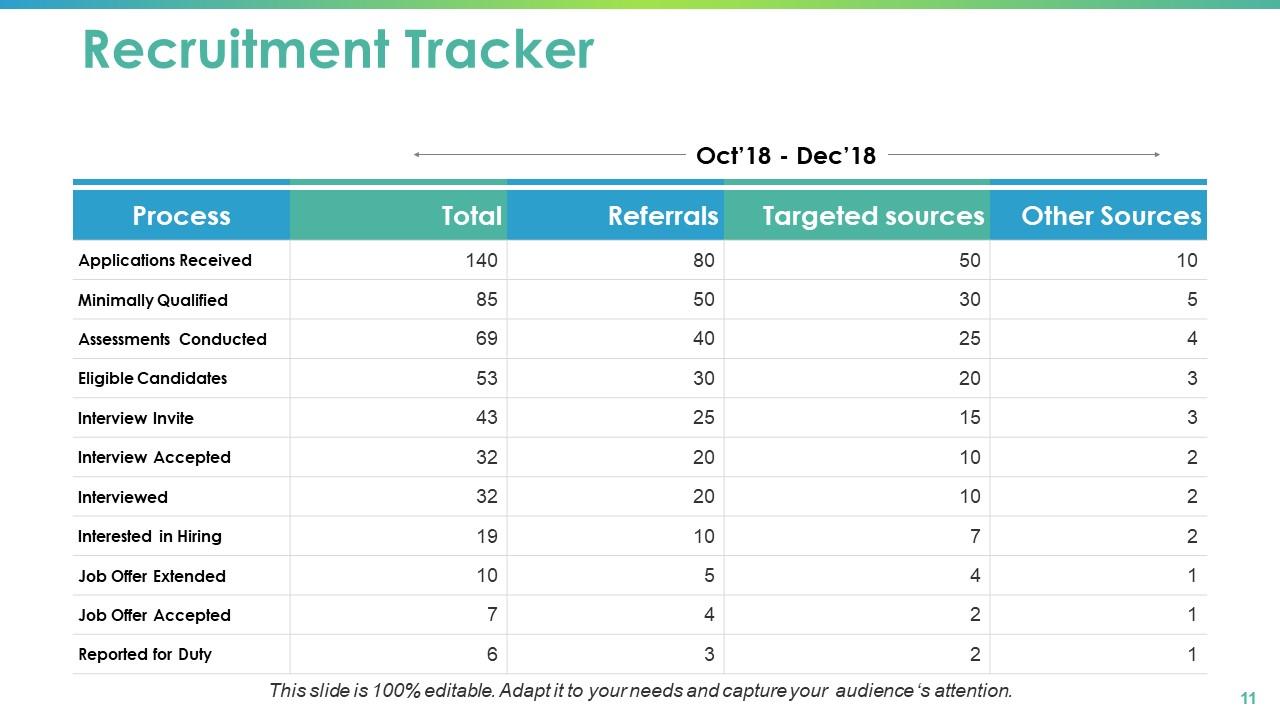
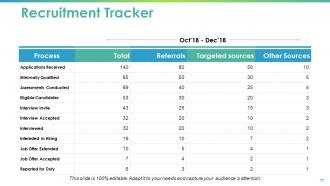
Slide 11: This slide shows Recruitment Tracker. You can add the data for the requirement or hiring processes.
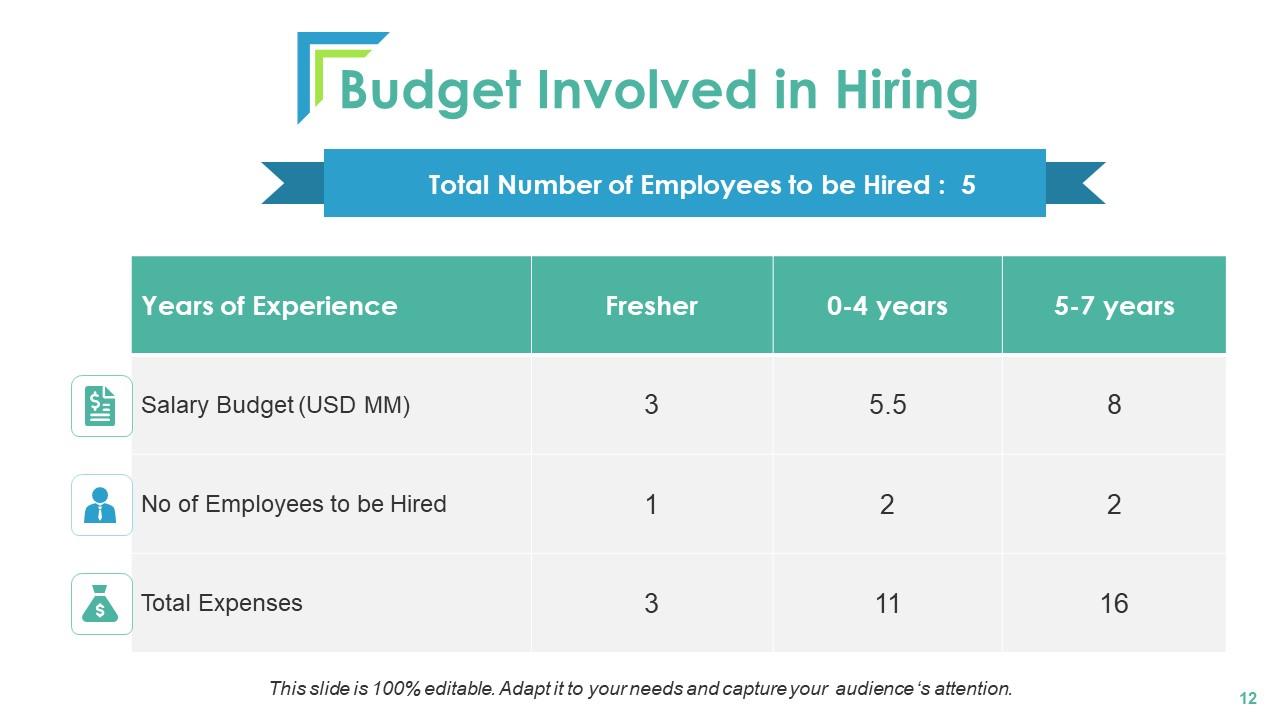
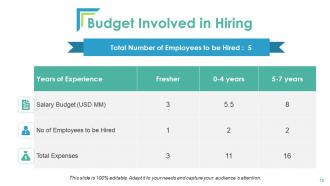
Slide 12: This slide shows the Budget Involved in Hiring which you can alter as per need.
Slide 13: This slide shows Talent Mapping Icons.
Slide 14: This slide is titled as Additional Slides for moving forward.
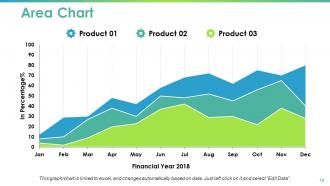
Slide 15: This slide shows Area chart with three products comparison.
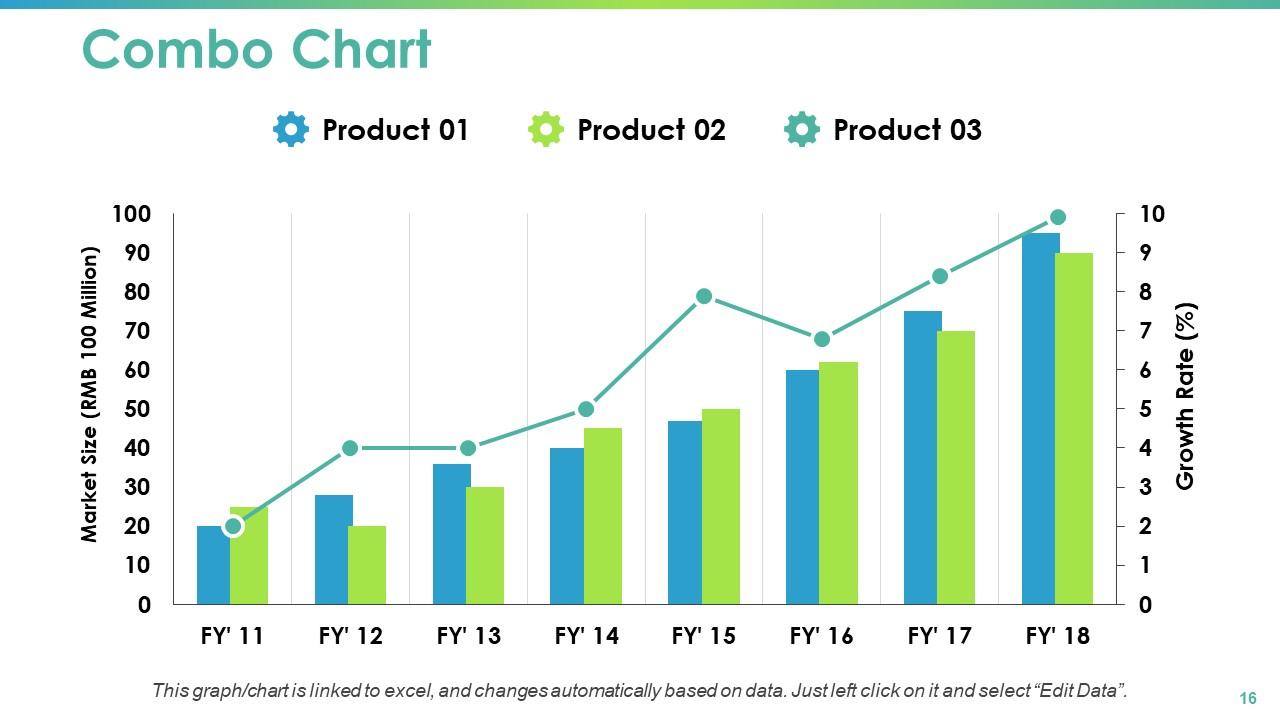
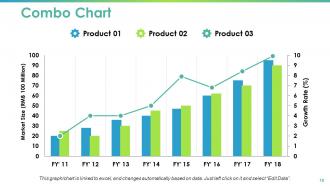
Slide 16: This slide presents Combo Chart with three products comparison.
Slide 17: This is Our Mission slide with text boxes to show information.
Slide 18: This is Our Team slide with names and designation.
Slide 19: This is Our Goal slide. State your important goals here.
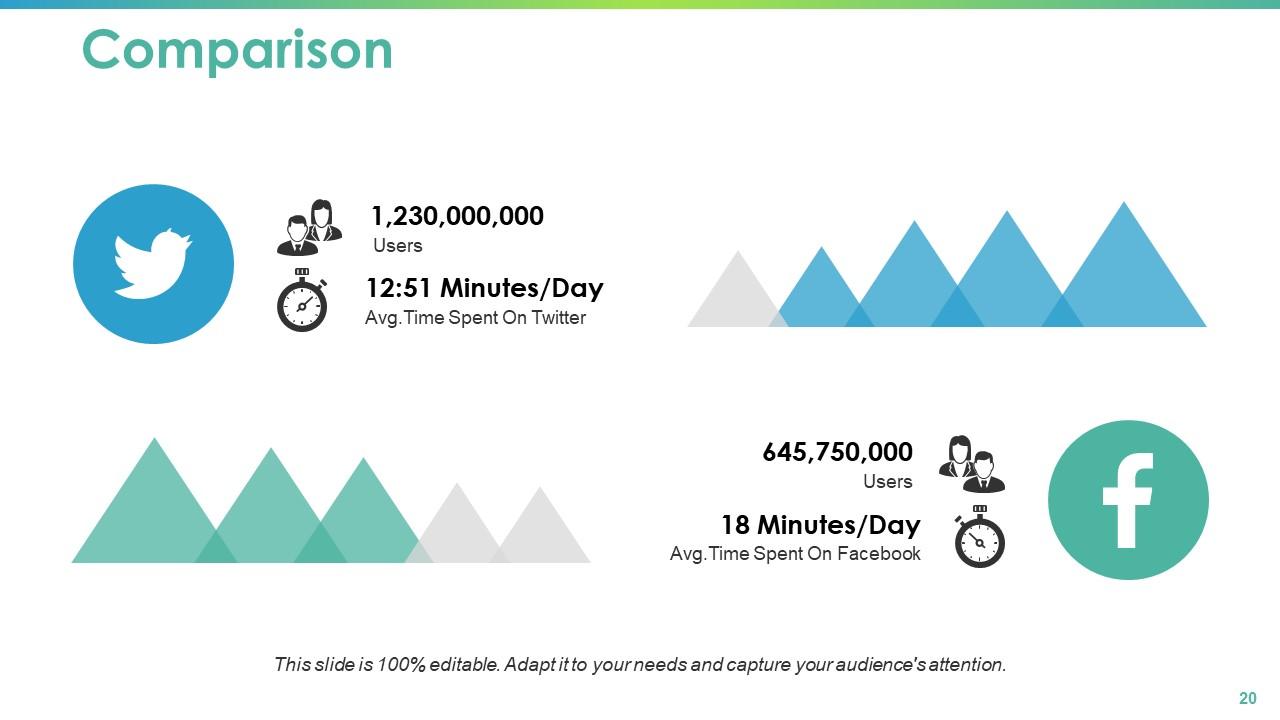
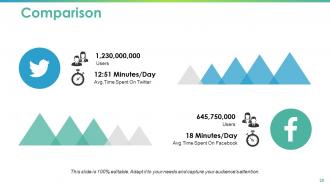
Slide 20: This is a Comparison slide to state comparison between commodities, entities etc.
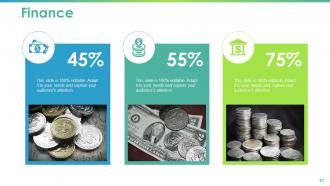
Slide 21: This is a Financial slide. Show your finance related stuff here.
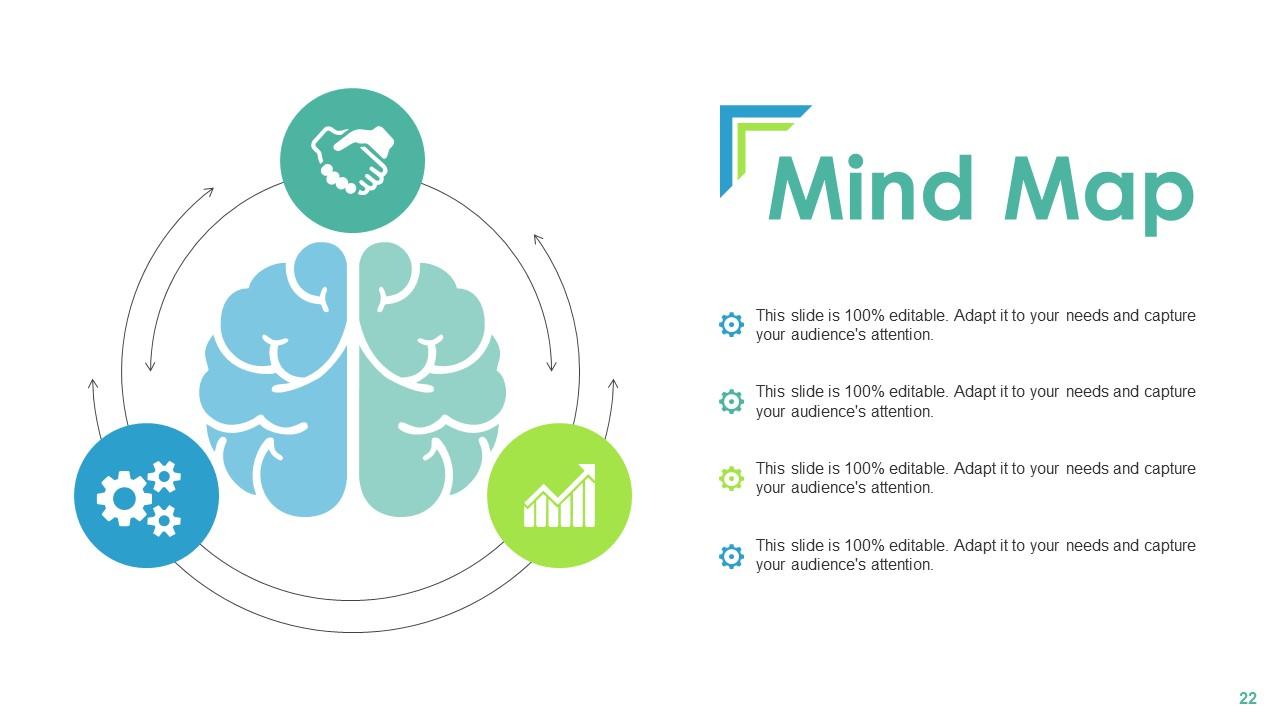
Slide 22: This slide shows Mind Map for representing entities.
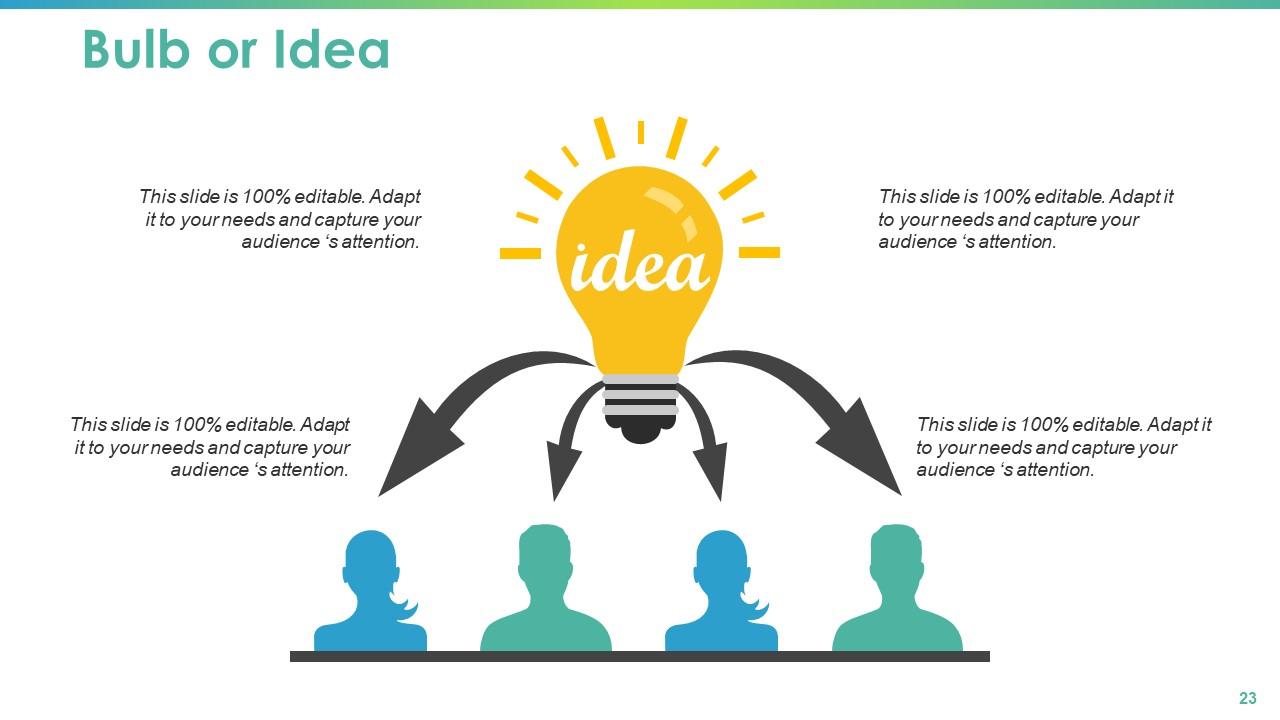
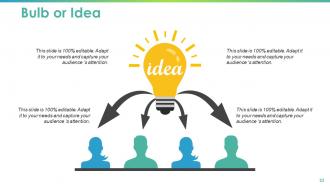
Slide 23: This is a Bulb or Idea slide to state a new idea or highlight specifications, information etc.
Slide 24: This is a Thank you slide with address, contact numbers and email address.

FAQs for Talent Mapping

So talent mapping basically shows you what skills you've got internally and where the gaps are. You can see who's crushing it and ready to move up, plus plan for succession before people bail unexpectedly. Way better than that panic mode when someone quits and you're like "wait, who even knows how to do this?" Honestly, it makes those career convos with your team so much more productive since you actually understand everyone's potential paths. The data helps you decide whether to hire externally or promote from within too. My advice? Just start with your most critical roles first - don't try to map everything at once or you'll burn out.

So talent mapping is basically figuring out what skills your team actually has right now vs what you need for future projects. I always start by just listing everyone's current abilities - like doing a skills audit, you know? Then map out what you'll need in the next 6-12 months. Honestly, the gaps jump out at you pretty fast when you see it all laid out visually. Maybe you're short on technical skills, or leadership stuff, or even just communication abilities that could mess up your plans. It's kind of like GPS for staffing decisions, which sounds cheesy but it's true.

So it really depends what kind of company you're dealing with. Org charts work great for old-school places like banks or manufacturing. Tech companies? Skills mapping is way better since roles change constantly. LinkedIn's obviously huge for finding external people, plus industry databases. But honestly, some of my best finds have come from just chatting with people at conferences - you'd be surprised what you learn. Creative fields are totally different though, you need portfolio reviews instead of boring competency stuff. Healthcare's tricky with all the certification requirements. Just start with whatever internal data you've got and build from there.

Think of talent mapping as your cheat sheet for workforce planning. Map out current skills and find your gaps first. Then use that info to plan hiring, promotions, and training programs. Way better than just guessing what you need (which honestly most companies do). Short sentences work. But you also want to connect it back to where the business is actually heading - otherwise you're just making pretty charts that don't matter. I'd start small though. Pick one department or key role and see how it changes your whole strategy. You'll be surprised how much clarity it brings.

Tech automates most of the grunt work and makes your data way better. AI tools can scan LinkedIn profiles and resumes, then spot skill gaps in minutes instead of weeks. Those visualization dashboards are actually pretty slick - they'll show talent clusters and succession paths you'd miss otherwise. Predictive analytics flags flight risks and finds high-potential people based on performance patterns. Oh, and these platforms sync with your HR systems automatically, which is huge. Honestly, just pick one solid talent mapping tool and you'll see how much faster workforce planning gets. It's kind of crazy how much time it saves.

Honestly, talent mapping is such a lifesaver. It shows you exactly who's ready for bigger roles and who needs more time to develop. I always tell people to start with their most critical positions first - that's where you're really screwed if someone leaves unexpectedly. You'll spot high-potential people early and can build development plans around them. The visual layout makes skill gaps super obvious too. Plus you'll see if you're way too dependent on just one or two people, which happens more than you'd think. Trust me, it beats scrambling when your best manager suddenly quits.

LinkedIn's obviously your first stop, plus company org charts and industry directories. Employee referrals are gold too. Conference lists work great - people who actually show up tend to be serious about their careers. For tech stuff, definitely check GitHub contributors. Your old ATS data is honestly underrated since it shows you what worked before. Twitter's weirdly helpful because everyone announces job changes there now. Professional associations, alumni networks from companies you're targeting. Oh and don't forget your own employees' connections - they know people. I'd pick maybe 2-3 of these to start with based on what roles you're filling.

Quarterly is usually good, but honestly? Depends how crazy your industry is. Tech moves super fast so I'd probably do monthly check-ins. More stable fields can get away with every 6 months or so. Big thing is catching major shifts when they happen - new competitors, economic weirdness, company restructuring. I learned this the hard way at my last job actually. Just bake it into your regular planning stuff so you're not working off stale data. Trust me, nothing's worse than realizing your talent map is basically useless because everything changed six months ago.

Ugh, data quality is the absolute worst part - people change jobs, pick up new skills, and half your info becomes useless overnight. Getting managers on board? Good luck with that. They think it's just busy work instead of something actually useful. Oh, and you'd be amazed how hard it is to even define what counts as "talent" at your company. Seriously, that conversation alone will take forever. Don't try mapping everyone at once though. Pick one department first, figure out what works, then spread it around. Way less painful that way.

Honestly, the easiest way is just connecting your skill assessments straight to performance reviews. Don't treat them like totally separate things - that's where people mess up. Your HRIS probably already has dashboards that show current performance plus future potential together, which is perfect for those succession planning meetings. Performance data helps you spot skill gaps and figure out who's actually ready to move up. The tricky part? Getting managers to update both systems regularly - good luck with that lol. But seriously, try adding a "career development goals" section to your next review cycle first.

Track the obvious stuff first - how long roles take to fill, internal promotions, and whether you've got backup people for key positions. Retention rates matter too since there's no point mapping talent that just leaves anyway. The fuzzy metrics are actually super telling though. Manager confidence in their pipeline, engagement scores, that kind of thing. Oh, and honestly? Check if anyone's even using the talent data you're collecting. I've seen so many companies obsess over building these maps that nobody ever looks at. Review everything quarterly and tweak as needed.

Honestly, people just want to know they're not stuck in a dead-end job forever. Talent mapping works because you're basically showing employees "here's where you could go next" instead of leaving them guessing. It makes them feel like you actually care about their growth, not just squeezing productivity out of them today. Why would someone jump ship if they can see a clear path up? Makes zero sense. The tricky part is you need real conversations with your team first - like actually ask where they want their career to head. Can't map talent without knowing what people want.

Talent mapping gives you some really good wins. Time-to-fill drops big time, and you actually get decent candidates instead of whatever random people apply. When someone quits unexpectedly, you're not panicking because you already know who's out there. Succession planning becomes way easier too - you can see who's ready internally vs when you need to go outside. Your hiring managers will actually thank you for once since they'll get people who fit instead of total mismatches. Just start with one role that's always hard to fill. You'll see the difference right away.

Talent mapping is honestly where it's at for fixing diversity issues. Map out where candidates from different backgrounds actually hang out - HBCUs, certain communities, whatever. Don't just post jobs and pray diverse people apply. Also check your internal promotion data - are certain groups getting stuck somewhere? I've seen companies completely miss this. The trick is being super intentional about who you're looking for, then actually reaching out instead of waiting around. Way better than those surface-level efforts that don't really work.

Get your hiring managers and team leads together, plus someone from HR who actually gets these roles. Keep it small though - maybe 6 people tops or it turns into chaos. Prep some role profiles beforehand so you're not winging it completely. Focus on skill gaps first, then figure out what to hire for vs. what you can train people up on internally. Document everything as you go (trust me on this one) and give people actual next steps before they bolt. The whole point is walking away with real hiring priorities, not some useless flowchart that'll collect dust.

Ratings and Reviews

0% of 100
Review Form
Write a review
Most Relevant Reviews

No Reviews