

Team with communication speech bubbles flat powerpoint design





Try Before you Buy Download Free Sample Product
 Impress Your
 Audience
 100%
100% Editable
 Save Hours
 of Time


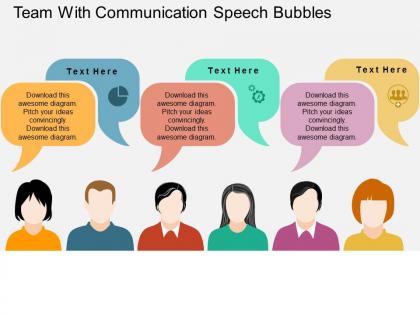
Communicate your business information effectively with our team with communication speech bubbles flat PowerPoint design. The PPT diagram shows the concept of sharing the information related to your business in the best possible manner. Our presentation templates assist you to engage the consumer in your product or services. Besides this, the design is also useful in putting the across the important business update to your team members. Sharing the information with the people working within your organization or from outside requires you to choose the right medium such as email, phone, face to face etc. If you pass on the message to your stakeholders, business partners, team members about the business then this will assist you to make strong bond that will ultimately assist your commerce. The business professional vectors are wonderfully highlighting the communication speech concept. So download the PowerPoint template as soon as possible and then present in front of your audience. All our designs are completely editable so you can edit them as per your preference. Our Team With Communication Speech Bubbles Flat Powerpoint Design attract consumers. Your brand will appear greatly exciting.
People who downloaded this PowerPoint presentation also viewed the following :
Team with communication speech bubbles flat powerpoint design with all 4 slides:
Come off the better in any comparison with our Team With Communication Speech Bubbles Flat Powerpoint Design. They bestow you with that decisive edge.
FAQs for Team with communication speech bubbles
Honestly, most communication problems come down to just setting clear expectations upfront about response times and which channels to use for what. That fixes like 70% of issues right there. Regular check-ins are clutch too - don't wait until something's broken to talk. Make sure people actually feel safe speaking up without getting shot down. Active listening is where most managers completely blow it though. They're just waiting for their turn to talk instead of actually hearing what's being said. Oh and document stuff more than you think you need to - I learned that one the hard way. Creating that psychological safety thing isn't just HR buzzword nonsense, it actually matters.
Honestly, visuals are a game changer for presentations. People retain way more when they can actually see what you're talking about - charts, simple diagrams, whatever works. Nobody wants to sit through someone just talking for 20 minutes straight (been there, it's brutal). Plus they keep you from rambling off-topic. I always do one visual per main point. Don't go crazy with fancy graphics though. Keep it clean and relevant to what you're saying. Your audience will thank you, and they'll have something to look back at later when they inevitably forget half of what was discussed.
Oh man, remote work totally flips team communication on its head. You'll miss those random coffee chats - that's where half the good ideas used to happen, honestly. Everything becomes super deliberate and planned out now. People get way better at writing stuff down though, which is actually clutch. Time zones are annoying but sometimes you get focused work time when everyone's asleep. Your team will probably go overboard with Slack messages at first (mine definitely did), then chill out once you figure out what works. Just set some ground rules early and save video calls for the messy conversations.
Honestly, good team communication comes down to actually listening and giving solid feedback. Don't just sit there planning what you'll say next - we're all guilty of that one. Really hear what people are telling you, ask questions if something's unclear. Then feedback helps confirm you're both on the same page. It prevents those awful miscommunications that totally tank projects. One trick that works: summarize what you heard before jumping into your response. Sounds simple but it catches misunderstandings early and shows you're actually paying attention.
Honestly, you've gotta model what you want to see. Ask specific stuff in meetings - like "what's actually blocking you?" instead of those boring check-ins nobody answers anyway. When someone pushes back, try being curious rather than getting defensive (I'm terrible at this when I'm stressed, but it works). Set up regular one-on-ones too. The real key though? Actually do something with their feedback. People will keep talking if they see you're listening and making changes. Otherwise they'll just go back to nodding and saying "everything's fine."
Start with the basics - Slack or Teams for chat, Zoom for meetings, and Notion for docs. But honestly? The actual tool doesn't matter as much as everyone consistently using whatever you pick. Set up clear channels so people aren't getting pinged constantly - maybe one for urgent stuff, another for random updates. I learned this the hard way when our team was using like five different apps and nobody knew where anything was. Pick one main tool for each type of communication first, get everyone on board, then worry about the fancy stuff later.
Oh man, cultural stuff totally changes team dynamics. Some people are super direct, others drop hints and expect you to figure it out. I've learned that silence in meetings isn't awkward for everyone - some folks just need time to think. Then there's the whole hierarchy thing. My coworker from Germany will challenge anyone's ideas, but my teammate from another culture waits for manager approval first. Honestly, deadlines mean different things to different people too. Just ask your teammates upfront how they like to communicate. Saves so much confusion later.
Figure out what's actually going wrong first - maybe it's messy processes, people clashing, or just too much info flying around. Regular check-ins where everyone can actually speak up help a ton. Set some basic rules too, like how fast people should respond to messages. I'm big on just asking "does this make sense?" way more often than feels normal. Oh, and rotate who runs meetings - the quiet people usually have the best ideas anyway. Bottom line: people need to feel safe saying "wait, I'm totally lost" without getting judged for it.
Oh man, first thing - pick ONE person to handle all communication or you'll get total chaos with everyone saying different things. Set up a dedicated group chat and do quick check-ins every hour or so (maybe less if it's really urgent). Trust me, we learned this during our massive server crash last year and it was a nightmare before we got organized. Keep your updates short and stick to facts, not guesswork. Everyone should know their role from the start. Also write down the big decisions as you make them - sounds boring but you'll thank yourself later when things calm down.
Honestly, check-ins are a lifesaver for avoiding those awkward "wait, what's happening?" moments mid-project. You catch problems before they explode. Quick wins get shared around. Plus I've found the quieter people on teams actually need that structured time to speak up - otherwise they just stay silent in bigger meetings. The trick is keeping them short and focused, maybe 15-20 minutes max? Nobody wants another meeting that should've been a Slack message. Oh, and try rotating who runs them so it doesn't get stale. Same person every week gets boring fast.
Dude, skip the boring bullet points and tell actual stories instead. Like start with "Picture this: a customer calls pissed off because..." and suddenly everyone's paying attention. Walk them through the whole problem and how you'd solve it. People remember stories way better than random data points - though honestly, keep some charts handy just in case. The whole thing creates this emotional connection that sticks with people after they leave. I tried this mini-story approach in my last presentation and could literally see people lean in. Trust me, it works.
Mix up who talks first each time. Do round-robins so everyone gets their turn, and set a rule about no interrupting during brainstorming. Call on the quiet people directly - they usually have good ideas but won't jump in. Time-box everything or the chatty ones will eat up the whole meeting. Anonymous polls work great too, or have people drop ideas in a shared doc beforehand. I'd also try breaking into smaller groups first since some people freeze up in big crowds. Oh, and literally start by asking who hasn't spoken yet. Works every time.
Dude, body language is HUGE in team stuff - way more than people realize. Like, I've literally watched meetings implode because someone rolled their eyes or sat there with their arms crossed the whole time. So awkward. When you're nodding and making eye contact, teammates feel heard and respected. But slouch or scroll your phone? You might as well wear a sign that says "I don't care." The crazy thing is most people don't even notice they're doing it. Start paying attention to how you sit and react - and honestly, watch others too. You'll pick up on so much.
Oh man, team size totally changes everything with communication. When you've got like 3-5 people, decisions happen fast and nobody gets left behind. Once you're at 7+ though? It's chaos. Side conversations everywhere, people making calls without others knowing, and honestly - I watched one team of 12 spend forever just trying to figure out who was supposed to know what. Such a mess. The magic number is probably 5-7 max for most stuff. Bigger than that and you should split into smaller groups or at least pick someone to be the communication hub, you know?
Ugh, communication chaos is the worst! Pick one platform - Teams or Slack work great - and make everyone actually stick to it. Create different channels for each project so you're not drowning in random email threads (seriously, who decided group emails were a good idea?). Hook it up to your project management stuff so updates flow automatically. Short sentences help. The tricky part isn't the setup though - it's getting your whole team to stop using their old habits. Otherwise you'll end up with even more scattered conversations than before.
-
Very unique, user-friendly presentation interface.
-
Nice and innovative design.